
The smart-home market keeps making the same promise in slightly different packaging: automate enough things and your home will feel effortless. What it usually delivers is a pile of tiny dependencies. The light works, until the app logs out. The thermostat is clever, until the Wi-Fi hiccups. The ...
The smart-home market keeps making the same promise in slightly different packaging: automate enough things and your home will feel effortless. What it usually delivers is a pile of tiny dependencies. The light works, until the app logs out. The thermostat is clever, until the Wi-Fi hiccups. The front door is "convenient," until someone reboots the router. A lot of smart-home advice is written by people who enjoy home automation as a hobby. That's fine. But a hobby and a household are not the same thing, and most homes do not get meaningfully better because 37 objects are now on a dashboard.
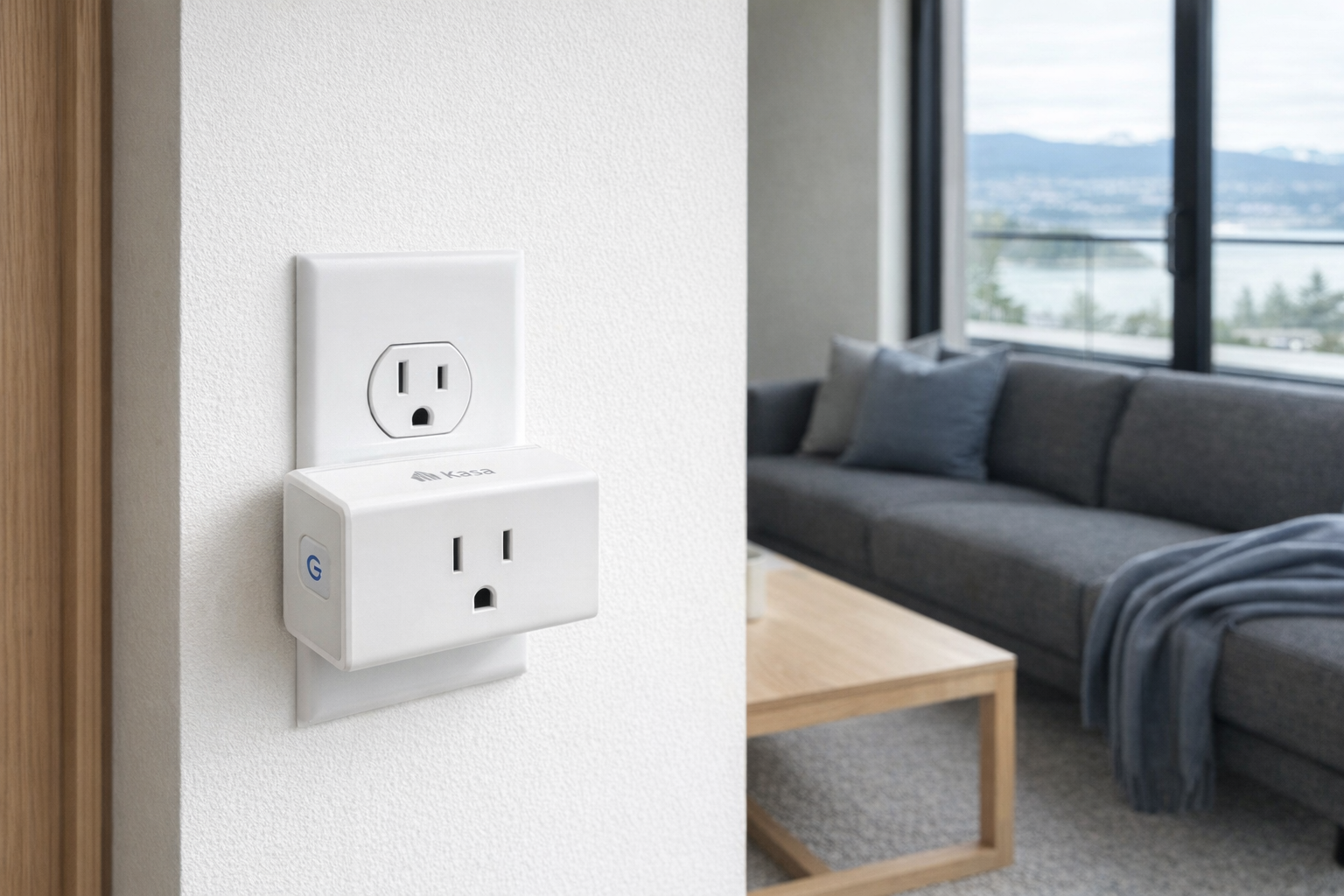
This article is not a hands-on review. It's an editorial primer on the minimalist smart home: what parts are actually useful, what parts are more trouble than they're worth, and how to build a setup that still makes sense at 3 AM when something breaks. We'll use the Kasa Smart Wi-Fi Plug Mini as the worked example throughout because it's one of the clearest examples of smart-home tech done in the least annoying way possible: cheap, understandable, and easy to remove later if you change your mind.
The 60-second version
| Question | Honest answer |
|---|---|
| What is a "not-smart" smart home? | A home that uses a few targeted smart devices for annoying recurring tasks, while keeping the important stuff simple and manually operable. |
| How many smart devices does most homes actually need? | Usually 5 to 7 items total is enough. Beyond that, you're often building a hobby system, not solving daily problems. |
| What's the best first smart-home product for skeptics? | A smart plug. It's cheap, reversible, and doesn't replace a critical system. |
| Should lights, locks, and heating all be automated? | Not automatically. Plugs and a thermostat often make sense; locks and full-house lighting scenes need more caution. |
| Is voice control necessary? | No. For many people it's optional. A phone app, schedule, or physical switch is often better. |
| What's the biggest mistake people make? | Automating things that must still work normally when the internet, app, or Wi‑Fi doesn't. |
| Can you build a smart home without getting trapped in one ecosystem? | Mostly yes, if you stay minimal. The fewer categories you automate, the easier it is to leave later. |
Pro tip: The honest goal of a smart home is not "everything connected." It's "fewer repetitive chores." If a device doesn't remove a specific recurring annoyance, it's probably clutter with firmware.
What a minimalist smart home actually is — a structural definition
A minimalist smart home is not anti-technology. It's anti-dependency. The idea is simple: only make something smart if the smart part solves a repeat problem and the dumb version still works when the network doesn't.
That distinction matters because "smart home" gets explained as if connectivity is the benefit in itself. It isn't. Connectivity is just the mechanism. The real question is whether the mechanism reduces friction or adds another possible failure point. A lamp on a timer? Reasonable. A bathroom light that needs a cloud account to turn on? Ridiculous.
In plain English, the minimalist model has three filters:
- Is this task repetitive enough to automate?
- Is failure low-stakes if the smart feature stops working?
- Can a normal person still operate it without opening an app?
If the answer to those three is yes, smart tech can be worth it. If not, keep the regular version. That's a more honest framework than the usual "works with Alexa" badge, which tells you almost nothing about whether the product belongs in your life.
The three rules that make the concept click
1. Automate routines, not identity
A lot of people buy smart-home gear because it feels like an upgrade. But "being modern" is not a use case. Good smart-home purchases usually attach to boring patterns: the fan you always forget to turn off, the lamp you want on before you wake up, the heater schedule you keep adjusting as outdoor temperatures swing.
That is why smart plugs are so often the first rational purchase. They automate an appliance or lamp you already own. No rewiring, no commitment, no pretending your toaster needs an app.
2. Keep critical systems boring
The more essential the system, the less tolerance you should have for cloud weirdness, login issues, firmware delays, or brittle automations. Heating in winter is a good example. A smart thermostat can make sense because it replaces a single control point and usually still functions on the wall. A smart lock is a tougher call because getting locked out is categorically worse than forgetting to automate something.
This is the rule most marketing tries to skip. "Smart" is not the same thing as "better," especially for door access, security gear, and anything tied to comfort or safety. Evaluate those the way you'd evaluate plumbing or electrical work: reliability first, cleverness far behind it.
3. Every smart action should have a manual fallback
If a person standing in the room cannot still operate the thing in a normal way, the system is too fragile. A physical switch should still control a light. A thermostat should still accept local temperature changes. A plug-based automation should be removable in under a minute.
This sounds obvious, but it rules out a surprising amount of bad smart-home design. A minimal setup is not one with fewer features on paper. It's one with fewer ways to fail.
The failure modes that turn a smart home into a chore
Before talking products, it's worth getting clear on what actually goes wrong in over-automated homes. Not the dramatic stuff from ads or keynote demos — the boring, expensive annoyances.
Cloud dependence at the worst possible time
A routine that depends on a manufacturer's servers is always one outage away from becoming a normal appliance with extra steps. If the internet is down and your lamps can't follow schedules, that's annoying but survivable. If a more important category fails at the same time, the tone changes quickly.
This is why smart plugs are easier to recommend than more ambitious categories. If a plug loses its brains, you unplug it and move on. That's a graceful failure. A lot of "smart" products do not fail gracefully.
App sprawl
The average overbuilt smart home doesn't just have devices. It has accounts, permissions, pairing flows, firmware notices, password resets, and duplicated routines across multiple apps. That's not convenience. That's maintenance debt.
Once a house depends on four brands and three assistants to do ordinary things, nobody else in the household knows what controls what. That's the moment a smart home stops being a home improvement and becomes one person's part-time IT project.
Hidden single points of failure
Some systems look redundant but aren't. The Wi‑Fi router goes down, and suddenly the speaker, thermostat control, app control, and cloud routine all disappear together. That's one of the central truths of smart homes: the failure is often upstream. The bulb didn't break. The network did.
Minimal setups reduce this by keeping the number of interconnected layers small. Fewer devices, fewer apps, fewer chain reactions.
The worked example: Kasa Smart Wi-Fi Plug Mini
The Kasa Smart Wi-Fi Plug Mini is the right anchor for this discussion because it represents the most defensible form of smart-home buying: a cheap add-on that automates one outlet and can be removed later with no drama. At about $13 CAD according to the listing, it sits firmly in the "worth trying without redesigning your life" category.
A smart plug is not glamorous, and that's exactly the point. The sane uses are ordinary: a floor lamp, a fan, perhaps a seasonal light setup, maybe a coffee machine only if the appliance itself is safe and appropriate for switched power. It gives you scheduling, remote on/off, and simple automation without replacing the appliance. That design is more honest than most of the category because it doesn't pretend your lamp needed a software platform. It just gives the outlet a timer and remote switch.
The Kasa model, specifically, is compelling because the entry price is so low. Around $13 CAD is cheap enough to experiment with one real annoyance rather than buying a whole ecosystem upfront. If the habit sticks, great. If not, you're not staring at a $237 CAD thermostat or a house full of smart bulbs you now have to manage individually.
Just as important is what it does not do. A plug does not make your whole home intelligent. It does not solve weak Wi‑Fi. It does not reduce electric bills by magic. It does not turn a bad routine into a good one. It simply gives power control and scheduling to one outlet. That's a narrow promise, but narrow promises are usually the trustworthy ones.
This is also why the plug is a better first purchase than a smart bulb for many people. A plug leaves the lamp's normal switch logic intact. Smart bulbs, by contrast, often frustrate people because someone inevitably turns off the wall switch and the "smart" part disappears. A plug is less fancy and, in practical households, often less annoying.
A realistic minimalist setup might use 2 to 4 smart plugs across an apartment or small house: one for a living-room lamp, one for bedroom lighting, one for a fan, and maybe one seasonal or utility use. Beyond that, a lot of people are just buying more control surfaces than they actually need.
- Full explainer: Kasa Smart Wi-Fi Plug Mini on Celmin · Directory: product page
The core categories that are actually worth considering
A minimalist smart home usually lives in just a few categories. Below are the ones that can make sense — and the ones that are easier to overdo than the marketing suggests.
Ecobee Smart Thermostat Enhanced — the one "important" smart device that can still be rational
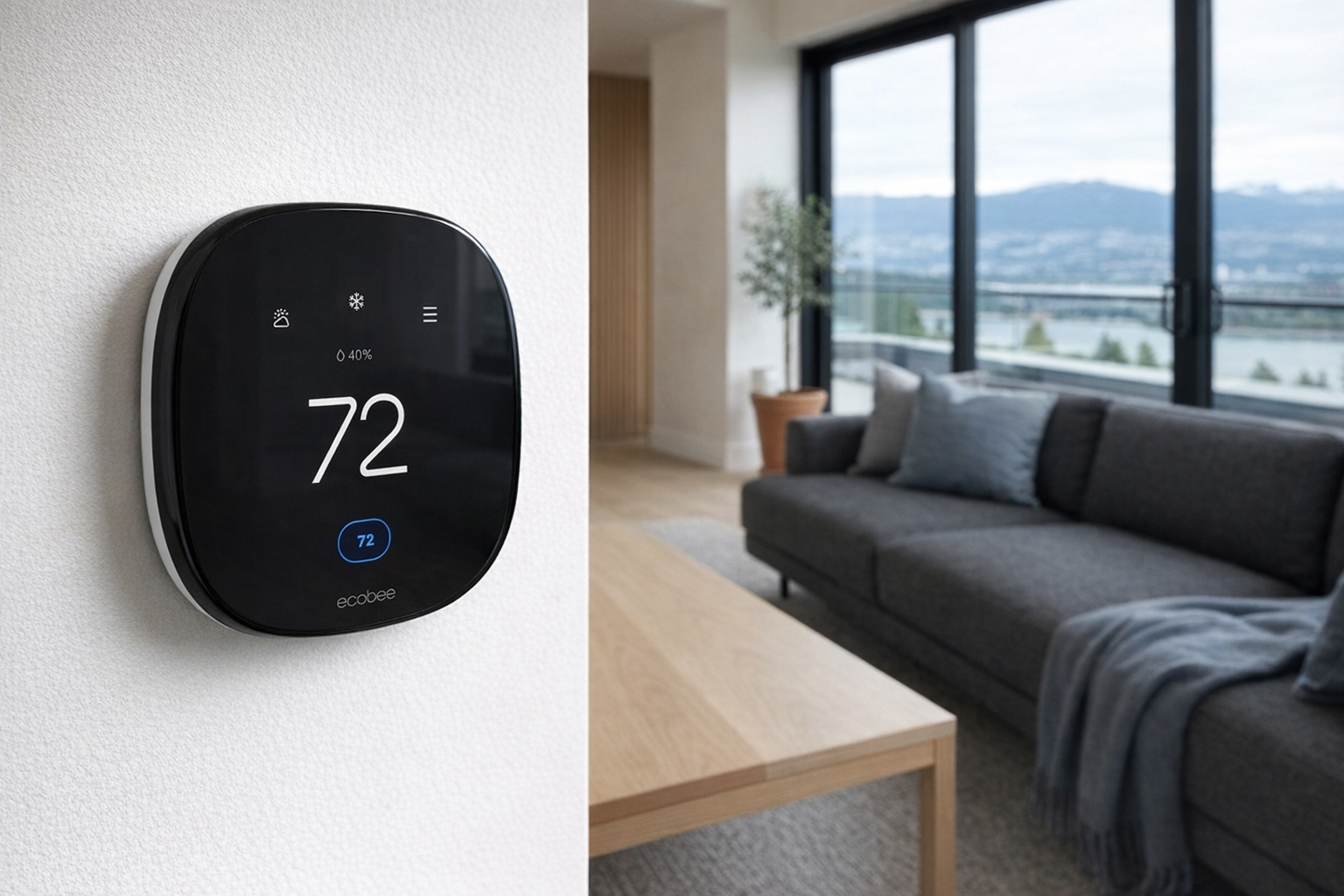
The Ecobee Smart Thermostat Enhanced is the strongest argument for letting one critical household system become smart, because a thermostat is already centralised by nature. You're not scattering intelligence around the home; you're upgrading one wall control. At roughly $237 CAD, it is obviously not an impulse buy, so it needs to earn its keep through scheduling, comfort management, and convenience — not novelty.
The reason smart thermostats remain more defensible than many other smart-home products is that heating and cooling are repetitive, schedule-based problems. Unlike a "smart" mug or "smart" diffuser, the thermostat category has a real logic behind it. If your routine changes between weekdays, weekends, daytime absences, and overnight setbacks, a thermostat can legitimately reduce fiddling.
That said, skepticism is healthy here too. A thermostat should still be judged first as a thermostat. If the app is nice, fine. If the smart features are useful, good. But the baseline standard is simple: the house should remain comfortable, predictable, and easy to control on the wall. In a country where winter heating matters, reliability beats ecosystem elegance every time.
This is the kind of smart purchase worth considering after plugs, not before. It solves a recurring problem, but it also touches a more important system. Think of it as the upper limit of how "smart" most people need to go.
- Full explainer: Ecobee Smart Thermostat Enhanced on Celmin · Directory: product page
Echo Dot — voice control is optional, but simple hub behaviour can be useful
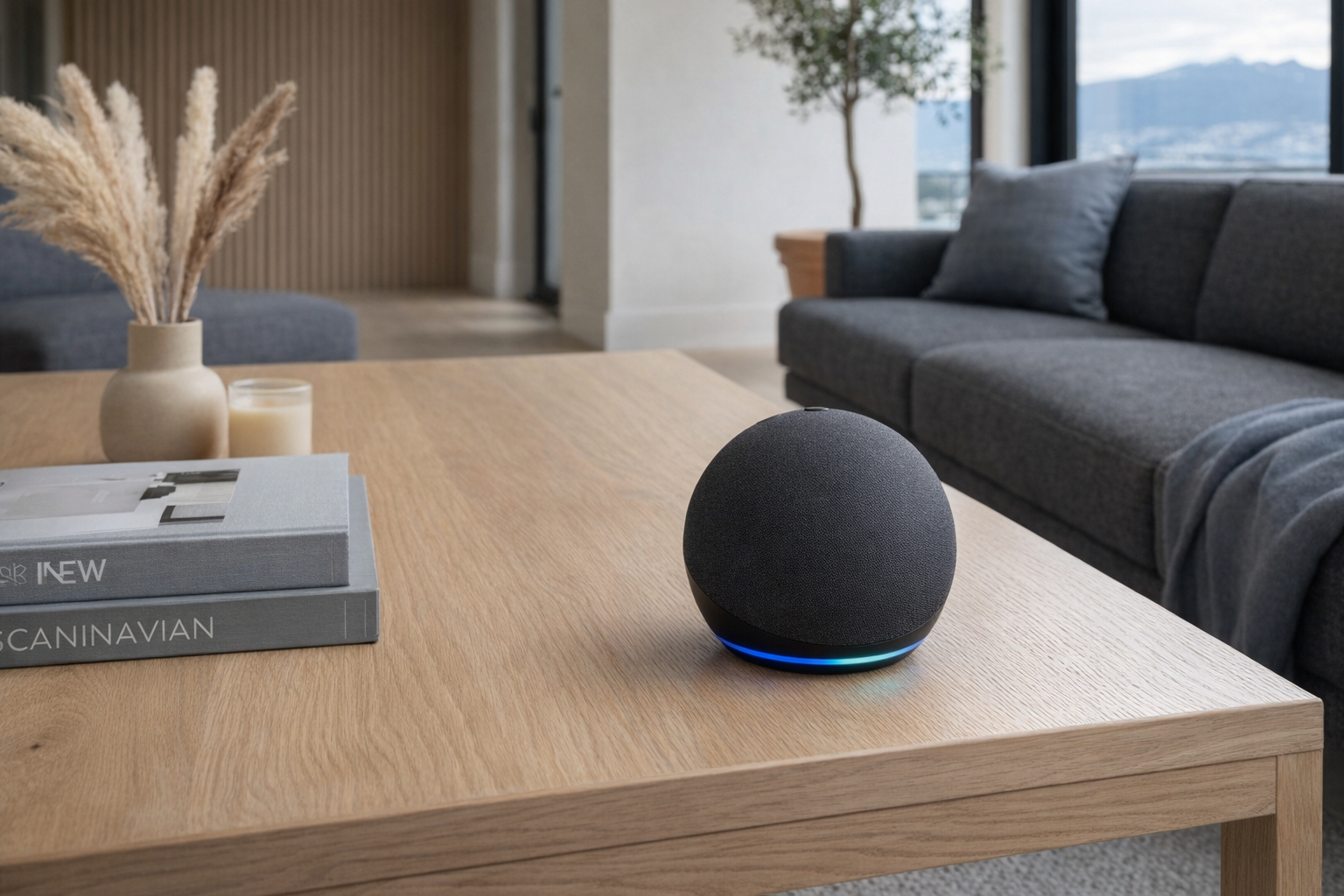
The Echo Dot occupies an awkward but sometimes useful place in a minimalist smart home. On one hand, a lot of people do not need a voice assistant, and pretending otherwise is silly. On the other hand, at about $47 CAD, it can act as a practical control layer if you already know you want a few routines and don't want to open an app every time.
According to the listing, it includes built-in motion and indoor temperature sensors, dual-band Wi‑Fi (2.4 and 5 GHz), Bluetooth, Alexa voice control, and a physical mic off button. Those are the kinds of details that matter more than broad assistant branding. The mic off button, specifically, is the right kind of boring feature: visible, understandable, reassuring. More smart-home products should aim for that level of plainness.
The caution here is straightforward: voice control is often oversold as convenience when it's really preference. Saying "turn on the lamp" is not inherently easier than pressing a switch if you're already standing there. Where an Echo Dot makes more sense is in routines, timers, room-level control, or as a bridge between a few devices and one household interface.
Used lightly, it's fine. Used as the centre of a 25-device automation web, it's a maintenance plan disguised as a speaker.
- Full explainer: Echo Dot on Celmin · Directory: product page
Amazon Basics Smart Light Bulbs — the cheap route into smart lighting, with one big catch
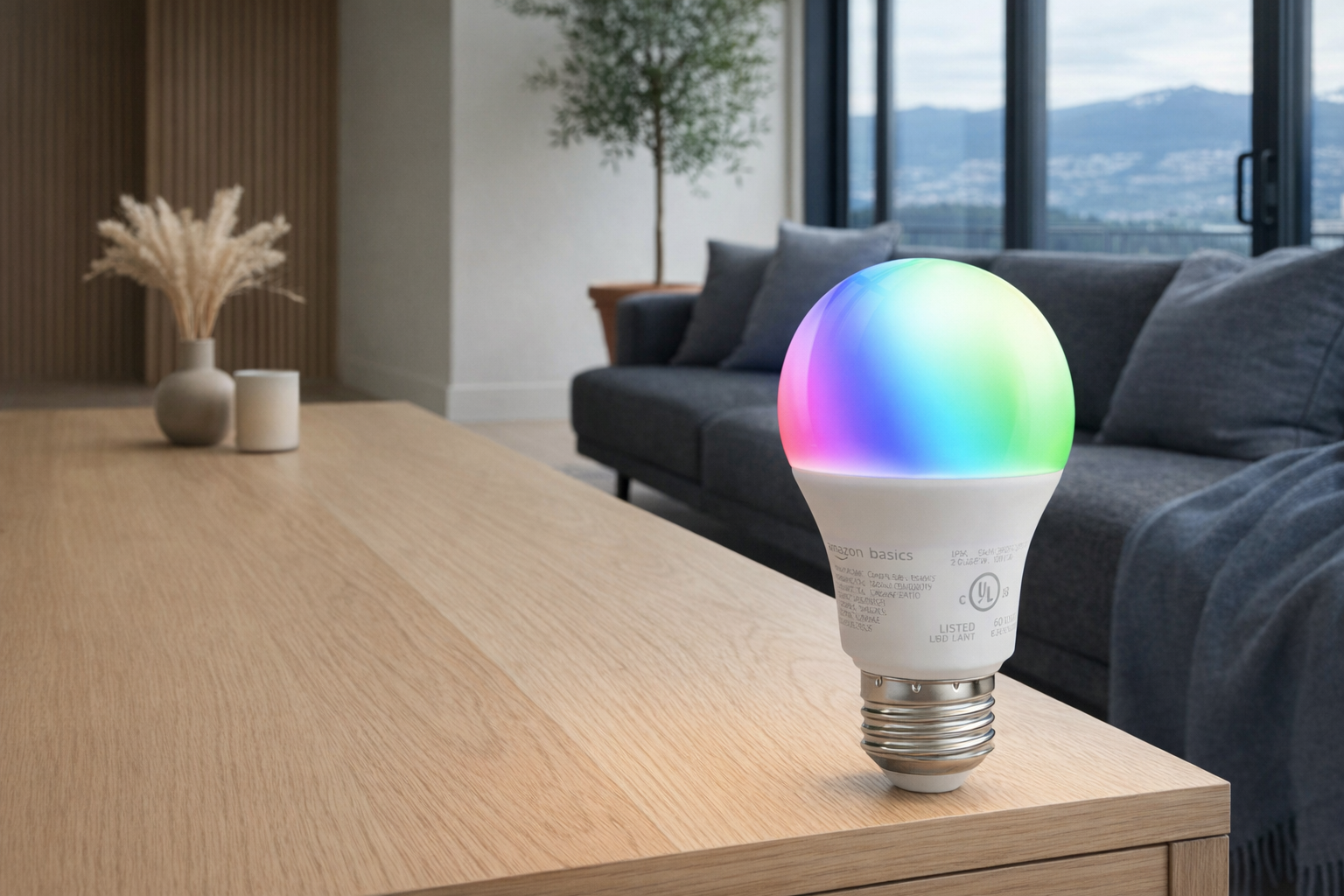
The Amazon Basics Smart Light Bulbs are roughly $12 CAD on the listing, which makes them look like the obvious first step into smart lighting. Sometimes they are. But this is also the category where smart-home newcomers most often confuse "cheap" with "simple."
A smart bulb works best when the power to it stays consistently on and the smart control handles the rest. In real households, people still use wall switches like normal people. That's the big catch. If someone flips the switch off, the bulb stops being smart until power returns. This is not a bug in one brand. It's a design trade-off in the category.
That means smart bulbs make the most sense in specific situations: lamps without wall-switch conflicts, accent lighting, seasonal colour use, or rooms where everyone in the household understands the setup. For a main overhead light in a shared home, they are often more irritating than their product pages admit.
The honest read: smart bulbs are not bad, but plugs are usually the cleaner answer for skeptics. Buy bulbs when you specifically want bulb-level control or colour, not because they seem like the default way to make lighting smarter.
- Full explainer: Amazon Basics Smart Light Bulbs on Celmin · Directory: product page
Wyze Smart Plug — same basic idea, but price changes the value story
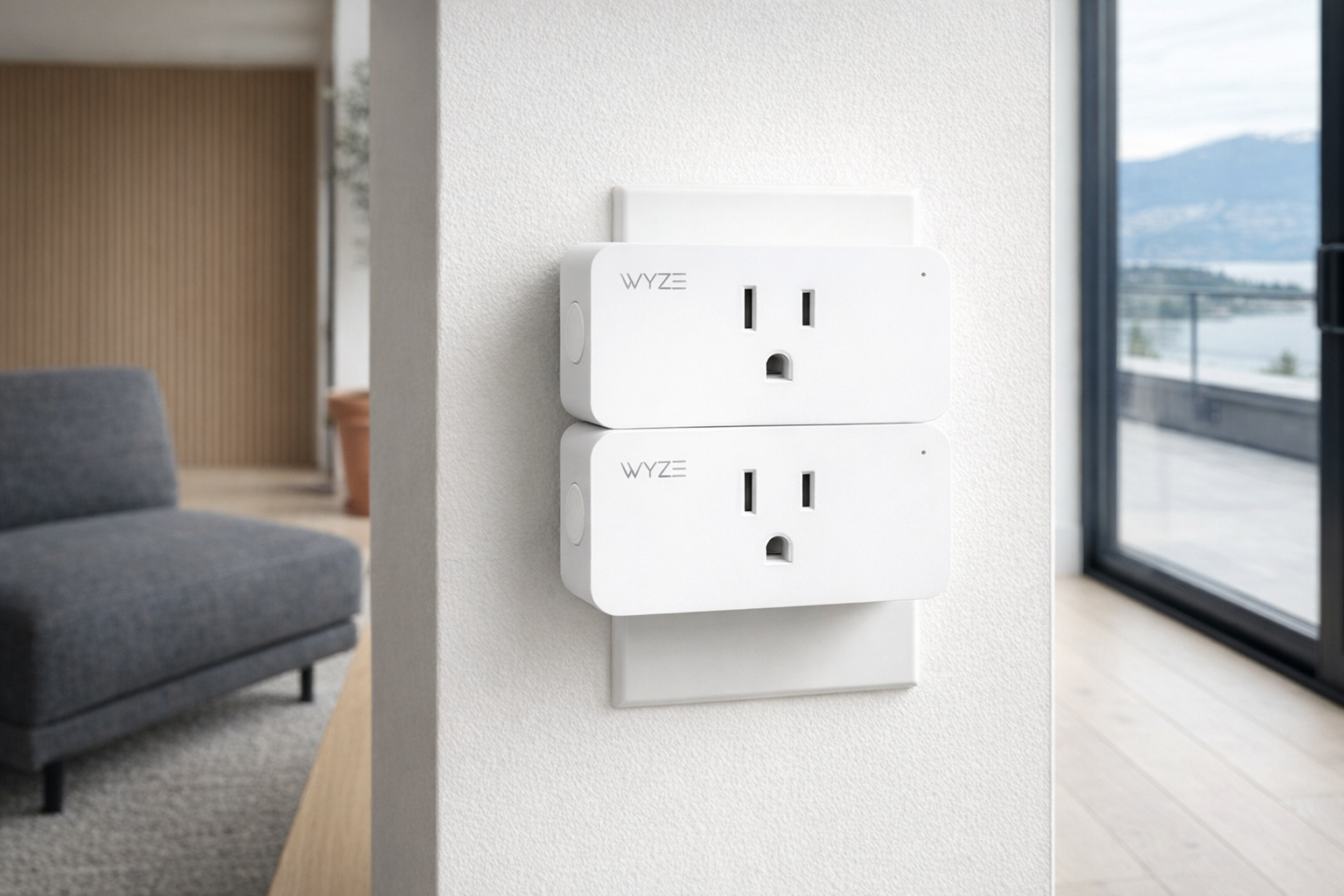
The Wyze Smart Plug proves a useful point: not all smart plugs are equally compelling just because the category is sensible. According to the listing, it's around $42 CAD, which puts it in a very different value conversation from the $13 CAD Kasa plug.
That doesn't automatically make it bad. But it does make it harder to recommend as the minimalist default, because the whole appeal of a smart plug is that it should be low-risk, low-cost, and almost disposable in strategic terms. The more a plug costs, the more it starts competing with better uses of the budget — like buying multiple cheaper plugs, or putting that money toward a thermostat that solves a bigger recurring problem.
This is a good example of why category advice is never enough on its own. "Get a smart plug first" is solid advice. "Any smart plug is equally sensible" is not. When the price rises, the burden of proof rises with it.
- Full explainer: Wyze Smart Plug on Celmin · Directory: product page
SwitchBot Hub Mini — useful only if you're already committed to its world
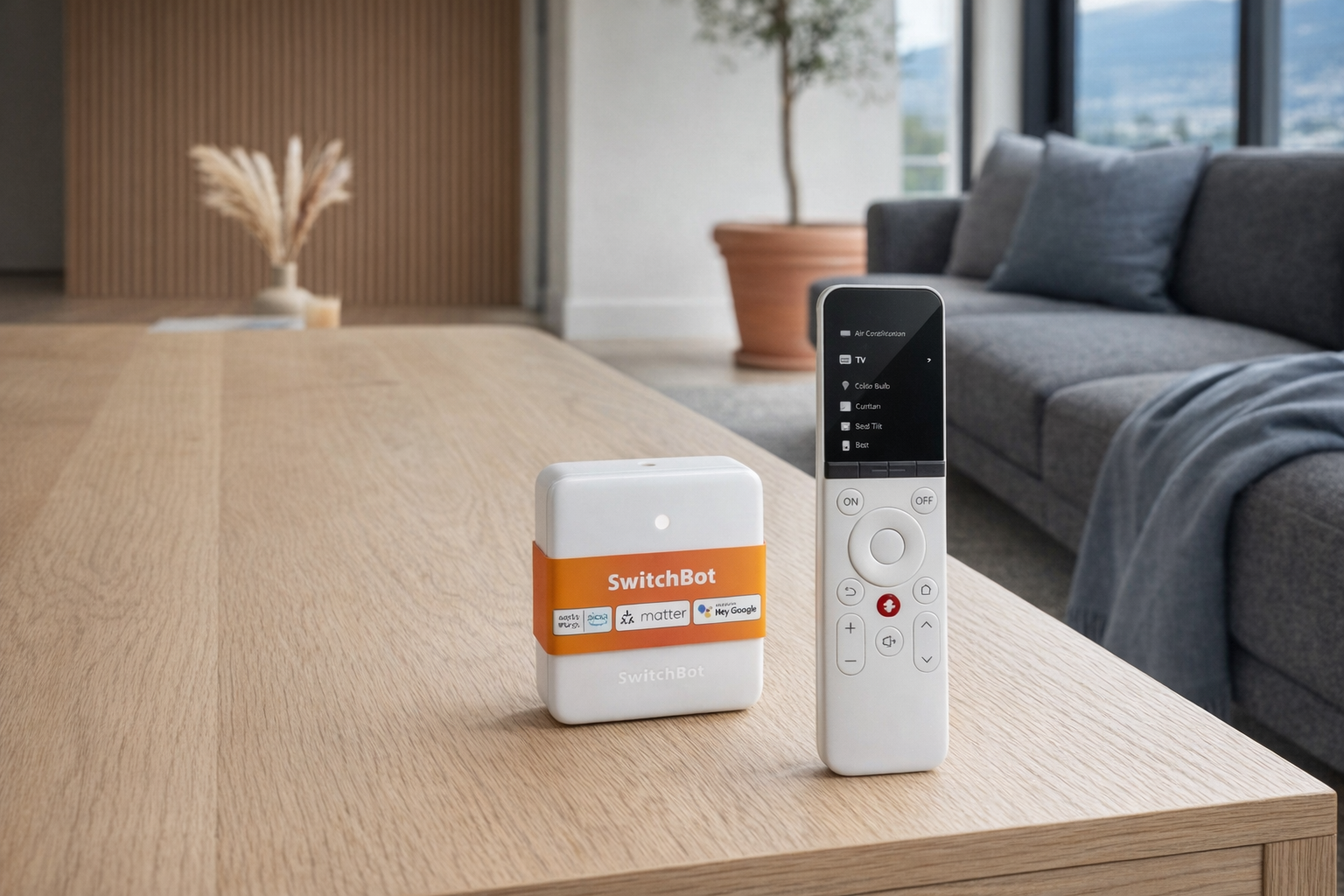
The SwitchBot Hub Mini is a good product to mention in a minimalist primer because it illustrates where many smart homes quietly become too complicated. At around $125 CAD with a 3.1/5 source-listing rating, it's not an entry-level "just try one thing" device. It's an infrastructure device — a hub, a translator, a commitment.
Hubs have a place. If you already own compatible SwitchBot gear and want one point of coordination, fair enough. But for a minimalist smart home, a hub should be treated with suspicion until it proves necessary. Most people do not need to start with a hub. Starting with a hub usually means starting with a plan to buy more things.
That's the broader judgment here: hubs are often sold as simplifiers, but at small scale they can actually be complexity multipliers. They make more sense when you already know the exact device family you're managing. They make less sense as a speculative purchase for someone still deciding whether smart-home living is even for them.
- Full explainer: SwitchBot Hub Mini on Celmin · Directory: product page
What this approach genuinely fixes
- It cuts recurring friction without rewiring your life.
A plug on a lamp or fan removes the boring repetition while leaving the original appliance intact. - It reduces failure blast radius.
If one smart plug misbehaves, one outlet is annoying. If your whole lighting plan depends on dozens of connected bulbs and routines, one issue becomes a house-wide mood. - It keeps troubleshooting human-sized.
A minimalist setup means fewer apps, fewer credentials, fewer automations, and fewer mystery dependencies. - It preserves your ability to leave.
The smaller the system, the easier it is to remove, replace, or simplify later. That matters more than people think. - It makes the household usable by other people.
Guests, partners, kids, and future-you at 3 AM all benefit when the system still behaves like a normal home first and a smart home second.
What this approach still doesn't fix
- It doesn't make bad products reliable.
Minimalism helps, but a flaky device is still a flaky device. You are reducing complexity, not abolishing it. - It doesn't eliminate Wi‑Fi as a weak link.
Even a small setup still depends on network stability for some functions. A minimalist smart home is more resilient, not invincible. - It doesn't satisfy gadget curiosity.
If you enjoy scenes, sensors, dashboards, and experimental automation, a 5-device home will feel restrained. That's fine. Just be honest that you're building a hobby system. - It doesn't guarantee savings.
Smart-home gear can improve convenience, comfort, or routine discipline. It does not automatically lower bills or "pay for itself." - It doesn't remove maintenance entirely.
Batteries, firmware, passwords, router changes, and app support still exist. The win is keeping that maintenance manageable.
Real products already on Celmin that are minimalist-smart-home ready
These are the products from the current Celmin catalog that fit this conversation most directly:
- Kasa Smart Wi-Fi Plug Mini on Celmin — the cleanest example of low-risk automation.
- Wyze Smart Plug on Celmin — same basic category, but worth judging harder on price.
- Ecobee Smart Thermostat Enhanced on Celmin — one of the few "important system" smart upgrades that can still be rational.
- Amazon Basics Smart Light Bulbs on Celmin — useful in the right rooms, overrated as a default.
- Echo Dot on Celmin — optional voice layer, not a requirement.
- SwitchBot Hub Mini on Celmin — a better fit for people already in that ecosystem than for minimalists starting fresh.
How to read a "smart home" product listing
A lot of listings use the same handful of signals to imply usefulness. Here's what they usually mean in practice.
- "Works with Alexa/Google" — compatibility, not necessity.
This does not mean the device is simple, local, or well-designed. It just means it can join that ecosystem somehow. - "Smart" in front of an ordinary product category — ask what the smart part actually does.
If the answer is only remote on/off or app scheduling, decide whether a cheaper timer or plug does the same job with less fuss. - "Hub required" or hub-adjacent language — budget for complexity, not just cost.
A hub can be valid, but it means you're entering a system, not just buying one device. - Low price on bulbs, high convenience claims — watch for wall-switch reality.
A smart bulb is often only pleasant when the power stays on consistently. Shared homes break that assumption constantly. - "Voice control" highlighted as a headline feature — treat it as optional garnish.
Voice is nice for some households and pointless for others. It should not be the main reason to buy a device.
The three questions worth asking before buying this kind of setup today
- What exact recurring annoyance am I solving?
If you can't name the annoyance in one sentence, don't buy the device yet. "I want the living-room lamp on before 6 PM" is good. "I want the house to feel futuristic" is not. - What happens if this thing fails tonight?
If the answer is "slight inconvenience," you're in safe territory. If the answer is "we can't heat the house normally" or "someone may get locked out," be much more cautious. - Can I explain the setup to another adult in 30 seconds?
If not, it's probably already too complicated for an ordinary household.
Got Questions About a Minimal Smart Home? Let's Clear Things Up.
Is this a hands-on review?
No. This is an editorial primer on when smart-home tech is worth using sparingly, using the Kasa Smart Wi‑Fi Plug Mini and related products as examples. It's meant to provide a durable buying framework, not replicate testing in your specific home.
Is a smart plug really the best place to start?
For most skeptics, yes. A plug is cheap, reversible, and low-stakes. If it works well for one routine, you can add another. If it doesn't, you remove it and go back to a normal outlet in seconds. That's a much healthier entry point than rebuilding your lighting or door access around software.
Are smart bulbs better than smart plugs?
Not by default. Smart bulbs are useful when you want bulb-level control, colour, or lamp-specific scenes. But they are more fragile in real households because the wall switch still exists and people still use it. Smart plugs are often less elegant on paper and more practical in actual rooms.
Should a thermostat be part of a minimalist setup?
Sometimes. A thermostat is one of the few major smart-home categories with a strong, everyday logic behind it. But it also touches a more important system, so reliability and manual usability matter more than app polish. If you want one substantial smart upgrade, the thermostat category is a more rational place to look than most.
Do I need a smart speaker?
No. The Echo Dot is useful only if voice control, routines, or room-level assistant features actually fit your habits. Plenty of people can run a small smart-home setup perfectly well without a speaker listening for commands. The speaker is optional; the routine is the real product.
What does this kind of setup cost?
Less than many people think if you stay disciplined. A minimalist setup built around a few plugs could start near $13 CAD per plug, with a speaker around $47 CAD only if you want one. A thermostat is the bigger jump at roughly $237 CAD. The expensive part is rarely one device; it's letting the category sprawl.
What's a sensible maintenance checklist?
A short one, and that's the point:
- Keep the total device count small — ideally 5 to 7 smart items.
- Use one main app/ecosystem where possible.
- Name devices plainly: "Living Room Lamp," not "Sunset Scene Left."
- Test manual fallback: switch, button, wall control.
- Store router and account passwords somewhere the household can access.
- Review routines every season and delete the ones nobody notices anymore.
- Replace or remove devices that require too much babysitting.
A smart home should not need quarterly emotional support.
What's the exit strategy if I want to downsize later?
This is where minimalism pays off. Start by removing automations before removing hardware. See what you miss for two weeks. Then unplug or unscrew the least valuable devices first — usually bulbs or novelty routines. Keep only the things that solve a specific, still-relevant problem. Smart plugs are especially easy to retire because they don't permanently alter the appliance. That's one reason they're such a sane starting point.
Where should I go next?
If you're comparing entry-level automation pieces, start with Kasa Smart Wi-Fi Plug Mini on Celmin and Wyze Smart Plug on Celmin. If climate control is the one bigger upgrade you're considering, the next read should be Ecobee Smart Thermostat Enhanced on Celmin. And if you're trying to understand hubs before buying into one, SwitchBot Hub Mini on Celmin is the relevant explainer.
If you're building a smarter home in Canada and want honest comparisons of gadgets worth considering — plus the ones worth skipping — Celmin covers the full catalog without the marketing theater. More comparisons, reviews, and buyer guides at https://celmin.ca.
Discussion
Sign up or sign in to join the conversation.