
The Echo Dot (5th Gen) sits in a very familiar part of the smart-home market: the small, inexpensive smart speaker that ends up on nightstands, kitchen counters, office shelves, and kids' dressers. But this version is not just a cheap Alexa puck. Amazon has gradually turned the Echo Dot into ...
The Echo Dot (5th Gen) sits in a very familiar part of the smart-home market: the small, inexpensive smart speaker that ends up on nightstands, kitchen counters, office shelves, and kids' dressers. But this version is not just a cheap Alexa puck. Amazon has gradually turned the Echo Dot into a kind of small-room utility hub — a speaker, voice assistant, alarm clock substitute, and basic automation trigger thanks to its built-in motion and temperature sensors. That combination is what makes it worth a closer look.
This article is not a hands-on review. Nothing here is based on personally using the device. Instead, the goal is to explain what the Echo Dot actually is, what the listed features imply in day-to-day use, and who it realistically suits. If you are deciding between a basic Bluetooth speaker, a full-size smart speaker, or an entry-level Alexa device, this is the calmer breakdown the product page usually does not give you.
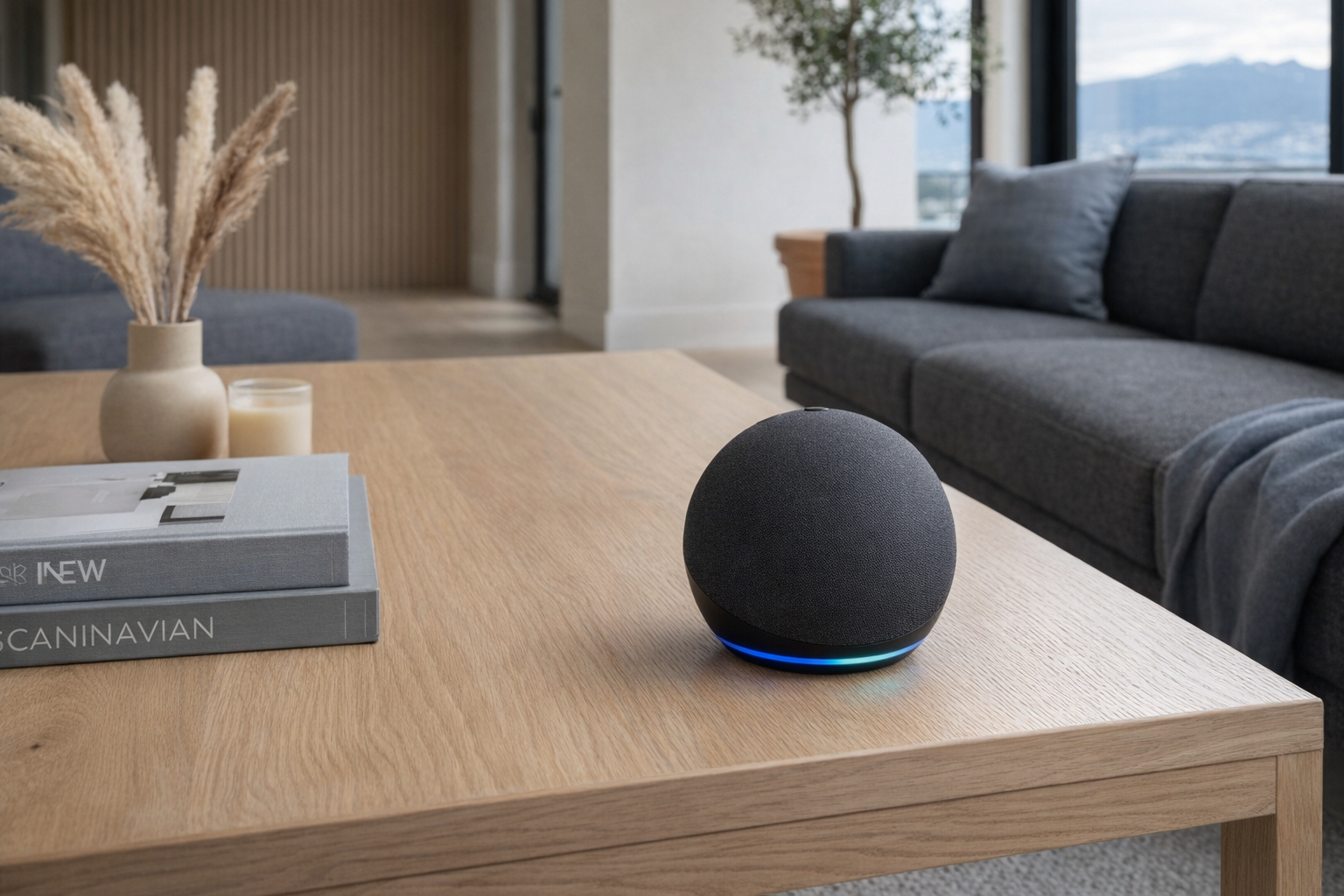
Quick snapshot
| Question | What the Echo Dot actually is |
|---|---|
| Category | Speakers & Audio |
| Made by | Amazon |
| Typical price | ~$47 CAD (listing at the time of writing — verify current pricing) |
| Rating signal | 4.7/5 on the source listing |
| Best for | Bedrooms, kitchens, small apartments, and anyone who wants low-cost voice control plus simple routines |
| Skip if | You want audiophile sound, a screen, or a microphone-free home |
Pro tip: The Echo Dot makes the most sense when you treat it as a room controller with decent sound, not as a serious music speaker. Buy it for bedside alarms, timers, routines, and casual listening; if music quality is the main event, step up to a larger speaker.
What the Echo Dot actually is
In plain English, the Echo Dot is Amazon's compact Alexa speaker for people who want the convenience of voice control without paying for a larger Echo. You put it in a room, connect it to Wi-Fi, and then use your voice for things like timers, weather, music, alarms, and smart-home commands. The 5th Gen version adds a little more substance than older cheap smart speakers often had: improved audio, a tap-to-snooze alarm function, and built-in motion and temperature sensors that can trigger automations. That matters because it shifts the Echo Dot from "tiny speaker that answers questions" to "small room device that can actually help automate a space."
Compact smart speaker with vibrant sound, Alexa voice control, built-in motion and temperature sensors, and smart home integration. Designed for Alexa+ with improved audio for clearer vocals and deeper bass. Supports music streaming from Amazon Music, Spotify, Apple Music, and more.
That description is mostly accurate as far as product positioning goes, but it helps to translate the marketing language. "Vibrant sound" here should be read as better than older tiny smart speakers, not "replaces a proper bookshelf speaker." "Smart home integration" means Alexa can control compatible devices and use the Echo Dot's onboard sensors as routine triggers. And "designed for Alexa+" is really Amazon signaling that this is part of its wider Alexa ecosystem, not that it becomes some radically different class of device on its own.
The most useful comparison is with the Google Nest Mini. Both are small voice-controlled speakers designed for casual listening and room-level assistant duties. The Echo Dot's edge, based on the listed features, is that Amazon includes both motion and indoor temperature sensing directly in the device, which gives it more automation value in a bedroom or hallway. The Nest Mini is still a direct competitor, especially for Google Assistant households, but the Echo Dot is the more practical pick if you want the speaker itself to help drive routines.
Key features at a glance
- Improved audio for clearer vocals and deeper bass than earlier small Echo models
- Alexa voice control for timers, alarms, weather, questions, music, and smart-home commands
- Built-in motion and temperature sensors for room-based automation routines
- Privacy controls including a physical mic off button
- Multi-room music with other compatible Echo devices
- Device pairing for broader playback setups with compatible Echo hardware
- Tap to snooze for alarm use on a bedside table
- Dual-band Wi-Fi on 2.4 and 5 GHz plus Bluetooth connectivity
How the Echo Dot actually works
At its core, the Echo Dot is a cloud-connected speaker with microphones, wireless radios, and a small set of onboard sensors. You plug it into power, connect it to your home Wi-Fi through the Alexa app, assign it a room, and then it waits for the wake word. Once you say "Alexa," it sends voice requests through Amazon's assistant platform for things like music playback, timers, smart-home commands, and information queries.
The sound side is straightforward. You can stream music directly over Wi-Fi from supported services like Amazon Music, Spotify, and Apple Music, or connect a phone over Bluetooth. The reason Wi-Fi matters is that it frees the speaker from acting like a dumb Bluetooth endpoint all the time; you can tell Alexa to play something and the Echo Dot handles the stream itself. Dual-band support on 2.4 and 5 GHz is useful here because crowded apartment buildings and urban homes often have messy wireless environments. More connection options do not guarantee perfection, but they do make setup less fussy.
Where this model becomes more interesting is the sensing layer. The built-in motion sensor and indoor temperature sensor can feed Alexa routines. In practical terms, that means the Echo Dot can notice movement in a room or detect a temperature threshold and then trigger actions. For example:
- Motion detected in a hallway could turn on a compatible smart bulb.
- Room temperature rises or drops past a chosen point and triggers a fan plug or heater alert.
- A spoken routine command like "good night" can shut off lights, set an alarm, and start sleep sounds.
- An alarm tap lets you physically snooze it without issuing a voice command.
That's a more honest design than many competitors in the same price class. A lot of cheap smart speakers are basically voice portals and not much else. The Echo Dot still depends heavily on the Alexa ecosystem, but the added sensors mean it can do useful room-level automation work even when you are not actively talking to it.
A realistic "day in the life" with Echo Dot
Because this is an informational explainer, the following is not a tested account. It is what the listed features suggest a normal day could look like.
- Morning. The Echo Dot works as a bedside alarm, and when the alarm goes off you tap the top to snooze it. Then you ask Alexa for the weather and your first timer of the day while getting ready. That is one of the clearest uses for this device: it replaces the clock radio and adds hands-free convenience.
- Midday. In a kitchen or home office, you use it for quick timers, a shopping-list addition, and background music from Spotify or Apple Music. The compact size matters here because it can live on a crowded counter without pretending to be a main living-room speaker.
- Afternoon. A motion-triggered routine turns on a lamp when someone enters a darker room, or the built-in temperature sensor helps trigger a fan plug if the room gets warmer than you like. This is where the 5th Gen model pulls ahead of older "just ask Alexa" speakers.
- Evening. Multi-room playback lets it join other compatible Echo devices for whole-home music, or it becomes the quiet bedroom endpoint for sleep sounds, white noise, or an audiobook. In winter, especially in colder homes where bedroom temperatures swing overnight, that indoor temperature sensor could also feed simple comfort routines.
Who the Echo Dot is actually for (and who it isn't)
Great fits
- People who want a bedside smart speaker for alarms, tap-to-snooze, weather, and quick morning routines.
- Apartment dwellers who need a small kitchen assistant for timers, music, and hands-free questions.
- Anyone starting a smart home on a budget and wanting a $47-ish room controller rather than a more expensive hub.
- Families already using Alexa-compatible bulbs, plugs, or thermostats who want to add motion- and temperature-based routines room by room.
- Students in dorms or small rentals who do not have space for a larger speaker but still want voice control and casual music.
Poor fits
- People buying primarily for serious music listening. The Echo Dot may sound fuller than older small speakers, but size still wins in audio.
- Privacy-sensitive households that do not want always-listening microphones in bedrooms or common spaces, even with a mic off button.
- Anyone deeply invested in Google Home or Apple HomePod ecosystems who does not want another voice platform in the house.
- Buyers expecting a display device for recipes, video calls, or visual smart-home dashboards. This is not an Echo Show.
- Users who want all automation to run fully locally, without much cloud dependence. Alexa routines are convenient, but convenience comes with platform dependence.
Practical trade-offs
Privacy
The Echo Dot has microphones that are listening for the wake word, and for some households that is the whole decision right there. Amazon does include a physical mic off button, which is more meaningful than a software toggle because it gives you a direct hardware control. Still, if the idea of a voice assistant on a nightstand bothers you, the rest of the feature list does not erase that concern.
The built-in motion and temperature sensors are less invasive than a camera, and notably there is no display or camera here, which makes this easier to place in a bedroom than some smart displays. But voice assistants still live or die on trust. Review your Alexa privacy settings, voice history controls, and routine permissions before making it part of a daily room.
Sound expectations
Amazon's claim of improved vocals and deeper bass is believable in the narrow sense that each Echo Dot generation has generally tried to sound less thin. But this is still a compact speaker, and compact speakers obey physics. Expect clearer casual listening, podcasts, alarms, and background music — not room-filling hi-fi.
That is why it helps to evaluate the Echo Dot like a better smart alarm clock with decent audio, not like a replacement for a Sonos Era 100 or a pair of powered bookshelf speakers. For podcasts, talk radio, playlists while cooking, and kids' rooms, it likely makes sense. For people who sit down specifically to listen to music, it is the wrong tool.
Platform lock-in and setup
The Echo Dot is simple because Amazon wants you in the Alexa ecosystem. That ease is real, but so is the trade-off. The best experience comes when your lights, plugs, routines, and music services already play nicely with Alexa. If your home is built around Google Assistant, HomeKit-first accessories, or locally managed automation, the Echo Dot can feel like adding a second control language to the house.
Setup also depends on the app, your Wi-Fi, and your willingness to spend a little time naming rooms and devices properly. A well-labeled smart home feels effortless. A messy one turns every voice command into "which lamp did you mean?" The Echo Dot itself is not unusually difficult, but like every assistant speaker, it gets better only when the rest of the system is organized.
Where the Echo Dot fits in a smart home
The Echo Dot fits best as a room endpoint inside a larger Alexa setup. Think of it less as the brains of the whole house and more as the voice-and-sensor node that makes a specific room smarter.
A practical setup might look like this:
- Bedroom: Echo Dot + smart bulb + smart plug for a fan or humidifier
- Kitchen: Echo Dot + smart display elsewhere in the house + Alexa shopping list and timers
- Hallway: Echo Dot + motion-triggered routine + compatible light
- Living room: Echo Dot as a secondary speaker while a larger Echo or a TV sound system handles main audio
It also plays well with the kind of devices ordinary households actually buy: smart plugs, Philips Hue bulbs, basic Wi-Fi light switches, robot vacuums with Alexa support, and smart thermostats. If you already have multiple Echo devices, the multi-room music feature is one of the stronger reasons to add another Dot. If this would be your first Alexa device, the value is that it lets you start small without spending much.
The bedroom is arguably where the 5th Gen Echo Dot makes its strongest case. Tap-to-snooze, alarms, weather, music, white noise, and room temperature awareness all make sense there. That is more specific, and more useful, than the generic "put a smart speaker anywhere" pitch.
The buying decision, in plain terms
Before buying the Echo Dot, three questions tend to give you a pretty honest answer:
- Do you want room convenience more than premium sound? If yes, the Echo Dot makes sense. If audio quality is the main priority, buy a better speaker first.
- Will you actually use Alexa routines, motion sensing, or temperature-based triggers? If yes, this 5th Gen model is more useful than a bare-bones smart speaker. If not, you may be paying for features that sit idle.
- Are you comfortable putting a voice assistant in that room? If yes, the mic off button and no-camera design help. If no, a plain Bluetooth speaker or traditional alarm clock is the better fit.
If you answered yes to all three, the Echo Dot is a sensible low-cost upgrade for a bedroom, kitchen, or small office.
Got Questions About the Echo Dot? Let's Clear Things Up.
Is this a hands-on review?
No. This is an informational explainer based on Amazon's listed details and the broader smart-speaker category. It is meant to help you understand what the Echo Dot is likely to be good at, not to replace direct testing.
Does the Echo Dot work as just a Bluetooth speaker?
Yes, it supports Bluetooth connectivity, so you can pair a phone or other compatible device and use it for audio playback that way. But its main value comes from Wi-Fi-based Alexa features, streaming services, and smart-home routines, so using it only as a Bluetooth speaker misses a lot of what you are paying for.
Can the Echo Dot control lights and other smart-home devices?
Yes, that is one of its main jobs. Through Alexa, it can control compatible lights, plugs, and other connected devices, and the built-in motion and temperature sensors can also be used as routine triggers. Check compatibility with your specific accessories before buying.
Is the Echo Dot good enough for music?
For casual listening, probably yes. The listed "improved audio" and deeper bass should make it more pleasant than older tiny smart speakers for playlists, podcasts, and radio. But for people who care a lot about music quality, this is still a compact convenience speaker, not a full-size audio upgrade.
Does the Echo Dot have privacy controls?
Yes. Amazon lists privacy controls including a physical mic off button, which is the most important one for many buyers. That said, you should still review app settings, voice-history options, and routine permissions if privacy is a major concern in your home.
Where can I verify the current listing or buy the Echo Dot?
The current product listing can be checked on Amazon here. Verify the latest price, colour options, delivery availability, and any current Alexa feature notes there before purchasing.
What does it cost in Canada?
At the time of writing, the listed price is roughly ~$47 CAD. Prices on Amazon can move around quickly with sales and promos, so it is worth checking the live listing before buying, especially around major shopping events.
Where is the Celmin Directory listing for this product?
For a catalog-style view of the same product — structured specs, pros and cons, similar picks, and FAQ — see Echo Dot on Celmin Directory.
If you're building a smarter home in Canada and want honest explainers on gadgets worth considering — plus the ones worth skipping — Celmin covers the full catalog without the marketing theater. More reviews, comparisons, and buyer guides at https://celmin.ca.
Discussion
Sign up or sign in to join the conversation.