
The Kasa Smart Wi-Fi Plug Mini sits in one of the least glamorous but most genuinely useful corners of the smart-home market: the tiny adapter that turns a normal lamp, fan, coffee maker, or holiday light string into something you can control from your phone or with a voice assistant. This is...
The Kasa Smart Wi-Fi Plug Mini sits in one of the least glamorous but most genuinely useful corners of the smart-home market: the tiny adapter that turns a normal lamp, fan, coffee maker, or holiday light string into something you can control from your phone or with a voice assistant. This is not the flashy end of smart home tech. There is no screen, no camera, no AI personality, and no promise to change your life. It is a plug. But for many households, smart plugs are where home automation starts to feel practical instead of theoretical.
This article is not a hands-on review. Nothing here is based on personally testing the device. The goal is to explain what the Kasa Smart Wi-Fi Plug Mini actually is, how products in this category typically work, where this one makes sense, and where it does not — grounded in the listing information provided and in what is publicly known about Kasa's place in the smart-home ecosystem. If you are trying to decide whether a roughly $13 CAD smart plug is a smart buy or just another app-dependent gadget, this is the calmer version of that conversation.
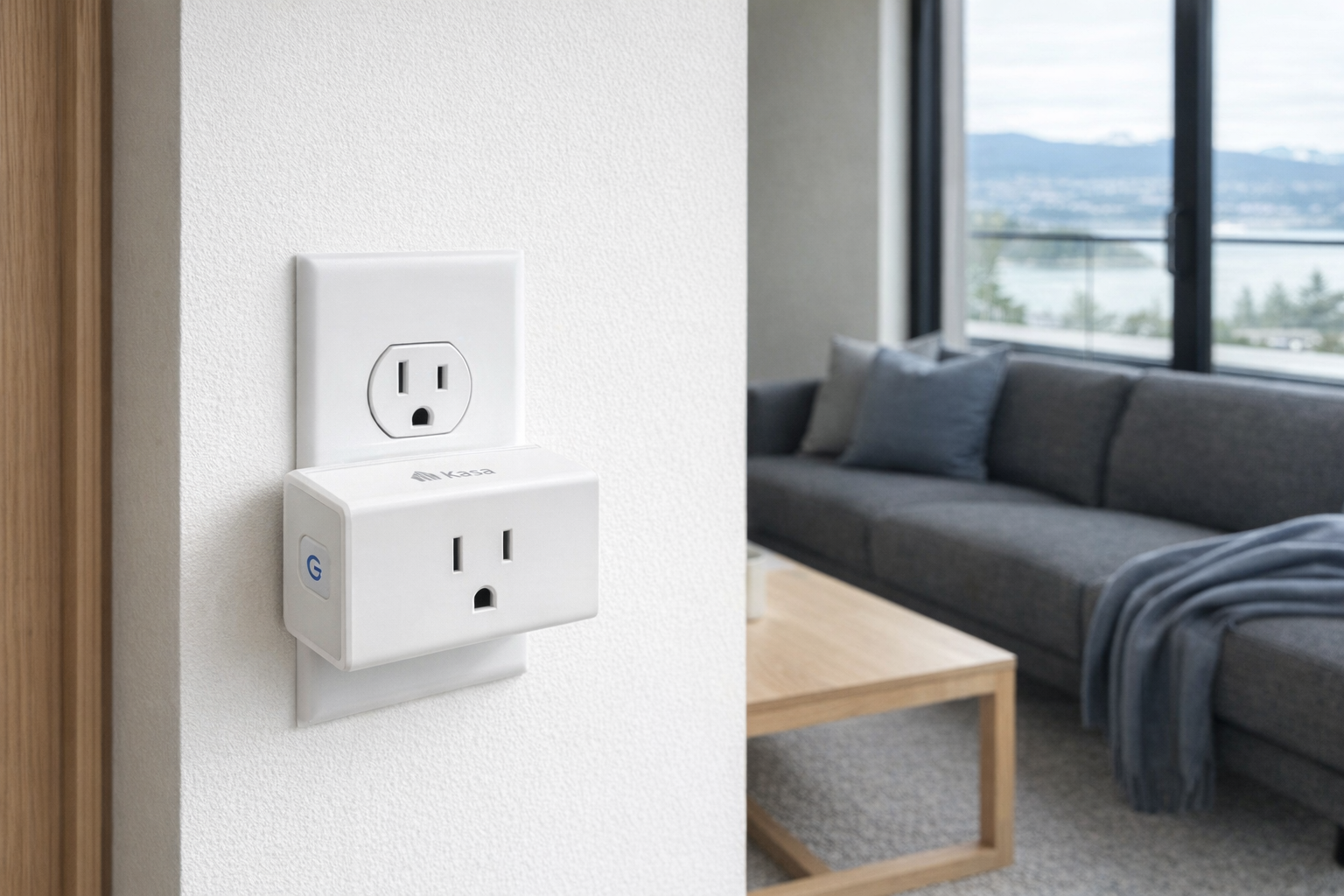
Quick snapshot
| Question | What the Kasa Smart Wi-Fi Plug Mini actually is |
|---|---|
| Category | Smart Home |
| Made by | Kasa Smart |
| Typical price | ~$13 CAD (listing at the time of writing — verify current pricing) |
| Rating signal | 4.5/5 on the source listing |
| Best for | First-time smart-home buyers, renters, lamp automation, simple schedules |
| Skip if | You need energy monitoring, outdoor weather resistance, or a Matter-first setup with no brand app at all |
Pro tip: Buy smart plugs for specific annoyances, not vague future automation. If you already know which lamp, fan, or coffee setup you want to control on a schedule, a cheap plug like this makes sense. If you are buying it just because it is inexpensive, it may end up in a drawer.
What the Kasa Smart Wi-Fi Plug Mini actually is
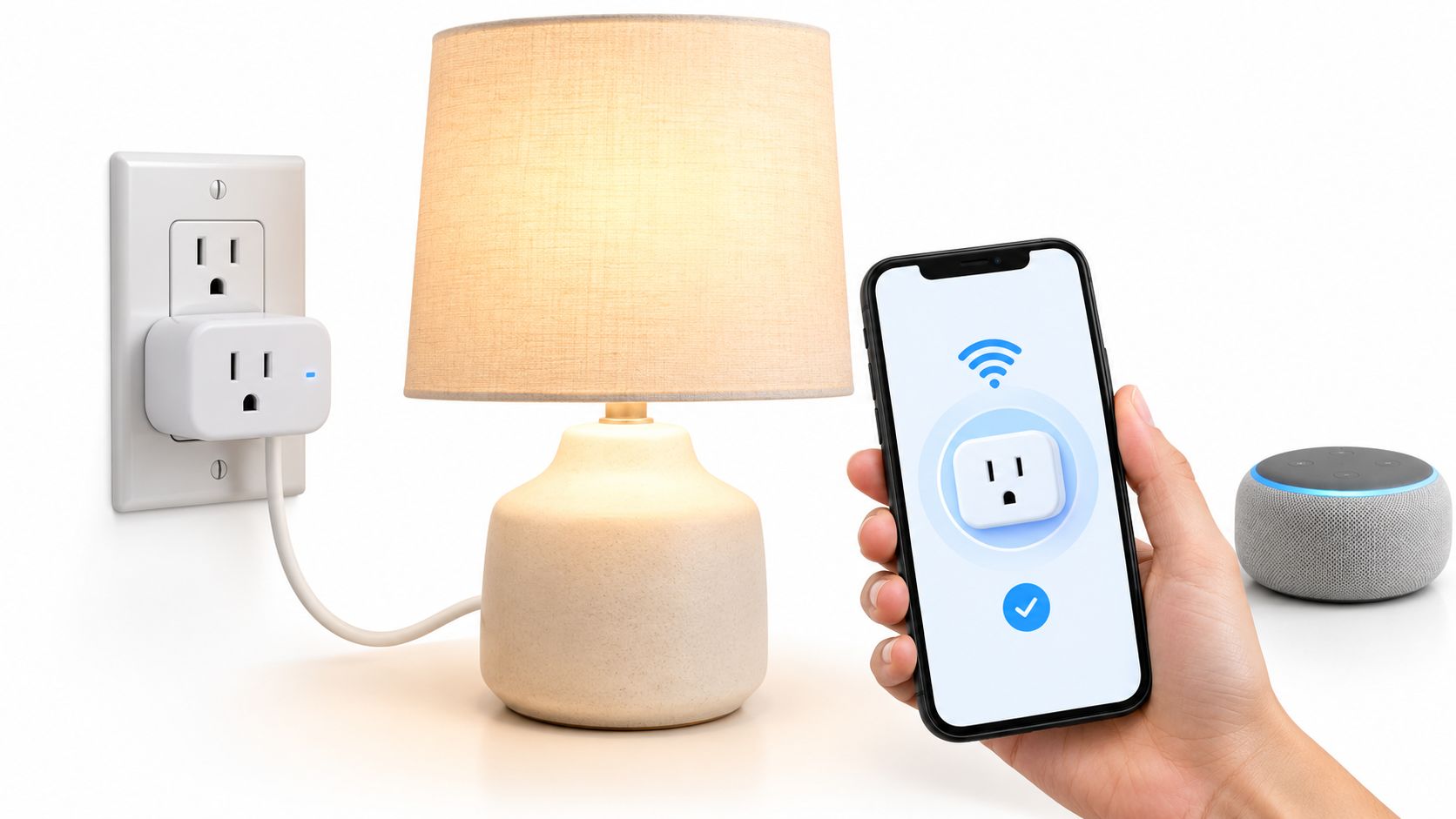
In plain English, the Kasa Smart Wi-Fi Plug Mini is a small Wi-Fi-connected outlet adapter that sits between your wall socket and an ordinary electrical device. Plug in a lamp, humidifier, wax warmer, or fan, connect the plug to your home network through the Kasa app, and you can then switch that device on or off remotely or on a schedule. That is the real job here. It does not make a dumb appliance fully "smart" in every way; it mostly gives it power control.
That empty product description is worth noting because it means you should judge the plug less by marketing copy and more by the category's known, boring realities. Smart plugs are attractive because they are cheap, easy to understand, and often useful immediately. They are also limited by design: if the attached device does not automatically resume operation when power returns, the smart plug cannot solve that. A smart plug can turn on a simple lamp with a rocker switch left in the "on" position. It cannot magically press the soft-touch power button on a modern tower fan unless that fan is designed to restart after losing power.
A useful comparison here is the Amazon Smart Plug. Both products serve the same basic purpose, but they fit different ecosystems. Amazon's plug tends to make the most sense for households already deep into Alexa, while the Kasa Smart Wi-Fi Plug Mini is part of the broader Kasa family of switches, bulbs, and plugs that many people mix across Alexa and Google Assistant. That makes Kasa appealing if you want a simple, low-cost automation layer without tying every decision to Amazon hardware. That's a more flexible approach than some competitors, even if it also means one more app in your life.
Key features at a glance
- Turns ordinary plug-in devices into app- and voice-controlled devices
- Uses Wi-Fi rather than requiring a separate dedicated hub
- Compact "mini" form factor intended to be less bulky than older smart plugs
- Works well for schedules and routines like lamps, fans, and seasonal lighting
- Fits into the broader Kasa ecosystem of smart-home products
- Entry-level price point at roughly ~$13 CAD on the listing provided
How the Kasa Smart Wi-Fi Plug Mini actually works
At a basic level, the Kasa Smart Wi-Fi Plug Mini is a networked power switch. You plug it into a standard outlet, connect it to your home Wi-Fi through the Kasa app, and then plug an appliance into the smart plug. Once connected, the plug listens for commands from the app or from linked voice platforms and either supplies or cuts power to the attached device.
That sounds simple because it is simple, and that is the whole appeal. Smart plugs are among the easiest smart-home devices to understand because their function is binary: on or off. They are not guessing at room occupancy, reading camera feeds, or learning routines through some fuzzy AI layer. If you schedule a table lamp to turn on at 6:30 p.m., the plug sends power at 6:30 p.m. If you tell your voice assistant to turn off the Christmas tree, it cuts the power. Evaluate it like a digital timer with app control, not like a miniature home computer.
There are usually three parts to the experience:
- Initial setup. You connect the plug to the Kasa app and your home Wi-Fi. With products in this class, that setup often prefers a basic 2.4 GHz network rather than a 5 GHz-only environment, which is common across inexpensive smart-home gear. If your router combines bands invisibly, setup is often still fine — but homes with more complex networking sometimes hit friction here.
- Device compatibility. The plug only works properly with devices that behave predictably after power is restored. Traditional lamps, many coffee makers with physical switches, some fans, and holiday lights are ideal. Touch-controlled appliances are often poor fits.
- Automation layer. Once online, you create schedules, timers, or voice routines. That is where the value appears. A single lamp becomes an away-lighting routine. A basic fan becomes a bedtime device. A window candle becomes automatic during winter without touching it every evening.
Because this is the "Mini" version, the size matters more than the name suggests. One of the oldest frustrations with cheap smart plugs is physical bulk: they hog adjacent outlets or block a power bar arrangement. A compact design is not exciting on the box, but in real homes it is one of the difference-makers between "useful" and "annoying."
A realistic "day in the life" with Kasa Smart Wi-Fi Plug Mini
Here is what a typical day might look like based on what this kind of product is built to do — not a tested account, just the realistic use case the listed product category implies.
- Morning. A bedside lamp connected to the Kasa Smart Wi-Fi Plug Mini turns on at a set time, adding a gentler wake-up cue in winter when it is still dark outside. If the lamp has a simple physical switch, this is exactly the kind of job a smart plug handles well.
- Midday. You remember after leaving the house that a space heater or wax warmer may still be running. From the app, you check the plug and switch it off remotely. That remote reassurance is one of the main reasons people buy these in the first place.
- Afternoon. A fan in a home office kicks on before the warmest part of the day through a schedule or assistant routine. This is where a smart plug is less about novelty and more about shaving friction from one repeated daily task.
- Evening. Living-room lamps or seasonal lights come on automatically around sunset, then switch off at bedtime. That is the classic smart-plug use case, and honestly still one of the best ones.
None of that is complicated. That is the point. The Kasa Smart Wi-Fi Plug Mini is at its best when it quietly handles the repetitive stuff you were already doing by hand.
Who the Kasa Smart Wi-Fi Plug Mini is actually for (and who it isn't)
Great fits
- Apartment renters who cannot replace wall switches but still want basic automation for lamps or fans.
- First-time smart-home buyers who want to spend about $13 CAD, not hundreds, to see if automation is even useful to them.
- People with seasonal lighting who are tired of crawling behind furniture to unplug decorations every night.
- Households already using Alexa or Google Assistant and wanting a cheap way to add one more controllable device.
- Anyone building bedtime or away-from-home routines around lamps, diffusers, or simple plug-in devices.
Poor fits
- People expecting full appliance intelligence. This does not give a dumb device sensors, status awareness, or custom controls — just power switching.
- Buyers who specifically want energy monitoring. Not every smart plug includes that, and nothing in the supplied listing says this one does, so do not assume it.
- Anyone wanting an outdoor setup for patio heaters, string lights, or weather-exposed gear. A mini indoor plug is usually the wrong tool for that job.
- Users with complicated networking setups who are already irritated by brand-specific apps, Wi-Fi pairing, or cloud-linked smart-home gear.
- People trying to automate devices with electronic soft-touch buttons that do not restart automatically after power is restored.
Practical trade-offs
Install and setup reality
The biggest appeal of a plug like this is that installation is easy compared with a smart switch. No rewiring, no breaker panel, no electrician, and no landlord approval. You plug it in, pair it, and start automating.
But "easy" is not the same as "friction-free." Entry-level Wi-Fi devices often stumble during the first pairing process, especially if your router steers everything aggressively between bands or if your phone is on a different network segment. For many homes this is a five-minute task. For others, it becomes a mildly irritating half-hour. That is still easier than replacing a wall switch, but it is worth saying plainly.
What it can and cannot control
A smart plug controls electricity delivery, not the appliance's internal logic. That distinction saves disappointment.
It works beautifully with:
- table and floor lamps
- holiday lights
- basic fans with mechanical switches
- coffee makers that resume when powered
- simple plug-in scent or wax warmers
It works poorly or unpredictably with:
- devices that boot to standby instead of "on"
- appliances needing a button press after power returns
- anything safety-sensitive that should not be remotely power-cycled casually
- products that already have their own smart platform built in
This is why smart plugs are often best for lighting first. Lights are simple, visible, and low drama. Start there.
Long-term ecosystem dependence
Kasa has been around long enough to be more reassuring than a no-name marketplace brand, and that matters. When you buy a cheap connected gadget, you are not just buying plastic and a relay. You are buying into an app, firmware support, cloud reliability, and compatibility with outside ecosystems.
That does not mean the Kasa Smart Wi-Fi Plug Mini is risky. It means you should keep expectations sensible. A smart plug is only "smart" as long as the software side remains supported. This is true of nearly all Wi-Fi smart plugs, not just this one. At roughly 4.5/5 on the source listing, the product appears broadly well-received, but no smart-home device becomes maintenance-free forever.
Where the Kasa Smart Wi-Fi Plug Mini fits in a smart home
The best place for the Kasa Smart Wi-Fi Plug Mini is not at the centre of your smart home, but at the edges — the places where adding control is useful and replacing hardware would be overkill.
For example:
- In an Alexa home, it can give voice control to a reading lamp, fan, or seasonal display.
- In a Google Home setup, it can become part of a "good night" routine that shuts off selected plug-in devices.
- Alongside Kasa smart bulbs or switches, it can extend that ecosystem to ordinary appliances that do not justify a more expensive smart replacement.
- In an Apple-focused household, it may be less elegant if your goal is a pure HomeKit or Matter-native setup with fewer brand apps. That does not make it unusable; it just means there may be cleaner fits if Apple-first simplicity is the priority.
The practical sweet spot is the home that already has one or two smart speakers and wants low-cost automations without committing to rewiring. A mini plug can solve the "I wish this lamp turned on by itself at night" problem for ~$13 CAD. That is often a better value than overcomplicating the room with new bulbs, new switches, or a whole new lighting system.
Think of it as a retrofit tool. It is not home infrastructure. It is a convenience layer.
The buying decision, in plain terms
Before buying the Kasa Smart Wi-Fi Plug Mini, ask yourself three blunt questions:
- Do you already know which device you want to automate? If yes — especially a lamp, fan, or seasonal light — this plug makes sense. If no, you may be buying a solution before identifying a problem.
- Will that device turn back on automatically when power is restored? If yes, great. If it needs a manual button press after every interruption, a smart plug will be disappointing.
- Are you comfortable using the Kasa app and basic Wi-Fi setup? If yes, this is one of the cheaper and lower-commitment ways into smart home automation. If you want zero app setup and absolute ecosystem purity, look more carefully before clicking buy.
If you answered yes to all three, this is the kind of cheap, practical smart-home purchase that usually earns its keep.
Got Questions About the Kasa Smart Wi-Fi Plug Mini? Let's Clear Things Up.
Is this a hands-on review?
No. This is an informational explainer based on the supplied listing details and what is publicly known about how smart plugs in this category generally work. It is meant to help you decide whether the product type fits your home, not to replace hands-on testing.
What does the Kasa Smart Wi-Fi Plug Mini actually do?
Its core job is simple: it lets you remotely turn a plugged-in device on or off using an app, schedule, or linked voice assistant. It is best understood as a Wi-Fi power switch for ordinary appliances that behave predictably when power is restored.
Does it need a hub?
Products sold as Wi-Fi smart plugs typically do not require a separate smart-home hub in the way some Zigbee or Z-Wave devices do. Instead, they connect through your home Wi-Fi and the brand's app. Even so, check the current product page before buying, especially if your network setup is unusual.
Will it work with any appliance?
No. It works best with devices like lamps, holiday lights, and some fans or coffee makers that resume operation when power returns. It is a poor fit for appliances with touch-sensitive controls, complicated startup logic, or anything that would be unsafe to switch on remotely.
Is the Kasa Smart Wi-Fi Plug Mini good for renters?
Yes, this is one of the better smart-home categories for renters because it does not require replacing switches or changing wiring. You can add automation to a room in minutes, then take the plug with you when you move.
Where can I verify the current listing or buy it?
The most direct place to verify the latest pricing, compatibility notes, and listing details is the retailer page here: Kasa Smart Wi-Fi Plug Mini on Amazon. Check that page for the most current information, since marketplace listings can change.
What does it cost in Canada?
At the time of writing, the supplied listing price is about 12.51 CAD, with the snapshot price rounded as ~$13 CAD. As with most low-cost smart-home accessories, the exact price can move around with sales, bundles, and retailer fluctuations, so verify before buying.
Where is the Celmin Directory listing for this product?
For a catalog-style view of the same product — structured specs, pros and cons, similar picks, and FAQ — see Kasa Smart Wi-Fi Plug Mini on Celmin Directory.
If you're building a smarter home in Canada and want honest explainers on gadgets worth considering — plus the ones worth skipping — Celmin covers the full catalog without the marketing theater. More reviews, comparisons, and buyer guides at https://celmin.ca.
Sign up or sign in to join the conversation.