
The Wyze Smart Plug sits in one of the most practical corners of the smart-home market: the simple Wi‑Fi outlet adapter that turns a "dumb" appliance into a controllable one. That sounds small, but this category does a lot of real work. A smart plug can put lamps on schedules, restart a flaky...
The Wyze Smart Plug sits in one of the most practical corners of the smart-home market: the simple Wi‑Fi outlet adapter that turns a "dumb" appliance into a controllable one. That sounds small, but this category does a lot of real work. A smart plug can put lamps on schedules, restart a flaky router, cut phantom power to a space heater, or make a coffee maker easier to control in the morning. It is not glamorous hardware. That is part of the appeal.
This article is not a hands-on review. Nothing here is based on personally using the plug. Instead, the goal is to explain what the Wyze Smart Plug actually is, what the listing details suggest about how it fits into a home, and where it makes sense versus better-known alternatives. If you are wondering whether this is a useful first smart-home purchase or just another app-dependent widget, this is the calmer breakdown.
Quick snapshot
| Question | What the Wyze Smart Plug actually is |
|---|---|
| Category | Smart Home |
| Made by | WYZE |
| Typical price | ~$42 CAD (listing at the time of writing — verify current pricing) |
| Rating signal | 4.5/5 on the source listing |
| Best for | Lamps, fans, seasonal lighting, and small appliances you want to schedule or control by voice |
| Skip if | You need energy monitoring, outdoor use, or broad cross-platform flexibility without checking app support first |
Pro tip: Buy smart plugs for the appliances you already reach for every day — a bedside lamp, kettle-area light, or holiday lights — not for "someday automations." A smart plug earning its keep in week one is a more honest upgrade than a drawer full of unused adapters.
What the Wyze Smart Plug actually is
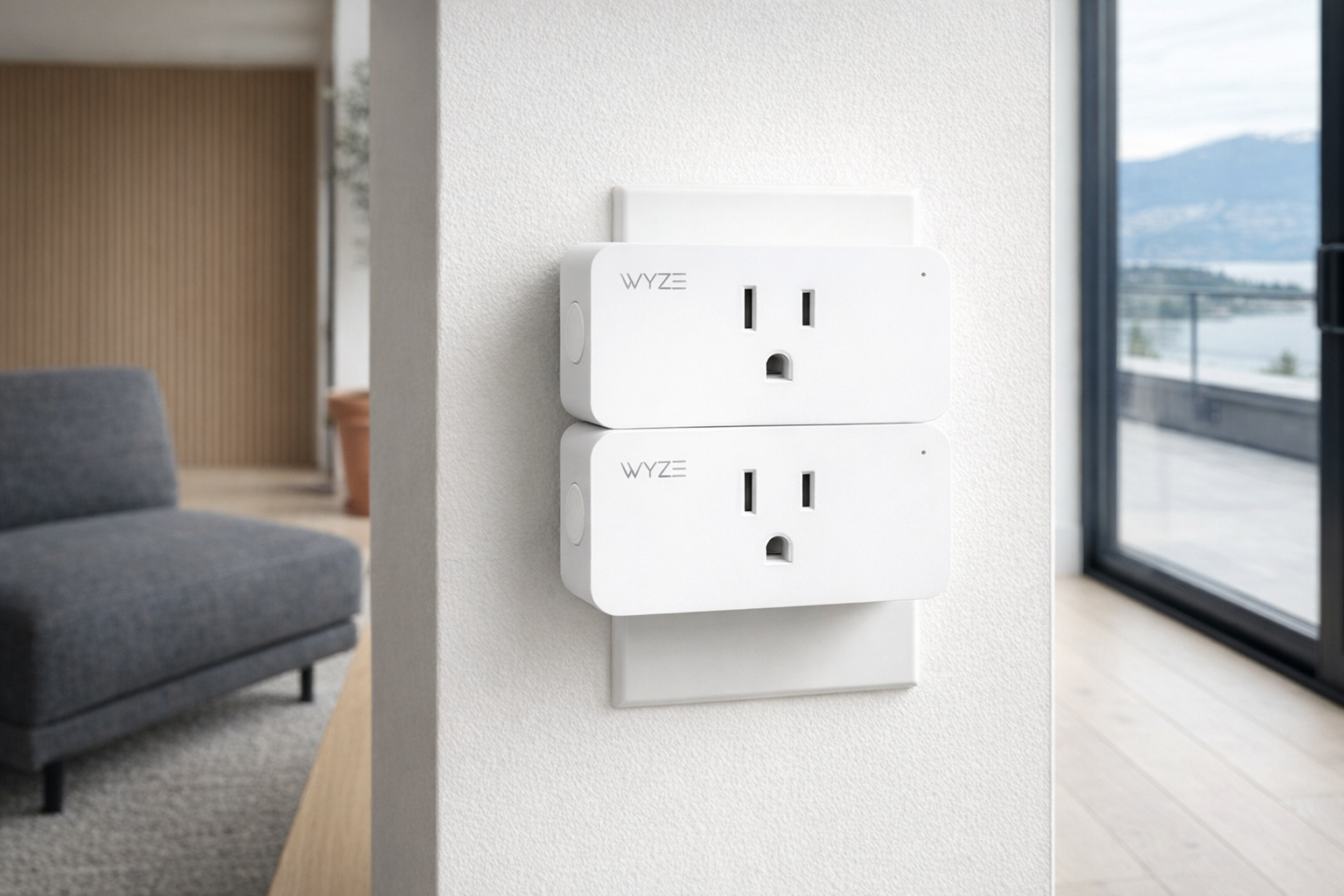
The plain-English version is simple: the Wyze Smart Plug is a plug-in power switch that sits between your wall outlet and whatever device you want to control. You plug the Wyze unit into the wall, plug a lamp or appliance into it, connect it through the Wyze app, and then you can turn that item on or off remotely, put it on a schedule, or trigger it with a voice assistant if supported. It does not make a device smarter in the deep sense. It just gives you control over whether electricity is flowing.
That blank description field in the supplied listing data is a little telling on its own. A lot of smart plugs are sold on broad promises rather than careful explanation. So the right way to think about the Wyze Smart Plug is not as magic, but as infrastructure. It is a remote switch for anything that behaves predictably after power is restored. A lamp with a physical switch left in the "on" position is a perfect candidate. A touch-sensitive espresso machine that requires you to press a button every time may not be.
A useful comparison here is the Amazon Smart Plug, one of the best-known alternatives in this category. The Amazon model tends to make the most sense for households already deep in Alexa, while the Wyze Smart Plug is more about fitting into Wyze's broader low-cost ecosystem of cameras, bulbs, and sensors. That makes Wyze appealing if you already use the brand's app, but less universal if you want the widest possible ecosystem support without homework.
Key features at a glance
- Turns standard plug-in devices into app-controlled devices
- Lets you create schedules and timed routines for lights and small appliances
- Supports remote on/off control when paired through the relevant app setup
- Can fit into a broader Wyze setup if you already use Wyze cameras, bulbs, or other devices
- Works best with appliances that resume operation when power returns
- Low-cost entry point into smart-home automation at roughly $42 CAD on the listing provided
How the Wyze Smart Plug actually works
At a basic level, a smart plug is an internet-connected relay. Inside the adapter is the switching hardware that cuts or supplies power to the outlet on command. Once it is paired to your home network and app, you can send a command from your phone or through a linked assistant, and the plug flips that internal switch. What changes is not the appliance itself, but access to its power state.
That matters because not every device responds the same way after power is restored. A floor lamp with a physical rocker switch will usually come back on instantly if the smart plug gives it power at 7:00 a.m. A fan with a manual knob often behaves the same way, which is useful. But many modern appliances with soft-touch controls reset to standby after an outage, which means a smart plug can still cut their power, but it may not be able to turn them back on in any useful way. This is the key buying filter people often miss.
In practice, there are usually three layers to how a product like the Wyze Smart Plug works:
- App setup. You connect the plug to the Wyze app and your Wi‑Fi network, then name it something sensible like "Living Room Lamp" instead of "Plug 1."
- Automation. You create schedules, timers, or routines so the plug turns on and off at set times or under certain conditions.
- Voice or ecosystem control. If linked services are supported in your setup, you can use voice commands through a compatible assistant rather than opening the app every time.
The interesting part is not the technology itself. It is what that switching action enables. A smart plug can mimic occupancy by cycling lights while you're away, shut off a curling iron lamp circuit after bedtime, or reboot electronics that occasionally need a hard power cut. That is why this category stays relevant even as more products ship with built-in smart features. A plug can still smarten older gear you already own, and that is often cheaper than replacing the gear.
A realistic "day in the life" with Wyze Smart Plug
Because this is an informational piece, here is what a typical day might look like based on the product type, the listing, and how smart plugs are usually used — not a tested account.
- Morning. A bedside lamp connected to the Wyze Smart Plug turns on at a set time, giving you a softer wake-up than a ceiling light. If the lamp's own switch is left on, the schedule does the rest.
- Midday. You are out of the house and realize you left a decorative light or fan running. Opening the app to switch it off remotely is one of the simplest, most genuinely useful smart-home moments.
- Afternoon. A home office setup with a small fan or accent lamp comes on automatically before you start work. This is where schedules matter more than voice control; automation beats having to ask every day.
- Evening. Holiday lights, a living-room lamp, or a porch-adjacent indoor light click off at a set hour. If you are travelling, a routine can make the home look lived-in rather than dark and obviously empty.
That pattern shows the Wyze Smart Plug at its best: low-drama, repetitive tasks where on/off control is enough. If you expect it to dim lights, measure exact energy use, or control a complicated appliance with multiple modes, you are asking for the wrong tool.
Who the Wyze Smart Plug is actually for (and who it isn't)
Great fits
- People starting their first smart-home setup who want a cheap, low-risk automation project before buying larger devices.
- Renters who cannot change wall switches but still want scheduled lighting or voice control over lamps.
- Households already using Wyze cameras, bulbs, or other devices and who would rather stay inside one app.
- Anyone who puts up seasonal lights every year and wants them to run on a schedule without crawling behind furniture nightly.
- Home-office users who want a desk lamp or fan to turn on and off automatically with a workday routine.
Poor fits
- Buyers who specifically want energy monitoring to track consumption in watts or kWh; that is a separate feature and should never be assumed.
- Anyone planning to use it outdoors unless the exact listing and spec page clearly say it is rated for that job.
- People trying to control appliances with touch buttons or digital standby logic that do not automatically resume when power returns.
- Users who want broad, platform-neutral smart-home flexibility without checking current compatibility with Google Assistant, Alexa, or Matter-style setups.
- Anyone expecting one plug to solve high-load appliance control for heaters, air conditioners, or other demanding devices without verifying electrical limits first.
Practical trade-offs
Compatibility with the appliance matters more than the plug
This is the most important trade-off and the easiest to overlook. The Wyze Smart Plug can only control power. That means success depends on the thing plugged into it. Old-school lamps, wax warmers, coffee grinders, fans with mechanical switches, and holiday lights are usually excellent matches. Devices with digital control panels, memory settings, or safety interlocks are more hit-and-miss.
A good rule: if you unplug the appliance, plug it back in, and it immediately resumes operation, a smart plug is likely a good fit. If it wakes up waiting for you to press a button, the automation value drops sharply.
Ecosystem lock-in is real, even at this price
A price around $41.73 CAD makes the Wyze Smart Plug feel like a casual purchase, but smart-home friction adds up. Every extra app, account, and cloud dependency is another point of failure or annoyance. If you already use Wyze gear, this plug probably fits naturally. If you do not, then even a cheap plug should be evaluated as part of a bigger ecosystem decision, not as an isolated gadget.
That is where pricier or more universal-looking competitors sometimes earn their keep. A slightly higher upfront cost can be worth it if it means better compatibility with the assistant or platform you already rely on daily.
Electrical limits and safety deserve more attention than marketing gets
Smart plugs always need a boring but necessary check: what electrical load are they designed to handle? The supplied data here does not include wattage or amperage specs, so you should verify the current spec sheet before plugging in anything substantial. This is not optional.
For many buyers, the safe use case is simple: lamps, fans, decorative lighting, humidifiers within rating, and similar small household loads. Where people get into trouble is treating a smart plug like a universal appliance controller. Space heaters, air conditioners, and other heavy-draw devices should only be used if the official documentation explicitly says the plug supports that load. Marketing pages tend to focus on convenience; your wall outlet cares about electrical reality.
Where the Wyze Smart Plug fits in a smart home
The Wyze Smart Plug makes the most sense as a bridge product between dumb devices and a broader smart-home setup. It is not the centre of the system. It is one of the pieces that quietly makes the system feel more useful.
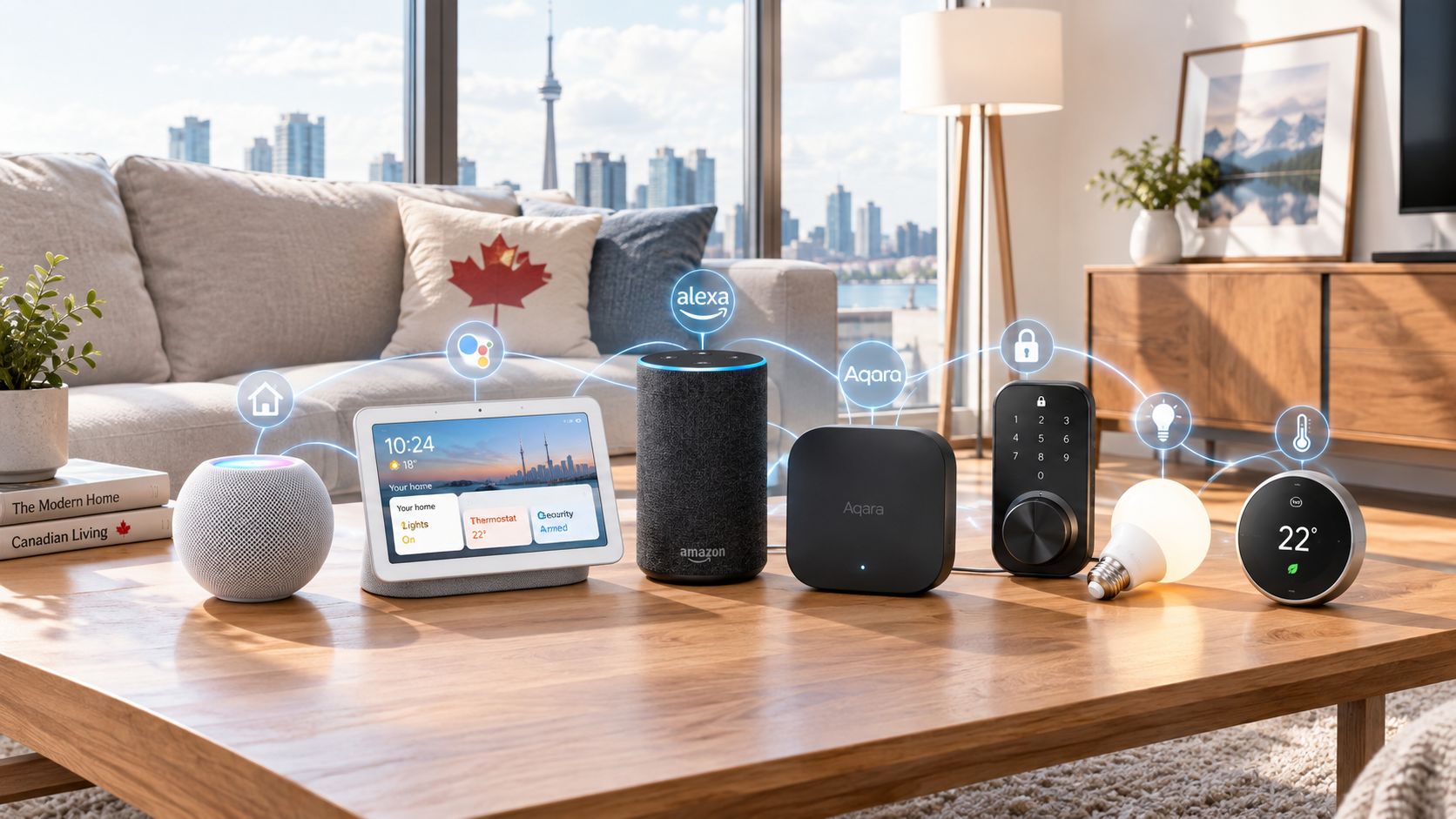
A realistic stack might look like this:
- Wyze cameras handling basic home monitoring
- Wyze bulbs or regular lamps plugged into the Wyze Smart Plug for lighting routines
- Alexa or Google Assistant, if supported in your setup, for simple voice commands
- A few automations for wake-up lighting, evening shutoff, and away-mode presence simulation
In that context, the plug is doing the grunt work. It makes old hardware participate in a modern routine without replacing everything. That is often the smartest place to start. A $42 plug controlling an existing lamp can improve daily life more than a much more expensive smart appliance that duplicates what you already have.
It also fits especially well in spaces where you cannot rewire anything: rentals, dorm-like setups, basement offices, or temporary holiday lighting zones. Evaluate it like a practical adapter, not like a statement piece of home tech.
The buying decision, in plain terms
Before buying the Wyze Smart Plug, three questions usually surface the right answer quickly:
- Do the devices you want to control actually restart when power returns? If yes, this kind of plug is useful. If no, it may only help with turning things off.
- Are you already in the Wyze ecosystem, or are you comfortable adding another app? If yes, the friction is probably manageable. If not, a competitor aligned to your current assistant may be the better buy.
- Have you checked the official electrical limits for your intended use? If yes, you are approaching it sensibly. If no, stop and verify before plugging in anything beyond basic lighting and small electronics.
Three yeses make the Wyze Smart Plug an easy, practical smart-home purchase. Any solid no means you should either pick a different plug or rethink whether a smart plug is the right tool at all.
Got Questions About the Wyze Smart Plug? Let's Clear Things Up.
Is this a hands-on review?
No. This is an informational explainer based on the supplied listing details, the product category, and what the listed use cases imply. It is meant to help you decide whether the Wyze Smart Plug belongs on your shortlist, not to stand in for direct testing.
What does the Wyze Smart Plug actually control?
It controls the flow of power to whatever is plugged into it. That makes it ideal for lamps, fans, decorative lights, and other devices that behave predictably when power is restored. It does not add advanced functions to the appliance itself; it just gives you smarter on/off control.
Does it work with voice assistants?
The retailer URL itself references assistant control in the product naming, which strongly suggests voice-assistant support is part of the intended use. Still, assistant compatibility can change over time, so it is worth checking the current product page and Wyze's support material before buying if Alexa or Google integration is central to your plan.
Can I use the Wyze Smart Plug for a space heater or other heavy appliance?
You should not assume that. The supplied product data here does not include load limits, wattage, or amperage specs, so the safe move is to verify the official spec page before using it with anything high-draw. For most buyers, lamps and small household devices are the more sensible starting point.
Does the Wyze Smart Plug track energy usage?
Nothing in the supplied listing data confirms energy monitoring, so it should not be treated as a guaranteed feature. If power tracking matters to you, check the current spec page carefully and compare it against smart plugs that explicitly advertise energy monitoring.
Where can I verify the current listing or buy it?
The source retailer listing provided for this article is on Amazon, and it is the best place to verify current availability, pricing, and any updated compatibility notes. You can check it here: Wyze Smart Plug on Amazon.
What does it cost in Canada?
At the time of writing, the supplied listing price is roughly ~$42 CAD. More specifically, the product data provided lists $41.73 CAD, but retail pricing shifts often enough that it is worth confirming the current number before checkout.
Where is the Celmin Directory listing for this product?
For a catalog-style view of the same product — structured specs, pros and cons, similar picks, and FAQ — see Wyze Smart Plug on Celmin Directory.
If you're building a smarter home in Canada and want honest explainers on gadgets worth considering — plus the ones worth skipping — Celmin covers the full catalog without the marketing theater. More reviews, comparisons, and buyer guides at https://celmin.ca.

Discussion
Sign up or sign in to join the conversation.