
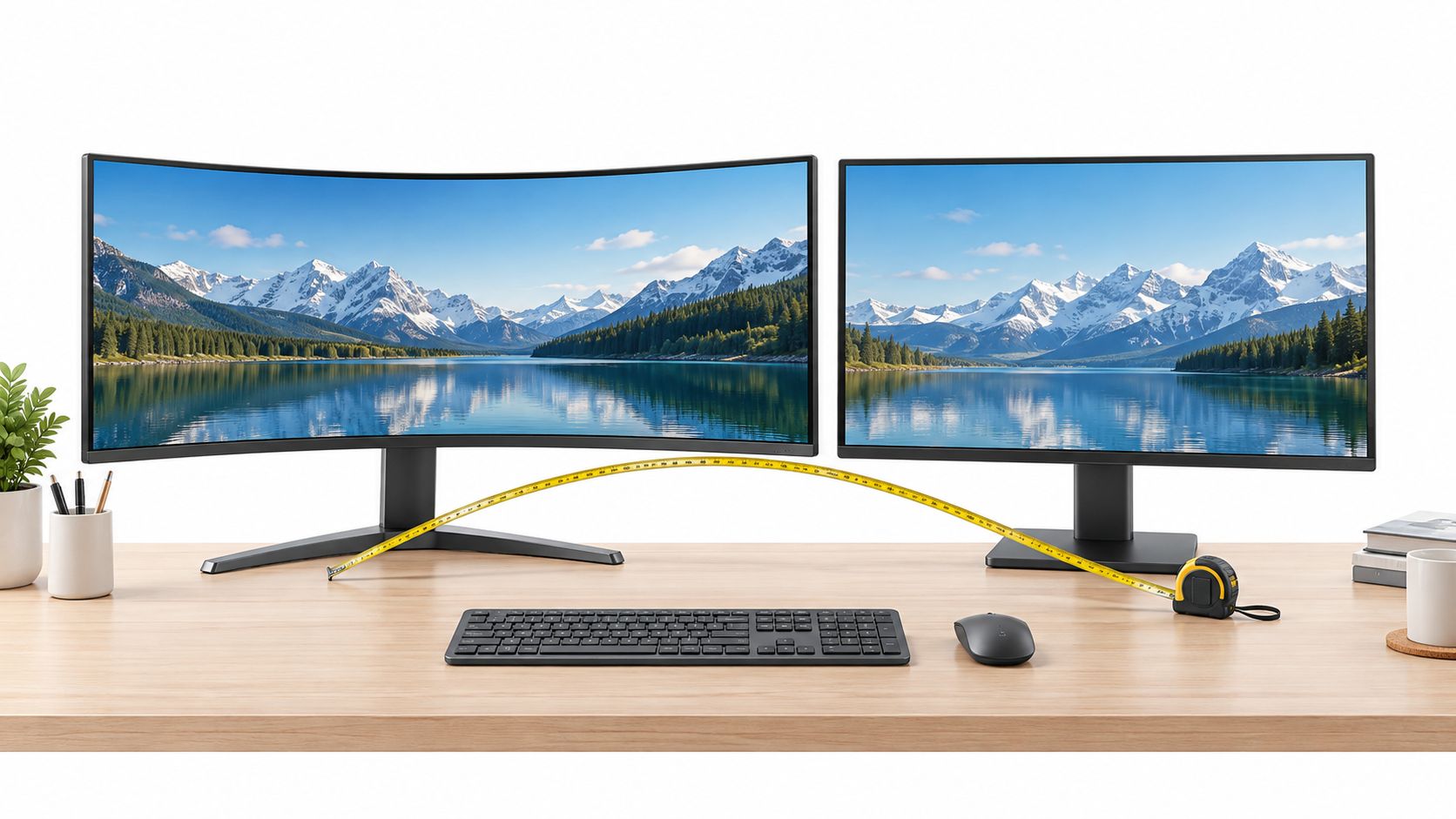
If your desk is shallow or you use multiple monitors side by side, flat is the safer default; if you want a single wide immersive screen and have 40 to 74 cm of viewing distance, a moderate-curve ultrawide often pays off for gaming and timeline workflows. In Canada, flat monitors still account for roughly 60–70% of gaming-monitor unit sales, while curved models hold about 25–35%, so curvature is popular but it hasn't replaced the standard flat screen.
You're probably looking at two monitors that seem similar on paper. Both may offer the resolution, refresh rate, connectivity, and panel type you want, yet one bends towards you while the other stays perfectly straight. The instinct is to ask which shape looks more immersive, but the better first question is whether your desk can physically support the screen.
That hidden constraint causes more buying regret than the curve itself. A large ultrawide can look ideal in a product photo, then force you to sit too close in a condo office, leave no room for the keyboard, or clash with a second display. The right choice depends on desk depth, viewing distance, screen width, and your main workflow, not on the assumption that curved means better.
Table of Contents
- What the Curved Monitor vs Flat Monitor Choice Actually Decides
- How Canadian Buyers Are Choosing Between Curved and Flat Monitors
- Comparing Curved Geometry with Flat Geometry for Real Use
- When Curved Monitors Help Gamers and Productivity Users
- How to Measure Your Desk and Choose the Right Size and Curve
- Making the Final Choice and Avoiding Common Regret Scenarios
What the Curved Monitor vs Flat Monitor Choice Actually Decides
A Canadian home-office setup often starts with a practical compromise. The desk sits against a wall, the monitor shares space with a laptop dock and speakers, and the user wants one screen for spreadsheets during the day and games at night. A curved display may promise a more enveloping view, while a flat panel appears easier to position. Both impressions can be accurate, but only under the right physical conditions.
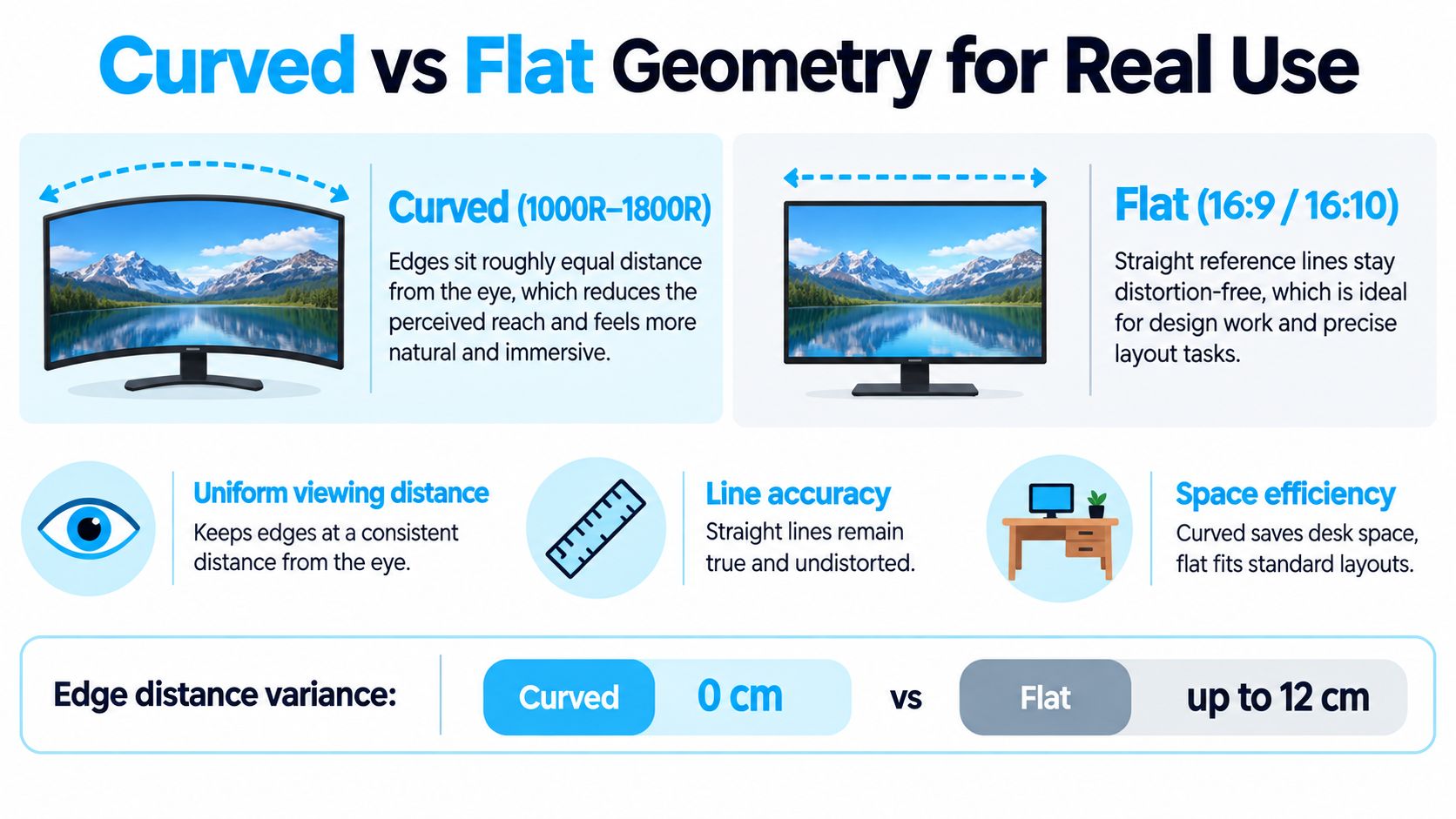
The curved monitor vs flat monitor decision is really a choice between peripheral consistency and geometric predictability. A curved screen can keep the outer portions of a wide display closer to the same perceived distance as the centre. That's useful when one large panel replaces two screens and you spend time looking across documents, editing timelines, or a game world.
A flat screen keeps straight references straightforward. Columns, interface grids, drawings, and horizontal lines behave in the familiar way, and the display is easier to align with another flat monitor. For a standard-size screen, especially one used for office work or mixed tasks, that predictability usually matters more than a wraparound effect.
Start with the desk, not the specification sheet
Before comparing colour depth or adaptive sync, sit in your normal working position and measure the available clearance. Measure from your seated eye position to the rear edge of the monitor, then account for the stand, the keyboard, and any arm or dock behind the display.
Canadian occupational-health guidance recommends placing a monitor about an arm's length away, with the top of the screen at eye level or slightly below. The Canadian Centre for Occupational Health and Safety monitor-positioning guidance gives a practical viewing-distance range of 40–74 cm and places the screen approximately 15° below the horizontal line of sight.
Practical rule: A curve can't compensate for a desk that makes you sit too close.
Match geometry to the way you work
Choose flat when your day involves precise alignment, multiple screens, wall mounting, or frequent off-centre viewing. Choose curved when you want one wide, centred display and can preserve the required clearance.
That distinction also helps prevent a common mistake: buying a curved monitor for its appearance, then using it like a compact office monitor. Curvature has its clearest purpose when the display is wide enough for the edges to matter. On a smaller panel, the extra shape may add positioning limitations without creating a meaningful improvement.
How Canadian Buyers Are Choosing Between Curved and Flat Monitors
Canada's monitor market shows a clear relationship between curvature and screen width. Flat panels remain the mainstream choice by unit volume, but curved displays have become a substantial specialist category rather than a novelty. A Canadian market estimate places flat-panel monitors at approximately 60–70% of gaming-monitor unit sales in 2026, with curved models at roughly 25–35% of that segment. The Canadian gaming-monitor market estimate also identifies 1,500R and 1,800R as common curvature radii, pointing to moderate curves rather than universally aggressive designs.
The strongest association is with ultrawide screens. Canadian estimates indicate that ultrawide monitors represented about 15–20% of external-monitor sales by 2026, compared with approximately 8–10% in 2020. Within that category, curved models were estimated to account for 55–60% of unit sales, while flat ultrawides held roughly 30–35%. Those figures describe a market shift, but they also reveal the practical reason for it: once a screen becomes very wide, geometry affects how comfortably you can take in the edges.
Canadian Monitor Market Signals
| Metric | Signal |
|---|---|
| Flat share of gaming-monitor unit sales in 2026 | Approximately 60–70% |
| Curved share of gaming-monitor unit sales in 2026 | Roughly 25–35% |
| Common curved radii | 1,500R and 1,800R |
| Ultrawide share of external-monitor sales in 2026 | About 15–20% |
| Ultrawide share of external-monitor sales in 2020 | Approximately 8–10% |
| Curved share within ultrawide sales | Estimated 55–60% |
| Flat share within ultrawide sales | Roughly 30–35% |
The comparison has therefore moved from asking whether a screen is large to asking how that width is arranged around the viewer. A 34-inch or wider curved ultrawide can create a unified workspace without the bezel interruption of a dual-monitor arrangement. Flat ultrawides still make sense for offices, design work, and users who prefer straight geometry.
Panel choice still matters more than the bend
Curvature doesn't determine refresh rate, response time, colour depth, HDR performance, or adaptive-sync support. Those characteristics depend on the monitor model and its panel family.
IPS is often a sensible direction for office and design work where viewing consistency and colour are important. VA panels can suit users who value contrast, while OLED models may appeal to buyers prioritising deep blacks and fast perceived motion. None of those choices makes a curved or flat screen automatically suitable. A fast curved monitor can still be wrong for a shallow desk, just as a flat IPS monitor can be a poor fit for someone who wants a single immersive ultrawide gaming display.
For a broader home-office shortlist, compare the shape with the rest of the workspace in this home-office monitor guide, especially if the screen must serve both work and leisure.
Comparing Curved Geometry with Flat Geometry for Real Use
Curvature changes the relationship between your eyes and the outer edges of the display. On a wide curved panel, the sides turn slightly towards you, so the screen can feel more unified when you scan from one application to another. The benefit is strongest when you sit centred and the display occupies a large portion of your field of view.
A flat panel takes a different approach. Its centre and edges remain on the same plane, which makes the geometry easier to predict and preserves the familiar appearance of straight references. That matters when you're working with layouts, CAD-style drawings, documents, or spreadsheets where the visual relationship between horizontal and vertical lines carries information.
Where the curved layout earns its space
A curved ultrawide can make a single-screen workflow feel less like a long strip. Documents, timelines, browser windows, and game interfaces can occupy the sides without requiring quite as much visual reach as they would on an equally wide flat display. The screen remains one continuous canvas, so there's no central bezel interrupting a timeline or game scene.
That doesn't mean curvature reduces eye strain for everyone. The University of Waterloo ultrawide-display ergonomics presentation reports that users generally liked curved ultrawide screens, but stresses the importance of evaluating how often someone must inspect the extreme left and right edges. In related mixed-methods work, participants selected a viewing distance averaging 4 cm farther for a 40-inch curved ultrawide than for a 24-inch flat panel, with distances remaining within a commonly cited 50–100 cm recommendation.
That finding is useful because it exposes the hidden cost. The screen may feel more natural once it is correctly positioned, but it can need more room than a buyer expects. If your desk can't provide that room, the curve becomes a compromise rather than a comfort feature.
Where flat geometry stays easier
Flat monitors are simpler to mount flush or close to a wall, and they're easier to arrange in a row. Their bezels can line up with another flat panel without introducing a change in viewing direction between screens. A flat display also works better when a second person regularly views the content from the side.
Mixed setups deserve special caution. A curved centre monitor beside a flat screen can create an awkward transition, particularly when windows or a continuous desktop span both panels. You can angle the flat display inwards or use matching panels, but the setup requires more adjustment than two flat monitors.
Glare is another placement consideration. A curved glossy panel can reflect a wider range of light sources as your viewing angle changes. A matte finish and careful lamp placement can help, but they won't eliminate the need to control windows and overhead lighting.
A curved monitor is a user-focused display. A flat monitor is a room-friendly display.
The choice is therefore less about which shape has superior image quality and more about whether your priority is one consistent viewing arc or straightforward alignment across people, screens, and furniture.
When Curved Monitors Help Gamers and Productivity Users
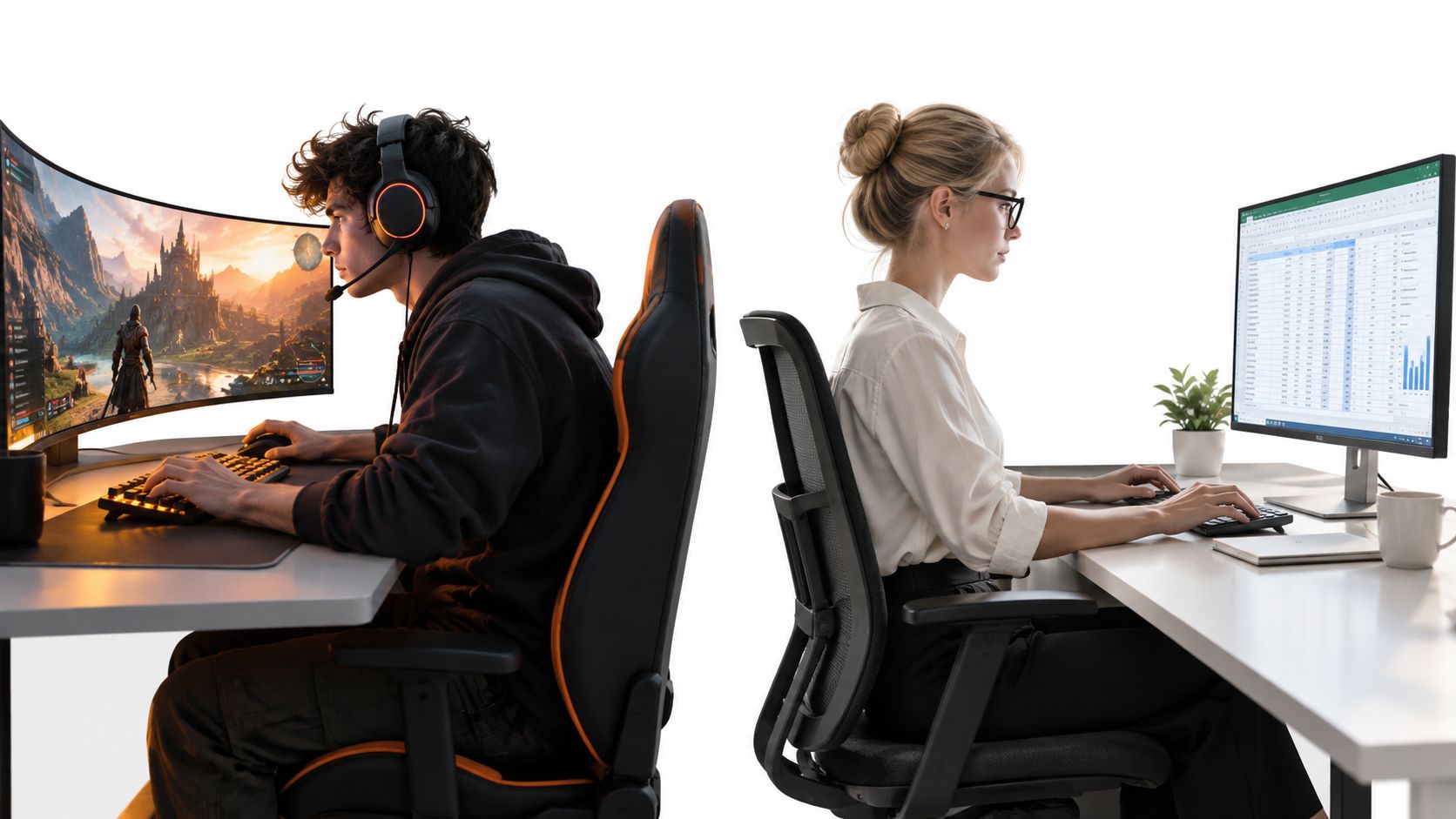
A gamer with a deep desk, a centred chair, and one wide display is the clearest curved-monitor candidate. In a racing game or flight simulator, the screen can fill more of the peripheral view and make the environment feel more connected. The effect is about immersion and spatial continuity, not an automatic improvement in refresh rate or response time.
Competitive players may prefer flat geometry instead. Fast multiplayer play often rewards a predictable view, easy target tracking, and a layout that doesn't complicate peripheral reading. A flat 16:9 panel also fits more naturally into a desk with a second screen for chat, streaming controls, or reference material.
The home-office test
Consider an office worker who keeps a spreadsheet open beside a document and a browser. A large curved ultrawide can keep all three visible on one panel, with fewer bezel interruptions and a more continuous arrangement. That can work well for timelines, dashboards, and applications with tools spread across the horizontal space.
The same person may dislike the curve when reviewing long documents or checking table alignment. Text won't automatically become inaccurate, but the display's shape can make straight interface elements feel less neutral, particularly if the user frequently shifts between the centre and the edges. A flat panel is usually less distracting for document-heavy work.
A designer, photographer, or CAD user has a stronger reason to favour flat. Straight references and predictable perspective are more valuable than an enveloping view, especially when the display is part of a multi-monitor workstation. Colour consistency still depends mainly on the panel and calibration, but flat geometry avoids adding another variable to precision work.
For gaming in a smaller space, a portable option may be more practical than forcing an ultrawide onto a shallow desk. This portable gaming-monitor guide is relevant when the screen needs to move between rooms or pack away after use.
Shared desks create a different verdict
A household monitor may be used by someone sitting directly in front one minute and by another person viewing from the side the next. Curved panels are designed around a centred viewer, so the image can feel less consistent off-axis. That doesn't make a curved model unusable in a shared home, but it makes placement and seating less forgiving.
A flat screen is usually the better shared-desk choice when people watch from different positions, when the monitor doubles as a small household display, or when the desk must serve both a laptop and a desktop. It also avoids the visual mismatch that can appear when a curved screen sits beside a flat laptop display.
The video below illustrates how screen shape changes the experience across gaming and work contexts.
A useful buying rule is simple. Choose curved for a centred, single-screen, wide-field workflow. Choose flat when your priorities include competitive consistency, shared viewing, design accuracy, or flexible multi-monitor expansion.
How to Measure Your Desk and Choose the Right Size and Curve
Start with the chair in its normal position, not with the desk measured from its front edge. Sit upright, place your hands where they would normally rest on the keyboard, and measure from your seated eye position to the rear edge of the monitor area. Include the stand depth or monitor-arm position, because the panel may sit farther forward than expected.
The target is roughly 40–74 cm of clearance, based on Canadian ergonomics guidance. The screen should sit centred in front of you, with the top at eye level or slightly below. If a 34-inch curved ultrawide forces the chair forward to keep the keyboard reachable, the display is too large for that position, regardless of how attractive its specifications look.
A desk-first selection process
Measure usable depth. Subtract the space needed for the keyboard, mouse, speakers, and any laptop or dock. The remaining depth is what the monitor can realistically occupy.
Mark the viewing position. Use tape on the desk to mark where your eyes will be while seated. Measure to the rear edge of the proposed monitor footprint, not just to the front of the stand.
Account for width. A 27-inch flat display is easier to centre and accommodate than a large ultrawide. A 34-inch or wider curved display needs enough horizontal and front-to-back space for its edges and stand.
Check the curve radius. Moderate curves such as 1,500R and 1,800R are common in Canadian gaming-monitor estimates. A tighter curve can feel more enveloping, but it also makes centred placement more important.
Confirm the panel priorities. Select the panel type, resolution, refresh rate, HDR capability, and adaptive sync for the work you do. Curvature should refine the fit, not replace these checks.
Desk-Based Monitor Selection Guide
| Desk Depth | Typical Use Case | Recommended Shape and Size Range |
|---|---|---|
| Limited clearance | Laptop work, documents, general office use | Flat display in a compact standard format |
| Moderate clearance | Mixed office use, gaming, study | Flat 24–27-inch display or a carefully positioned moderate-curve model |
| Sufficient clearance | Single-screen multitasking and immersive gaming | Moderate-curve ultrawide, commonly 34-inch or wider |
| Deep workstation | Timelines, wide spreadsheets, simulation interfaces | Curved ultrawide if the user remains centred |
| Any depth with multiple viewers | Shared household or flexible seating | Flat display for more predictable off-axis viewing |
Don't let size hide the real cost
A wide monitor can replace the bezels of a dual-screen arrangement, but it still occupies physical space. In a Canadian condo or apartment, the rear edge may meet a wall before the user has enough distance to view the display comfortably. A flat panel can sit closer to the wall and usually gives you more freedom to place the keyboard and chair.
Desk-mounted arms can improve positioning, but they don't create depth that the room doesn't have. Before buying, check where the arm clamps, how far the monitor extends at its deepest point, and whether the screen can remain centred without blocking a window or shelving.
Screen distance also affects how you judge text. If the display sits too close, increasing scaling may help readability, but it won't fix poor posture or the need to move your head constantly. Measure first, then choose the largest screen that preserves a comfortable position.
Making the Final Choice and Avoiding Common Regret Scenarios
The safest recommendation for a standard Canadian home office is a flat monitor. It fits more desks, aligns more easily with a second display, works for documents and design, and creates fewer problems when another person views the screen. That doesn't make curved monitors a poor purchase. It makes them a more conditional purchase.
For an immersive gamer with a deep enough desk and a fixed central seating position, a moderate-curve ultrawide is often the more satisfying choice. It turns width into a continuous view and can suit racing games, simulations, open-world play, and productivity workflows built around wide timelines or several windows.
Verdicts by buyer type
Competitive gamer: Favour flat unless immersion is more important than predictable geometry and you mainly use one wide screen.
Immersive gamer: Consider a curved ultrawide, but confirm the viewing distance before choosing the size.
Home-office worker: Choose flat for documents, spreadsheets, and mixed everyday tasks. Choose curved only when the workflow benefits from one broad, centred canvas.
Designer or CAD user: Flat is the lower-risk option for straight references, alignment, and multi-screen consistency.
Multi-monitor user: Flat panels are easier to align. If you mix shapes, keep the curved screen as a centred primary display rather than trying to create one continuous row.
Shared household setup: Flat usually wins because off-axis viewing and flexible seating matter more than immersion.
The most common regret scenarios are predictable. Someone buys a large curved screen for a shallow desk and spends the first week sitting too close. Another person pairs a curved centre panel with a flat side display and dislikes the visual transition. A third buyer chooses curvature while neglecting panel quality, scaling, brightness, glare, or connection support.
If you're planning two screens, review this dual-monitor setup guide before committing to a curved centrepiece. The mounting position, viewing angles, and alignment plan should be decided alongside the monitor shape.
Curvature is neither a universal upgrade nor a gimmick. It works when the display is wide, the viewer is centred, and the desk preserves the necessary distance. Flat remains the better default when flexibility, precision, shared use, or limited depth controls the decision.
Measure your desk from your seated eye position, decide whether your main task benefits from peripheral consistency or straight alignment, and then compare panel quality and connectivity within that shape. If you want a Canadian-focused shortlist based on your actual setup, visit Celmin for monitor recommendations and practical buying guidance suited to home-office and gaming use.
Sign up or sign in to join the conversation.