

Thick walls kill WiFi. Concrete, brick, stone, plaster with metal lath—these materials absorb and reflect wireless signals like nothing else. If you live in an older Canadian home with plaster walls, a concrete basement, or a brick heritage building, you know the frustration. Full bars in the liv...
Thick walls kill WiFi. Concrete, brick, stone, plaster with metal lath—these materials absorb and reflect wireless signals like nothing else. If you live in an older Canadian home with plaster walls, a concrete basement, or a brick heritage building, you know the frustration. Full bars in the living room, dead zone in the bedroom.
A WiFi extender or mesh system can solve this, but not all of them handle thick walls equally. The key is choosing the right technology and placement strategy for your specific wall construction.
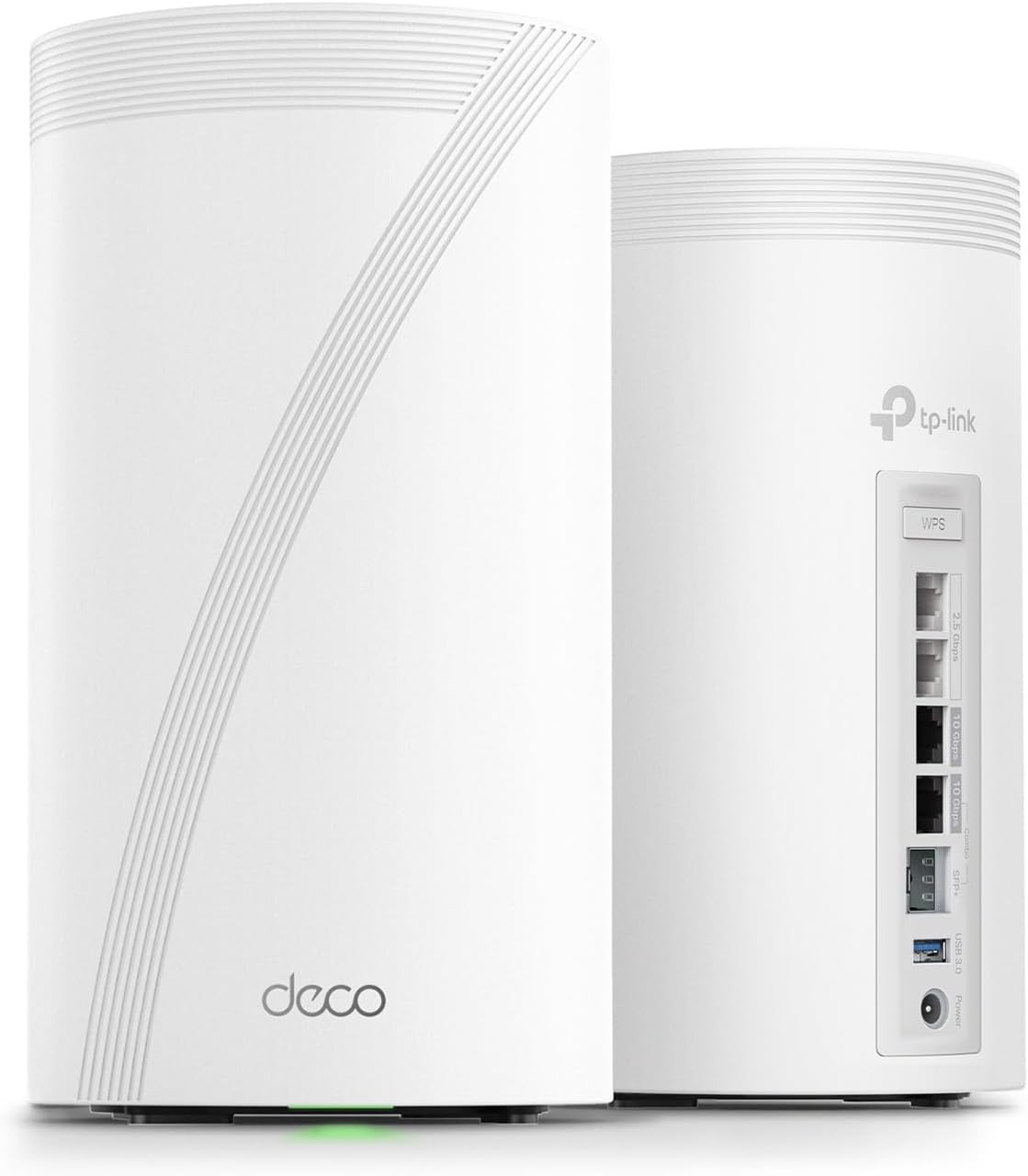
Top WiFi Solutions for Thick Walls
| Device | Type | WiFi Standard | Backhaul | Coverage | Price |
|---|---|---|---|---|---|
| TP-Link Deco BE85 (2-Pack) | Mesh | WiFi 7 | Tri-band wireless | Up to 510 m² | ~$699 CAD |
| eero Pro 6E (3-Pack) | Mesh | WiFi 6E | Tri-band wireless | Up to 560 m² | ~$545 CAD |
| TP-Link RE715X | Range extender | WiFi 6 | Dual-band | Up to 140 m² added | ~$79 CAD |
| TP-Link Deco XE75 (3-Pack) | Mesh | WiFi 6E | Tri-band wireless | Up to 530 m² | ~$410 CAD |
| NETGEAR Orbi 970 (2-Pack) | Mesh | WiFi 7 | Quad-band wireless | Up to 650 m² | ~$1,699 CAD |
Best Overall: TP-Link Deco BE85 (2-Pack)
WiFi 7 Punches Through Walls
The Deco BE85 uses WiFi 7 with tri-band technology, including a dedicated backhaul band that maintains speed between mesh nodes even through thick walls. The 6 GHz band is less congested and penetrates better than older 5 GHz signals in some configurations.
For thick-walled Canadian homes, the key advantage is the dedicated backhaul. When a mesh node communicates with the router, it uses a separate band from the one your devices connect to. This means the signal between nodes stays strong even when walls attenuate the client-facing bands.
Each node has a powerful antenna array that pushes signal further than typical consumer routers. Place one node on each side of the thick wall, and the mesh handles the rest.
- WiFi Standard: WiFi 7 (BE19000)
- Bands: Tri-band (2.4 GHz + 5 GHz + 6 GHz)
- Backhaul: Dedicated wireless backhaul
- Ports: 2x 10 Gbps, 2x 1 Gbps per node
- Coverage: Up to 510 m² (2-pack)
- Price: ~$699 CAD
The Deco BE85 is the best mesh system for thick-walled homes. WiFi 7 tri-band with dedicated backhaul maintains speed through concrete and brick. It's expensive, but it solves the problem properly.
Best Value Mesh: TP-Link Deco XE75 (3-Pack)
Three Nodes for Better Coverage
With thick walls, more nodes placed closer together beats fewer powerful nodes. The Deco XE75 three-pack lets you place nodes strategically—one per floor or one per section of the house—so the signal never has to pass through more than one thick wall at a time.
WiFi 6E with tri-band provides a dedicated backhaul channel. The 6 GHz band handles node-to-node communication while 2.4 GHz and 5 GHz serve your devices.
- WiFi Standard: WiFi 6E (AXE5400)
- Bands: Tri-band (2.4 + 5 + 6 GHz)
- Coverage: Up to 530 m² (3-pack)
- Ports: 2x Gigabit per node
- Price: ~$410 CAD
Three nodes at $410 CAD is the sweet spot for most thick-walled Canadian homes. Place them strategically and you'll have strong coverage everywhere.
Best Budget: TP-Link RE715X Range Extender
Simple and Affordable
If you just need to extend WiFi to one dead zone (a basement, a back bedroom), the RE715X is the most cost-effective solution. It plugs into a wall outlet, connects to your existing router, and rebroadcasts the signal.

The key with range extenders and thick walls: placement is everything. Don't put it in the dead zone—put it halfway between your router and the dead zone, on the same side of the thick wall as the router. It needs a strong signal to rebroadcast.
- WiFi Standard: WiFi 6 (AX3000)
- Bands: Dual-band (2.4 + 5 GHz)
- Coverage: Up to 140 m² added
- Ports: 1x Gigabit ethernet
- Price: ~$79 CAD
Best Premium: NETGEAR Orbi 970 (2-Pack)
Maximum Power for Maximum Walls
The Orbi 970 is the most powerful mesh system available. Quad-band WiFi 7 with a dedicated 6 GHz backhaul channel delivers the strongest node-to-node connection possible. For homes with multiple thick walls, concrete between floors, or very large footprints, the Orbi 970 brute-forces its way through.
- WiFi Standard: WiFi 7 (BE27000)
- Bands: Quad-band (2.4 + 5 + 6 GHz x2)
- Backhaul: Dedicated 6 GHz
- Ports: 10 Gbps + 2.5 Gbps + 4x Gigabit per node
- Coverage: Up to 650 m² (2-pack)
- Price: ~$1,699 CAD
How Thick Walls Kill WiFi
Signal Loss by Material
| Wall Material | Signal Loss (per wall) | Common In |
|---|---|---|
| Drywall | 3-5 dB (minimal) | Modern homes |
| Wood | 5-8 dB (low) | Older homes, cottages |
| Plaster + lath | 8-12 dB (moderate) | Pre-1960s homes |
| Brick (single) | 10-15 dB (high) | Heritage homes, row houses |
| Concrete | 15-25 dB (very high) | Basements, condos |
| Concrete + rebar | 20-30 dB (severe) | Commercial, some condos |
| Metal (foil insulation) | 25-35 dB (extreme) | Renovated homes with foil-backed insulation |
Every 10 dB of loss cuts your signal strength in half. A concrete basement wall can reduce your WiFi signal by 75-95%.
Frequency Matters
- 2.4 GHz: Penetrates walls better but slower speeds. Best for IoT devices and distant rooms.
- 5 GHz: Faster but weaker through walls. Best for nearby devices.
- 6 GHz: Fastest but worst wall penetration. Best for backhaul between mesh nodes in line-of-sight.
For thick walls, your devices will likely connect on 2.4 GHz through the wall. The mesh backhaul on 5 or 6 GHz works because nodes are placed to minimize wall penetration.
Placement Strategy for Thick Walls
The Golden Rule
Never expect WiFi to pass through more than one thick wall. Place a mesh node or extender so that every room is within one wall of a node.
Typical Canadian Home Setup
- Main floor: Router/primary node in central location
- Upstairs: Mesh node at the top of the stairs (signal travels up through the floor, which is thinner than walls)
- Basement: Mesh node at the bottom of the stairs, or use ethernet backhaul if possible
Ethernet Backhaul: The Nuclear Option
If wireless mesh can't punch through your walls, run an ethernet cable between nodes. Most mesh systems support ethernet backhaul, which eliminates the wireless wall-penetration problem entirely. One ethernet cable from your router to a mesh node in the dead zone gives you full-speed WiFi on the other side of any wall.
📺 Watch: How to Fix WiFi Dead Zones in Thick-Walled Homes
Got Questions About WiFi and Thick Walls? Let's Clear Things Up.
Should I get a mesh system or a range extender?
For thick walls, mesh is almost always better. Range extenders cut your bandwidth in half because they use the same band to receive and rebroadcast. Mesh systems with dedicated backhaul maintain full speed. The exception: if you only have one dead zone and budget is tight, a range extender like the RE715X works.
Will WiFi 7 penetrate walls better than WiFi 6?
Not inherently—radio waves are radio waves. But WiFi 7's wider channels and better efficiency mean you get more usable speed even with signal loss. The real advantage is dedicated backhaul bands that keep node-to-node communication strong.
How many mesh nodes do I need for a thick-walled home?
One node per floor is the minimum. For large floors with multiple thick walls, add a node per section. A typical 2,000 sq ft Canadian home with plaster or brick walls needs 3 nodes. A 3,000+ sq ft home may need 4-5.
Can I use powerline adapters instead?
Powerline adapters send data through your electrical wiring. They work in some homes but are unreliable in others—especially older Canadian homes with different electrical circuits per floor. Mesh WiFi is more consistent and easier to set up.
Thick walls don't have to mean dead WiFi zones. A tri-band mesh system with strategic node placement solves the problem for most Canadian homes. The TP-Link Deco XE75 three-pack offers the best value, while the Deco BE85 delivers premium WiFi 7 performance.
📡
Take Our Free WiFi Coverage Calculator
Answer a few quick questions and get personalized recommendations.
Start Quiz →



Discussion
Sign up or sign in to join the conversation.