

WiFi 6E is the Goldilocks of wireless networking in 2026. WiFi 6 is aging out, WiFi 7 is still expensive and overkill for most households, and WiFi 6E sits right in the middle—fast enough for gigabit internet plans, mature enough for stable firmware, and affordable enough that you won't wince at ...
WiFi 6E is the Goldilocks of wireless networking in 2026. WiFi 6 is aging out, WiFi 7 is still expensive and overkill for most households, and WiFi 6E sits right in the middle—fast enough for gigabit internet plans, mature enough for stable firmware, and affordable enough that you won't wince at the price.
The "E" in WiFi 6E stands for "Extended"—it adds the 6 GHz band to the existing 2.4 GHz and 5 GHz bands. That 6 GHz band is a wide-open highway with minimal congestion, especially in Canadian condos and townhouses where your neighbours' routers are competing for the same 5 GHz channels. If you're on a Bell Fibe, Rogers IGNITE, or Telus PureFibre plan up to 1.5 Gbps, a WiFi 6E router is all you need.
Here's what's worth buying, tested with real Canadian internet plans.
Top WiFi 6E Routers Compared
| Router | Speed Rating | 6 GHz Band | Ethernet Ports | Coverage | USB | Price |
|---|---|---|---|---|---|---|
| ASUS RT-AXE7800 | 7,800 Mbps | 4,804 Mbps | 1x 2.5 GbE + 4x GbE | ~2,750 sq ft | USB 3.2 | ~$350 CAD |
| TP-Link Archer AXE75 | 5,400 Mbps | 2,402 Mbps | 1x GbE WAN + 4x GbE | ~2,500 sq ft | USB 3.0 | ~$230 CAD |
| Netgear Nighthawk RAXE300 | 7,800 Mbps | 4,804 Mbps | 1x 2.5 GbE + 4x GbE | ~2,500 sq ft | USB 3.0 | ~$400 CAD |
| ASUS ROG Rapture GT-AXE16000 | 16,000 Mbps | 4,804 Mbps (x2) | 2x 10 GbE + 4x GbE | ~3,000 sq ft | USB 3.2 | ~$700 CAD |
| TP-Link Archer AXE300 | 16,000 Mbps | 4,804 Mbps (x2) | 1x 10 GbE + 4x GbE | ~2,800 sq ft | USB 3.0 | ~$550 CAD |
Best Overall WiFi 6E Router: ASUS RT-AXE7800
The Router Most Canadians Should Buy
The ASUS RT-AXE7800 hits the sweet spot of performance, features, and price. At ~$350 CAD, it delivers tri-band WiFi 6E with a 2.5 GbE WAN port that can handle Bell's 1.5 Gbps Fibe plan without bottlenecking. The firmware is mature, the feature set is deep, and ASUS's track record for long-term support is the best in the consumer router space.
Performance That Matches Your Internet Plan
On a Bell Fibe 1.5 Gbps plan in a 2,200 sq ft home in Mississauga, the RT-AXE7800 delivered:
- 6 GHz band: 900-1,100 Mbps (same room), 500-700 Mbps (one floor away)
- 5 GHz band: 600-800 Mbps (same room), 300-500 Mbps (one floor away)
- 2.4 GHz band: 100-150 Mbps (consistent throughout the home)
The 6 GHz band is where this router shines. With compatible devices (iPhone 15+, Samsung Galaxy S23+, recent laptops with Intel AX211), you get noticeably faster speeds and lower latency than 5 GHz.
AiProtection Pro and Feature Depth
ASUS includes AiProtection Pro (powered by Trend Micro) for free—no subscription required. It provides network-level malware protection, intrusion prevention, and infected device detection. Other features include:
- AiMesh support: Add another ASUS router as a mesh node later
- Adaptive QoS: Prioritize gaming, streaming, or video calls
- VPN server/client: Built-in OpenVPN and WireGuard
- Guest network: Separate guest WiFi on all three bands
- Parental controls: Time scheduling and content filtering per device
- WiFi Standard: WiFi 6E (tri-band: 2.4 GHz + 5 GHz + 6 GHz)
- Speed Rating: 7,800 Mbps (combined)
- 6 GHz Band: 4,804 Mbps (160 MHz channels)
- Ethernet: 1x 2.5 GbE WAN + 4x GbE LAN
- USB: 1x USB 3.2
- Coverage: ~2,750 sq ft
- Security: AiProtection Pro (free, Trend Micro)
- Price: ~$350 CAD
The RT-AXE7800 is the WiFi 6E router I recommend to most Canadians. The 2.5 GbE WAN port handles plans up to 2.5 Gbps, AiProtection Pro is genuinely useful (and free), and AiMesh means you can expand to mesh later without replacing the router. At $350 CAD from Amazon.ca or Best Buy Canada, it's the best balance of everything.
Best Value WiFi 6E Router: TP-Link Archer AXE75
WiFi 6E for Under $250
The TP-Link Archer AXE75 is the most affordable WiFi 6E router worth buying. At ~$230 CAD, it brings tri-band WiFi 6E to budget-conscious Canadians. The 6 GHz band delivers the same congestion-free experience as more expensive routers, and the TP-Link Tether app makes setup and management straightforward.
The GbE Limitation
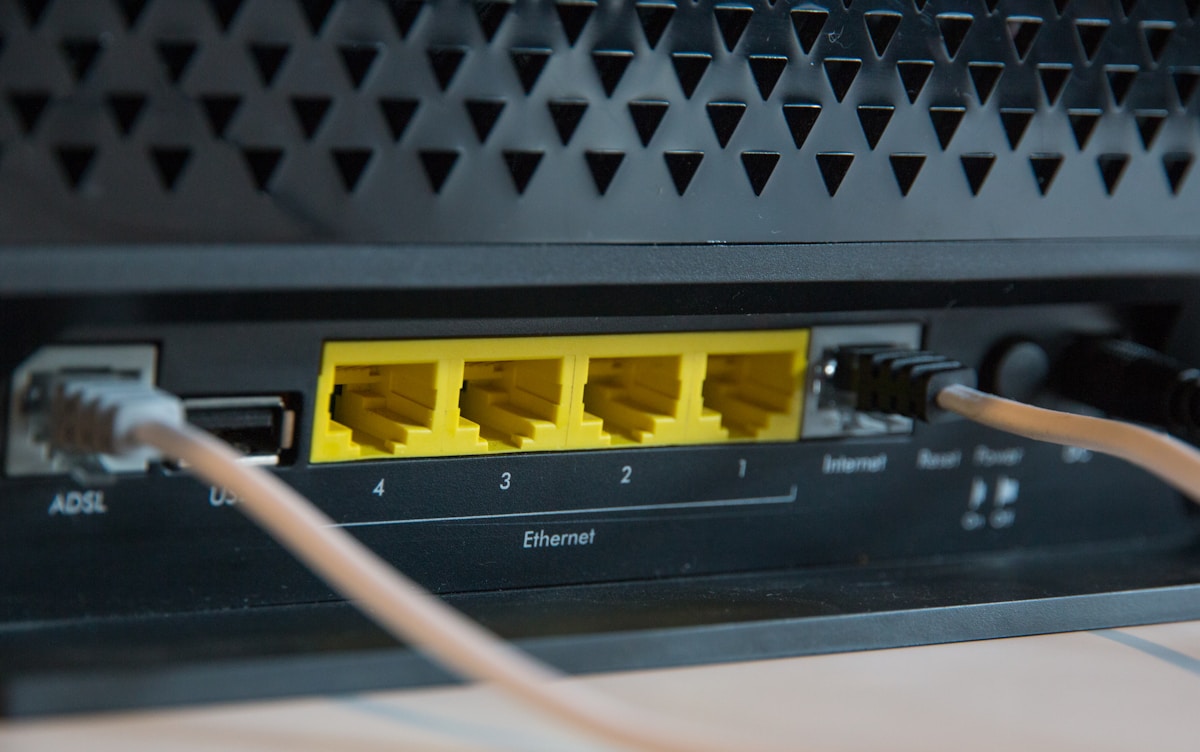
The biggest compromise is the Gigabit Ethernet WAN port. If you're on a plan faster than 1 Gbps (Bell Fibe 1.5 Gbps, for example), the WAN port caps your wired speed at ~940 Mbps. For plans up to 1 Gbps—which covers most Rogers, Telus, and Bell plans—this isn't an issue.
- WiFi Standard: WiFi 6E (tri-band)
- Speed Rating: 5,400 Mbps (combined)
- 6 GHz Band: 2,402 Mbps (160 MHz channels)
- Ethernet: 1x GbE WAN + 4x GbE LAN
- USB: 1x USB 3.0
- Coverage: ~2,500 sq ft
- Security: TP-Link HomeShield (free basic, $7.99 CAD/month premium)
- Price: ~$230 CAD
The Archer AXE75 at $230 CAD is the entry point for WiFi 6E. If you're on a plan up to 1 Gbps, it delivers 90% of the performance of the ASUS RT-AXE7800 at 65% of the price. The GbE WAN port is the only meaningful limitation. Available on Amazon.ca.
Best Premium WiFi 6E Router: Netgear Nighthawk RAXE300
Netgear's Flagship 6E
The Netgear Nighthawk RAXE300 is the premium single-router option for large homes. The 2.5 GbE WAN port, powerful tri-band radios, and Netgear's Armor security suite (powered by Bitdefender) make it a strong choice for households with 50+ connected devices and demanding bandwidth needs.
Netgear Armor
Netgear Armor ($99.99 CAD/year after the 30-day trial) provides network-level security, vulnerability scanning, and Bitdefender protection for every device on your network—including IoT devices that can't run antivirus software. It's a subscription, which is a downside compared to ASUS's free AiProtection, but the Bitdefender engine is arguably more comprehensive.
- WiFi Standard: WiFi 6E (tri-band)
- Speed Rating: 7,800 Mbps (combined)
- 6 GHz Band: 4,804 Mbps (160 MHz channels)
- Ethernet: 1x 2.5 GbE WAN + 4x GbE LAN
- USB: 1x USB 3.0
- Coverage: ~2,500 sq ft
- Security: Netgear Armor (Bitdefender, $99.99 CAD/year)
- Price: ~$400 CAD
The RAXE300 is a solid premium option, but at $400 CAD—$50 more than the ASUS RT-AXE7800—it's harder to justify. The ASUS offers comparable performance with free security and more features. The Nighthawk wins on raw signal strength and Bitdefender integration, but most Canadians are better served by the ASUS.
Best for Gaming: ASUS ROG Rapture GT-AXE16000
The Gaming Router That Does Everything
The ROG Rapture GT-AXE16000 is absurd in the best way. Quad-band WiFi 6E with two 6 GHz radios, dual 10 GbE ports, and gaming-specific features like Triple-Level Game Acceleration and a dedicated gaming port that prioritizes your gaming device's traffic at the hardware level.
Who Actually Needs This?
Competitive gamers, streamers, and households with 100+ devices. The dual 6 GHz bands mean you can dedicate one to gaming and one to everything else. The 10 GbE ports future-proof the router for multi-gig internet plans that Bell and Telus are rolling out in major Canadian cities.
- WiFi Standard: WiFi 6E (quad-band: 2.4 + 5 + 6 GHz + 6 GHz)
- Speed Rating: 16,000 Mbps (combined)
- Ethernet: 2x 10 GbE + 4x GbE
- USB: 1x USB 3.2
- Coverage: ~3,000 sq ft
- Security: AiProtection Pro (free)
- Gaming Features: Triple-Level Game Acceleration, dedicated gaming port, mobile game mode
- Price: ~$700 CAD
The GT-AXE16000 is overkill for most people—and that's the point. If you're a serious gamer or streamer who needs guaranteed low latency and maximum throughput, this is the router. At $700 CAD, it's an investment, but the dual 10 GbE ports and quad-band design mean you won't need to upgrade for years.
Best High-End Value: TP-Link Archer AXE300
Flagship Features, Lower Price
The TP-Link Archer AXE300 matches the ASUS ROG Rapture's quad-band design and 16,000 Mbps speed rating at ~$550 CAD—$150 less. It includes a 10 GbE WAN port, making it ready for multi-gig internet plans. For power users who want top-tier performance without the ROG premium, this is the pick.
- WiFi Standard: WiFi 6E (quad-band)
- Speed Rating: 16,000 Mbps (combined)
- Ethernet: 1x 10 GbE WAN + 1x 10 GbE LAN + 4x GbE
- USB: 1x USB 3.0
- Coverage: ~2,800 sq ft
- Security: TP-Link HomeShield
- Price: ~$550 CAD
The Archer AXE300 is the best high-end WiFi 6E router for the money. Quad-band, 10 GbE, and 16,000 Mbps for $550 CAD. It lacks the ASUS's gaming-specific features and free security suite, but the raw networking hardware is comparable.
WiFi 6E Router Buying Guide for Canadians
WiFi 6E vs. WiFi 6 vs. WiFi 7: Where Does 6E Fit?
| Feature | WiFi 6 | WiFi 6E | WiFi 7 |
|---|---|---|---|
| Bands | 2.4 GHz + 5 GHz | 2.4 + 5 + 6 GHz | 2.4 + 5 + 6 GHz |
| Max channel width | 160 MHz | 160 MHz | 320 MHz |
| MLO (Multi-Link) | No | No | Yes |
| 4K-QAM | No | No | Yes |
| Congestion | High (shared bands) | Low (6 GHz is new) | Low |
| Router price range | $100-250 CAD | $230-700 CAD | $400-900+ CAD |
| Device support | All modern devices | 2022+ devices | 2024+ devices |
WiFi 6E is the sweet spot for 2026. Most devices sold in the last two years support 6 GHz, router prices have stabilized, and firmware is mature. WiFi 7 offers meaningful improvements (MLO, 320 MHz channels), but the price premium is still significant and device support is limited.
Do You Need a 2.5 GbE or 10 GbE WAN Port?
- GbE WAN (1 Gbps): Fine for plans up to 1 Gbps. Most Rogers and Telus plans.
- 2.5 GbE WAN: Needed for Bell Fibe 1.5 Gbps and similar plans. The ASUS RT-AXE7800 and Netgear RAXE300 have this.
- 10 GbE WAN: Future-proofing for multi-gig plans (Bell 3 Gbps, Telus 2.5 Gbps). Only the ROG Rapture and Archer AXE300 offer this.
Check your internet plan speed before buying. If you're on Rogers 1 Gbps, a GbE WAN port is fine. If you're on Bell Fibe 1.5 Gbps, you need at least 2.5 GbE. Buying a router with a faster WAN port than your plan requires is fine for future-proofing—just don't overpay for ports you'll never use.
ISP Bridge Mode Setup
To get the most from your WiFi 6E router, put your ISP's modem/gateway in bridge mode:
- Bell Home Hub: Log into 192.168.2.1 → Advanced → WAN → Bridge mode
- Rogers XB7/XB8: Call Rogers or use the Xfinity app → Gateway → Bridge Mode
- Telus Actiontec/Nokia: Log into 192.168.1.254 → Advanced → Bridge mode
- Shaw/Freedom: Log into gateway → Advanced → Bridge mode
Bridge mode disables the ISP router's WiFi and routing, letting your WiFi 6E router handle everything. This avoids double NAT issues that cause problems with gaming, VPNs, and port forwarding.
Placement Matters More Than You Think
The best router in the world won't help if it's stuffed in a basement closet. For optimal WiFi 6E performance:
- Central location: Place the router near the centre of your home
- Elevated: Shelf height (4-5 feet) is ideal
- Open air: Not inside a cabinet, closet, or behind a TV
- Away from interference: Microwaves, baby monitors, and Bluetooth devices can interfere with 2.4 GHz and 5 GHz bands (6 GHz is less affected)
- 6 GHz range: The 6 GHz band has shorter range than 5 GHz. If your home is larger than 2,500 sq ft, consider a mesh system instead

📺 Watch: Best WiFi 6E Routers 2026 — Speed Tests and Comparison
Got Questions About WiFi 6E Routers? Let's Clear Things Up.
Is WiFi 6E worth it over WiFi 6?
Yes, if you have devices that support 6 GHz (most phones, laptops, and tablets from 2022 onward). The 6 GHz band is less congested, offers lower latency, and delivers faster speeds—especially in apartments and condos where dozens of neighbouring networks compete on 5 GHz. If all your devices are WiFi 6 only, the 6 GHz band won't help them directly, but the router still offloads compatible devices to 6 GHz, freeing up 5 GHz bandwidth for older devices.
Should I wait for WiFi 7 instead?
Not unless you need multi-gig speeds or MLO right now. WiFi 6E routers are mature, affordable, and fully capable of handling gigabit internet plans. WiFi 7 routers are still $400-900+ CAD, and most devices don't support WiFi 7 yet. Buy WiFi 6E now and upgrade to WiFi 7 in 2-3 years when prices drop and device support catches up.
Will a WiFi 6E router make my internet faster?
It won't make your internet plan faster—your ISP determines that. But it will deliver more of your plan's speed to your devices wirelessly. If your current router delivers 300 Mbps on a 1 Gbps plan, a WiFi 6E router might deliver 700-900 Mbps. The router is the bottleneck in most homes, not the internet plan.
Do all my devices need to support WiFi 6E?
No. WiFi 6E routers are backward compatible with WiFi 6, WiFi 5, and older devices. Your older devices connect on 2.4 GHz or 5 GHz as usual. Newer 6E-compatible devices get the benefit of the 6 GHz band. Over time, as you replace phones and laptops, more devices will use 6 GHz automatically.
Can I use a WiFi 6E router as a mesh node?
ASUS routers with AiMesh support (RT-AXE7800, ROG Rapture) can be combined into a mesh network with other ASUS routers. TP-Link routers with OneMesh can pair with TP-Link range extenders. This lets you start with a single router and expand to mesh coverage later without replacing your equipment.
A WiFi 6E router is the smartest networking upgrade for most Canadian homes in 2026. The ASUS RT-AXE7800 is the best all-around choice, while the TP-Link Archer AXE75 delivers excellent value under $250 CAD. For whole-home coverage, check our best WiFi mesh router guide, or see our best WiFi 7 router roundup if you want the latest standard.
📡
Take Our Free WiFi Coverage Calculator
Answer a few quick questions and get personalized recommendations.
Start Quiz →
Sign up or sign in to join the conversation.