
The Leion Hey2 by LLVision sits in a slightly awkward but increasingly interesting category: smart glasses that are not really trying to be full AR computers, but also are not just audio glasses with a flashy app. Its core pitch is much narrower and more practical than most smart-glasses mark...
The Leion Hey2 by LLVision sits in a slightly awkward but increasingly interesting category: smart glasses that are not really trying to be full AR computers, but also are not just audio glasses with a flashy app. Its core pitch is much narrower and more practical than most smart-glasses marketing: put subtitles in front of your eyes so you can follow speech in another language, in real time, during an actual conversation. That makes it less of a "future of computing" device and more of a translation tool you wear on your face.
This article is not a hands-on review. Nothing here is based on personally using the glasses. The goal is to explain what the Leion Hey2 appears to be from its listed features, how it likely fits into real life, and where the compromises probably are. If you are wondering whether this is genuinely useful travel and communication hardware or just another expensive smart-glasses demo, this is the calmer breakdown.
📺 Watch: Leion Hey2 in context
Quick snapshot
| Question | What the Leion Hey2 actually is |
|---|---|
| Category | Smart Glasses |
| Made by | LLVision |
| Typical price | ~$549 CAD (listing at the time of writing — verify current pricing) |
| Rating signal | Check current reviews |
| Best for | Frequent travellers, multilingual workplaces, trade shows, and face-to-face conversations where live subtitles would genuinely reduce friction |
| Skip if | You want a full AR headset, all-day prescription eyewear replacement, or a cheap casual gadget |
Pro tip: Evaluate the Leion Hey2 as a wearable translation display, not as a do-everything pair of smart glasses. If your main need is understanding speech across languages, the concept makes sense; if you want a general screen-on-your-face device, the value case gets much shakier.
What the Leion Hey2 actually is
In plain English, the Leion Hey2 is a lightweight pair of smart glasses built around one main job: listening to spoken language, translating it quickly, and presenting the result as subtitles in your field of view. The important part is not the "AR" label by itself. Plenty of products use that term loosely. What matters here is the specific use case: face-to-face multilingual conversation without constantly pulling out a phone and staring down at a translation app.
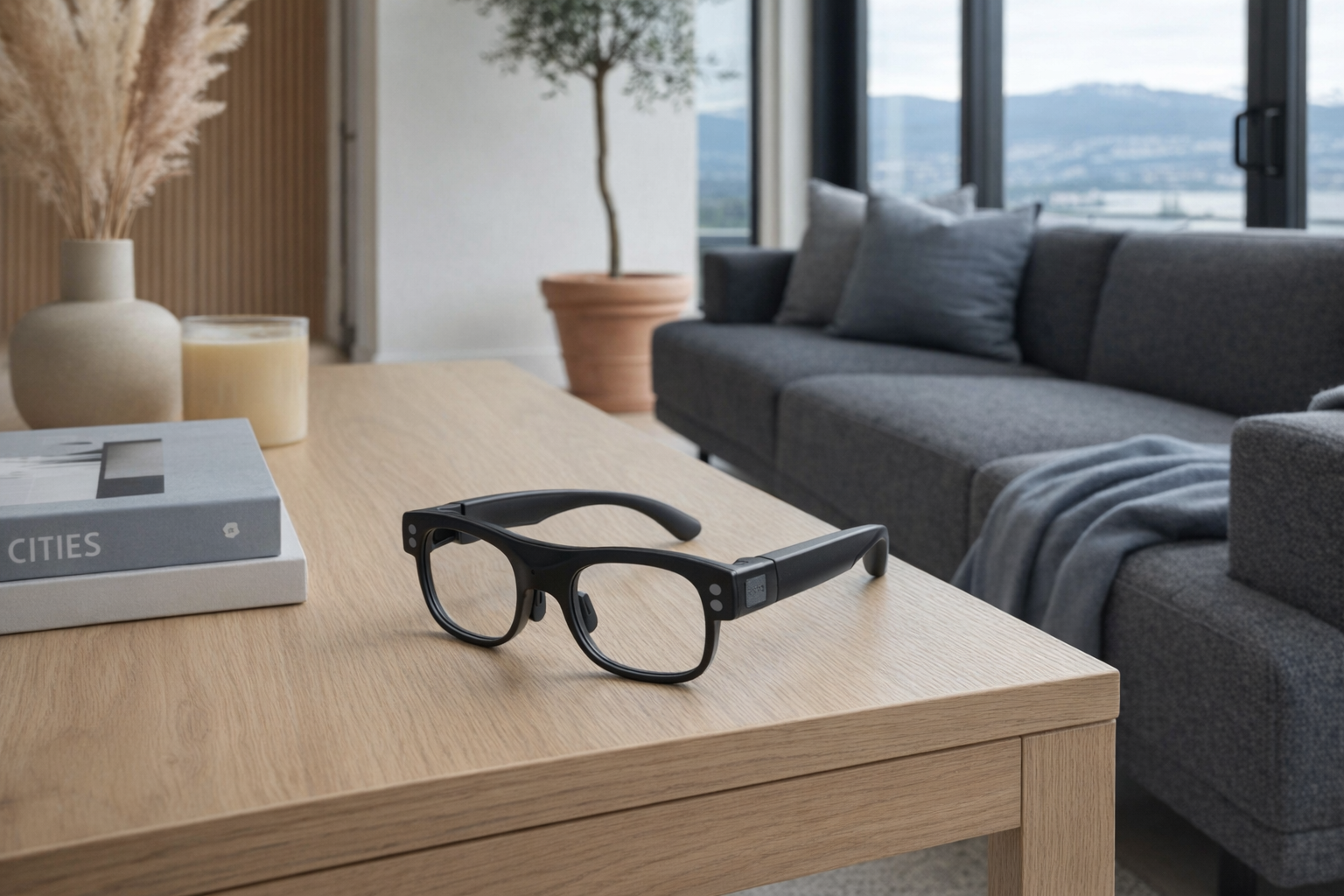
The Leion Hey2 by LLVision are AI-powered AR translation glasses designed for real-time, face-to-face multilingual communication. Weighing just 49g with a browline silhouette, they deliver sub-500ms translation latency across 100+ languages with up to 98% speech recognition accuracy. Battery lasts 6-8 hours continuous use, extendable to 96 hours with the charging case.
That description, if it holds up in real use, points to a much more focused product than something like the XREAL Air 2. XREAL's glasses are better understood as wearable displays for media and screen mirroring. The Leion Hey2 appears to be much more specialized: less about replacing a laptop monitor, more about reducing the social awkwardness of language barriers. That is a narrower mission, but honestly, it is also a more believable one.
A few details in the listing matter more than they first appear to. The 49g weight suggests LLVision knows these have to feel close enough to ordinary glasses to be socially wearable. The sub-500ms latency claim is also central. Translation that appears a second or two late can still be useful for lectures, but it becomes clumsy in live conversation. If the Hey2 can stay under half a second often enough, that is the difference between "helpful" and "constantly behind."
Key features at a glance
- Real-time AR subtitle translation in 100+ languages
- Sub-500ms translation latency according to the listing
- Up to 98% speech recognition with 360° spatial audio capture
- 49g lightweight browline design with spring hinges
- 6-8 hour battery life, extendable to 96 hours with the charging case
- AI-powered noise reduction for louder environments
How the Leion Hey2 actually works
The Leion Hey2 appears to combine several layers that have to work together quickly: microphones capture speech, noise reduction tries to isolate the voice that matters, speech recognition converts that audio into text, translation software converts that text into the target language, and then the glasses display the translated lines as subtitles. None of those steps is new by itself. The trick is compressing them into something fast enough and wearable enough that it feels natural.
The 360° spatial audio capture claim suggests the glasses are designed to pick up nearby voices from multiple directions rather than forcing the speaker to stand in one perfect spot. That makes sense for dinners, airport counters, meetings, and booths at trade shows, where people are rarely positioned conveniently. The AI-powered noise reduction matters for the same reason. Translation products often look impressive in a demo room and then fall apart in a café, on a street, or in a convention hall. LLVision is clearly aware that noisy environments are the real test.
The display side is where this category lives or dies. The glasses are not replacing a phone, tablet, or laptop screen in the broad sense. They are likely showing a narrow, task-specific text overlay: just enough translated captioning to keep the conversation moving. That is why the title question matters. As a general screen replacement, this kind of device is probably not there. As a replacement for glancing down at a phone translation app every 10 seconds, it is much more plausible.
A realistic breakdown looks like this:
- Speech is captured through the glasses' microphones.
- Noise reduction filters the environment to improve recognition in busy spaces.
- Speech recognition transcribes the spoken words, with LLVision claiming up to 98% accuracy.
- Translation processes the transcript into the selected target language.
- Subtitles appear in-view with claimed sub-500ms latency, so you can keep eye contact instead of looking away.
That is a more honest framing than pretending these are a universal computer. They are closer to wearing a live-caption layer for human conversation.
A realistic "day in the life" with Leion Hey2
Because this is an informational article, the scenario below is based on what the listed features imply, not on direct testing.
- Morning commute or airport check-in. You are moving through a crowded terminal or transit hub and need to understand fast, practical instructions from staff. The Leion Hey2's pitch here is obvious: real-time translated subtitles without juggling luggage and a phone at the same time. The noise-reduction feature is especially relevant in places with constant announcements and background chatter.
- Midday meeting. In a multilingual office, client visit, or supplier discussion, the glasses could function as a quiet support tool rather than a flashy gadget. The important feature here is not just translation across 100+ languages, but the ability to keep your attention on the person speaking rather than on a handheld screen.
- Afternoon trade show or conference floor. This is the kind of environment where smart translation either proves itself or embarrasses itself. With 360° spatial audio capture and the company's noise-control claims, the Leion Hey2 seems aimed directly at this use case. If it works as intended, it would be much more practical than handing your phone back and forth all day.
- Evening dinner or social conversation. This is where the device gets more human. Translation hardware often sounds useful in business settings, but casual social interaction is the harder test. A 49g frame and ordinary-looking browline style suggest LLVision wants these to be wearable beyond formal work moments, not just for a staged demo.
Who the Leion Hey2 is actually for (and who it isn't)
Great fits
- Frequent international travellers who regularly deal with airports, hotels, taxis, and service counters where quick spoken understanding matters.
- Sales reps and trade-show staff speaking with visitors from multiple countries in loud venues.
- Import/export teams, factory visitors, and supplier managers who spend real time in multilingual face-to-face meetings.
- Students, researchers, or conference attendees sitting through presentations or side conversations in a language they only partly follow.
- Families navigating bilingual or multilingual gatherings where one or two people need lightweight support rather than full interpretation equipment.
Poor fits
- People expecting a full AR headset for apps, gaming, navigation layers, or a floating multi-window desktop.
- Buyers who just want stylish audio glasses for music and calls. This is a different product category with a different compromise set.
- Anyone who needs guaranteed medical-grade accessibility support. A translation and subtitle device can help, but it should not be treated as a certified assistive replacement unless the company explicitly says so.
- People who hate charging accessories and want one pair of glasses to behave like passive eyewear all week.
- Budget-conscious casual users who only occasionally travel and could tolerate using a phone app instead.
Practical trade-offs
Translation quality and latency
The headline numbers sound strong: sub-500ms latency, 100+ languages, and up to 98% speech recognition. But translation gadgets live in the messy world of accents, overlapping voices, slang, poor diction, and domain-specific vocabulary. Even if those claims are directionally true, buyers should expect a range of outcomes depending on the room and the speaker.
That does not make the product dishonest. It just means expectations should be calibrated properly. Think "helpful live support" rather than "perfect interpreter." If you need exact legal, medical, or technical interpretation, this is not the tool to trust blindly.
Wearability and social comfort
At 49g, the Hey2 sounds light enough to be wearable for stretches that would be annoying with heavier headsets. That matters because smart glasses fail fast when they feel like face furniture. The browline design and spring hinges also suggest LLVision is aiming for something closer to normal eyewear than a sci-fi visor.
But there is still a social trade-off. Wearing visibly smart glasses in a meeting or conversation can make other people wonder whether they are being recorded, analyzed, or monitored. Even if the main purpose is translation, the face-worn form factor changes the social dynamic in a way a phone does not. That is worth taking seriously, especially in professional settings.
Battery life and charging reality
The listed 6-8 hours of continuous use is respectable for a specialized wearable, but it also tells you what this product is not: it is not passive eyewear you forget about. It is active electronics, and active electronics need charging. The case extending that to 96 hours sounds useful for travel, but cases do not eliminate battery anxiety; they just shift it to another object you have to keep topped up.
For a conference day or a long travel day, that charging case may be the difference between "actually practical" and "dead by late afternoon." Evaluate it like wireless earbuds or a phone accessory, not like ordinary glasses.
Where the Leion Hey2 fits in a smart home
This is not really a smart-home device in the usual sense, but it does fit into a broader connected-person routine. The Leion Hey2 makes the most sense as part of a travel-and-communication stack rather than a home-automation stack.
A realistic setup might look like this:
- Your phone handles translation settings, connectivity, and any companion app requirements.
- Noise-cancelling earbuds such as AirPods Pro or Sony WF-1000XM5 still handle private audio, calls, and travel listening.
- A smartwatch manages alerts and quick notifications so the glasses can stay focused on translation rather than trying to be another notification billboard.
- At home, a standard ecosystem like Apple Home, Google Home, or Amazon Alexa still handles lights, locks, thermostats, and routines. The Leion Hey2 is not competing with those systems.
That division is healthy. The Hey2 is not the centre of a digital life. It is a task-specific wearable for one recurring problem: spoken language friction. That narrower role actually makes it easier to understand.
The buying decision, in plain terms
Before buying the Leion Hey2, three questions do most of the work:
- Do you regularly have live conversations across language barriers? If this is a weekly or monthly reality for work or travel, the product starts to make sense. If it is a rare vacation scenario, a phone app is probably enough.
- Do you want subtitles in your line of sight, or can you tolerate looking at a phone? That is the real upgrade here. If looking down breaks the flow of the conversation for you, the glasses have a clear purpose.
- Are you comfortable paying roughly $549 CAD for a specialized tool? At this price, the Hey2 is not an impulse buy. Evaluate it like premium work gear, not like a novelty accessory.
If those answers are mostly yes, the Leion Hey2 looks like a sensible niche device. If any one of them is a clear no, it is probably smarter to stick with translation apps on a phone.
Got Questions About the Leion Hey2? Let's Clear Things Up.
Is this a hands-on review?
No. This is an informational explainer based on the product listing and the broader smart-glasses category. It is meant to help you understand what the Leion Hey2 appears to be, not to replace real-world testing.
Is the Leion Hey2 really a screen replacement?
Probably not in the broad sense. It looks much more like a task-specific display for live translated subtitles than a true replacement for a laptop, phone, or large wearable monitor. If you want a floating personal display for media or computing, products like XREAL Air 2 are the more relevant comparison.
How many languages does it support?
According to the listing, the Leion Hey2 supports 100+ languages for real-time AR subtitle translation. As always with translation products, support depth can vary by language pair, accent, and environment, so it is worth checking the current official language list before buying.
Will it work in noisy places like airports or conferences?
It is clearly designed with those spaces in mind, since LLVision lists AI-powered noise reduction and 360° spatial audio capture as core features. That said, noisy real-world spaces are exactly where speech recognition tools face their hardest challenges, so buyers should treat the claim as promising rather than guaranteed.
How long does the battery last?
The company says the glasses last 6-8 hours on continuous use, with up to 96 hours when combined with the charging case. That should be enough for many workdays or travel sessions, but it also means this is a device you will need to manage actively, not just wear indefinitely.
Where can I verify the latest details or buy the Leion Hey2?
The best place to verify current pricing, availability, and any updates to specs is the official retailer page here: https://leion.glass/. That is also where you should confirm language support, return policy, and whether any companion app requirements or software limitations apply.
What does it cost in Canada?
At the time of writing, the listed price is roughly ~$549 CAD. Because smart-glasses pricing can shift with promotions, exchange rates, or retailer changes, it is worth checking the live product page before making a decision.
Where is the Celmin Directory listing for this product?
For a catalog-style view of the same product — structured specs, pros and cons, similar picks, and FAQ — see Leion Hey2 on Celmin Directory.
If you're building a smarter home in Canada and want honest explainers on gadgets worth considering — plus the ones worth skipping — Celmin covers the full catalog without the marketing theater. More reviews, comparisons, and buyer guides at https://celmin.ca.


Sign up or sign in to join the conversation.