
The HomePod Mini sits in a slightly unusual spot in the smart-speaker market. It is not the cheapest small speaker you can buy, and it is not trying to be the loudest either. What it really offers is Apple's idea of a compact home speaker: a small, voice-controlled audio puck that can pla...
The HomePod Mini sits in a slightly unusual spot in the smart-speaker market. It is not the cheapest small speaker you can buy, and it is not trying to be the loudest either. What it really offers is Apple's idea of a compact home speaker: a small, voice-controlled audio puck that can play music, answer Siri requests, pass audio from an iPhone, handle Intercom messages, and act as a useful part of an Apple Home setup. If you already live inside the iPhone, Apple TV, and Home app ecosystem, the HomePod Mini makes more sense than its size suggests.
This is not a hands-on review. Nothing here is based on personally testing the speaker. Instead, this article looks at what the HomePod Mini actually is, what its listed features imply in day-to-day use, how it compares with its obvious rivals, and who should seriously consider it versus who should skip it. If you want the plain-English version rather than Apple's polished product page, this is for you.
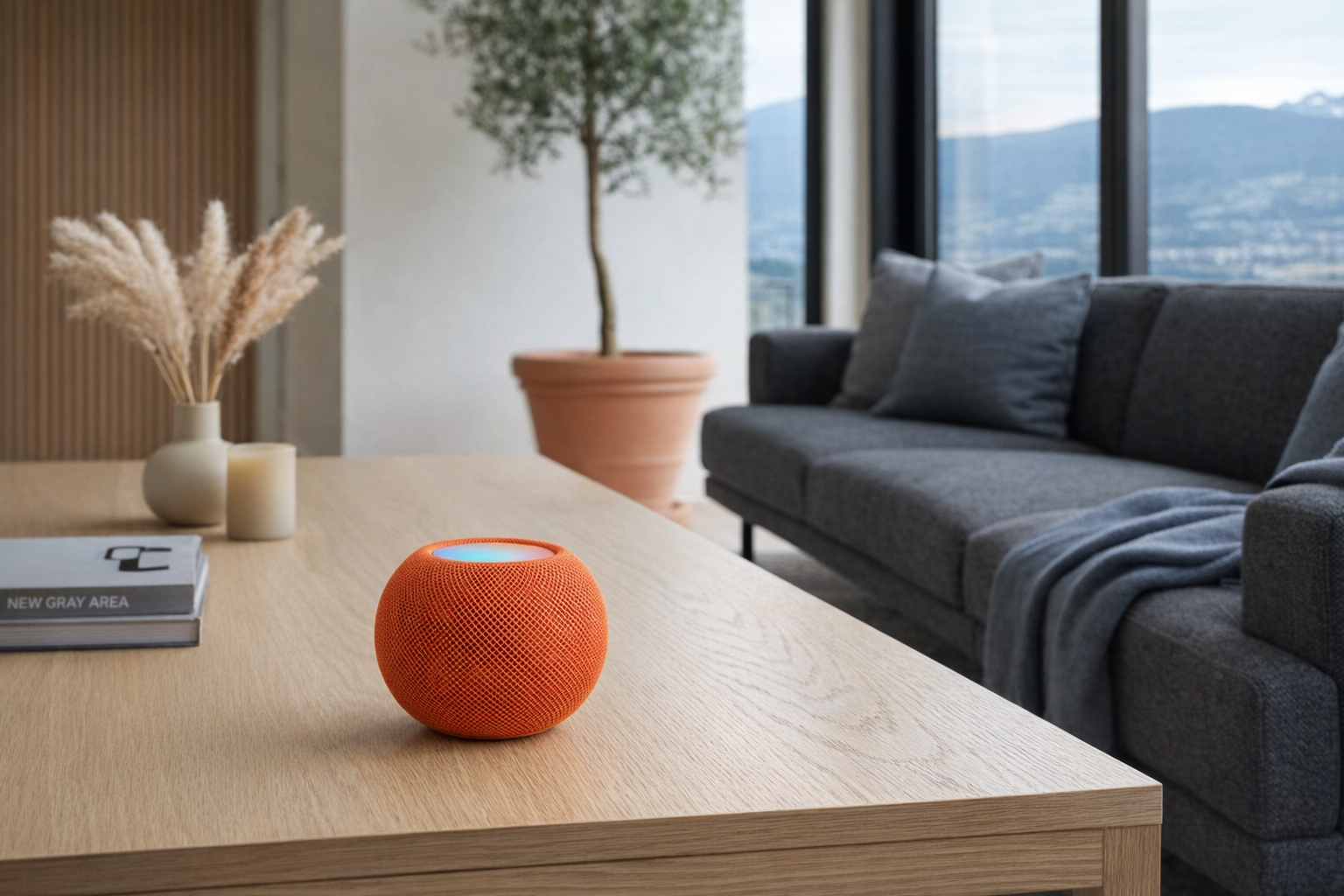
Quick snapshot
| Question | What the HomePod Mini actually is |
|---|---|
| Category | Smart Speakers |
| Made by | Apple |
| Typical price | ~$129 CAD (listing at the time of writing — verify current pricing) |
| Rating signal | 4.7/5 on the source listing |
| Best for | iPhone households, Apple Home users, smaller rooms, multi-room audio setups |
| Skip if | You use Android, want the loudest speaker for the money, or rely on Alexa/Google-specific smart-home devices |
Pro tip: Buy the HomePod Mini for the ecosystem fit, not because you expect it to outperform a larger speaker. Evaluate it like a smart Apple room node that also plays music, not like a budget hi-fi replacement.
What the HomePod Mini actually is
In plain English, the HomePod Mini is Apple's smaller smart speaker for people who want Siri in a fixed location, AirPlay audio around the house, and tighter integration with the Home app than a generic Bluetooth speaker can offer. It is designed to sit on a nightstand, kitchen counter, bookshelf, or office desk and quietly do several jobs at once: play music, answer simple questions, control HomeKit accessories, relay Intercom messages, and help anchor an Apple smart home.
HomePod mini is Apple's compact smart speaker featuring the S5 chip, 360-degree audio, and Siri integration. It fills any room with rich sound, supports multi-room audio with AirPlay, controls your smart home via HomeKit, and includes the U1 chip for seamless Handoff. Available in multiple colors.
That description is fairly accurate, but it helps to translate the marketing language. "360-degree audio" means it is meant to sound reasonably even from different angles in a room, which matters because this is the kind of speaker people place in the middle of shared spaces rather than aiming directly at a couch. "HomeKit smart home control" means it is most useful if your smart-home gear already works with Apple Home. And the U1 chip feature is less magical than it sounds: it mainly makes handoff from a compatible iPhone feel smoother and more deliberate.
The clearest comparison is to the Amazon Echo Dot. Both are compact smart speakers meant for bedside tables, kitchens, and casual voice control. The difference is that the Echo Dot is generally broader in third-party compatibility and Alexa skills, while the HomePod Mini is narrower but more tightly integrated with Apple devices and Apple Home. That is a more coherent approach if you are already in Apple's world, but it is a worse fit if your household is mixed-platform.
Key features at a glance
- 360-degree immersive audio
- Siri voice assistant built-in
- Apple HomeKit smart home control
- Multi-room audio with AirPlay 2
- U1 chip for seamless Handoff
- Compact spherical design
- Intercom feature across Apple devices
How the HomePod Mini actually works
At its core, the HomePod Mini is a plug-in Wi‑Fi speaker with microphones, onboard processing, and deep ties to Apple's software stack. It is not a portable battery speaker, and it is not meant to roam from room to room the way a Bluetooth speaker does. You give it a permanent spot, connect it to your home network through an Apple device, and let it become part of the room.
There are really four main jobs happening here.
- Speaker duty. The HomePod Mini plays music, podcasts, radio, and other audio through Apple's ecosystem and supported services. AirPlay 2 matters a lot here, because it lets you send audio from an iPhone, iPad, or Mac to one or more speakers around the house.
- Voice assistant duty. Siri is always the centre of the experience. You ask for music, timers, weather, reminders, messages, or smart-home actions by voice. Whether that feels smooth or limiting depends heavily on how comfortable you already are with Siri's strengths and weaknesses.
- Home hub duty. For Apple Home users, this is one of the more practical parts of the product. A HomePod Mini can help with automations, remote access, and general HomeKit or Apple Home control in a way that a plain speaker cannot.
- Apple-device relay duty. Features like Intercom and Handoff are the glue. An iPhone comes near the speaker, audio transfers more naturally, and messages can be broadcast around the house. That sounds small on paper, but in real homes these convenience features often become the reason the speaker stays useful.
The listed S5 chip is important because it gives Apple enough local processing to manage audio tuning and speaker behaviour in a compact body. The speaker is small, and physics is still physics, so no chip turns it into a full-size bookshelf speaker. But smart processing can do a lot to make a compact speaker sound fuller and clearer than its size suggests. That's a more honest way to think about it than assuming the HomePod Mini's internals somehow override its physical limits.
The other notable hardware point is the U1 chip, which supports proximity-aware interactions with compatible Apple devices. In normal-person terms, that means your iPhone and the speaker can feel more aware of each other when you bring them close together for handoff. It is not the reason to buy the HomePod Mini on its own, but it is one of those ecosystem details Apple users tend to appreciate over time.
A realistic "day in the life" with HomePod Mini
Because this is an informational explainer, the examples below are based on what the listed features imply rather than firsthand testing.
- Morning. The HomePod Mini in the bedroom answers a quick Siri request for the weather, starts a playlist, and sets a second timer while someone gets ready. In a kitchen, this is the kind of speaker that ends up handling routine voice tasks more often than dramatic ones.
- Midday. An iPhone user sends audio to the HomePod Mini over AirPlay 2 while working from home. If there are multiple Apple speakers in the house, the same podcast or playlist can follow across rooms as part of a multi-room setup.
- Afternoon. The speaker pulls double duty as a smart-home access point. A Siri command turns on HomeKit lights, adjusts a scene, or triggers a few connected accessories in the Home app. This is where the product starts to feel more useful than a simple speaker.
- Evening. Someone uses Intercom to announce dinner or call kids downstairs on other Apple devices and HomePods. Later, an iPhone is brought near the speaker to hand off audio more smoothly, which is exactly the sort of small convenience Apple likes to build entire products around.
Who the HomePod Mini is actually for (and who it isn't)
Great fits
- People with an iPhone, Apple Music, and Apple TV already in daily use who want a speaker that behaves like part of that system rather than a separate gadget.
- Households building around Apple Home / HomeKit and wanting a compact speaker that can also support automations and voice control.
- Apartment dwellers, condo owners, or anyone furnishing smaller rooms where a compact speaker makes more sense than a large audio system.
- Families who will genuinely use Intercom, shared timers, and room-by-room audio rather than just occasionally asking for the weather.
- Buyers who care about simple setup and a calm, tidy design more than maximum loudness per dollar.
Poor fits
- Android households or mixed-device homes where Siri is not the centre of anyone's tech life.
- Shoppers who mainly want the best audio output for $129 CAD, because there are speakers that put more of the budget into sound and less into ecosystem features.
- People with lots of Alexa-first or Google Home-first accessories that do not play nicely with Apple Home.
- Users who expect a smart speaker to be a universal voice brain for every service, skill, and device they own.
- Anyone wanting a portable speaker with a battery. The HomePod Mini is a stay-put product.
Practical trade-offs
Siri and ecosystem limits
This is the big one. The HomePod Mini is only a great value if you already want Siri specifically, or at least do not mind Siri being your room assistant. Apple does many things well here: setup tends to be straightforward, handoff is polished, and Home app integration is strong for compatible gear. But Siri remains narrower than Alexa or Google Assistant in some practical ways.
That means the HomePod Mini is not the neutral choice in the category. It is a deliberately Apple-shaped choice. If that matches your household, great. If not, the limitations will show up quickly.
Audio expectations
The HomePod Mini is small, and its $129 CAD price reflects that. It can absolutely make sense as a kitchen, bedroom, office, or secondary-room speaker, especially with its 360-degree design and Apple's processing. But if you are buying it as your main living-room music speaker, keep expectations reasonable.
This is where some buyers get tripped up. Apple's language about "rich sound" is not wrong, but it can lead people to compare a compact smart speaker to larger audio gear. Evaluate it like a premium compact room speaker, not like a stereo pair of bookshelf speakers or a full soundbar setup.
Smart-home compatibility and setup reality
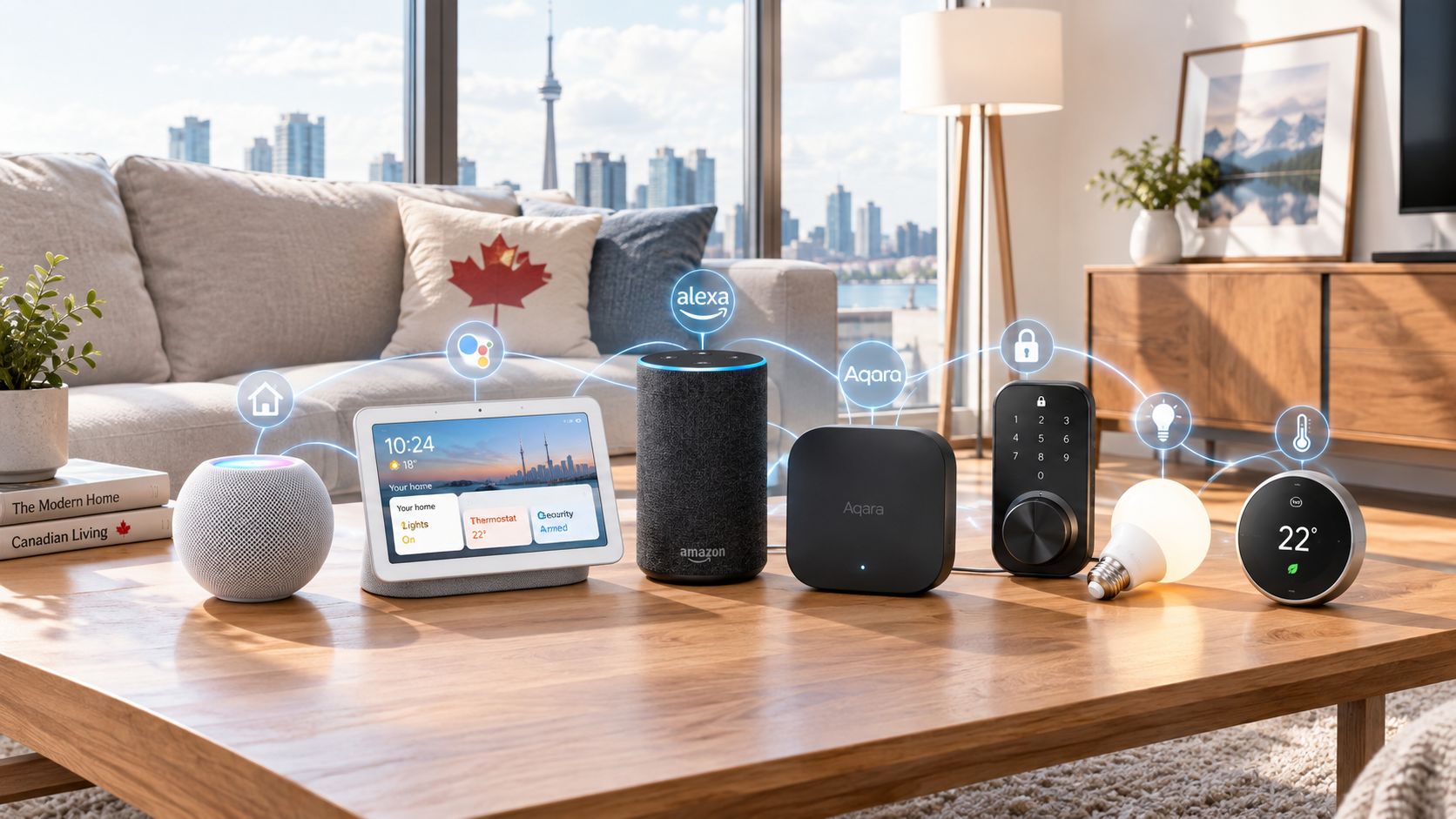
HomeKit and Apple Home are cleaner than they used to be, but they are still not the broadest smart-home ecosystems on the market. The HomePod Mini works best when your bulbs, plugs, locks, sensors, and thermostats either support Apple Home directly or fit cleanly through Matter and compatible hubs.
That is good news if your smart home is already fairly modern. It is less good news if your home is a patchwork of older budget devices chosen purely because they were cheap on sale. The HomePod Mini can be an excellent home hub, but only if the rest of the stack actually speaks Apple's language.
Where the HomePod Mini fits in a smart home
The HomePod Mini makes the most sense as a room-by-room Apple Home node. In a real home, that usually means one in the kitchen for timers and music, one in a bedroom for alarms and night routines, and maybe another in an office for background audio and voice control.
A sensible setup might look like this:
- Apple TV 4K as the media anchor in the living room
- HomePod Mini units in smaller rooms for Siri, music, and Intercom
- HomeKit- or Matter-compatible lights, plugs, and sensors managed through the Home app
- An iPhone as the personal control device and setup centre
- Optional support from brands like Philips Hue, Eve, or Nanoleaf where compatibility is clear
In that kind of setup, the HomePod Mini is not trying to be the centrepiece of home audio. It is acting more like an ambient control point that also happens to be a decent small speaker. That is why it often makes more sense to buy two or three for different rooms than to expect one unit to do everything.
It also fits well in households that prefer low-friction routines. Saying "Hey Siri, good night" to trigger a scene, asking for a kitchen timer with messy hands, or sending an Intercom message upstairs are all small tasks, but they are exactly the kind of repetitive chores a smart speaker should make easier.
The buying decision, in plain terms
Before buying a HomePod Mini, three questions usually tell you whether it is the right fit.
- Are you already an Apple household? If most people at home use iPhones and the Home app is already part of your routine, the HomePod Mini makes much more sense.
- Do you want a smart-home helper, or just a speaker? If you mainly want audio quality for the money, there may be better-value speakers. If you want audio plus Siri plus Apple Home hub duty, this becomes more compelling.
- Will you actually use its room-based features? Intercom, Handoff, multi-room AirPlay 2, and voice control are the real value here. If those sound irrelevant, you may be overpaying for a small speaker.
If those answers are mostly yes, the HomePod Mini is a sensible buy; if not, an Echo Dot, Nest Audio, or a plain speaker may fit better.
Got Questions About the HomePod Mini? Let's Clear Things Up.
Is this a hands-on review?
No. This is an informational explainer based on Apple's listed features, pricing, and the broader smart-speaker category. The goal is to help you understand what the HomePod Mini is likely to be good at, not to replace firsthand testing.
Does the HomePod Mini work as a smart-home hub?
Yes, for Apple Home setups that support it. That is one of its more practical roles, especially if you are building around HomeKit or newer Matter-friendly devices. Just remember that its usefulness depends on your accessories being compatible with Apple's ecosystem.
Is the HomePod Mini good for music, or is it mainly for Siri?
It is both, but with limits. The listed 360-degree audio and Apple's tuning suggest it is designed to sound good in smaller spaces and from different positions in a room. For casual listening, kitchens, bedrooms, and offices, that makes sense; for large-room critical listening, look elsewhere.
Does it support multi-room audio?
Yes. According to the listing, it supports multi-room audio with AirPlay 2, which is one of the more attractive reasons to buy into Apple's speaker system. If you already stream from Apple devices, this can be cleaner and more pleasant than juggling unrelated speakers from different brands.
What is the U1 chip actually for?
The U1 chip is there for proximity-based interactions, especially Handoff with compatible iPhones. In normal use, that means moving audio between your phone and the speaker can feel more aware and less clunky. It is a nice quality-of-life feature, but not a reason on its own to spend $129.
Where can I verify the current specs or buy it?
The safest place to verify current colour options, compatibility, and pricing is Apple's product page. You can find it here: HomePod Mini on Apple's Canada store. That is also the best place to confirm whether any features or software requirements have changed.
What does it cost in Canada?
At the time of writing, the listed price is ~$129 CAD. As always, verify the current price before buying, since retailer listings and promotions can shift. For Apple products, the official store is usually the cleanest source for current pricing and availability.
Where is the Celmin Directory listing for this product?
For a catalog-style view of the same product — structured specs, pros and cons, similar picks, and FAQ — see HomePod Mini on Celmin Directory.
If you're building a smarter home in Canada and want honest explainers on gadgets worth considering — plus the ones worth skipping — Celmin covers the full catalog without the marketing theater. More reviews, comparisons, and buyer guides at https://celmin.ca.

Discussion
Sign up or sign in to join the conversation.