
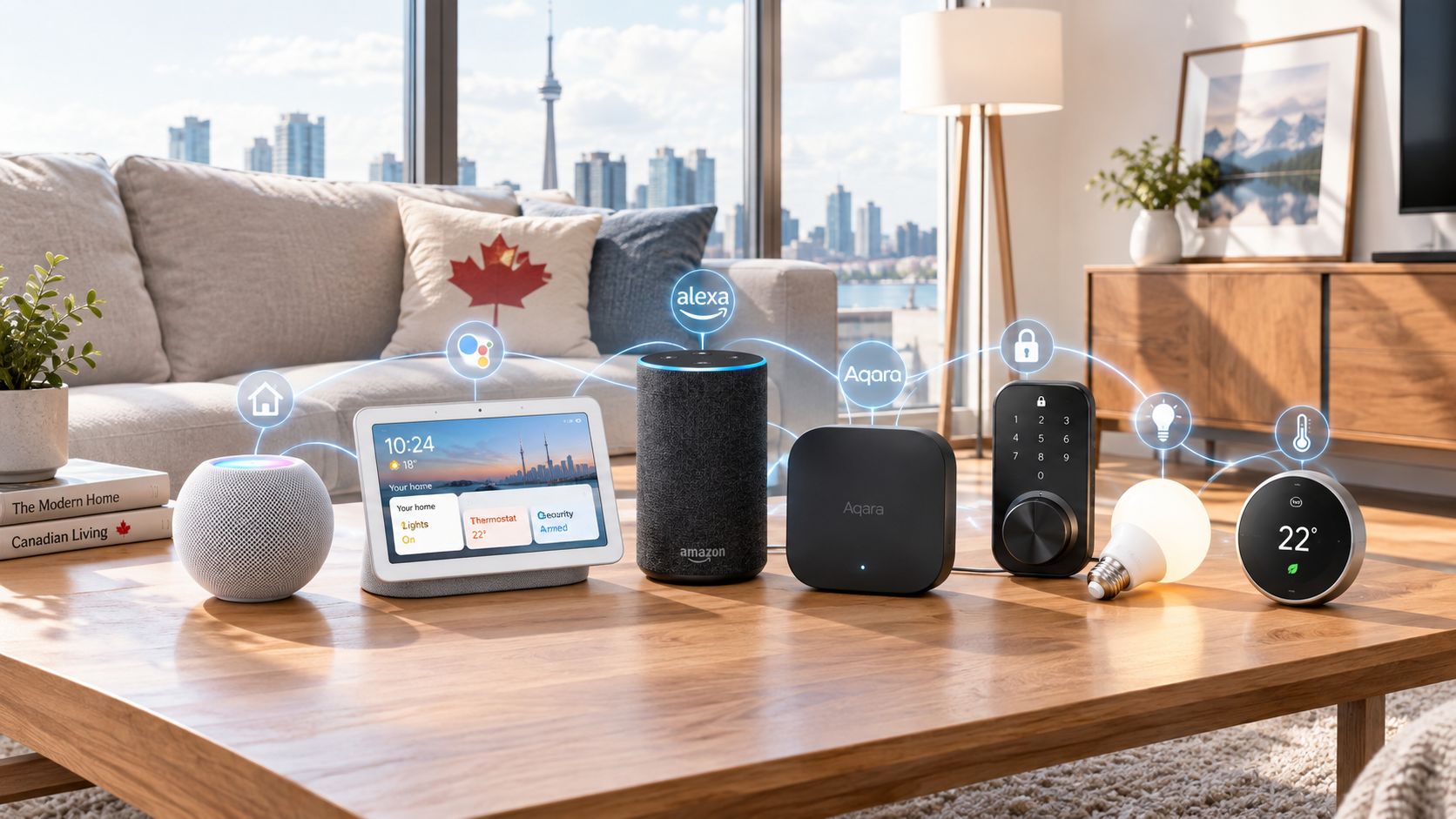
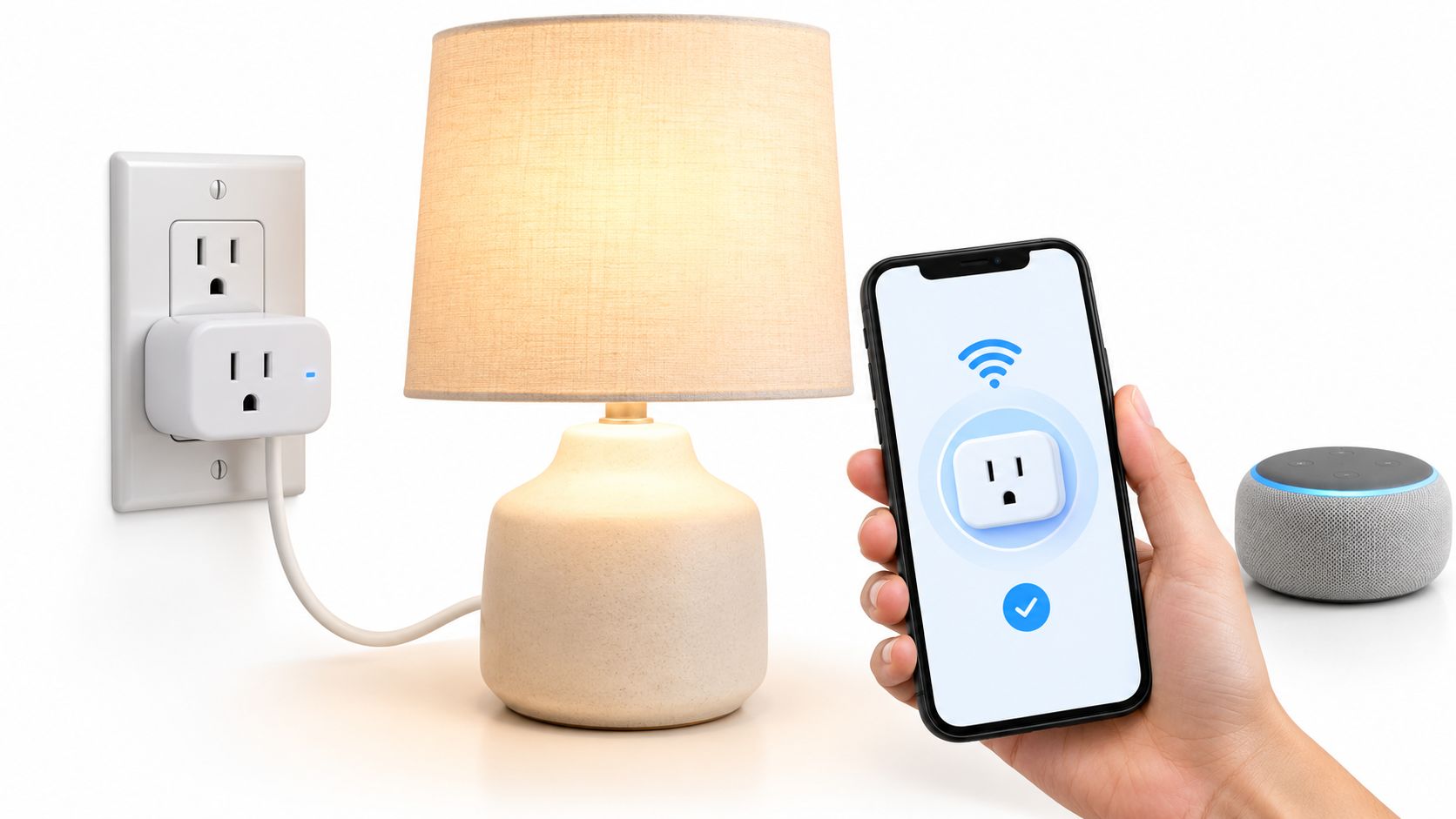
You've got an iPhone on the counter, a Google Nest speaker by the TV, and a smart plug from a Canadian retail shelf that refuses to pair with either. The problem isn't that your home lacks smart devices. It's that the devices don't share a reliable system, so every routine becomes another app, account, permission screen, and failed connection.
That distinction matters more than ever in Canada. Statistics Canada reported that 47.4% of Canadian households used at least one Internet-connected smart home device in 2022, so this is no longer a niche hobby. Yet ownership often outpaces daily use. The best smart home system Canada has to offer isn't the platform with the longest device catalogue. It's the one that makes enough useful tasks automatic to justify setup effort, privacy trade-offs, and the risk of buying into a changing Matter ecosystem.
Table of Contents
- Why Choosing a Smart Home System in Canada Feels Harder Than It Should
- How Canadian Households Already Use Smart Home Tech
- Matter Thread and Zigbee Explained for Canadian Buyers
- Apple Google Alexa and Aqara Compared for Canada
- Matching the Right System to Real Canadian Households
- Starter Packs and Upgrade Paths in CAD
- Future-Proofing vs Today's Experience and Our Verdict
Why Choosing a Smart Home System in Canada Feels Harder Than It Should
A smart home system isn't a collection of Wi-Fi bulbs and plugs. In practical terms, it's a hub-centred stack made up of a controller, voice assistant, wireless protocols, devices, and automations. The hub decides how those products communicate. The platform determines how your household controls them. The routines turn individual gadgets into something you'll use.
Canadian shoppers face extra friction that many US-focused buying guides ignore. A product can appear inexpensive in US pricing, then become a very different purchase after CAD conversion, shipping, taxes, warranty limitations, and retailer availability. Imported equipment may also create questions around Canadian certification, electrical compatibility, replacement parts, and whether support will honour a purchase made through a cross-border marketplace.
The condo test
A Toronto condo exposes weak system design quickly. Concrete walls can complicate wireless coverage, shared buildings can make installation restrictive, and renters often can't replace thermostats, drill for doorbells, or alter electrical fixtures. A cloud-dependent platform may also become frustrating when your internet connection drops, because a voice command that looks local in the app may still depend on an online service.
The same issue appears in a Vancouver townhouse or a Calgary family home, although the symptoms differ. Multi-storey layouts increase the importance of dependable mesh connectivity, while detached homes often need better coverage between the router, garage, exterior doors, and upstairs bedrooms.
Practical rule: Choose the controller before you buy the accessories. A cheap device that creates a second ecosystem usually costs more in frustration than it saves at checkout.
What Canadian buyers should judge
Ignore feature-count contests until you can answer four questions:
- Daily usefulness: Will this system control lighting, heating, entry, or security often enough to become routine?
- Device flexibility: Can you add products from other brands without replacing the hub?
- Local buying: Can you find the hardware, firmware support, and warranty service through Canadian channels?
- Failure behaviour: What still works if the internet, vendor account, or cloud service becomes unavailable?
Canada's smart home market is now a mainstream retail category. Forecasts differ substantially in their market-size estimates, but both cited projections describe sustained growth through 2031, with expanding choice and retailer support for speakers, thermostats, lighting, and security products (MarketsandMarkets' Canada smart home market forecast). That creates more choice, but it also makes the wrong purchase easier. A system should reduce decisions after installation, not multiply them.
How Canadian Households Already Use Smart Home Tech
Canadian households already show a clear adoption pattern: voice control and connected security lead, while lighting, thermostats, appliances, and locks remain less common. Smart speakers or assistants were present in 30.0% of households, Internet-connected video cameras in 19.8%, smart plugs or lights in 13.8%, and smart thermostats in 12.7%, according to Mordor Intelligence's Canada smart home market overview.
Ownership alone does not justify a platform. A speaker can answer questions, play audio, set timers, and control other products. A camera can send a useful alert when someone approaches the door. An impulse-buy bulb may stay on a manual switch. Choose the system that gives the devices you already own a reason to earn their place.
Ownership isn't the same as routine
Canadian survey coverage shows a clear gap between owning a device and using it every day. Smart speakers are used daily in 61% of households, while smart lighting is owned by 48% but used daily by 29%. Security cameras show a wider divide, with 43% ownership and 19% daily use (Digital Home Canada's survey coverage).
That gap exposes the common buying mistake. A bulb, camera, or sensor creates value only when it has a dependable trigger, a convenient control method, and a routine tied to a real household problem.
| Category | Canadian households owning | Using daily | Daily value score |
|---|---|---|---|
| Smart speakers or assistants | 30.0% (Statistics Canada data, as reported by Mordor Intelligence) | 61% (Digital Home Canada survey coverage) | High |
| Internet-connected video cameras | 19.8% (Statistics Canada data) | 19% (Digital Home Canada survey coverage) | Medium |
| Smart plugs or lights | 13.8% (Statistics Canada data) | 29% among smart-light owners (Digital Home Canada survey coverage) | Medium |
| Smart thermostats | 12.7% (Statistics Canada data) | Not provided | High when properly configured |
| Smart appliances | 7.0% (Statistics Canada data) | Under 12% daily engagement (Digital Home Canada survey coverage) | Low to medium |
| Smart locks | 6.0% (Statistics Canada data) | Not provided | Medium |
The recommendation is straightforward: most households don't need a full-stack smart home. Start with the categories already used daily, then add one device when it solves a specific problem. A system that creates reliable routines is worth the setup, privacy trade-offs, and future Matter changes. A system bought for its device count is not.
Matter Thread and Zigbee Explained for Canadian Buyers
The terminology sounds technical, but the buying decision is straightforward once the layers are separated.
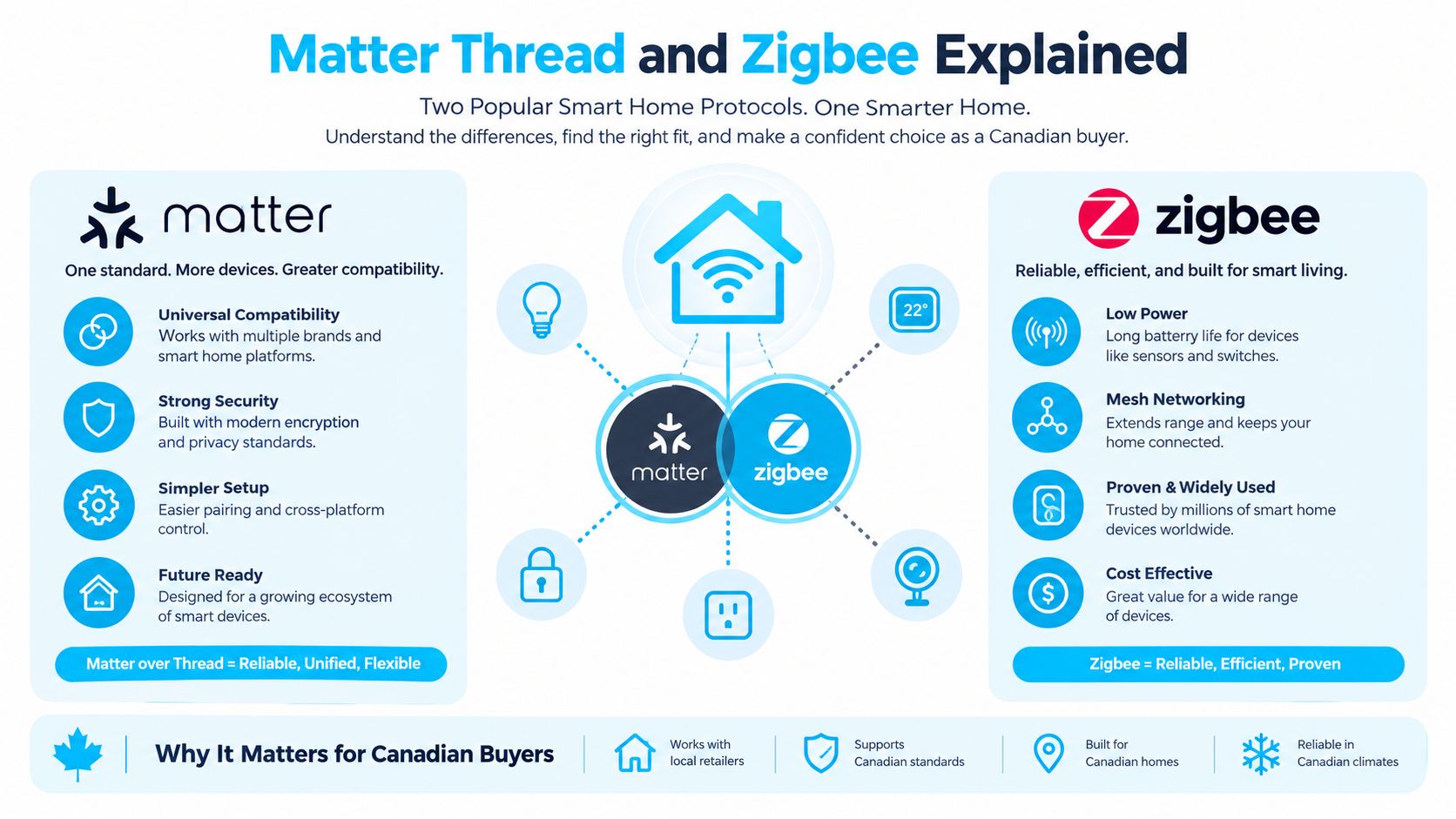
Matter is the common application language. It helps compatible devices work across Apple Home, Google Home, Alexa, and other controllers. Thread is a low-power mesh network that many Matter devices use to communicate. Zigbee is an older mesh protocol used by products and hubs from brands such as Aqara, IKEA, and Philips Hue.
Matter doesn't replace every radio or eliminate every vendor app. It gives compatible products a shared way to identify and control functions, while Thread, Wi-Fi, Bluetooth, Zigbee, and Ethernet handle the underlying connection. The Matter protocol guide for Canadian smart-home buyers explains the distinction in more detail.
Why Thread and Zigbee help
Wi-Fi-only products are easy to understand, but a home filled with them can place more pressure on the local wireless network. Thread and Zigbee devices form low-power mesh networks, allowing compatible accessories to communicate through the system rather than relying on every bulb or sensor to maintain a direct Wi-Fi connection.
That design suits Canadian homes with concrete condo walls, multiple floors, and devices placed far from the main router. It doesn't magically solve every coverage problem. You still need a suitable controller and a sensible network layout, but mesh protocols can make a growing sensor and lighting setup less dependent on individual Wi-Fi connections.
Match the hub to the protocol
Canadian buyers can choose among several practical hub paths:
- Apple HomePod mini or Apple TV 4K: Apple's ecosystem provides a Thread border-router path for compatible Thread devices and is the natural fit for households already organised around iPhones.
- Google Nest Hub Max: Google's smart display supports Thread functions and makes sense where Android phones, Chromecast devices, and Google services already dominate.
- Amazon Echo 4th Gen: This option supports Matter and Thread, while built-in Zigbee support helps it connect with some older compatible devices.
- Aqara Hub M3: Aqara's hub supports Matter, Zigbee, infrared control, and multiple assistants, making it the strongest choice for mixed-device households that want a dedicated controller.
A Canada-first hub comparison identifies the approximate entry prices as $129 CAD for the Apple HomePod mini, $130 CAD for the Amazon Echo 4th Gen, and $95 CAD for the Aqara Hub M3, with Matter and Thread support across those options (Celmin's smart home hub comparison). Prices change by retailer and promotion, so use those figures as buying-guide reference points rather than permanent shelf prices.
Pick the hub first, then buy devices that fit its radios, platform, and privacy model.
Apple Google Alexa and Aqara Compared for Canada
The four realistic choices are Apple Home, Google Home, Amazon Alexa, and Aqara. Each can run a useful home, but they optimise for different priorities.
Apple Home is the cleanest choice for an iPhone household that values privacy and a polished shared experience. Google Home is stronger when a family mixes Android phones, Chromecast, Nest products, and a broad range of third-party devices. Alexa remains the practical value choice for shoppers who want inexpensive Echo hardware, established routines, and extensive Amazon.ca availability. Aqara is the dedicated-hub option for buyers who care about sensors, local control, and Matter interoperability without making a voice assistant the centre of the home.
| Ecosystem | Hub cost CAD | Matter and Thread support | Privacy stance | Canada availability | Best for |
|---|---|---|---|---|---|
| Apple Home | About $129 for HomePod mini | Matter and Thread | Strong privacy-focused design | Apple, Amazon.ca, and major electronics retailers | iPhone households |
| Google Home | Varies by Nest hub | Matter and Thread on supported hubs | Strong Google-service integration, with more account dependence | Google Store, Amazon.ca, and major electronics retailers | Mixed Android, Chromecast, and Nest homes |
| Amazon Alexa | About $130 for Echo 4th Gen | Matter, Thread, and Zigbee on Echo 4th Gen | Flexible controls, but closely tied to Amazon services | Broad Amazon.ca and retailer selection | Low-cost voice routines and broad stock |
| Aqara | About $95 for Hub M3 | Matter, Thread-related controller functions, Zigbee, and multi-assistant support | Better suited to local-first and dedicated-hub setups | Aqara, Amazon.ca, and specialist retailers | Sensors, automations, and mixed ecosystems |
The Apple, Google, and Alexa comparison also depends on how your household speaks to its devices. English support is broadly mature across these platforms, while French-language households should test the exact assistant, device, and routine combination before buying. Voice recognition quality can vary by accent, language setting, household noise, and the wording of commands.
The trade-offs that matter
Apple wins on privacy polish, but it's a poor choice if the household doesn't already use iPhones. Google offers broad compatibility, yet its strength is most apparent when your media, phones, and home devices already use Google services. Alexa excels at affordable entry and routine-building, though the Amazon relationship is central to the experience. Aqara offers the most interesting mixed-device strategy, but it introduces another manufacturer's hub and app, which adds setup complexity.
For a deeper platform-specific comparison, use Celmin's Google Home versus Amazon Echo guide. The one-line verdict is simple: Apple for privacy and iPhone cohesion, Google for broad household compatibility, Alexa for value, and Aqara for Matter-first sensor-heavy homes.
Matching the Right System to Real Canadian Households
The right system changes with the building, the people using it, and the devices already installed. A renter shouldn't follow the same buying list as a homeowner replacing a thermostat and adding a lock.
The condo renter with an iPhone
A downtown Toronto or Vancouver renter usually needs adhesive sensors, smart plugs, and lighting rather than permanent hardware. If the household already relies on an iPhone, Apple Home offers the smoother privacy and household-sharing experience. Aqara's renter-friendly sensors can add useful door, window, and motion automations without drilling or rewiring.
A hybrid Apple and Aqara setup can start at roughly $250 CAD, based on the hub and starter-product pricing described in the supplied buying plan. Treat that as a shopping target, not a fixed quote. The system makes sense when the renter wants Apple's daily interface but needs Aqara's broader sensor range.
The suburban family with mixed devices
A family home in Mississauga or Calgary often has more competing hardware. One parent may use Android, another may use an iPhone, the television may use Chromecast, and an Echo may already sit in the kitchen. In this environment, Google Home is the better central platform when the household values broad speaker coverage, multi-user voice recognition, and Google media integration.
A supported Google Nest display can provide the Thread border-router role, while Matter devices reduce the need to replace every existing accessory. Keep Alexa if the family already uses it for simple voice routines, but don't build two completely separate automation systems unless there's a clear reason.
The privacy-focused homeowner
A homeowner in Quebec or rural British Columbia who prioritises local control should look at the Aqara Hub M3 as the dedicated controller. It supports Zigbee accessories and Matter-based integration, while Home Assistant can remain an optional advanced layer for people who want more control over dashboards and automations.
The supplied scenario places a lights, sensors, and camera build under $400 CAD, but exact totals depend on the selected products and current Canadian pricing. The important choice is architectural: use the hub for dependable routines, avoid unnecessary cloud dependence, and buy cameras only after checking how much functionality requires a vendor account.
The supplied setup walkthrough also includes this practical demonstration:
Across all three homes, the buying order stays consistent. Start with a hub, add one high-use control such as lighting or a plug, then add sensors only when they trigger an action you'll notice.
Starter Packs and Upgrade Paths in CAD
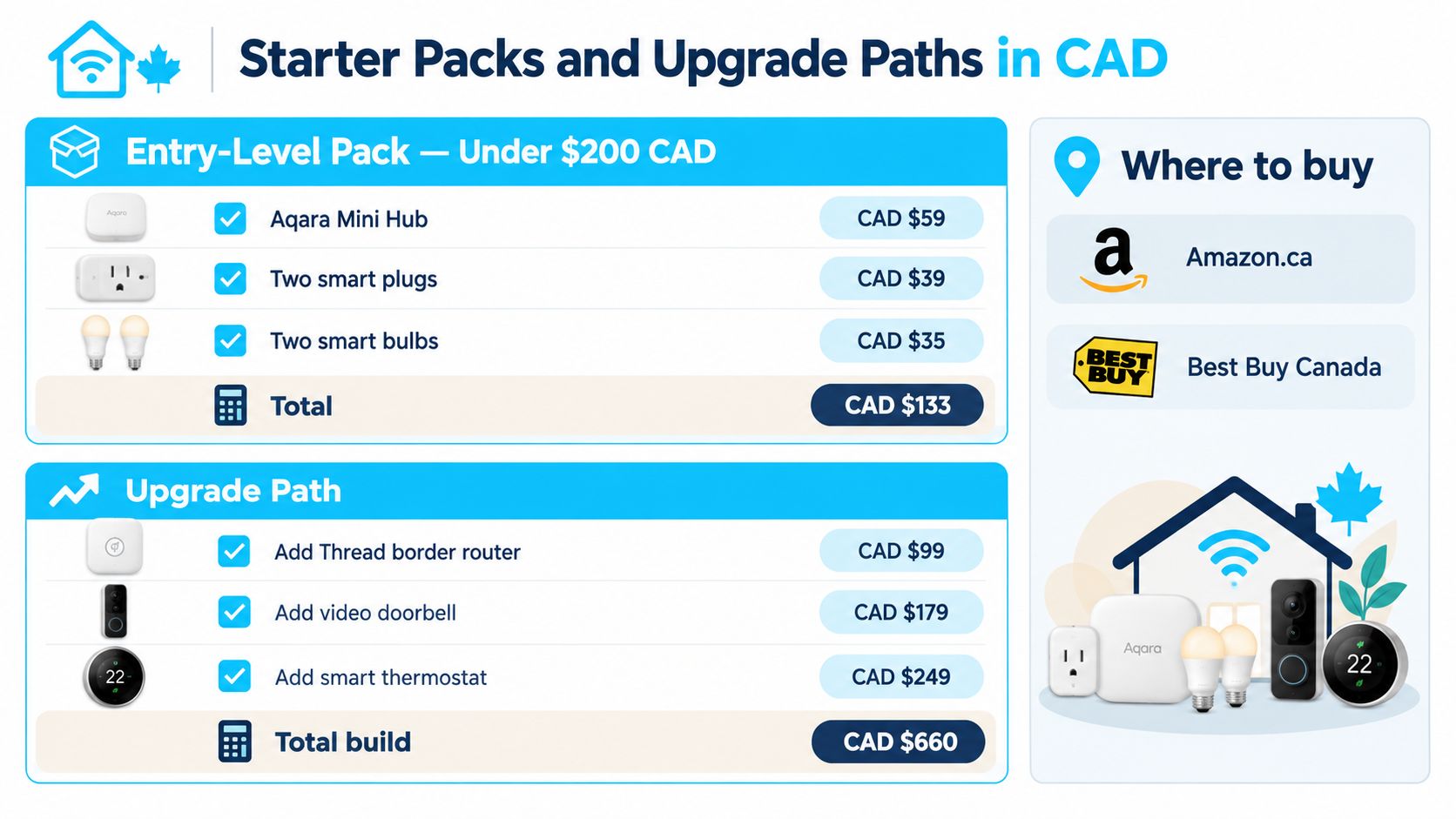
A sensible Canadian starter pack should solve one visible problem without creating an ecosystem dead end. For most renters and first-time buyers, that means a hub, entry sensors, motion detection, and one controllable outlet. You can expand later without replacing the foundation if the initial products support Matter or connect through a hub with broad compatibility.
The supplied entry-level cart targets under $200 CAD and includes an Aqara Mini Hub, two door or window sensors, one motion sensor, and one smart plug. Retail prices move with sales and stock, so check Amazon.ca, Best Buy Canada, and the manufacturer's Canadian listings before checkout.
Build in stages
First stage, lighting and voice. Add a hub and one or two lights or plugs in the rooms you use most. Create a single routine, such as turning the entry light on when someone arrives or switching a plug off at bedtime. If the automation isn't useful after a week, remove it.
Second stage, sensors and access. Door and window sensors can support notifications and routines without changing the building. Smart locks are more consequential. Check the door type, landlord rules, strata requirements, emergency access expectations, and whether the lock has a reliable manual fallback before buying.
Third stage, cameras and complex automations. Cameras deserve separate privacy decisions. Decide where footage goes, which alerts require an account, and whether every household member accepts the placement. Add heating, blinds, and more advanced routines only after the basic system behaves consistently.
A mid-tier build can add a Google Nest Hub 2 or Echo Hub as a wall control point, along with a smart-bulb starter kit. A fuller setup can add a Yale or Aqara lock, video doorbell, and Thread border router. The exact total varies by product selection, but the upgrade path should remain modular rather than forcing a single brand.
For a room-by-room shopping sequence, Celmin's budget smart-home setup guide is a useful companion. Matter multi-admin support can also let compatible devices appear in more than one ecosystem, which gives a household room to split between Apple, Google, Alexa, and Aqara without rewiring the home later.
Future-Proofing vs Today's Experience and Our Verdict
“Wait for Matter to mature” is understandable advice, but it's often too passive. If your current problem is a hallway that stays dark, a heater that wastes energy, or a door that you forget to check, waiting postpones a useful routine while the standards continue evolving.
Matter already provides a credible foundation for common categories such as lighting, locks, blinds, thermostats, and sensors. The experience is less consistent for cameras, complex routines, multi-admin sharing, and vendor-specific features. Coverage of the Canadian Matter roadmap reports that Matter 1.5 added native camera support in late 2025, with Apple Home support live and Google and Alexa rollouts following in 2026 (SourceReady's Canada smart home market report). Treat that as a roadmap consideration, not a guarantee that every camera will work identically across platforms.
Buy for the next routine, not the next press release
A Matter-ready bulb or sensor can give you useful automation today while reducing replacement risk later. A camera may still need its manufacturer's app for recording, artificial-intelligence alerts, or advanced controls. A lock may work across platforms for basic actions while retaining vendor-specific features in its original app.
| Household type | Winner | First buy | Why it wins |
|---|---|---|---|
| iPhone-focused privacy household | Apple Home | HomePod mini or Apple TV 4K | Cohesive control and privacy-focused design |
| Mixed-device family house | Google Home | Supported Nest hub | Broad accessory and media compatibility |
| Value-focused condo renter | Amazon Alexa | Echo 4th Gen or an affordable Echo | Low-friction voice routines and broad Amazon.ca selection |
| Sensor-heavy, Matter-first home | Aqara | Aqara Hub M3 | Zigbee depth, Matter support, and mixed-assistant flexibility |
My overall recommendation is Aqara Hub M3 for the buyer starting from scratch and willing to use a dedicated hub. It offers the most practical path through Matter, Zigbee, infrared control, and mixed assistants. Apple Home is the better answer for a privacy-focused iPhone household. Google Home wins for families already invested in Google services and Chromecast. Alexa remains the easiest low-cost entry for renters who prioritise Canadian Amazon availability and simple routines.
If you do only one thing, buy a hub that supports Matter and Thread, then choose one daily automation before purchasing anything else.
Celmin publishes Canada-focused smart-home guides, comparisons, setup advice, and CAD-oriented buying context for households choosing among Apple, Google, Alexa, and Matter devices. Visit Celmin to compare compatible products and build a practical smart-home setup that fits your home, budget, and daily routines.
Sign up or sign in to join the conversation.