

Once you type on a mechanical keyboard, you can't go back. The tactile feedback, the satisfying sound, the precision—it makes every membrane keyboard feel like typing on a wet sponge. Whether you're coding, writing, or gaming, a mechanical keyboard transforms the experience.
Once you type on a mechanical keyboard, you can't go back. The tactile feedback, the satisfying sound, the precision—it makes every membrane keyboard feel like typing on a wet sponge. Whether you're coding, writing, or gaming, a mechanical keyboard transforms the experience.
The market has exploded with options at every price point. From budget boards under $100 CAD to custom enthusiast builds over $500 CAD, there's a mechanical keyboard for everyone. Here's what's worth buying in Canada right now.
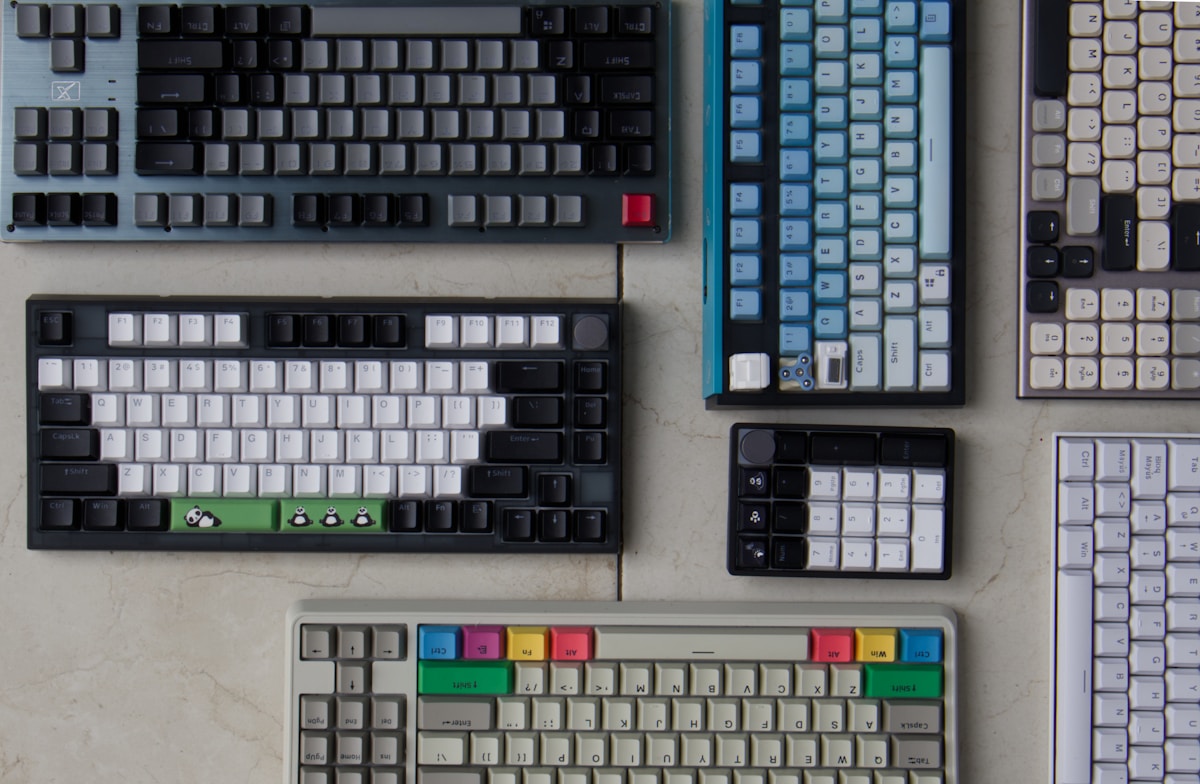
Best Mechanical Keyboards Compared
| Keyboard | Switch | Layout | Connectivity | Hot-Swap | Price |
|---|---|---|---|---|---|
| Keychron Q1 Max | Gateron Jupiter | 75% | Wireless + Wired | Yes | ~$300 CAD |
| GMMK Pro | Gateron/custom | 75% | Wired | Yes | ~$250 CAD |
| Keychron K8 Pro | Gateron | TKL | Wireless + Wired | Yes | ~$150 CAD |
| Royal Kludge RK84 | RK switches | 75% | Wireless + Wired | Yes | ~$90 CAD |
| Razer BlackWidow V4 | Razer Green/Yellow | Full | Wired | No | ~$230 CAD |
| Logitech G Pro X | GX switches | TKL | Wired | Yes | ~$180 CAD |
| Ducky One 3 | Cherry MX | Various | Wired | Yes | ~$170 CAD |
Best Overall: Keychron Q1 Max
Premium Build, Wireless Freedom
The Q1 Max is the best mechanical keyboard for most people. The full aluminum CNC-machined case feels premium and sounds great—a deep, satisfying "thock" with every keystroke. Gasket-mounted design absorbs vibration for a smooth typing feel.
Wireless + Wired
Bluetooth 5.1 for wireless use, 2.4GHz dongle for low-latency gaming, and USB-C wired mode. Triple connectivity means it works with everything—Mac, Windows, iPad, phone.
Hot-swappable switches let you change switches without soldering. Start with the included Gateron Jupiter switches and experiment later if you want.
- Switches: Gateron Jupiter (hot-swappable)
- Layout: 75% (compact with function row)
- Connectivity: Bluetooth 5.1, 2.4GHz, USB-C
- Battery: 4,000 mAh (~100 hours)
- Backlight: South-facing RGB
- Case: Full aluminum, gasket mount
- Price: ~$300 CAD
The Keychron Q1 Max is the keyboard that makes you stop looking at other keyboards. Premium build, wireless, hot-swap—it has everything.
Best Value: Keychron K8 Pro
80% of the Q1 at Half the Price
The K8 Pro delivers the Keychron experience at a more accessible price. Hot-swappable Gateron switches, Bluetooth + wired connectivity, and Mac/Windows compatibility. The case is plastic (not aluminum), which is the main trade-off.
The TKL (tenkeyless) layout drops the numpad for a more compact footprint while keeping the arrow keys and function row.
- Switches: Gateron (hot-swappable)
- Layout: TKL (tenkeyless)
- Connectivity: Bluetooth 5.1, USB-C
- Battery: 4,000 mAh
- Case: Plastic, gasket mount
- Price: ~$150 CAD
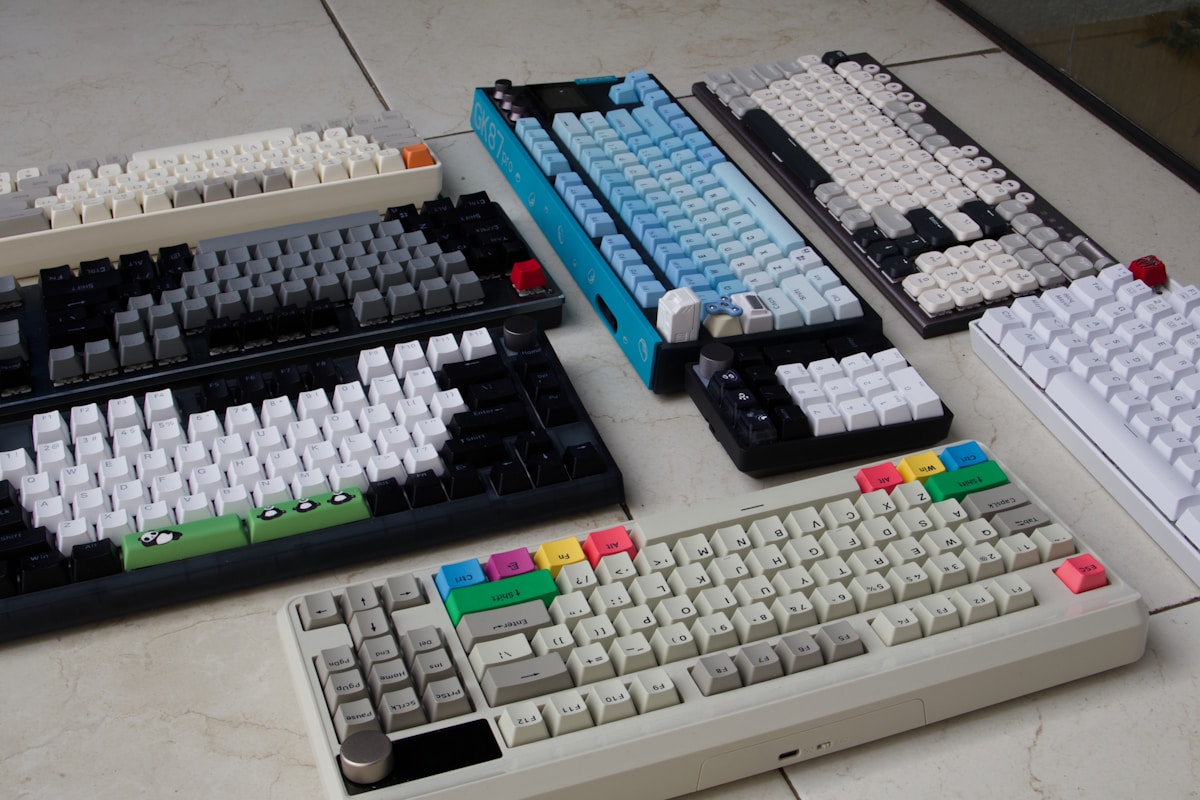
Best Budget: Royal Kludge RK84
Mechanical for Under $100
The RK84 proves you don't need to spend $200+ for a solid mechanical keyboard. At ~$90 CAD, you get hot-swappable switches, Bluetooth + wired connectivity, RGB backlighting, and a 75% layout.
The switches and stabilizers aren't as refined as Keychron or GMMK, but they're perfectly usable. Many enthusiasts buy the RK84 as a base and upgrade the switches and keycaps later.
- Switches: RK (hot-swappable)
- Layout: 75%
- Connectivity: Bluetooth, 2.4GHz, USB-C
- Battery: 3,750 mAh
- Case: Plastic
- Price: ~$90 CAD
The RK84 at $90 CAD is the best entry point into mechanical keyboards. Hot-swap means you can upgrade switches later without buying a new board.
Best for Gaming: Razer BlackWidow V4
Built for Speed
The BlackWidow V4 uses Razer's own switches—Green (clicky, tactile) or Yellow (linear, smooth). The Yellow switches have a fast 1.2mm actuation point, which means less travel before the keypress registers. In competitive gaming, that speed matters.
Full-size layout includes a numpad, media controls, and a command dial. Razer Synapse software offers deep customization for macros, lighting, and per-key settings.
- Switches: Razer Green or Yellow
- Layout: Full-size
- Connectivity: Wired USB-C
- Backlight: Per-key RGB (Razer Chroma)
- Price: ~$230 CAD
Best for Enthusiasts: GMMK Pro
The Modder's Dream
The GMMK Pro is designed for customization. The aluminum case with gasket mount provides a premium typing feel out of the box, but the real appeal is the hot-swap sockets that accept any MX-compatible switch. Swap in your favourite switches, add custom keycaps, and mod the stabilizers.
It ships as a barebones kit (no switches or keycaps) or pre-built. The barebones option lets you choose exactly the switches and keycaps you want.
- Switches: Any MX-compatible (hot-swap)
- Layout: 75%
- Connectivity: Wired USB-C
- Case: Full aluminum, gasket mount
- Price: ~$250 CAD (barebones)
Mechanical Switch Guide
| Switch Type | Feel | Sound | Best For |
|---|---|---|---|
| Linear (Red/Yellow) | Smooth, no bump | Quiet | Gaming, fast typing |
| Tactile (Brown) | Bump at actuation | Moderate | Typing, general use |
| Clicky (Blue/Green) | Bump + click | Loud | Typing (if you like the sound) |
Popular Switches
- Gateron Jupiter: Smooth linear, pre-lubed. Great stock switch.
- Cherry MX Brown: Classic tactile. Reliable but not exciting.
- Cherry MX Red: Classic linear. Smooth and quiet.
- Razer Yellow: Fast linear with short actuation. Gaming-focused.
- Kailh Box White: Crisp clicky. Satisfying but loud.
If you're unsure which switch type to get, start with tactile (Brown). It's the most versatile—good for typing and gaming. You can always swap later with a hot-swap board.
Keyboard Layouts Explained
| Layout | Keys | Numpad | Size | Best For |
|---|---|---|---|---|
| Full-size | 104 | Yes | Large | Data entry, number-heavy work |
| TKL (Tenkeyless) | 87 | No | Medium | General use, more desk space |
| 75% | ~84 | No | Compact | Best balance of size and function |
| 65% | ~68 | No | Small | Minimalist, portable |
| 60% | ~61 | No | Smallest | Ultra-compact, gaming |
📺 Watch: Best Mechanical Keyboards 2026
Got Questions About Mechanical Keyboards? Let's Clear Things Up.
Are mechanical keyboards worth it?
Yes. The typing experience is significantly better than membrane keyboards—more precise, more satisfying, and more durable. Mechanical switches last 50-100 million keystrokes vs 5-10 million for membrane.
Are mechanical keyboards too loud for an office?
Linear switches (Red, Yellow) and tactile switches (Brown) are quiet enough for most offices. Clicky switches (Blue, Green) are loud and will annoy your coworkers. Adding foam or silicone dampeners can reduce noise further.
What's hot-swap and why does it matter?
Hot-swap means you can pull out switches and replace them without soldering. It lets you experiment with different switch types and replace worn switches easily. For beginners, hot-swap is highly recommended.
Mac or Windows—does it matter?
Most mechanical keyboards work with both. Keychron keyboards have a Mac/Windows toggle switch and include keycaps for both. The modifier key layout differs slightly (Command vs Windows key), but it's easy to remap.
A mechanical keyboard is one of the best upgrades for anyone who types daily. The Keychron Q1 Max is the best all-rounder, while the RK84 at $90 CAD is the best entry point. For more specific recommendations, check our best mechanical keyboard for Mac or best gaming mechanical keyboard guides.
⌨️
Take Our Free Keyboard Finder Quiz
Answer a few quick questions and get personalized recommendations.
Start Quiz →
Sign up or sign in to join the conversation.