
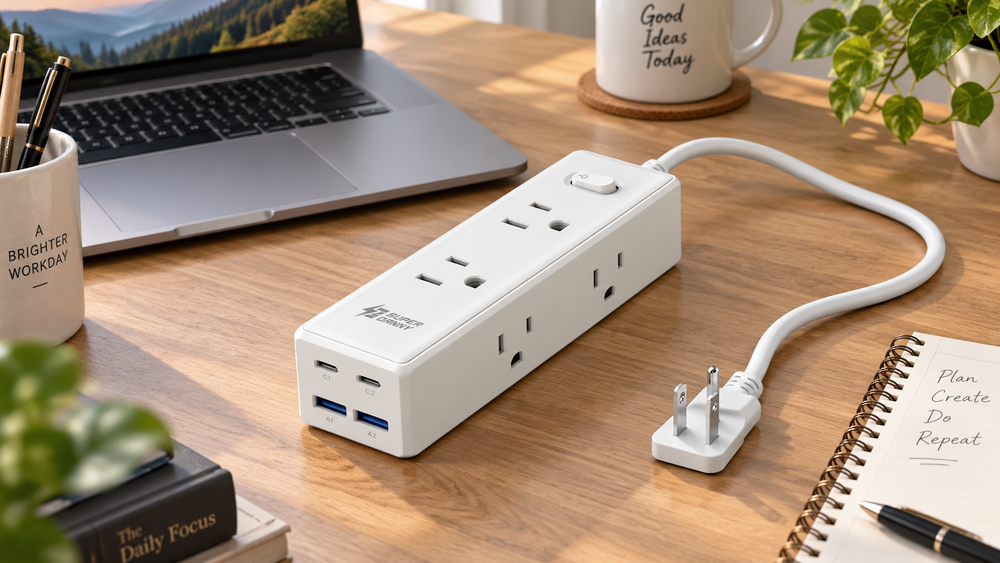
The SUPERDANNY SDCP08 adds a 10-foot cord, six outlets and shared USB charging. Check load limits, cable routing and Canadian certification.
The reason to consider the SUPERDANNY SDCP08 is its cord. At 10 feet, or about 3.05 metres, it can bring outlets closer to a desk whose wall socket is awkwardly placed. Its six AC outlets and four USB ports then keep several small devices within reach.
The limits matter as much as the outlet count. This model is advertised at 10 A and 1,250 W total, and its USB output is shared. It is not six independent full-power supplies or a high-output laptop charger.
The desk problem this model solves
The SDCP08 is most relevant when your equipment belongs in one place and the wall outlet is several steps away. Instead of making every device cable span that distance, the longer cord brings a group of connections closer. That can make a modest desk setup easier to organise, provided there is a suitable route for the power-bar cord.
Think about what you plug and unplug frequently. A phone cable, small accessory charger or occasional desk device is easier to manage when the connections are visible and accessible. Permanently burying the bar behind furniture can undermine that convenience, even if the flat wall plug fits neatly.
The four-sided arrangement is intended to spread connections around a compact body. In practice, the direction and bulk of your adapters still matter. A charger projecting from the side needs room beside the bar; one plugged into the top needs vertical clearance. The number of usable connections depends on the actual plugs, not only the number of sockets.
For a laptop, monitor and accessories, make a list of the equipment before ordering. Keep the laptop's appropriate charger in the plan rather than expecting the integrated USB-C ports to replace it. The SDCP08's appeal is connection placement with modest USB charging, not a universal desk power upgrade.
Work out where the cord will go
Measure the route along the wall and around furniture, not the straight-line distance from socket to desk. Leave room for the plug and avoid a route that pinches the cable beneath a leg or across a walkway.
The flat plug can help behind furniture, but it still needs clearance. The rear mounting slots may help keep the bar accessible; follow the supplied mounting instructions rather than hanging it by the cord.
Keep the cable uncovered and away from heat and water. Health Canada’s electrical safety guidance explains why cords should not run under rugs and why portable heaters must not be connected through a power bar.
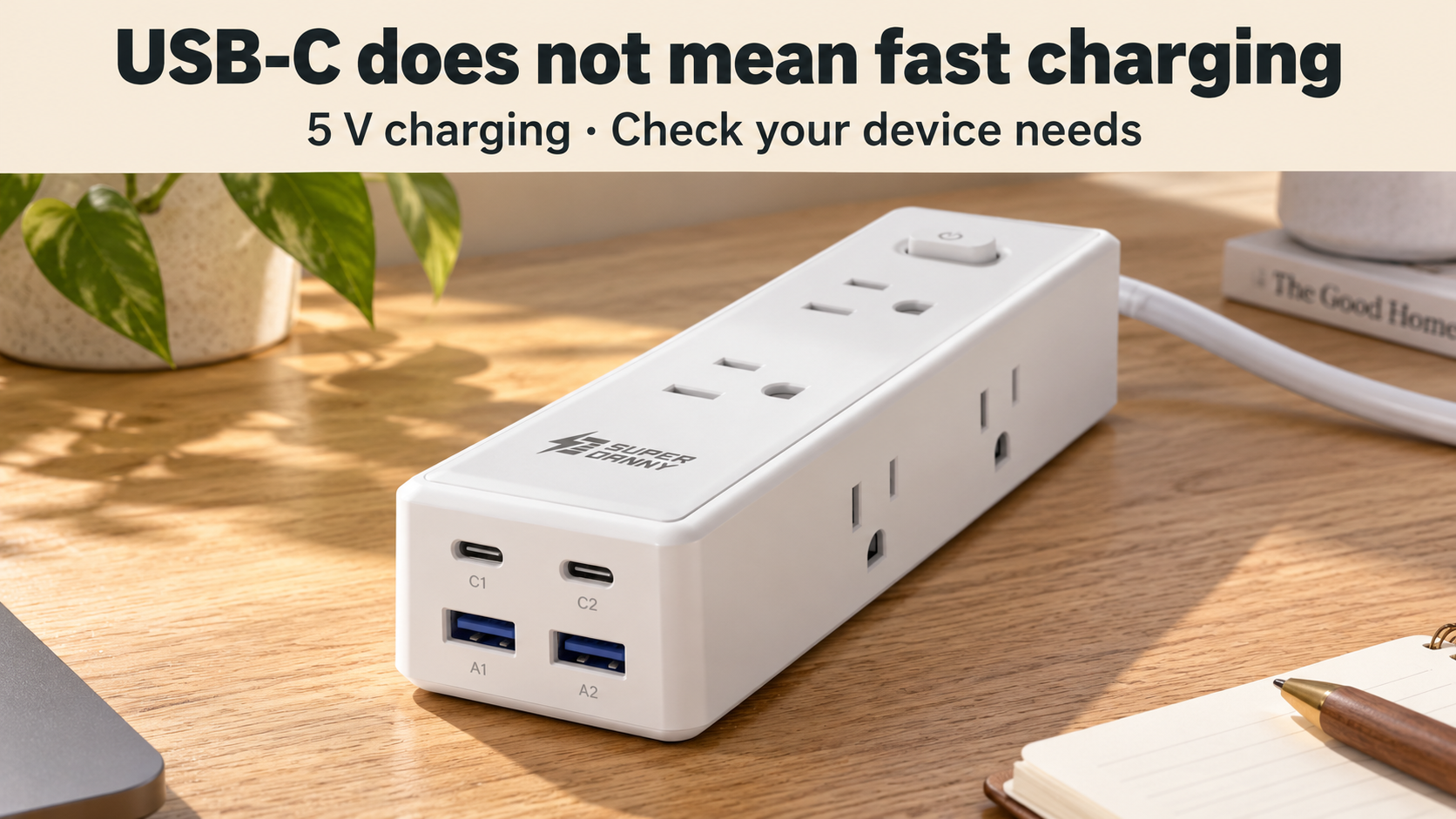
USB-C shape does not promise laptop-class charging
SUPERDANNY SDCP08 power bar
 Shop at Amazon.ca
Make a connection map before installation
Write down each device and whether it uses an AC plug, USB-A or USB-C. Then note which devices need power at the same time. This reveals whether the bar's particular mix is useful or whether most of its integrated USB ports would remain unused.
Next consider adapter shapes. Wide laptop bricks, side-exit leads and bulky wall chargers can compete for space differently. Measure their projection and cable bend clearance. Do not force a plug into an awkward angle simply to use every outlet advertised on the box.
Keep routine controls accessible. You should be able to identify what is plugged in and reach the bar's switch without moving heavy furniture. If mounting is permitted, use the specified method and a suitable location rather than relying on the cord to support the unit.
For a height-adjustable desk, check cable movement through the full range before putting the arrangement into use. The route needs to remain suitable when the desk rises or lowers, without pulling on the plug or trapping the cord. If the safe route cannot be maintained, choose a different arrangement.
What the shared USB limit means in daily use
The up-to-15 W figure belongs to the USB section as a whole. Connecting more devices divides a limited pool; adding another USB-C plug does not add another independent high-power supply. The exact distribution depends on the connected devices and the product's charging behaviour.
For small accessories or an undemanding overnight routine, modest charging may be sufficient. For a phone you want to charge quickly between meetings, it may not meet expectations. Compare the device's required charging standard and input with what the bar actually supports.
Do not infer a supported charging protocol from the connector shape. USB-C can carry different power capabilities across products. If a device requires a particular negotiated mode, the relevant question is whether that mode is specified, not whether the cable physically fits.
Keep data functions separate too. These are charging ports; do not assume they act as a USB hub for a computer. A keyboard, drive or other data accessory needs the appropriate connection to its host rather than an available charging socket.
Count the load, not just the sockets
Six outlets make room for several plugs. They do not raise the bar’s total electrical rating. Check the labels on the devices you plan to use together and the instructions for each appliance.
Large adapters may block adjacent outlets even with sockets on multiple faces. Lay your chargers out before buying and compare their shape with the bar’s arrangement. A spare outlet that a bulky plug covers is not especially useful.
Do not connect another power bar to this one to gain more outlets. If the arrangement requires multiple extensions or awkward cable routing, reconsider where the equipment sits.
Read the ratings as limits for the complete setup
The 10 A and 1,250 W ratings apply to this model, not independently to each of its six AC outlets. More sockets give you more connection positions; they do not multiply the permitted load. Compare the actual device labels and instructions before using the planned combination.
A mixture of modest desk devices is a different use from powering heat-producing appliances. Do not repurpose a spare socket simply because an appliance plug fits. If an appliance requires a direct wall connection, that requirement takes precedence over convenience.
Similarly, an overload feature should not become a method for testing how much you can connect. Plan an appropriate setup within the product instructions instead of adding devices until protection activates. If the arrangement requires several adapters or connected extensions, reassess the layout.
Surge protection is different from backup power
The surge rating describes a protection claim, not stored energy for your equipment. The SDCP08 will not keep a computer operating through a power cut. Save work appropriately and do not treat the power bar as a solution to interruptions in supply.
A joule figure also does not establish protection against every possible electrical event. Read the manual's description of any status indicators and replacement guidance. A power light alone should not be assumed to report the condition of every protective component.
If protection for costly equipment is a deciding factor, ask for the specific documentation and warranty terms. Find out what the seller supports for this exact model and country rather than reading a promotional protection phrase as an unlimited equipment guarantee.
The USB-C ports are not a laptop-charging promise
The advertised USB section has two USB-A and two USB-C ports sharing up to 15 W. That total is spread across connected devices; it is not 15 W available independently from each port.
This can suit modest charging needs, but the USB-C connector does not establish USB Power Delivery or enough output for a laptop. Keep using the appropriate laptop charger unless the required charging specification is explicitly supported.
If several devices charge slowly together, the shared output may explain it. Compare your normal overnight or desk-charging routine with that limit before treating the four ports as a replacement for all your chargers.
Ownership questions that are easy to overlook
Does the long cord make it suitable for permanent wiring?
No. A portable power bar is not a substitute for appropriate installed outlets. If the room consistently needs connections in a different location and no suitable cord route exists, address the layout or get qualified advice about the electrical setup.
Can the flat plug sit tightly behind furniture?
Its shape can reduce projection, but allow the clearance required for the plug and cable. Do not use furniture pressure to hold a loose connection in place. Measure the actual route and avoid pinching the cable.
Can every USB device use the ports?
Check the device's input requirements and the bar's supported output. The connector and available power must suit the device. A laptop or other higher-demand product may still need its own appropriate charger connected to AC.
What should be checked after delivery?
Confirm the model, ratings, Canadian certification mark, condition and instructions before use. Keep the order details for support. If the delivered label differs from the specifications you purchased around, settle that discrepancy before connecting your equipment.
The SDCP08 makes the most sense when its reach and connection layout solve a specific desk problem within its ratings. Buy it for that useful fit, with realistic expectations for the shared USB output and the protection it can provide.
Check the label before putting it into service
The seller advertises 1,050 joules of surge protection. That figure does not promise protection against every electrical event or provide backup power during an outage.
Check for a certification mark recognized in Canada on the actual product and charger, not just a marketplace badge. Use Health Canada’s guidance to identify the mark and contact the seller before ordering if the product label is unclear.
The SDCP08 is most relevant when you need a longer cord for a modest desk setup. Confirm the certification, total load and USB requirements first. Its useful feature is putting suitable connections where you need them—not making an unsuitable electrical setup acceptable.
SUPERDANNY SDCP08 power bar
Shop at Amazon.caImages are AI-generated illustrations based on product references.


Sign up or sign in to join the conversation.