
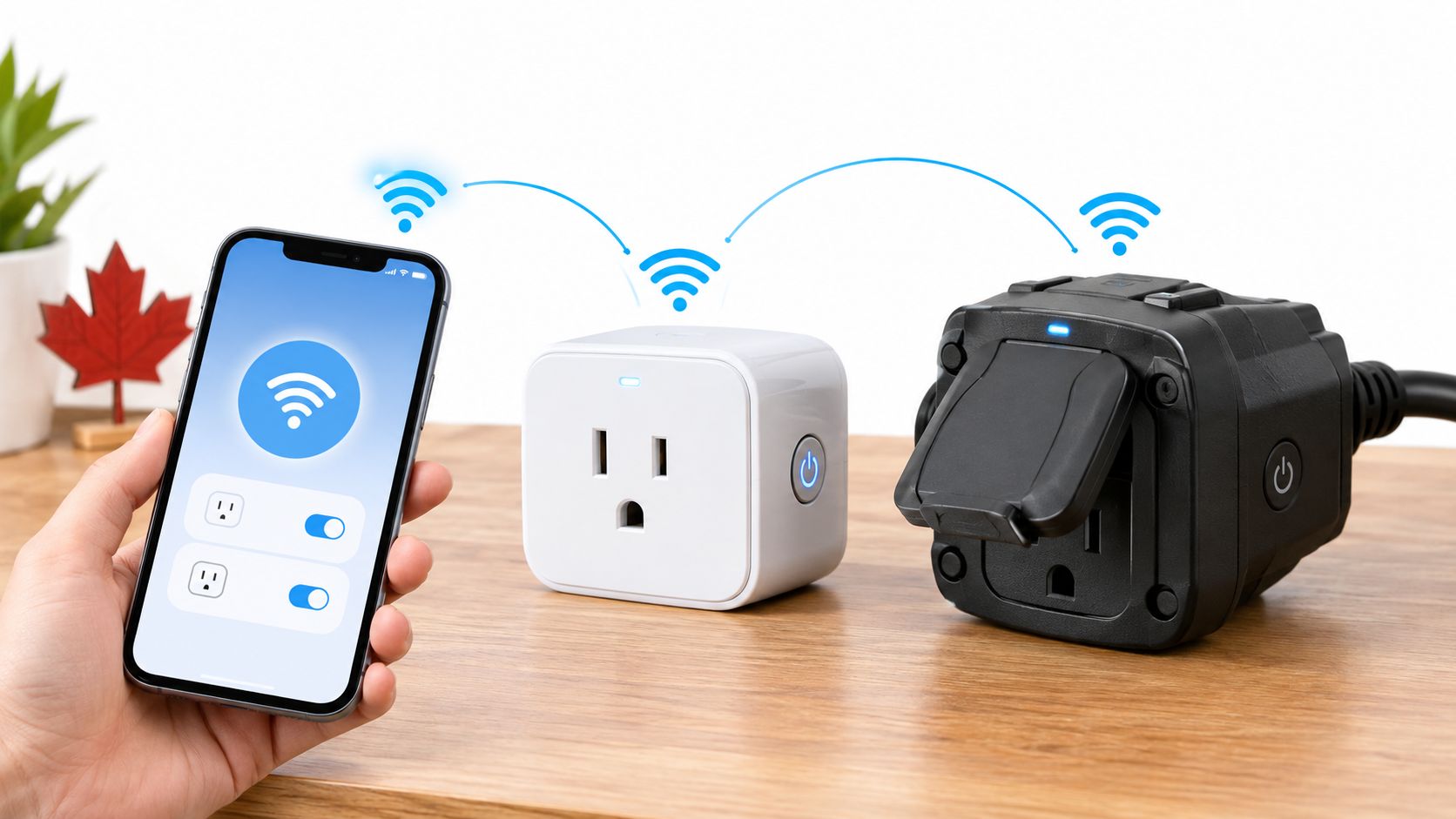
You're in a Toronto condo, halfway out the door, and you've just remembered the lamp is still on. Or you're trying to switch off a heater from your phone and wondering whether the smart plug you're about to order is safe for that job. A smart plug with Wi-Fi can make everyday control easier, but it's still an electrical device that sits between your outlet and an appliance. Start with its certification and load rating, then consider app features.
The buying decision is less about collecting smart-home features than choosing a plug that suits your appliance, router, and living space. A useful guide should help you check compatibility, get pairing right on a Canadian network, protect the plug on your home Wi-Fi, and decide whether energy savings are plausible for your use.
Table of Contents
- Why Canadians Are Adding Smart Plugs Right Now
- What a Wi-Fi Smart Plug Actually Does
- The Three Compatibility Gates to Check First
- Comparing Plug Categories That Actually Ship to Canada
- Setup and Troubleshooting on Canadian Routers
- Do Smart Plugs Actually Cut Your Power Bill
- Which Plug to Buy for Your Situation
- The Three Non-Negotiables Before You Click Buy
Why Canadians Are Adding Smart Plugs Right Now
For a renter in Vancouver, a plug might turn a lamp on before arriving home on a dark winter evening. For a condo owner in Toronto, it might make it easier to shut off a table lamp or another suitable device without reaching behind furniture. Those are practical conveniences, but they shouldn't distract from the question that matters first: is the plug certified and properly rated for the appliance?
Connected-home devices are no longer an obscure category in Canada. Statistics Canada reported that 47.4% of Canadian households used at least one Internet-connected smart-home device in their primary residence in 2022. In that same survey, 13.8% used smart plugs or smart lights, about one in seven households. The category combines plugs and lights, so it isn't a plug-only ownership figure. Statistics Canada's smart-home adoption figures give useful context, but they don't tell you whether a particular product is right for your home.
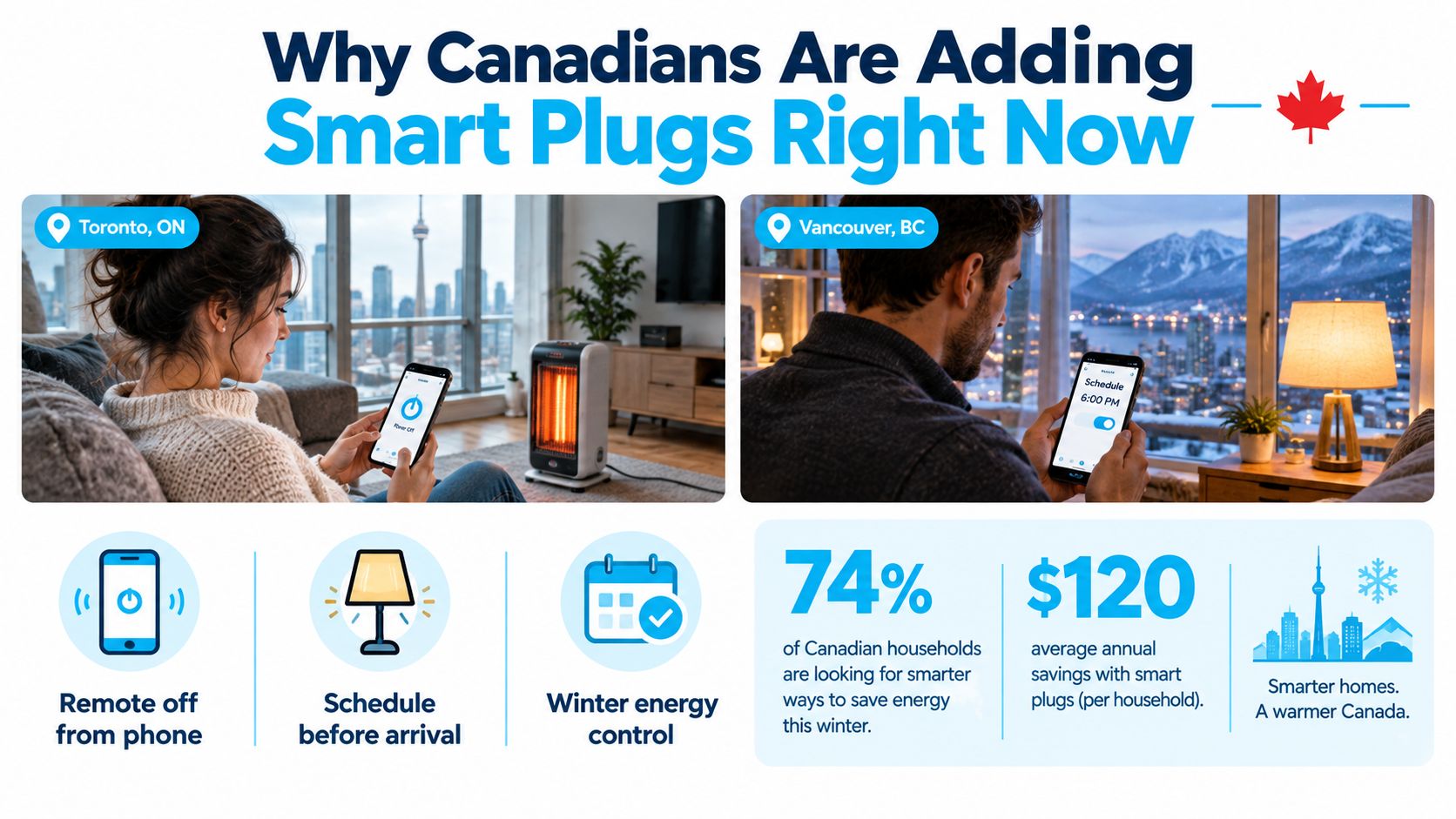
The growing presence of connected devices makes reliability and setup more important than novelty. A plug that drops its Wi-Fi connection, doesn't work with your voice assistant, or blocks access to an outlet can be more trouble than it's worth.
My rule as an installer: Treat a smart plug as certified electrical equipment first. App control comes second.
Before buying, sort out four things: whether the plug works with your chosen ecosystem, whether your router can pair it, whether you can keep it reasonably secure, and whether controlling the connected appliance is likely to save power or add convenience. That order prevents an attractive app from winning over a plug that doesn't fit your needs.
What a Wi-Fi Smart Plug Actually Does
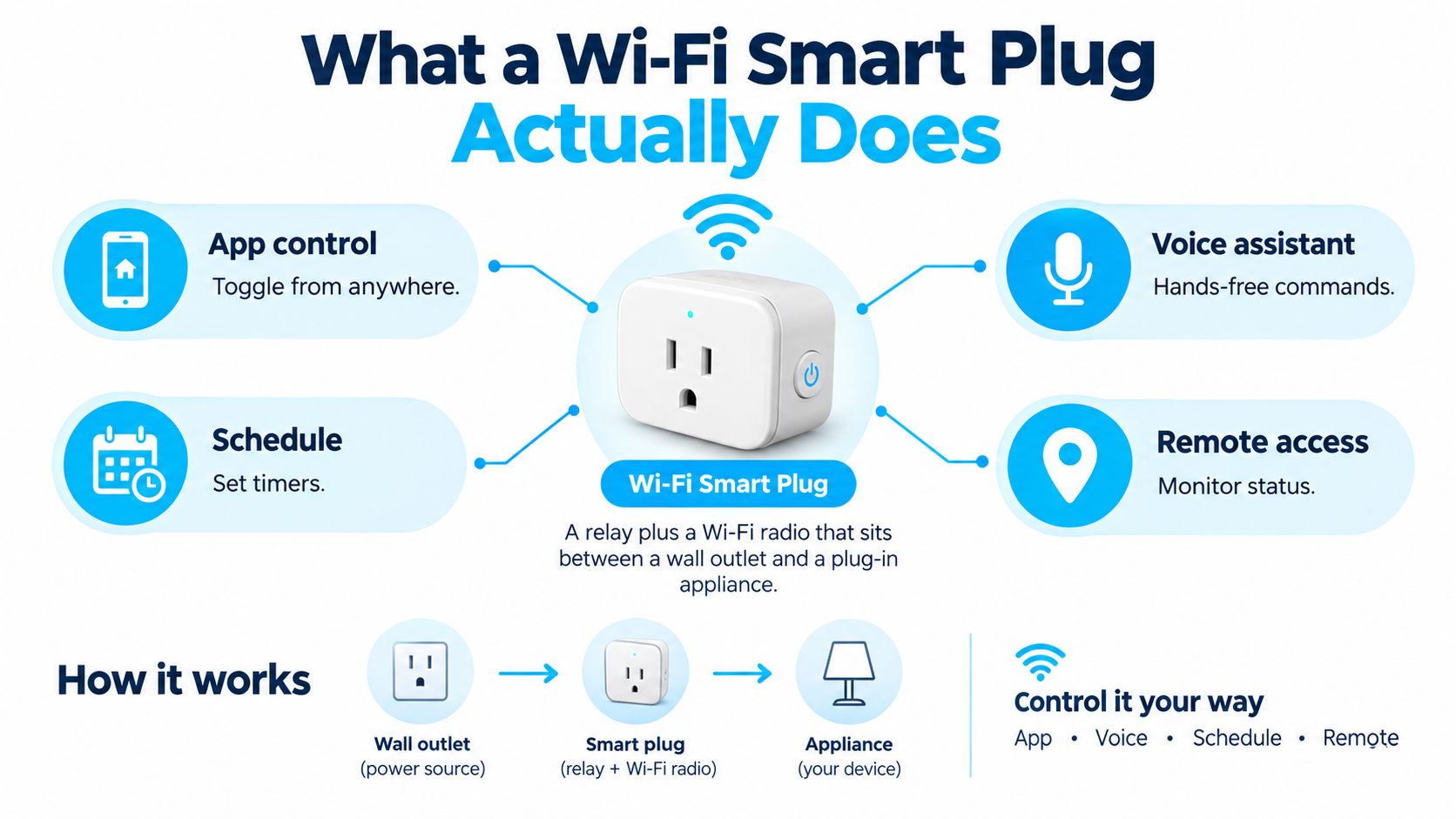
A Wi-Fi smart plug is a small relay and wireless radio in a plug-in enclosure. It goes into a wall receptacle, and the appliance plugs into it. The relay switches power on or off; Wi-Fi connects the plug to its app and, for some products, to a voice assistant or a schedule.
The simplest models offer remote on and off control. That's useful for a lamp or a device you want to switch without reaching the outlet. Scheduling adds a routine, such as turning a light on in the evening or shutting a device off overnight. Don't assume a schedule is a substitute for a safety-rated appliance control, particularly with equipment that produces heat or has a motor.
Four features, four different jobs
Energy monitoring reports information about the connected load. It can help you see whether a device draws power while idle, but a monitoring feature isn't proof of accuracy for every appliance. Voice integration lets you issue commands through a compatible assistant, but check the exact model's supported services before buying.
Wi-Fi plugs typically connect directly to a household router, so they don't need a separate smart-home hub. That distinguishes them from many Zigbee and Z-Wave products, which generally rely on a hub or bridge. Thread and Matter describe different parts of the connected-home environment, and support varies by product. Confirm what a specific plug supports rather than assuming that a protocol label guarantees compatibility with every app or assistant.
For many households, the best feature set is simple: reliable app control and a schedule that works as expected. Monitoring makes sense when you want to investigate a device's idle draw. Voice control is handy if you already use a compatible assistant. Pay for features you'll use, not a long feature list.
The Three Compatibility Gates to Check First
Screen a plug against three gates before reading app reviews. A device can have polished controls and still be the wrong choice if it doesn't work with your home's ecosystem, Wi-Fi setup, or electrical requirements.
Gate one is your voice ecosystem
Check the exact product listing for the assistant or smart-home platform you use. Alexa and Google Assistant support is common among Wi-Fi products, while Apple HomeKit compatibility can be more limited and model-specific. Matter support may make cross-platform use easier, but it doesn't mean every device offers every feature in every ecosystem. Verify the exact model and Canadian version.
Gate two is the router connection
Many smart plugs require 2.4 GHz Wi-Fi for setup and operation. If your router combines its 2.4 GHz and 5 GHz bands under one network name, the phone app may struggle to pass the plug the connection details it needs. Check the manufacturer's setup instructions and router controls before ordering. A simple compatibility check can save an unnecessary return.
Gate three is electrical certification
Look for an accredited Canadian safety mark such as CSA, cUL, or cETL on the product or its packaging. Health Canada advises choosing plug-in electrical products that meet Canadian safety standards and carry an accredited certification mark. Don't buy an uncertified product just because a US listing has appealing reviews. Health Canada's guidance on electrical products also warns against defeating the grounding prong.
Before opening a product page, ask yourself:
- Ecosystem: Does this exact model support the assistant or platform I use?
- Network: Can I connect it to the required Wi-Fi band?
- Electrical: Does it have a recognised Canadian certification mark and a rating suited to the appliance?
A smart plug that fails any of these checks isn't a bargain. It's a poor fit.
Comparing Plug Categories That Actually Ship to Canada
Compare categories by function, then verify the label and exact product listing. Models change, and a product family can include versions with different features or ratings. The table below is a starting point, not a substitute for checking the Canadian model's packaging.
| Category | Voice Compatibility | 2.4 GHz Only | Rated Amperage | Energy Monitoring | Approx. CAD Price |
|---|---|---|---|---|---|
| Entry-level indoor, such as Kasa or Amazon Smart Plug-style units | Usually Alexa and/or Google; check model | Often | Check product label | Usually no | Not specified |
| Energy-monitoring indoor, such as Kasa KP125-style units | Varies by model | Often | Check product label | Yes on monitoring models | Not specified |
| HomeKit-native indoor, such as Meross or VOCOlinc models | HomeKit on compatible models; check additional assistants | Often | Check product label | Varies | Not specified |
| Outdoor-rated, such as Meross, Wyze, or Kasa Outdoor models | Varies by model | Often | Check outdoor model's label | Varies | Not specified |
Match the feature to the job
Energy monitoring is useful when you want to understand the draw of office equipment or entertainment devices. It's likely overkill for a bedside lamp that you want to switch remotely. A monitoring label also doesn't tell you how accurately a plug measures every load type. Check whether the app gives the readings you need, and treat them as useful household guidance rather than laboratory measurements.
For an Apple household, a HomeKit-compatible model can remove the friction of managing a plug in a separate assistant ecosystem. That convenience may matter more than monitoring, especially if you already organise your home through Apple Home. Just confirm support for the exact version on sale.
Outdoor-rated plugs are built for exterior use and make more sense for patio lights or suitable outdoor equipment than an indoor plug. They can be bulkier and may cost more, but an indoor model isn't an acceptable shortcut outside. For any category, check the certification mark, marked current rating, and load instructions before deciding based on voice compatibility or price.
Setup and Troubleshooting on Canadian Routers
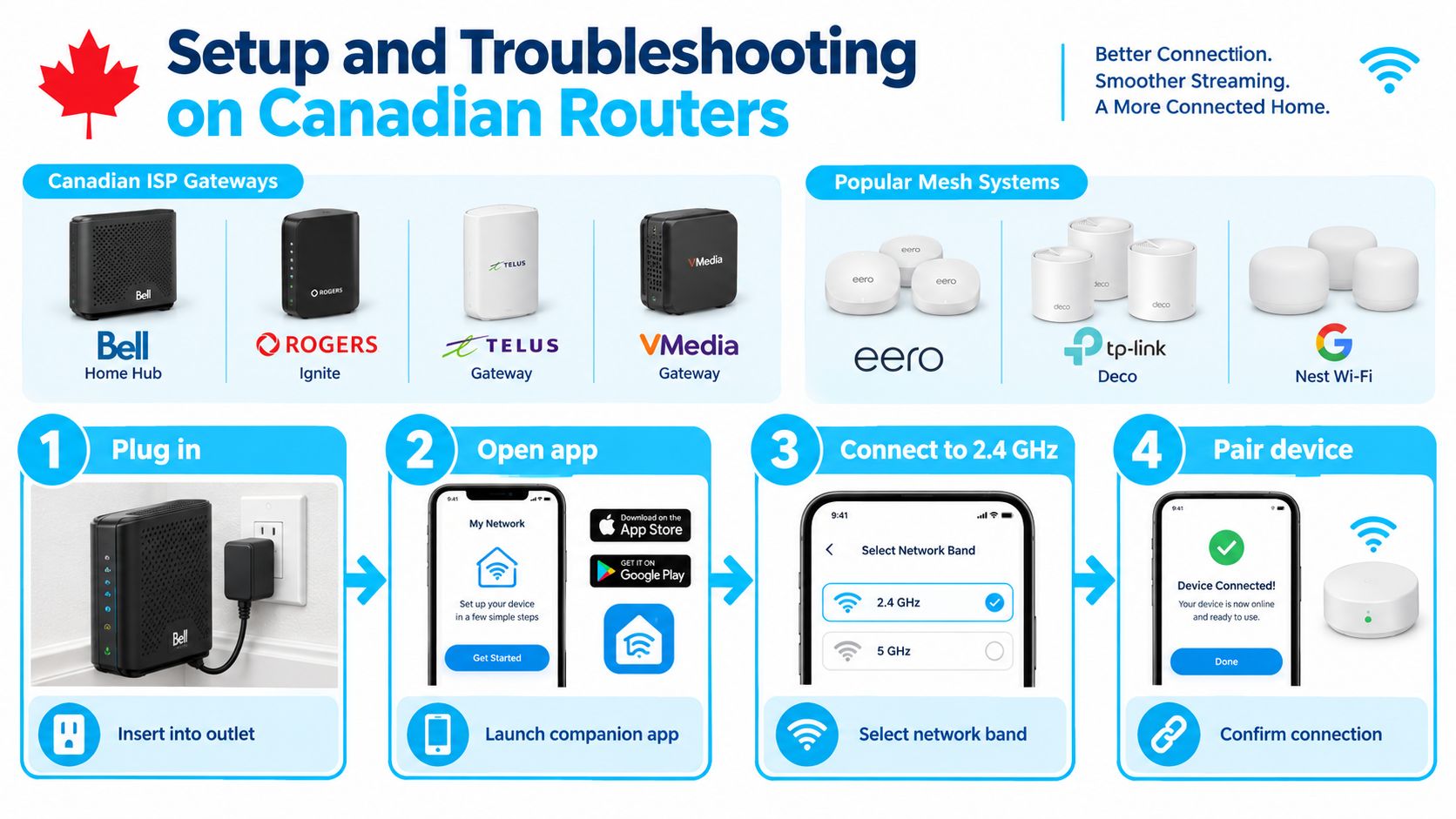
Pairing usually starts in the manufacturer's app, but router settings can get in the way. Bell Home Hub, Rogers Ignite, Telus, and other ISP gateways may combine Wi-Fi bands, while Eero, TP-Link Deco, and Google Nest Wi-Fi systems can manage band selection automatically. The exact menu names vary, so use your router's instructions rather than guessing at settings.
Pair in a controlled order
Put the plug in an outlet near the router for initial setup. Install the manufacturer's app, create or sign into the account if required, and follow its pairing steps. Confirm that your phone is connected to the home network and that the plug can use the required Wi-Fi band. Once setup succeeds, move the plug to its intended location and test it there.
If pairing fails, don't keep repeating the same attempt. A phone on 5 GHz may not complete a setup flow that expects 2.4 GHz. A combined network name can confuse some apps, and older plug firmware may not connect to a router configured for WPA3-only security. On a mesh system, band steering can make it harder to control which band the phone uses.
Try a temporary 2.4 GHz-only setup option or separate network names if your router allows it. If the plug still won't pair, check whether the router offers WPA2 or a WPA2/WPA3 transitional mode. A guest network can isolate devices from each other or restrict cloud access, so confirm the plug remains reachable after setup and after a router reboot. For more detailed pairing steps, use this Wi-Fi smart plug setup and troubleshooting guide.
A quick troubleshooting ladder is: restart the plug, confirm the app has the correct Wi-Fi password, check the required band, review the router's security mode, then test whether guest-network isolation is interfering. Avoid leaving the plug on your main network just because a guest network is inconvenient. Set up a dedicated IoT network where your router supports it, then test control from the app.
Use this video as a visual companion to the setup steps.
Do Smart Plugs Actually Cut Your Power Bill
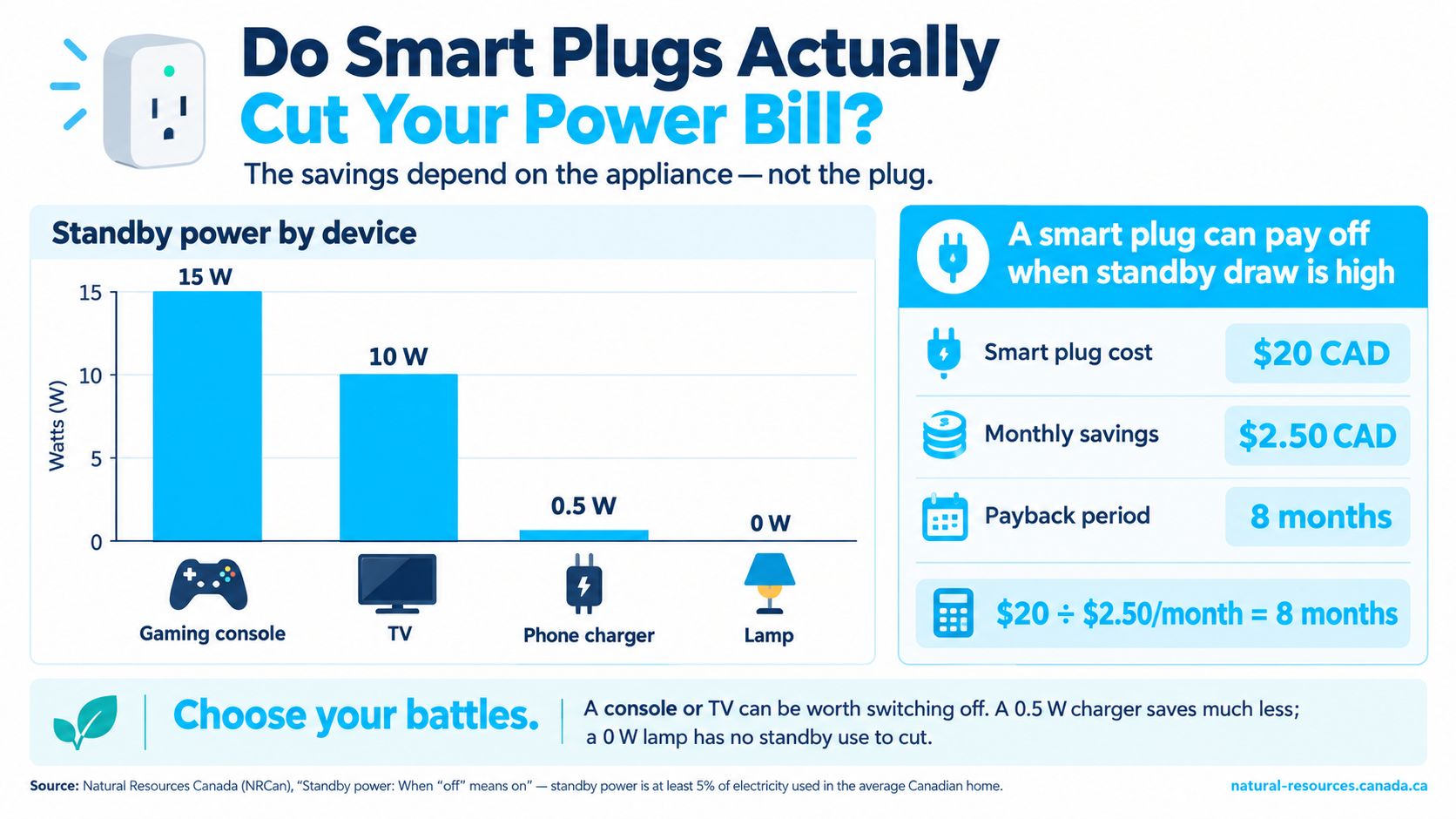
A smart plug doesn't create savings by itself. It can reduce the time a compatible device draws power, but the result depends on what the appliance consumes while idle, how often you switch it off, your electricity rate, and the plug's own power use.
Natural Resources Canada says standby power accounts for at least 5% of electricity used in the average Canadian home. An earlier Canadian study estimated household standby consumption at roughly 425 to 483 kWh per year, with a cost of about C$39 to C$44 per year under that study's electricity-price assumptions. Those figures describe household-wide standby use, not the savings one smart plug will deliver. Natural Resources Canada's standby-power guidance provides context for the use case, but you still need to identify a device that draws power when idle.
Do the payback math with your own rate
Measure the appliance's idle draw with a suitable energy meter, then estimate how many hours it will be switched off. Convert the energy avoided into a bill estimate using your current electricity rate, and subtract the plug's own consumption. Only then compare the expected savings with the purchase price.
That's why I wouldn't promise a universal payback period or savings figure. A high-standby entertainment device that sits unused overnight may be a better candidate than a lamp that draws no meaningful power when switched off. A seasonal load may also make sense if it can be safely controlled and the plug is rated for it.
The strongest financial case is a device you've measured, not one you've guessed at.
If you're deciding what to monitor, a smart-home energy monitor guide can help you think through measurement options. Remember that a smart plug's Wi-Fi electronics draw power while connected. If the target device uses little or no standby power, the plug may add convenience without paying for itself through energy savings.
Which Plug to Buy for Your Situation
For a renter in an older condo, choose a compact indoor plug with a recognised Canadian certification mark and a rating suited to the appliance. If the outlet has two slots, don't force a grounded plug or remove its grounding prong; find an appropriate certified option and ask the landlord or a qualified electrician if the receptacle's suitability is unclear.
An Apple household should choose a model explicitly listed as HomeKit-compatible, and consider Matter support if cross-platform flexibility matters. A HomeKit-native Meross or VOCOlinc model may fit, but verify the exact Canadian version rather than relying on the brand name alone.
For a space heater or aquarium heater, don't buy a plug just because it fits the receptacle. Check the appliance's continuous and startup demands against the plug's marked limits and instructions. If the load is high, use only a certified model expressly rated for that application, or skip the smart plug and follow the appliance manufacturer's guidance.
A seasonal user scheduling patio lights should choose an outdoor-rated model, not an indoor plug placed near a door. For a window air conditioner, check the unit's electrical requirements and the plug's rating carefully, and keep a suitable manual control option if the smart features or network are unavailable.
For an all-round indoor choice, I'd start with an energy-monitoring model that supports your assistant and uses 2.4 GHz Wi-Fi. A Kasa KP125-style product is one category to compare, but the deciding factors are the Canadian certification mark, the exact model's rating, and the features you'll use.
The Three Non-Negotiables Before You Click Buy
Keep the buying decision simple. A smart plug must pass three checks before its app or voice features matter:
- Canadian certification: Look for an accredited CSA, cUL, or cETL mark.
- Network compatibility: Confirm the required Wi-Fi band and know how you'll pair it with your router.
- Load match: Compare the plug's marked rating and instructions with the appliance's demands. Don't assume a lamp-rated plug suits a heater or motor.
On setup day, change any default credentials and install available firmware updates. Use a guest or IoT network if your router supports one, then test that the plug still works after a router restart. The Canadian Centre for Cyber Security recommends network separation for IoT devices, strong encryption such as WPA2 or WPA3, changed default credentials, and firmware updates in its Wi-Fi security guidance.
If the plug can't pass all three gates, keep shopping. Celmin publishes Canada-focused smart-home buying guides and practical setup advice for devices such as Wi-Fi smart plugs. Visit Celmin to compare Canadian options and find guidance for your next setup.
Sign up or sign in to join the conversation.