
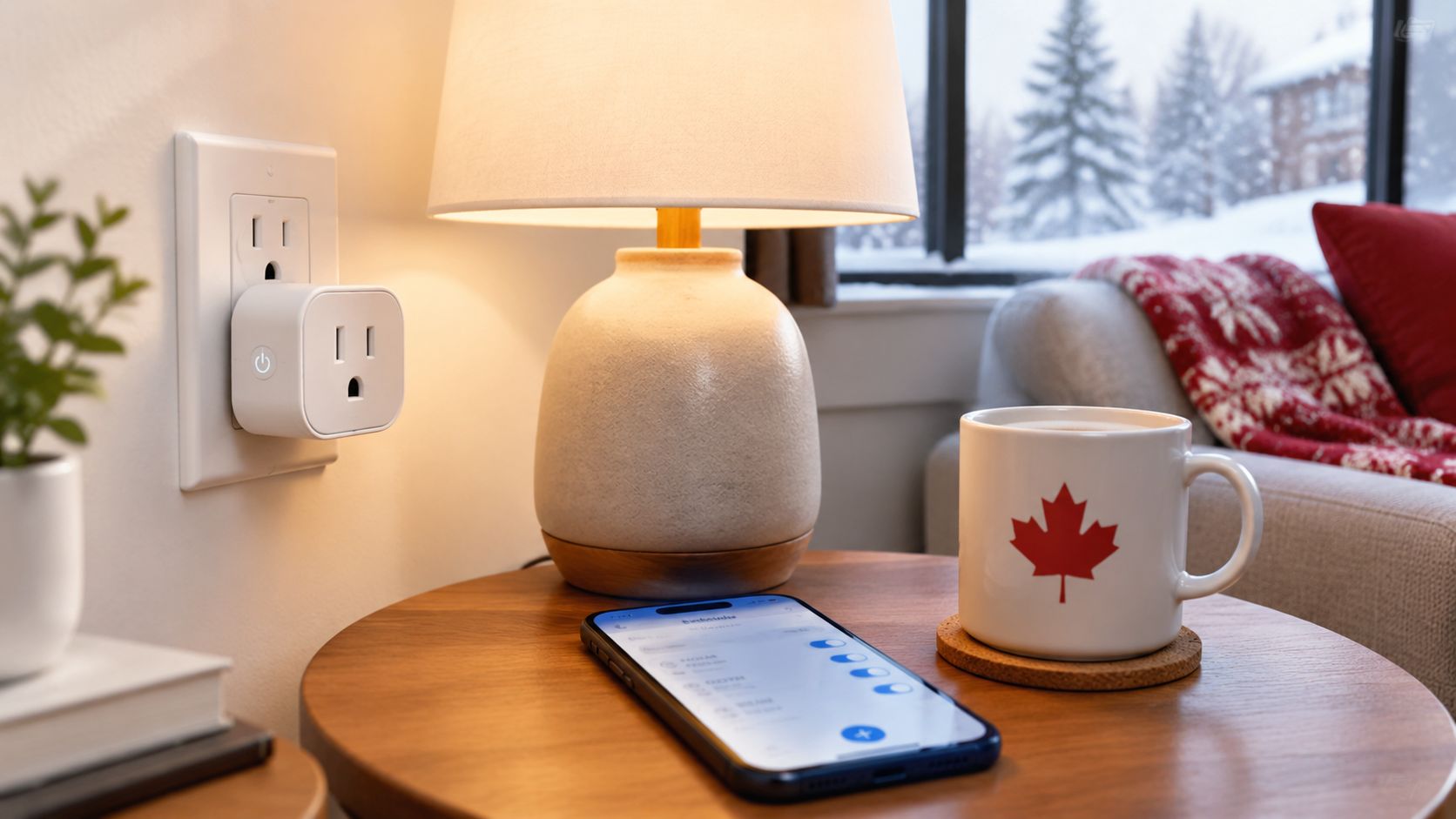
Coming home to a dark entryway is annoying. Coming home to a dark, chilly room because a lamp, fan, or small appliance was left off is worse, particularly during a Canadian winter when daylight disappears before the workday is over. A smart plug timer can fix that routine without rewiring a wall or buying a complete home automation system.
The useful question isn't whether a plug can switch power from an app. Most can. The key question is whether the timer suits your appliance, your Wi-Fi network, your electrical setup, and the way your household uses energy. Canadian homes have different priorities in winter, from dry indoor air to heating-related electricity use, so convenience and savings shouldn't be treated as the same benefit.
Table of Contents
- Understanding the Smart Plug Timer
- Scheduling Options and Smart Automations
- Canadian Power Standards and Safety Certifications
- Practical Use Cases for Canadian Homes and Seasons
- Energy Monitoring Versus Basic Timer Functions
- Router Compatibility and Setup Troubleshooting
- Final Buying Verdict and Next Steps
Understanding the Smart Plug Timer
A smart plug timer sits between a wall outlet and an appliance. You plug the device into the smart plug, connect the plug to its companion app, and create rules that turn power on or off at selected times. You can usually control it from your phone as well, and compatible models may work with voice assistants.
That sounds like a digital version of an old outlet timer, and in one important way it is. Both devices automate a repeating electrical task. The smart version is easier to adjust when your weekday schedule differs from your weekend routine, or when you want to switch a lamp remotely without reaching behind furniture.
Suppose you leave a floor lamp near a condo window. In November, you want it on before you arrive home and off later in the evening. A smart plug timer can handle that routine without you noticing. You don't have to cross a dark room to find the switch, and you can change the schedule when your working hours or daylight patterns change.
The simplest entry into home automation
Smart plugs work well as a first connected-home purchase because they attach automation to an existing appliance. A table lamp remains a table lamp. A fan remains a fan. The plug adds scheduling, remote switching, and, on some models, energy data.
That makes the category practical for renters and homeowners who don't want to install an in-wall switch or buy a hub. It also suits hard-to-reach outlets behind cabinets, beds, and entertainment units. A timer can provide a small improvement every day, which is often more valuable than a complicated setup you rarely use.
Canadian adoption supports that practical framing. Statistics Canada data summarised for Canadian smart-home shoppers reports that 47.4% of Canadian households used at least one Internet-connected smart-home device in 2022, while 13.8% used smart plugs or smart lights. Smart speakers appeared in 30.0% of households and smart thermostats in 12.7%, so a smart plug timer belongs to an established connected-home pattern rather than a novelty-only category.
Practical rule: Start with one repetitive, low-risk load that you already wish you could control automatically. If the schedule saves daily effort, add another plug. If it doesn't, more devices won't solve the underlying problem.
A smart plug timer won't replace a furnace control, central thermostat, or properly installed electrical timer. It also won't make every appliance safe to operate unattended. Its sweet spot is a portable, compatible device that benefits from predictable on and off times.
Scheduling Options and Smart Automations
The best timer is only as useful as the rule you create. Most smart plug apps offer several kinds of schedules, and each one fits a different household task.
Countdown timers
A countdown tells the plug to switch off, or sometimes on, after a set interval. It works well when you want a temporary action rather than a repeating routine.
For example, you might connect a bathroom fan and set it to shut off after you leave. You could also use a countdown for a lamp while reading, provided the lamp and plug are suitable for the arrangement. The important detail is that a countdown usually starts when you activate it. It doesn't necessarily know whether today is a workday or whether you're away.
Use this sequence:
- Plug in the device and confirm that it operates normally.
- Open the app and select the outlet.
- Choose the countdown function.
- Set the shutoff period.
- Test the behaviour while you're still at home.
Testing matters because some apps treat a countdown as a temporary override, while others combine it with the next scheduled event.
Fixed daily and weekly schedules
A fixed schedule repeats at selected times. A basic example is a bedroom lamp turning on in the evening and off at bedtime. More capable apps let you assign different rules to weekdays and weekends, which is useful when your morning routine changes.
Build the rule in this order:
- Name the load clearly. “Living room lamp” is more useful than “Smart Plug 2.”
- Choose the action. Select power on or power off.
- Set the time. Check whether the app uses your phone's time zone.
- Select the days. Don't assume a weekday setting includes the schedule you want.
- Save and test. Trigger the plug manually, then confirm the scheduled state.
This approach works for a coffee maker only when the appliance is designed to resume operation after power is restored and when the arrangement is safe. A plug can control electricity, but it can't verify that an appliance is empty, cool, or ready to run.
For more detailed lighting routines, this guide to automating lights with Alexa shows how schedules can fit into a broader voice-assistant setup.
Sunrise and sunset routines
Astronomical schedules use local sunrise or sunset conditions rather than one fixed clock time. They're useful for porch lamps, window lighting, and seasonal routines because darkness arrives at different times throughout the year.
A sensible setup is to turn a lamp on around sunset, add an optional delay if the room receives natural light, and set a firm off time later in the evening. Don't create several overlapping rules before testing the first one. Conflicting automations are a common reason a plug appears to switch itself on or off.
A bedroom lamp can also follow a softer routine. Set it to turn on in the evening, turn off when you normally sleep, and leave weekends separate if you wake later. The smart plug won't create a gradual dimming effect unless the lamp and plug support dimming, but it can still automate the basic rhythm.
The schedule should serve a real habit. If you keep overriding it manually, revise the rule rather than adding more exceptions.

Canadian Power Standards and Safety Certifications
Electrical safety comes before app features. Canadian household power is typically 120 V / 60 Hz, and a smart plug timer sold for this market should be designed for that environment. Before buying, check the product body, packaging, and listing for a recognised certification mark such as CSA, cUL, or cETL.
Health Canada's electrical-product guidance tells shoppers to verify certification marks. That check is especially important for a timer-controlled plug because the device may remain connected for long periods and may operate while nobody is watching it.
What to inspect before purchase
Don't rely on a product title that only says “safe” or “Canadian compatible.” Look for clear markings and specifications.
- Certification: Find a CSA, cUL, or cETL mark on the product or its documentation. If the listing shows no credible certification information, choose another model.
- Electrical rating: Confirm that the plug is designed for Canadian household power and that its load rating suits the appliance.
- Grounding: A three-prong appliance needs a properly grounded path. Don't defeat the ground connection with an improvised adapter.
- Construction: Check for a solid housing, a firm plug connection, and contacts that don't feel loose or flimsy.
- Location: Indoor and outdoor products aren't interchangeable. Outdoor use calls for a model specifically identified for that environment.
The mark isn't decorative. It gives shoppers a practical way to distinguish a product that has been assessed against recognised electrical requirements from an anonymous import with incomplete documentation.
Why load matching matters
A smart plug timer switches the full load connected to it. That makes the appliance's electrical characteristics more important than the size of the plug itself. A lamp presents a different challenge from a heating appliance, motor, compressor, or device with a large startup demand.
Read the manufacturer's rating rather than guessing from the plug's appearance. Avoid connecting power bars, multi-outlet adapters, or several high-demand appliances unless the manufacturer explicitly supports the arrangement. A timer shouldn't become a way to conceal an overloaded outlet.
Uncertified ultra-cheap imports are a poor bargain when the listing doesn't identify a legitimate Canadian safety mark, electrical rating, or responsible manufacturer. The low purchase price can't compensate for uncertainty around heat, insulation, grounding, or overload behaviour.

Safety check: If the product page doesn't make certification and electrical specifications easy to verify, treat that absence as a reason not to buy, not as an invitation to investigate after delivery.
Practical Use Cases for Canadian Homes and Seasons
The most convincing smart plug timer setups solve a small seasonal irritation. A Canadian home doesn't need every outlet connected. It needs the right few loads automated reliably.
In winter, a living-room lamp can switch on before you arrive, making a dark condo feel more usable without leaving the light running all day. A humidifier may benefit from a schedule that matches occupied hours, but only if its manufacturer permits timed operation and the water reservoir, placement, and shutoff behaviour are suitable. A timer won't replace monitoring for a device that can spill, run dry, or create a moisture problem.
Holiday lighting is another straightforward use. Set the display to come on in the evening and switch off overnight, then change the schedule when the season ends. Outdoor decorations need a plug rated for outdoor conditions, a suitable weather-protected connection, and an installation that follows the product instructions.
Winter routines need conservative settings
Portable heaters deserve particular caution. They create heat, draw substantial power, and can be unsafe if placed near fabrics or operated in a way the manufacturer doesn't permit. A smart plug timer shouldn't be used as a shortcut around a heater's controls, safety requirements, or the need for supervision.
A safer approach is to use the timer on low-risk comfort devices, such as a lamp or an approved fan, while leaving heating equipment under its intended controls. If a room is cold, improve the underlying insulation, sealing, or thermostat strategy rather than assuming a connected plug can manage the problem.
In a Pacific Northwest condo, the priority may be damp-feeling rooms and seasonal lighting. In a colder inland home, the priority may be morning routines and avoiding unnecessary operation of small appliances. The same plug can serve both households, but the appliance choice and safety assessment must change.
Summer scheduling has limits too
Fans can be useful candidates for a schedule that runs before bedtime or switches off after you leave. A portable air conditioner requires more scrutiny. Check the appliance instructions, the plug rating, the startup demand, and whether the unit is designed to restart automatically after power is interrupted.
A coffee maker is convenient to schedule only if it has a suitable power-on behaviour and doesn't create a burn or overflow risk. Curling irons and similar devices are better candidates for an automatic shutoff arrangement only when the product and plug combination are explicitly appropriate. Remote switching isn't the same as a safety certification.

Think of seasonal automation as a fit test:
- Good candidates: Lamps, selected fans, seasonal lighting, and simple on/off loads that remain safe when power is restored.
- Questionable candidates: Humidifiers, dehumidifiers, compressors, and appliances that need supervision or have changing operating conditions.
- Poor candidates: Medical equipment, critical refrigeration, sump pumps, and appliances where an unexpected power interruption creates a serious consequence.
The timer is most valuable when it removes a repetitive action without becoming responsible for a hazard.
Energy Monitoring Versus Basic Timer Functions
A basic smart plug timer answers one question: When should this device receive power? An energy-monitoring plug answers two more: How much electricity is it using, and how does that use change over time?
Choose the basic model when the goal is predictable control. A lamp, curling iron, or routine on/off load generally doesn't need a detailed consumption history. Spending more on energy data won't improve a schedule that already works.
Choose monitoring when the appliance's draw is variable or unclear. A dehumidifier may run for different lengths of time as conditions change. A fridge or freezer cycles rather than drawing power continuously. A space heater can dominate the plug's consumption while it operates, although its use requires careful safety consideration before any timer is introduced.
The Canadian savings reality
Standby power is often summarised in Canadian guidance as 5% to 10% of a household electricity bill, while feedback-based control is commonly framed in the 5% to 20% range, depending on behaviour and the household's load mix. This Canada-focused explanation of phantom-power savings puts that distinction in context.
Those ranges don't mean a smart plug will deliver a predictable bill reduction. A timer controls only the devices connected to it, and many major Canadian energy loads are hardwired or outside the plug's safe use. Furnaces, water heaters, ovens, and central air systems aren't suddenly part of the controllable load because a household adds several plugs.
Winter makes the distinction sharper. Heating routines can dominate household energy use, while a timer on a lamp or coffee maker affects a much smaller load. Convenience may still justify the purchase, but shoppers shouldn't calculate payback from the feature list alone.
Which feature fits which appliance
| Appliance Type | Best Plug Feature | Primary Benefit |
|---|---|---|
| Lamp or window light | Fixed schedule | Automatic evening lighting |
| Curling iron with suitable timed setup | Countdown or shutoff schedule | Reduces the chance of leaving it powered |
| Coffee maker with compatible power-on behaviour | Weekday schedule | Aligns operation with morning routines |
| Dehumidifier | Energy monitoring | Shows operating time and changing consumption |
| Fridge or freezer | Energy monitoring only when the setup is appropriate | Helps observe variable draw without treating the plug as a safety control |
| Space heater | Usually neither without careful manufacturer and safety review | Prevents a timer from being used as a substitute for safe heating control |
This Canadian smart plug review coverage can help compare scheduling features with energy-monitoring capabilities across products sold for local buyers.
Energy monitoring is most useful when the data will change your behaviour. If you won't inspect the history or adjust the schedule, a reliable basic timer is likely the more sensible purchase.
Router Compatibility and Setup Troubleshooting
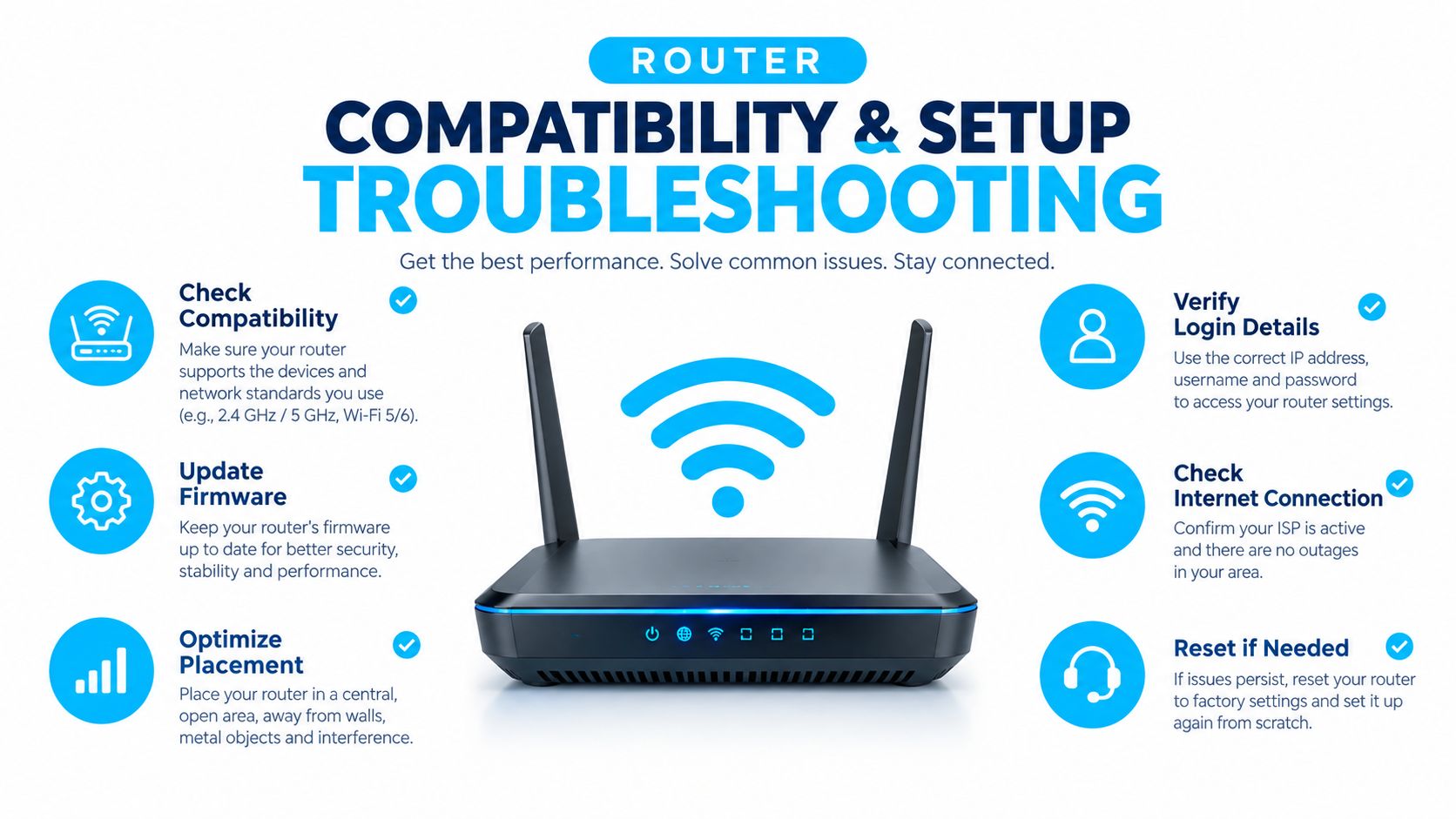
Most Canadian-market smart plugs connect over 2.4 GHz Wi-Fi, even when the household router also provides 5 GHz. Canadian smart plug listings and manufacturer information show this pattern across products sold in Canada.
That band requirement causes many first-time setup failures. Your phone may be connected to a 5 GHz network while the plug is waiting for 2.4 GHz credentials. A mesh system may combine both bands under one network name, or it may steer devices automatically, which can make the pairing process look random.
A reliable pairing sequence
- Install the manufacturer's app. Create the account if required, and allow the permissions the app needs to discover and configure the plug.
- Move close to the router. Pair the plug in the same room as the primary router or mesh node. You can relocate it after setup.
- Connect your phone to 2.4 GHz. If your router uses one shared network name, temporarily use its band-management or compatibility option.
- Reset the plug correctly. Hold the physical reset button for the period specified by the manufacturer. A fast blink and a slow blink can represent different modes.
- Enter the Wi-Fi password carefully. A typo, hidden space, or unusual character can prevent pairing.
- Wait for confirmation. Don't close the app while it is transferring credentials and registering the device.
- Test local control first. Switch the plug from the app before creating schedules or voice routines.
For mesh systems such as Eero, Deco, or Google Nest, look for a temporary 2.4 GHz compatibility setting or a device-add process that pauses band steering. These router settings for faster internet may also help you locate the relevant wireless controls, although the exact names differ by router brand.
When the plug stays in pairing mode
A blinking indicator usually means the plug hasn't received usable network credentials or hasn't completed registration. Reset it again, confirm that the phone is on the intended network, and keep the plug near the router during the next attempt.
If the app finds the plug but cannot finish setup, disable mobile data temporarily so the phone doesn't switch away from Wi-Fi during configuration. Check that the plug isn't already registered to another household account, especially if it was returned or previously installed.
Setup advice: Pair the plug before you mount it behind furniture. A five-minute test at the router is much easier than reaching behind a cabinet while trying to interpret a flashing light.
After pairing, move the plug to its final location and test it again. If it drops offline there, the problem may be signal strength, interference, or a weak mesh handoff rather than a defective plug. Don't create a complicated automation until manual control remains stable.
Final Buying Verdict and Next Steps
A smart plug timer is a good Canadian-home upgrade when it controls a compatible, portable load that you use repeatedly. It isn't a universal energy-saving device, and it shouldn't be used to automate an appliance just because the outlet accepts the plug.
Before buying, check four things:
- Safety marking: Look for CSA, cUL, or cETL certification and clear electrical specifications.
- Appliance fit: Confirm that the load is suitable for timed switching and that the plug's rating matches the device.
- Network support: Expect 2.4 GHz Wi-Fi setup on most models, even if your phone normally uses 5 GHz.
- Feature value: Choose scheduling for predictable routines and energy monitoring when measured consumption will guide a real change.
The best starting point is usually one high-impact plug. A hard-to-reach lamp, seasonal window display, or approved fan can demonstrate whether the app and schedule fit your household. Once that routine works through a full change of day and season, add another device rather than filling the home with overlapping automations.
Don't buy monitoring for every outlet, and don't assume winter heating costs will disappear through plug-level control. Use the timer for convenience first, treat energy savings as load-dependent, and keep electrical certification ahead of voice control, app design, and sale pricing.
Celmin publishes Canadian smart-home reviews, buying guides, and setup advice that can help you compare smart plug timers, router compatibility, and seasonal household use. Visit Celmin to research the right device before you automate your first outlet.
Sign up or sign in to join the conversation.