
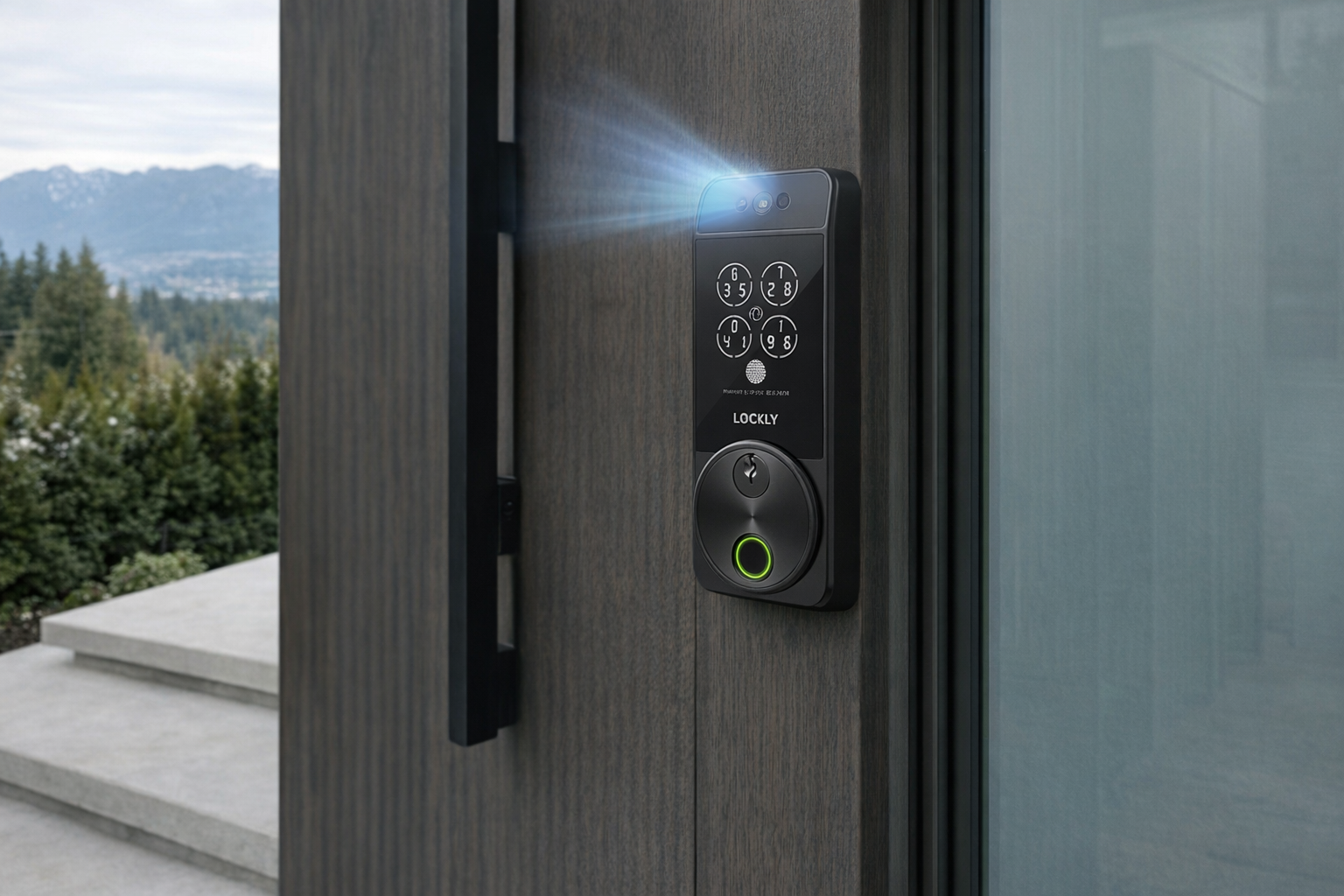
The Lockly Visage Smart Door Lock sits in a newer, still slightly uneasy corner of the smart-lock market: the face-unlock deadbolt. Smart locks with PIN pads are common now. Fingerprint locks are no longer unusual either. But a front-door lock that tries to recognize your face and open fo...
The Lockly Visage Smart Door Lock sits in a newer, still slightly uneasy corner of the smart-lock market: the face-unlock deadbolt. Smart locks with PIN pads are common now. Fingerprint locks are no longer unusual either. But a front-door lock that tries to recognize your face and open for you without reaching for keys, phone, or even a finger scan is a more ambitious pitch. It aims to make entry feel frictionless in the same way Face ID did for phones — just transplanted to the front porch.
This article is not a hands-on review. Nothing here is based on personally testing the lock. Instead, the goal is to explain what the Lockly Visage Smart Door Lock actually is, how face-unlock technology at a door generally works, how it compares with more established options like fingerprint and PIN entry, and who this kind of lock genuinely makes sense for. If you are curious about the category but want a calmer read than the product page, this is for you.
Quick snapshot
| Question | What the Lockly Visage Smart Door Lock actually is |
|---|---|
| Category | Security |
| Made by | Lockly |
| Typical price | ~$485 CAD (listing at the time of writing — verify current pricing) |
| Rating signal | 4.5/5 on the source listing |
| Best for | Busy households that want multiple unlock methods and like the idea of hands-free entry |
| Skip if | You prefer simple hardware, dislike biometric tech, or want the cheapest reliable smart lock |
Pro tip: If face unlock is the feature drawing you in, treat it as a convenience layer, not the only way in. The sensible setup is face unlock plus fingerprint plus a code you trust, not face unlock replacing every other method.
What the Lockly Visage Smart Door Lock actually is
In plain English, the Lockly Visage Smart Door Lock is a connected front-door deadbolt that adds facial recognition to the usual smart-lock mix of app control, keypad entry, and biometrics. The big idea is simple: walk up to your door, the lock recognizes you, and it unlocks without digging for keys. That sounds futuristic on the box, but the more practical translation is this: it is a premium smart lock trying to reduce friction for the people who use the same door every day.
That empty description block is worth noting. Since no detailed listing description is supplied here, the honest way to read the product is through its name, category, retailer listing, and what the face-unlock smart-lock segment generally implies. This is not unusual in consumer tech: the product name tells you the headline feature, but the real buying decision comes down to how that feature behaves in everyday life — cold weather, shared households, guests, power issues, and backup access.
The clearest comparison is Ultraloq Bolt Fingerprint-style thinking versus Lockly's face-first approach. A fingerprint lock asks you to make deliberate contact with the device. A face-unlock lock tries to remove even that step. That can feel meaningfully smoother when your hands are full of groceries or you are wrangling kids at the door. It can also be less predictable than a fingerprint sensor if lighting, positioning, hats, glasses, or weather get in the way. That is the trade-off in one sentence.
Key features at a glance
- Facial recognition unlock as the headline convenience feature
- Smart deadbolt functionality for keyless front-door access
- Biometric positioning in the premium smart-lock category
- App-connected management implied by the smart-lock ecosystem and product class
- Alternative entry expectations such as backup methods, since face unlock should never be your only path in
- Higher-end pricing at roughly $485 CAD, placing it well above basic keypad locks
How the Lockly Visage Smart Door Lock actually works
A face-unlock door lock like this generally combines three layers: door hardware, identity checking, and motorized locking. The hardware side is still a deadbolt. That matters because beneath the smart features, you are still buying a lock that needs to fit a real door, line up correctly, and physically throw and retract a bolt reliably.
The identity part is where this product separates itself. A face-unlock system at a door typically uses a sensor array or camera-based recognition system to decide whether the person standing in front of it matches an enrolled user. If the match clears whatever internal confidence threshold the device uses, the motor retracts the deadbolt. If not, you fall back to another entry method — usually a code, fingerprint, app, or physical key depending on the model's full hardware setup. That is why face unlock should be understood as one lane into the house, not the whole highway.
There are a few practical mechanics behind that seemingly simple moment:
- Detection: The lock has to notice a person is present and in the right position.
- Recognition: It compares what it sees against enrolled faces.
- Decision: If the match is strong enough, it authorizes entry.
- Action: The motor disengages the deadbolt.
- Fallback: If recognition fails, another method needs to be available quickly.
Where this gets interesting is in the real-world gap between phone-style face unlock and front-door face unlock. A phone is inches from your face, used by one person, in relatively controlled conditions. A front-door lock is mounted outside, used by multiple people, exposed to shadows, bright sun, winter hats, snow glare, rain, and awkward approach angles. So the promise of face unlock is appealing, but the engineering challenge is much harsher. That is why fingerprint and PIN locks remain more common: they are less elegant, but also less context-sensitive.
A realistic "day in the life" with Lockly Visage Smart Door Lock
Because this is an informational piece, here is what a typical day might look like based on the product category and the lock's stated identity as a face-unlock smart lock — not a tested account.
- Morning. You leave for work with coffee in one hand and a bag in the other. On the way back from a dog walk or school drop-off, the face-unlock feature is the one that matters most: you walk up to the door and, ideally, the lock recognizes you without pressing anything. This is the strongest case for the product.
- Midday. A cleaner, dog walker, or contractor needs entry. This is where face unlock is less important than the broader smart-lock toolkit. In practice, most households still rely on temporary codes, app permissions, or scheduled access for non-family users because you do not necessarily want to enroll every occasional visitor biometrically.
- Afternoon. Kids come home from school. For some households, a lock like this is attractive because it reduces lost-key drama. But children and biometrics can be a mixed fit. Depending on age, growth, comfort with technology, and the lock's recognition tolerance, many families will still want a PIN as the more dependable backup.
- Evening. You arrive home in winter gear — toque, scarf, glasses fogged from the cold. This is where the category gets tested. If face unlock works under those conditions, it feels genuinely useful. If not, the whole experience falls back to being a premium smart lock with other entry methods. That is not a disaster, but it is the right expectation to set.
Who the Lockly Visage Smart Door Lock is actually for (and who it isn't)
Great fits
- Households where people regularly arrive with full hands — parents with groceries, stroller users, anyone juggling bags at the door.
- Tech-forward homeowners already comfortable with biometric unlock on phones, laptops, and existing smart-home gear.
- People who want multiple entry options in one lock and do not mind paying premium pricing for convenience.
- Busy families trying to reduce lost-key management and centralize entry through one front door.
- Early adopters who genuinely enjoy trying newer access methods and are realistic about occasional fallback to code or app access.
Poor fits
- Renters who cannot easily swap door hardware or who need landlord approval before touching the deadbolt.
- Buyers who want the cheapest dependable smart lock. At about $485 CAD, this is not the budget pick.
- Privacy-sensitive households that do not want facial data involved in home access, full stop.
- People with older, misaligned, swollen, or sticky doors where the physical lock operation is already unreliable.
- Anyone hoping face unlock will be magical in every lighting and weather condition. It may be convenient, but it is still exterior hardware, not a lab demo.
Practical trade-offs
Privacy
This is the biggest honest conversation around a face-unlock lock. A PIN lock stores codes. A fingerprint lock stores fingerprint templates. A facial-recognition lock adds another biometric layer tied to the front entrance of your home. That does not automatically make it a bad idea, but it does raise the stakes.
Before buying, the questions are straightforward: where is facial data stored, how is it protected, how is it deleted, and what happens if you remove a user? Those details matter more here than slick marketing language. If you are not comfortable enrolling your face into a door lock system, no amount of convenience should talk you into it.
Installation and door fit
With smart locks, people often focus on apps and unlock methods and forget the boring part: the door itself. A motorized deadbolt is only as good as the alignment of the door, strike plate, and bolt. If your current lock already rubs, sticks, or needs a shoulder push in January, a premium smart lock does not fix that by itself.
Face unlock also introduces placement and approach considerations. The recognition hardware needs a useful view of the person at the door. If the door area has harsh backlighting, deep porch shadows, or cramped positioning, that can affect the convenience you are paying for. Evaluate it like a lock first and a smart gadget second.
Power and fallback access
All motorized smart locks live or die on power management. Even without a supplied battery spec here, the basic rule holds: if the lock uses electronics, sensors, and a motor, it needs regular battery attention. A face-recognition feature may also increase the importance of staying on top of power, because more sensing means more happening at the door than with a simple keypad-only lock.
The crucial practical question is not whether batteries eventually run low — they will — but what your backup plan is when they do. Good smart-lock ownership means knowing the non-primary way in before you need it. That may be a physical key, a backup code, external power provision, or another manufacturer-provided recovery method. Check the current Lockly documentation before relying on the lock as your only entry path.
Where the Lockly Visage Smart Door Lock fits in a smart home
This lock makes the most sense as the front-door identity layer in a broader smart-home setup. It is not the centre of the house. It is the thing that decides who gets in and when, while other systems handle what happens next.
A sensible pairing looks like this:
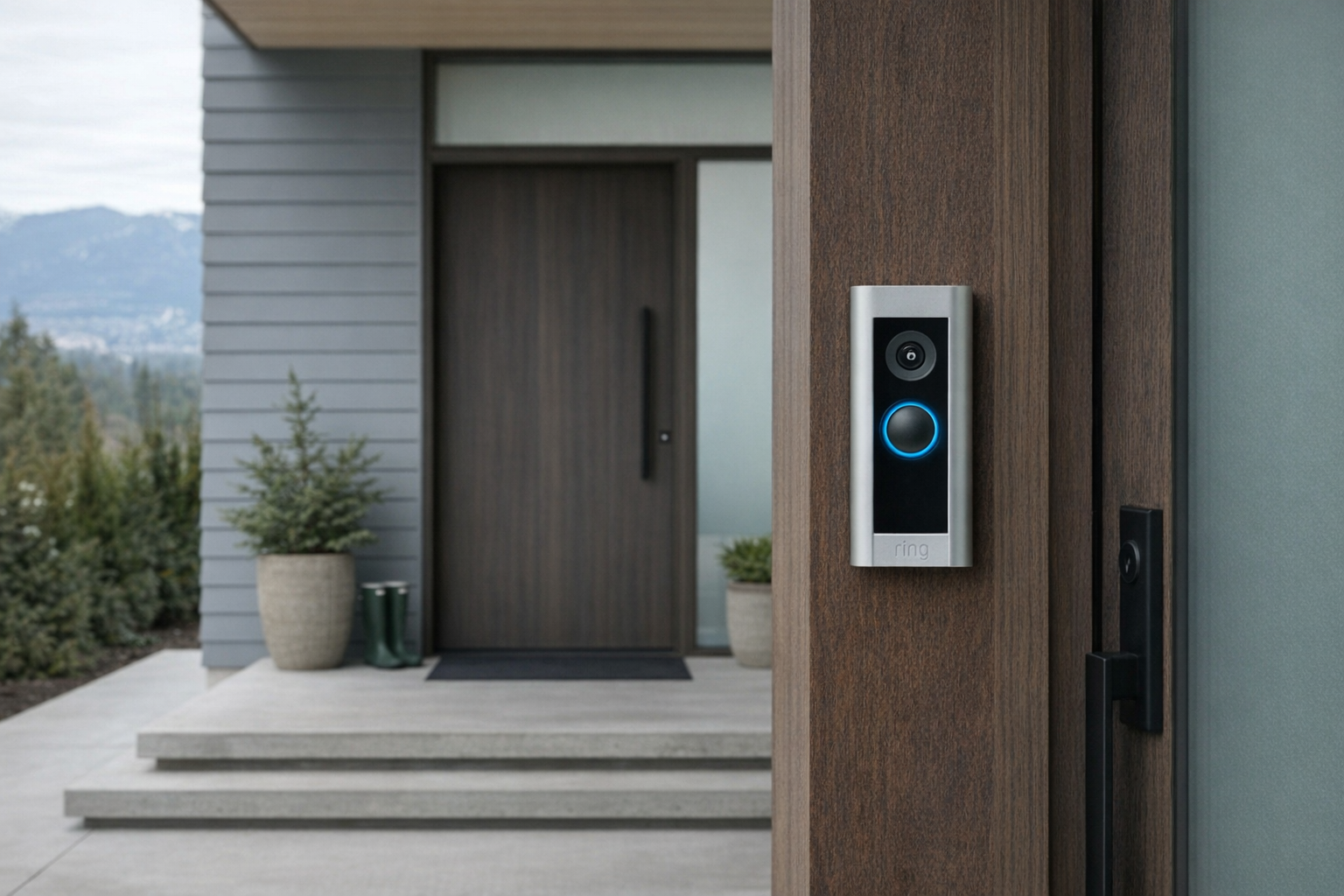
- Video doorbell: Something like a Ring Battery Doorbell, Reolink doorbell, or Google Nest Doorbell gives you visual context and visitor alerts.
- Smart lighting: Porch lights or foyer lights can trigger around arrivals, whether through the lock's platform, a voice assistant ecosystem, or a routine engine.
- Smart speakers and hubs: Alexa, Google Home, or Apple Home can handle broader routines, announcements, and household control.
- Traditional access backups: A hidden key solution or another trusted entry path still matters, because even expensive smart locks are not above dead batteries, Wi-Fi issues, or simple hardware problems.
That is also where the Lockly Visage Smart Door Lock differs from a more basic keypad deadbolt. A keypad lock solves access. A face-unlock lock is trying to solve friction. If your main pain point is “I need to stop handing out spare keys,” a cheaper keypad or fingerprint model may already be enough. If your pain point is “I want the front door to work with less effort for the people who live here,” then the Visage concept is easier to justify.
The buying decision, in plain terms
Before spending roughly $485 CAD on a face-unlock lock, three questions usually surface the right answer:
- Do you actually want face unlock, or do you simply want keyless entry?
If keyless entry is the goal, a good keypad or fingerprint lock may solve the problem for less money and with fewer privacy questions. - Are you comfortable storing biometric data for your front door?
If that answer is no, this category narrows fast. A PIN code may be less glamorous, but it is simpler to live with. - Is your door and entryway suitable for premium smart hardware?
If the door alignment is bad, the porch lighting is awkward, or you routinely deal with harsh weather gear, some of the face-unlock convenience may disappear.
Three yeses make the Lockly Visage Smart Door Lock a reasonable premium buy. If even one answer is a firm no, a fingerprint or keypad-first smart lock is probably the better match.
Got Questions About the Lockly Visage Smart Door Lock? Let's Clear Things Up.
Is this a hands-on review?
No. This is an informational explainer based on the available listing details, the product's positioning, and how face-unlock smart locks generally work. It is meant to help you decide whether this category makes sense for your home before you go deeper.
How is face unlock different from fingerprint or PIN entry?
Face unlock aims to reduce one more step in the entry process. With a fingerprint lock, you still have to place your finger on a reader. With a PIN lock, you have to tap a code. Face unlock tries to make entry happen as you approach, which is convenient when your hands are full but potentially more sensitive to environment and positioning.
Is face unlock at a front door as reliable as Face ID on a phone?
Not necessarily. A phone is used at close range and in more controlled conditions. A front-door lock has to deal with outdoor lighting, hats, glasses, weather, and multiple household members. That does not mean the feature is bad — just that it should be judged more like a convenience option than an infallible identity system.
What should buyers verify before purchasing?
Check the current Lockly product page and retailer listing for supported unlock methods, battery details, door compatibility, app requirements, and what backup access method is included. Also verify how facial data is stored and removed. For the current listing, the retailer page is here.
Does the Lockly Visage Smart Door Lock make sense for families?
Potentially, yes — especially for households tired of keys being forgotten or lost. But most families should still think in layers: face unlock for convenience, plus codes or other fallback methods for kids, guests, and edge cases. The best family setup is usually the one with the least drama when the first method fails.
What are the main trade-offs compared with a regular smart lock?
The main upsides are convenience and novelty, but the trade-offs are higher cost, more privacy sensitivity, and more dependence on good conditions for the biometric feature to feel smooth. A regular keypad lock is less ambitious but also easier to explain and troubleshoot. Evaluate the Visage like a premium convenience device, not just a deadbolt.
What does it cost in Canada?
At the time of writing, the Lockly Visage Smart Door Lock lists for roughly ~$485 CAD. That places it firmly in premium smart-lock territory rather than impulse-buy territory. As always, verify the current price before buying because retailer pricing can move around.
Where is the Celmin Directory listing for this product?
For a catalog-style view of the same product — structured specs, pros and cons, similar picks, and FAQ — see Lockly Visage Smart Door Lock on Celmin Directory.
If you're building a smarter home in Canada and want honest explainers on gadgets worth considering — plus the ones worth skipping — Celmin covers the full catalog without the marketing theater. More reviews, comparisons, and buyer guides at https://celmin.ca.
Discussion
Sign up or sign in to join the conversation.