
The Tikpal AI Voice Partner sits in an interesting corner of the gadget market: not quite a smart speaker, not quite a recorder, and not quite a toy-like AI companion either. It is best understood as a small AI voice companion built for people who spend long stretches at a desk and want quick...
The Tikpal AI Voice Partner sits in an interesting corner of the gadget market: not quite a smart speaker, not quite a recorder, and not quite a toy-like AI companion either. It is best understood as a small AI voice companion built for people who spend long stretches at a desk and want quick spoken capture, conversational prompting, and lightweight app syncing without opening a laptop every 5 minutes. That makes it closer to a focus-and-creative-flow tool than a full smart-home device.
This article is not a hands-on review. Nothing here is based on personally using the device. Instead, the goal is to explain what the Tikpal AI Voice Partner appears to be, how its listed features fit together, where it makes sense, and where buyers should stay cautious. If you have seen the product page and want a calmer translation than the usual marketing copy, this is for you.
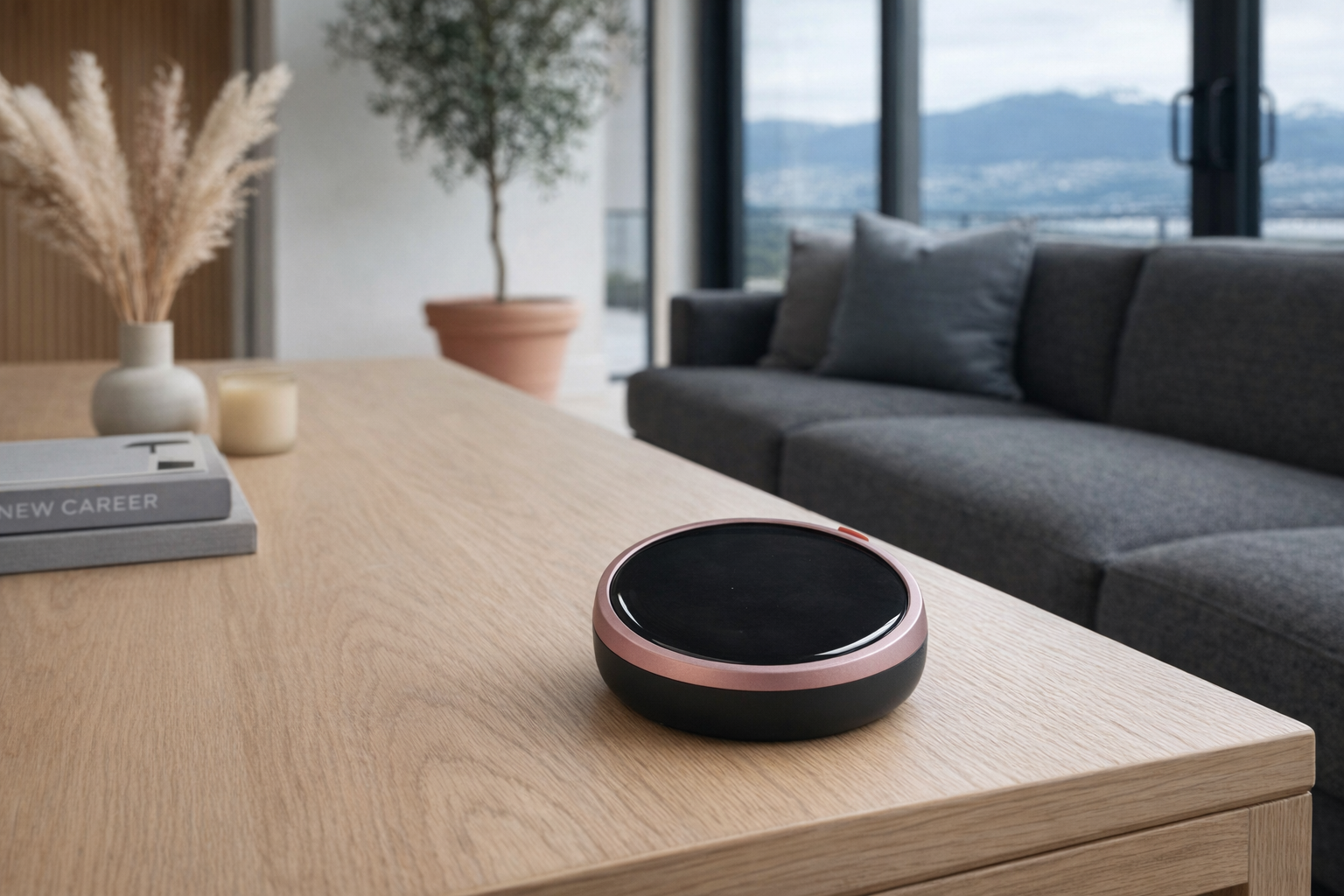
📺 Watch: Tikpal AI Voice Partner in context
Quick snapshot
| Question | What the Tikpal AI Voice Partner actually is |
|---|---|
| Category | AI Companions |
| Made by | Tikpal |
| Typical price | ~$179 CAD (listing at the time of writing — verify current pricing) |
| Rating signal | Check current reviews |
| Best for | Note-takers, solo desk workers, students, and people who like speaking ideas out loud |
| Skip if | You want a full smart speaker, a screen-heavy assistant, or a totally offline gadget |
Pro tip: Treat the Tikpal AI Voice Partner like a voice-first capture tool with personality, not like a replacement for Alexa, Google Assistant, or your phone. If you buy it expecting a focused desk companion, its feature set makes more sense.
What the Tikpal AI Voice Partner actually is
In plain English, the Tikpal AI Voice Partner looks like a compact voice interface for people who think by talking. The pitch is less about running your whole home and more about catching ideas, helping you stay in flow, and syncing spoken inputs into tools people already use for work, like Notion, Xmind, Calendar, Mail, and cloud services. The AMOLED display and built-in speaker suggest this is meant to feel like a standalone desk object rather than just a microphone accessory for an app.
Tikpal AI Voice Partner is a compact AI voice companion device designed for focus and creative flow. It integrates a four-mic high-sensitivity array with AI noise reduction, a high-clarity AMOLED display, a precision acoustic chamber speaker, and a high-energy-density battery. IPX7 waterproof with multi-language support, it syncs with Notion, Xmind, Calendar, Mail, and Cloud services.
That wording matters because it tells you what Tikpal thinks the product is for: focus, creative flow, and spoken interaction. This is not being sold as a home hub or a kitchen display. It is more like a desk-side voice terminal that can hear you well, talk back, and push information into productivity tools. At ~$179 CAD, that places it below many premium AI gadgets but above the impulse-buy tier, so it needs to earn its keep through convenience.
A useful comparison is the Plaud Note. The Plaud Note is fundamentally a recording-and-transcription device first. The Tikpal AI Voice Partner, based on the listing, appears to lean more into live voice interaction and desk presence through its AMOLED display, four-mic array, and built-in speaker. That is a more companion-like design, even if it may be less discreet than a simple recorder.
Key features at a glance
- Four-mic array with AI noise reduction for picking up speech more clearly
- High-clarity AMOLED display for visible prompts, status, or responses
- Precision acoustic chamber speaker for spoken output
- IPX7 waterproof rating for better resistance to spills and splashes
- Multi-language support for broader communication options
- Long battery life for all-day use, according to the listing
- Syncs with Notion, Xmind, Calendar, Mail, and Cloud services
How the Tikpal AI Voice Partner actually works
Based on the listed features, the Tikpal AI Voice Partner appears to work by combining a far-field style voice pickup system with a small on-device display and cloud-connected productivity integrations. The four microphones are there to hear you from a desk distance, while AI noise reduction is meant to strip away some background clutter — keyboard taps, HVAC hum, maybe a café-like environment if you are not working in silence. That is a sensible setup for a product aimed at brainstorming and note capture.
The second layer is feedback. A lot of voice gadgets are frustrating because they feel invisible until they fail. The AMOLED display likely exists to make the interaction more legible: showing status, prompts, or some kind of response state, rather than leaving you wondering whether the device heard anything. The built-in speaker matters too. It suggests Tikpal wants this to be conversational, not just a passive recorder that ships your audio to the cloud.
The third layer is the productivity sync piece. The mention of Notion, Xmind, Calendar, Mail, and Cloud services is really the whole point of the product. In practical terms, that implies a workflow something like this:
- You speak an idea, task, reminder, or prompt to the device.
- The mic array and AI noise reduction help isolate your voice.
- The AI layer interprets the request as a note, summary, reminder, or some other action.
- The result syncs outward to one of your connected services, so the idea does not stay trapped on a gadget.
That last step is what separates it from a novelty desk pet. If the integrations are reliable, the Tikpal AI Voice Partner could act like a friction-reducer between thought and system. If those integrations are shallow or inconsistent, then it risks becoming an expensive talking notepad. That is the core question buyers should keep in mind.
One feature that stands out as slightly unusual here is IPX7 waterproofing. On a desk product, that does not mean you should treat it like outdoor gear. It more likely means Tikpal expects this device to survive coffee spills, kitchen counters, bedside use, or travel mishaps better than many small AI gadgets. That is a practical spec, and honestly a more useful one than many marketing-heavy companion devices offer.
A realistic "day in the life" with Tikpal AI Voice Partner
Because this is an informational explainer, the scenario below is based on what the listed features imply rather than direct testing.
- Morning. You sit down at your desk, remember three things you need to do, and speak them out loud instead of opening six browser tabs. The Tikpal AI Voice Partner catches the request through its four-mic array, then pushes that information toward Calendar, Mail, or a cloud note workflow.
- Midday. You are in the middle of writing, designing, or planning and want to save an idea before it disappears. Instead of typing a half-formed note, you say it naturally. The device's AI noise reduction and voice-first design are supposed to make that faster than reaching for your phone.
- Afternoon. During a brainstorming session, you ask it to help organize a concept into a structure that belongs in Notion or Xmind. That is where the product is most interesting: not as a pure assistant, but as a bridge between spoken thought and structured tools.
- Evening. You move it to a kitchen counter, bedside table, or travel bag. The IPX7 rating gives a bit more confidence around splashes or damp environments than you would get from many desk gadgets, though it still makes sense to treat it like electronics, not camping equipment.
Who the Tikpal AI Voice Partner is actually for (and who it isn't)
Great fits
- Writers and students who regularly think out loud and want quick idea capture without breaking concentration.
- Remote workers in solo home offices who want a voice-first desk companion that feels more focused than a general-purpose smart speaker.
- People who already live in Notion or Xmind and want spoken inputs to land in systems they genuinely use.
- ADHD-prone organizers and list-makers who find speaking a reminder easier than typing one before it disappears.
- Bilingual or multilingual households that may benefit from the listed multi-language support.
Poor fits
- People wanting a full smart-home controller for lights, thermostats, cameras, and routines. The listing does not position it as that kind of device.
- Buyers who want total privacy and no cloud dependency. Syncing to mail, calendar, and cloud services usually means account linking and data handling questions.
- Anyone expecting a tablet-like visual interface. An AMOLED display is useful, but this is still a small voice companion, not a mini smart display.
- Users who already dislike talking to gadgets. If you naturally type everything anyway, the voice-first value mostly disappears.
- People looking for a cheap impulse gadget. At ~$179 CAD, this is affordable for a niche device, but still a real purchase.
Practical trade-offs
Privacy and account linking
This is the first thing to think through carefully. A product that listens for voice input and syncs with Mail, Calendar, Notion, Xmind, and Cloud services is inherently touching sensitive information. Even if the experience is convenient, the trade-off is obvious: your spoken ideas, reminders, and work context may move through third-party systems.
That does not make it automatically a bad product. It just means buyers should treat setup seriously. Review what permissions are required, what can be disconnected, and whether every integration is truly necessary. If you would never connect a voice gadget to your email, that is a sign this may not be your category.
Ecosystem usefulness
The Tikpal AI Voice Partner rises or falls on whether its integrations fit your real life. If you already use Notion for project notes, Xmind for brainstorming, and Calendar for scheduling, the device has a believable role. If not, then a lot of its differentiating value disappears.
This is why it should be evaluated like a workflow accessory, not like a lifestyle toy. A flashy AI companion can survive on novelty for a few days. A productivity-oriented one needs to save you actual effort. That is a tougher standard, and frankly the right one.
Battery life and everyday maintenance
Tikpal promises long battery life for all-day use, but the listing does not give a concrete runtime figure, so buyers should verify current claims on the official store before treating it as a travel-all-day device. "All-day" can mean very different things depending on whether the gadget is mostly idle, constantly listening, or actively syncing.
The good news is that a dedicated desk device with a high-energy-density battery sounds more practical than something that needs charging every few hours. Still, any voice-forward product with microphones, a speaker, wireless syncing, and an AMOLED screen is doing enough work that charging routine will matter. Expect it to behave more like a compact mobile gadget than a plug-it-in-and-forget-it speaker.
Where the Tikpal AI Voice Partner fits in a smart home
The most realistic place for the Tikpal AI Voice Partner is on a desk inside a larger ecosystem, not at the centre of it.
A sensible setup would look like this:
- Apple Home, Alexa, or Google Home handles smart bulbs, plugs, thermostats, and routines.
- Your laptop and phone remain the main tools for document editing, email triage, and deeper work.
- Notion, Xmind, Calendar, and Mail remain the systems of record.
- The Tikpal AI Voice Partner acts as the fast spoken entry point when you are trying to stay in flow.
That division keeps expectations healthy. If you want to turn on Philips Hue lights, lock a smart door, or cast to a TV, a standard assistant ecosystem is still the practical answer. The Tikpal device makes more sense as the small object that catches ideas before they vanish. In that role, it is closer to a desk-side thinking aid than a home-control brain.
There is also a nice secondary fit for shared spaces like a kitchen island or studio workspace, especially because of the IPX7 rating. A gadget that can survive splashes has more placement flexibility than many delicate AI companions. Just do not confuse "waterproof" with "indestructible." It is still a compact electronic device with microphones, a display, and a battery.
The buying decision, in plain terms
Before buying, three questions usually get to the right answer quickly:
- Do you already capture ideas by speaking, or do you still prefer typing?
If voice is already natural for you, the Tikpal AI Voice Partner has a clear purpose. If not, it may become desk decor. - Will the integrations actually matter in your workflow?
The Notion, Xmind, Calendar, Mail, and cloud sync features are the main reason to buy this over a basic recorder or smart speaker. If you will not use them, a cheaper device may do enough. - Are you comfortable with a connected microphone device handling work-related thoughts and reminders?
If that privacy trade-off feels reasonable, the product has a real lane. If it does not, stop there.
Three yeses make the Tikpal AI Voice Partner a sensible niche buy. If you are hesitating on two or more, a normal smart speaker or a simple voice memo app is probably the better call.
Got Questions About the Tikpal AI Voice Partner? Let's Clear Things Up.
Is this a hands-on review?
No. This is an informational explainer based on Tikpal's listed product details and what those features imply in real-world use. It is meant to help you understand the device before deciding whether to research further.
Is the Tikpal AI Voice Partner a smart speaker?
Not in the usual sense. It has a speaker and voice interaction, but the listing positions it more as an AI voice companion device for focus, idea capture, and workflow syncing than as a whole-home speaker assistant. Think desk tool first, speaker second.
Does it work with Notion and Xmind?
According to the listing, yes — along with Calendar, Mail, and Cloud services. The important detail to verify before buying is how those integrations work: whether they are direct, what accounts are supported, and how much setup is required. That is where convenience either becomes real or stays theoretical.
What does IPX7 waterproof mean here?
IPX7 generally means the device is rated to handle significant water exposure better than ordinary desk electronics. In practical buying terms, that is reassuring for spills, damp counters, or everyday accidents. It does not mean you should treat it like a rugged outdoor speaker.
Does it support more than one language?
The listing says it has multi-language support for communication. That is promising for multilingual users, but you should still check the current product page for the exact supported languages and whether all features work equally well across them. This is one area where marketing copy can be broader than real-world support.
Where can I verify the latest details or buy it?
The best place to verify current specs, pricing, integrations, and availability is the official Tikpal store page: https://shop.tikpal.ai/. Because AI gadgets can change quickly through firmware, subscriptions, or service updates, it is worth checking the latest listing before buying.
What does it cost in Canada?
At the time of writing, the listed price is ~$179 CAD. That puts it in the range of a premium desk accessory rather than a disposable gadget, so it makes sense to buy it for a specific workflow reason, not just curiosity.
Where is the Celmin Directory listing for this product?
For a catalog-style view of the same product — structured specs, pros and cons, similar picks, and FAQ — see Tikpal AI Voice Partner on Celmin Directory.
If you're building a smarter home in Canada and want honest explainers on gadgets worth considering — plus the ones worth skipping — Celmin covers the full catalog without the marketing theater. More reviews, comparisons, and buyer guides at https://celmin.ca.
Discussion
Sign up or sign in to join the conversation.