
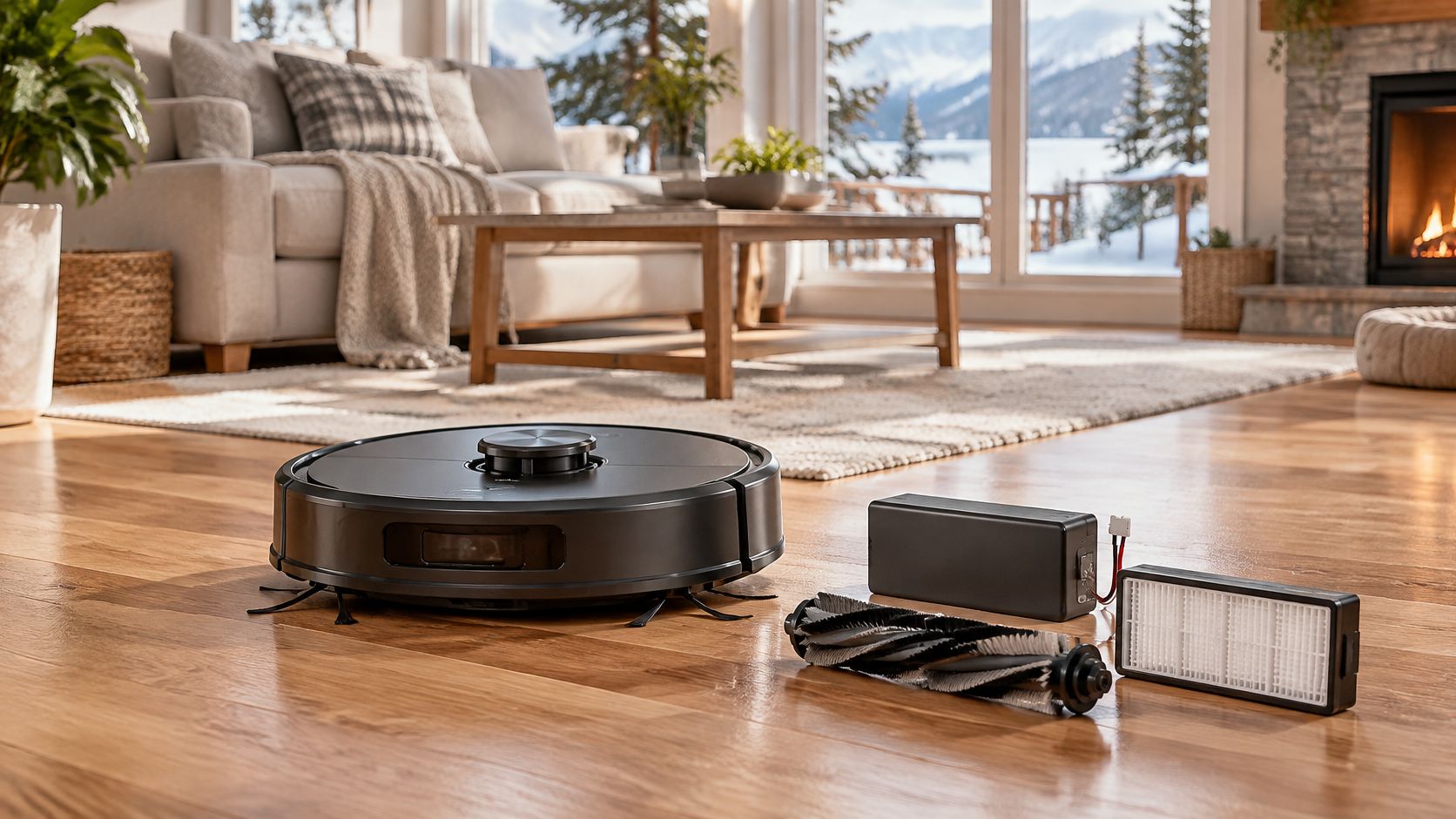
A typical robot vacuum lasts about 4 to 6 years in a Canadian home, and its battery shows noticeable decline after about 2 to 4 years. Those are service-life ranges, not guarantees, and they're only half the story.
Many robots leave a home while they can still clean. Owners replace them because a battery is hard to source, an app loses support, a dock fails, or a repair quote looks too high. That's why asking how long do robot vacuums last needs two answers. One is how long the machine keeps running. The other is how long it still performs well enough that you want to keep it.
Table of Contents
- Typical Robot Vacuum Lifespan by Component
- Why the Battery Usually Fails First
- Habits and Conditions That Shorten or Extend Life
- How to Maintain a Robot Vacuum Each Month
- Warranty, Parts Access and Replacement Habits in Canada
- Repair, Replace or Keep Your Robot Vacuum
- Disposal and Resale of an Old Robot Vacuum
Typical Robot Vacuum Lifespan by Component
A robot vacuum isn't one part wearing out on one schedule. It's a battery, brushes, a filter, wheels, sensors, motors and software, and each ages differently. A unit can still dock, map and sweep after four years, yet need two charges to finish a floor it once cleaned in one run. That gap between running and performing well is where most owners get confused.
Dyson Canada's guide to robot vacuum lifespan puts the complete machine at approximately 4 to 6 years, with the battery commonly showing noticeable performance decline after about 2 to 4 years. Treat that manufacturer benchmark as a practical reference, not a promise for your unit. How often you run it, what floors it crosses, how well you maintain it and how well it was built can push a robot outside the range in either direction.
What the table means in daily use
| Component | Typical lifespan or replacement interval | What to know |
|---|---|---|
| Complete robot vacuum | 4-6 years | Service-life range, not a guarantee |
| Battery | Noticeable decline after 2-4 years | First major component to age |
| Brushes | Replace every 6-12 months | Consumable; wear depends on hair and floor type |
| Filters | Replace every 3-6 months | Consumable; cleaning frequency sets the pace |
| Wheels and sensors | Several years if kept free of hair and debris | Often outlast the battery |
Brushes and filters aren't failures. They're consumables, like brake pads on a car, and you buy them repeatedly if you want suction and edge cleaning to stay strong. Skip them and the robot will look worn out long before its motor is. Keep up with them, plus routine cleaning of hair and dust, and wheels and sensors often keep working for several years.
Try a simple test before you assume the whole machine is finished. Charge it fully, run it on a familiar floor, and note whether it finishes or heads home early. If it still docks reliably and cleans well but needs charging twice per cleaning, the battery is probably the limiting part. That distinction matters because a battery problem and a motor problem lead to very different repair decisions and costs.
Why the Battery Usually Fails First
Think of a phone that's fine in year one and needs a midday charge by year three. A robot vacuum battery fades in a similar way, even though the rest of the machine may sound and move normally. The picture below shows that familiar pattern for rechargeable batteries.
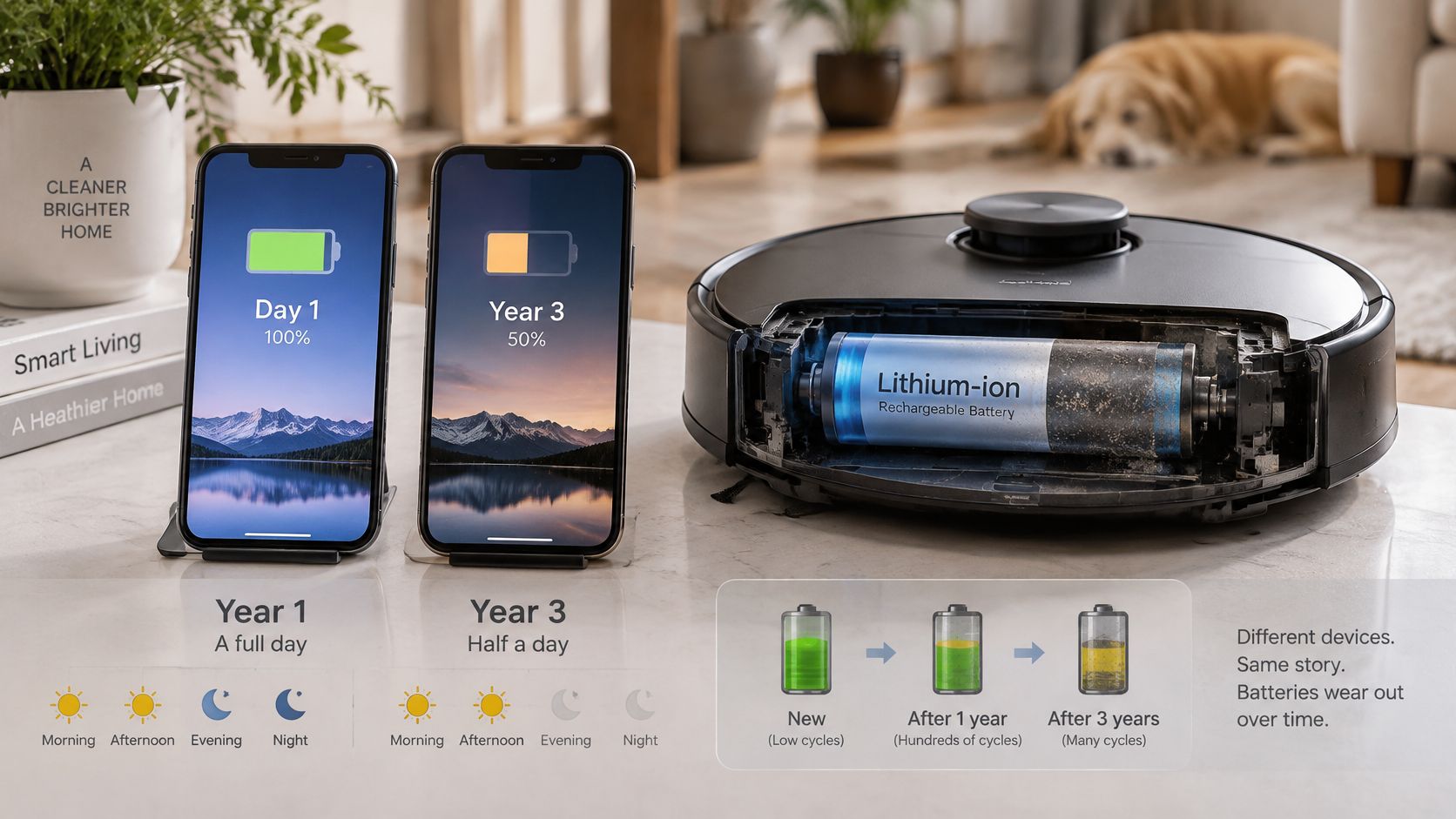
Most robots use lithium-ion cells. Every charge and discharge cycle causes slow chemical wear inside those cells, and heat speeds that wear. The pack doesn't usually stop one morning. It holds a little less usable energy each month, so runtime shrinks while the suction motor, drive wheels and navigation sensors continue doing their jobs.
What fading looks like at home
You'll usually notice shorter runs first. The robot returns to the dock before finishing the home, recharges more often, and may take longer to reach a full charge. Say a condo robot once cleaned the kitchen, hallway and bedroom in one trip. Two years later it stops after the hallway, not because it's lost, but because the tank, in energy terms, is smaller.
Other parts follow different patterns. A brush wears gradually, a drive assembly may click or stall, and a navigation module can fail abruptly. They don't track the battery's slow curve, which is why a fading battery can make a mechanically sound robot feel old. If you're weighing a replacement model, our robot vacuum comparison for Canadian homes can help you check whether the battery is replaceable before you buy.
A robot vacuum usually reaches the end of useful life when its battery or software stops supporting its job, not when the motor stops.
The short video below is useful for seeing the symptoms in a real cleaning run.
Check the battery first when performance drops. Then confirm a supported replacement pack exists for your exact model. If it does, you may be fixing the underlying problem rather than replacing a robot whose motor, wheels and sensors still have life left.
Habits and Conditions That Shorten or Extend Life
Two identical robots can age at different speeds. A pet home that runs daily loads brushes and filters far faster than a small flat that runs twice a week. Thick carpet adds drag, hair wraps around moving parts, and a hot sunroom or unheated garage stresses the battery through Canadian summers and winters.
The factors you can change
| Factor | Effect on lifespan | What to do |
|---|---|---|
| Run frequency | Daily runs in pet homes wear brushes and filters faster | Plan replacements around actual run count |
| Floor type | Thick carpet and rugs strain the motor and brush roll | Use carpet boost only where needed |
| Hair and debris | Wraps around wheels, brush rolls and sensors | Trim the brush roll and wipe sensors weekly |
| Storage temperature | Heat and freezing cold speed up battery capacity loss | Store indoors at room temperature |
| Charging habits | Leaving the battery empty or full for long periods harms it | Recharge after runs and follow the manufacturer's storage advice |
| Software updates | Keep mapping, obstacle avoidance and app control working | Install updates and confirm the model is still supported |
| Build quality and parts access | Hard-to-source parts can end ownership early | Check Canadian parts availability before buying |
Run frequency deserves the closest look because it changes the replacement calendar. A daily schedule isn't bad for a robot, and regular cleaning is the point of owning one. It just means you shouldn't wait for a yearly reminder to inspect the brush roll. Count runs, look at the filter, and replace worn consumables when the machine's workload says they're due.
Floor type works in the background. Deep pile makes the drive motors pull harder and the battery drain faster per room, while entry mats in winter add grit that loads the filter. Hair is more visible but just as important. Wrapped hair can slow a caster wheel, cloud a sensor window and force the brush motor to work against constant resistance.
You control two factors most directly, your cleaning routine and your storage conditions. Keep the dock indoors at a stable room temperature, away from a heating vent or sunny window. Don't leave the robot discharged for weeks after a holiday, and don't store it in a cold garage between seasons. Those habits won't make a battery immortal, but they keep avoidable stress from shortening its useful window.
Software belongs on the list because mapping and app control are part of the product you use. Install updates while the model is supported, and check support status before spending on major parts for an older unit.
How to Maintain a Robot Vacuum Each Month
A monthly routine takes about 20 minutes once you know the order. Work on a table with scissors or a seam ripper, a dry microfibre cloth and a small bin nearby. The infographic summarises the flow, and the steps below add the details that prevent small dirt problems from becoming motor strain.
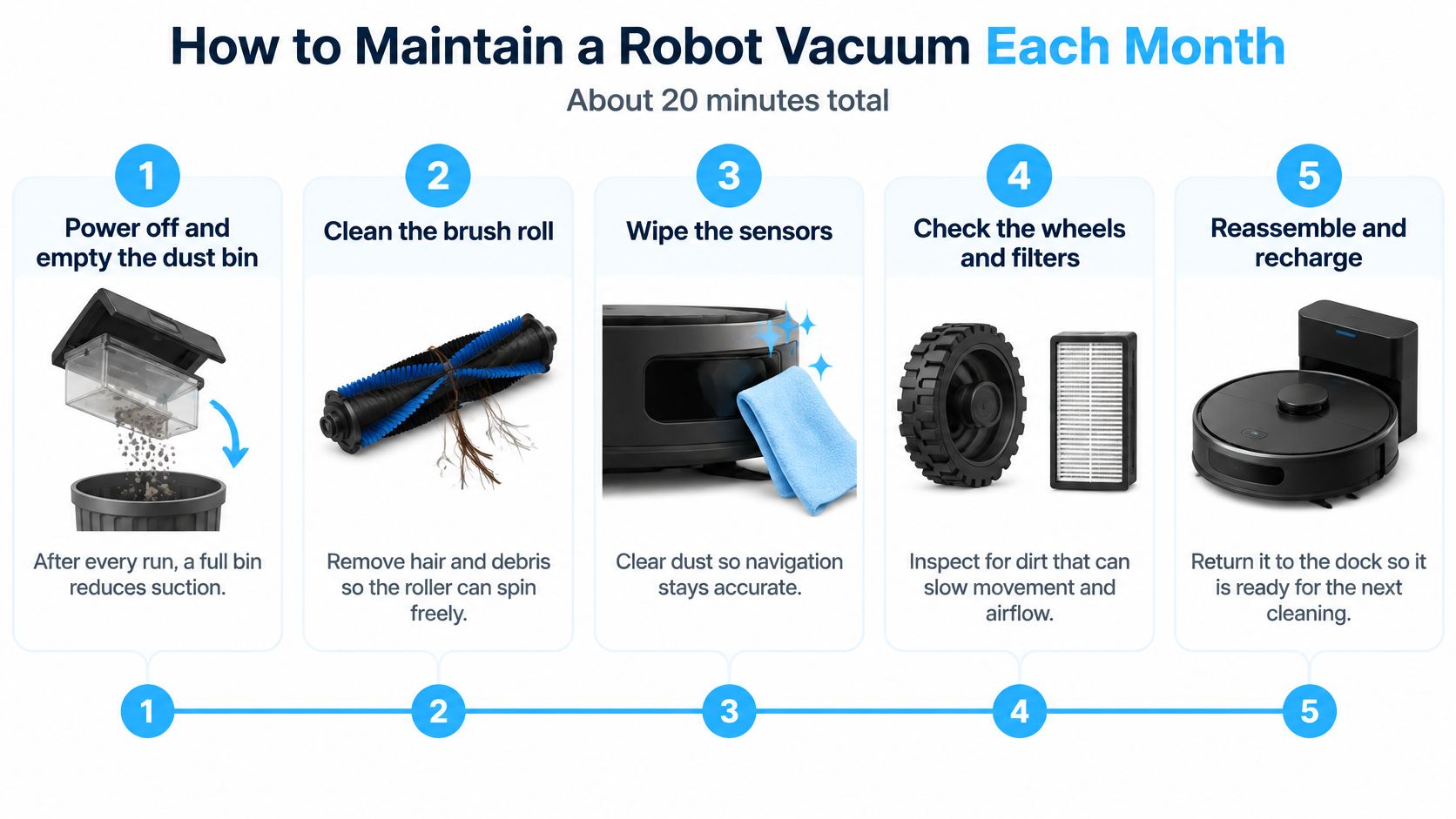
- Power off and empty the bin: Do this after every run, not just monthly. A full bin restricts airflow, reduces suction and makes the motor work harder for a worse result.
- Remove the brush roll: Cut away wrapped hair and thread so the roll spins freely. Tangled hair can stall the roll and grind against the brush motor.
- Clean the side brush: Straighten bent bristles, clear debris underneath and check that its screw is snug. A loose side brush can jam, wobble or fall off mid-clean.
- Clear the wheels: Wipe the drive wheels, pop out the caster wheel if your model allows it, and pull hair from the axles. Wheels that don't turn freely cause drag, noise and crooked travel.
- Wipe the sensors: Use a dry microfibre cloth on the cliff sensors underneath and the bumper or optical windows. Dirty sensors cause bumping, missed drops and map errors that look like electronic faults. Our guide to cleaning robot vacuum sensors shows where the common sensor types sit.
- Tap out or rinse the filter: Follow the manufacturer's method, since some filters aren't washable. Replace it on schedule when it stays grey, smells musty or won't dry properly.
- Clean the charging contacts: Wipe the metal contacts on both robot and dock with a dry cloth. Clean contacts help the robot seat itself and charge reliably.
- Run a short test: Send it across one familiar room and compare the runtime and path with your last note. Odd noises or early docking are easier to spot in a controlled run.
Keep a simple log in your phone with the date, runtime and parts replaced. One short month proves little, but a steady downward trend reveals battery decline before the robot starts abandoning rooms. That record also helps if you later need warranty support or decide whether a repair is worth paying for.
Warranty, Parts Access and Replacement Habits in Canada
A warranty doesn't predict how long a robot will last. It tells you how long the manufacturer has committed to stand behind it, which is a lower bound for support. That distinction matters in Canada, where a part that's easy to order in one market may be slow, costly or unavailable through Canadian channels.
The overview below connects warranty cover with the parts you'll need over time.
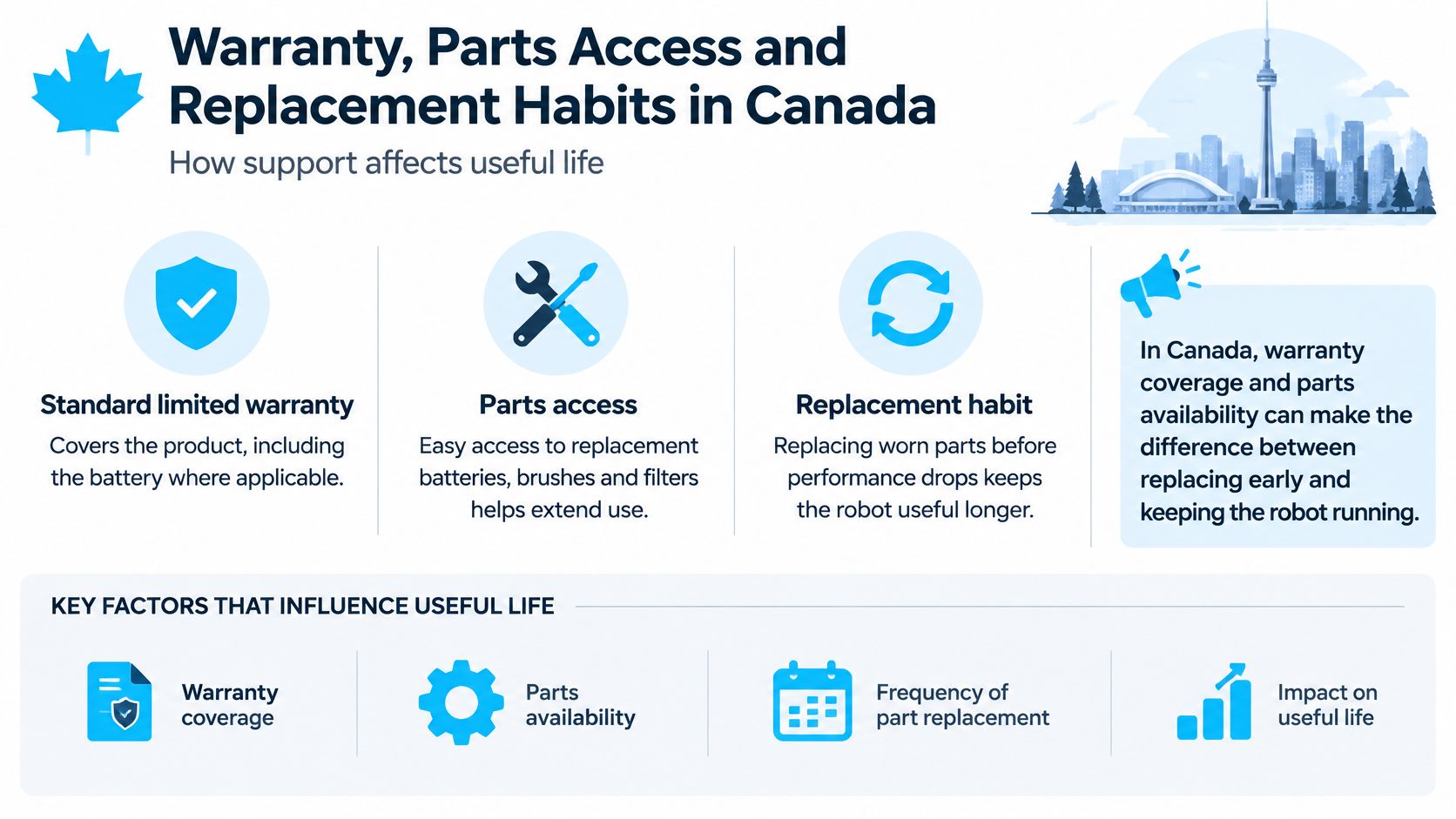
iRobot Canada's warranty information states that its standard limited warranty covers the product, including the battery where applicable, for one year from purchase or delivery. Its optional Canadian protection plan begins after that one-year period and can cover mechanical and electrical failures, with battery replacement when the battery no longer holds a charge under the manufacturer's guidelines. Read the battery wording closely, because gradual capacity loss and a battery that won't hold a charge aren't always treated the same way.
Different parts fail in different ways
Brushes and filters wear gradually and predictably. Batteries lose usable capacity over cycles and calendar time. Suction motors, drive assemblies, charging circuitry and LiDAR or camera navigation modules can fail abruptly, sometimes with no slow warning period. A buying decision based only on advertised runtime or suction pressure misses those service questions.
This is why the battery window shapes the ownership decision. A supported battery replacement during the middle years can be more economical than replacing the entire robot, especially if the map, dock and motors still work well. A late navigation or motor failure is different. Labour, proprietary modules and shipping can push the repair toward replacement territory, even when the chassis looks fine.
Before you buy: Favour a model with documented Canadian parts access, replaceable brushes and filters, a clear battery-service procedure, and a support policy that stays valid after parts are replaced.
Keep your proof of purchase, serial number photos and dated service records in one folder. Add receipts for genuine consumables and notes from support chats. Those records make a claim easier to assess and help you prove when a symptom began. They also help a future buyer if you sell a working unit.
Seasonal storage deserves a quick check too. If the robot will sit while you're at a cottage or travelling in winter, confirm the manufacturer's storage charge advice and keep it indoors. A robot left in a freezing entryway or beside a baseboard heater starts its next season with avoidable battery stress. Support, storage and parts access together decide whether a midlife fault is a manageable service visit or the end of ownership.
Safety overrides savings. If a battery is swollen, unusually hot, emits an odour or causes abrupt shutdowns, stop using the vacuum and seek authorized service rather than opening the pack. Damaged lithium-ion cells can create fire and injury hazards, so don't treat a swollen pack as a routine do-it-yourself project.
Repair, Replace or Keep Your Robot Vacuum
Start with the symptom, not the age. Many robots that look finished need a clean filter, a freed brush roll or wiped sensors. Others have a battery or electronics fault that no amount of cleaning will cure. The table gives you a first fix before you spend money.
| Symptom | Likely cause | Fix |
|---|---|---|
| Runtime drops sharply and the robot returns to the dock early | Worn battery | Replace the battery if supported; otherwise compare with a new unit |
| Grinding or clicking from the brush roll | Hair wrapped around the roll or a worn brush | Cut away hair and replace the brush roll |
| Weak suction or dusty results | Full bin or clogged filter | Empty the bin and clean or replace the filter |
| Bumping, lost position or wrong map | Dirty sensors or a failing navigation module | Clean sensors and check app and firmware support |
| Robot will not charge | Dirty contacts, dock fault or charging circuit failure | Clean contacts, test another outlet and use warranty if still covered |
| Swollen, hot or odorous battery | Damaged lithium-ion battery, a safety hazard | Stop using it, contact authorized service and do not open the pack |
A four-part decision check
- Check age and runtime: Compare today's full-charge run with your log and with the period when battery decline commonly becomes noticeable. A sharp drop points you toward the pack first.
- Confirm cover: Check the standard warranty, any protection plan and whether the fault is mechanical, electrical or a consumable you'd normally buy yourself.
- Verify support: Confirm Canadian parts, authorized service and current software support for your exact model, including the dock and battery.
- Compare real costs: Put the repair quote beside a current CAD replacement price for a robot that suits your floors, then check our assessment of whether robot vacuums are worth it if you're unsure a new model solves your actual problem.
If the battery is the only fault and a supported replacement exists, a battery swap usually wins. If the navigation module, suction motor or dock fails late in ownership, replacement is often more sensible, particularly when software support is ending. We name trade-offs like noisy robot vacuums when we cover products, and the same honesty applies here. A new robot isn't an upgrade if it's louder, worse on your rugs or tied to parts you can't buy in Canada. Celmin's Robot Vacuum Finder recommends a robot vacuum based on the user's home layout and budget, which is more useful than chasing suction numbers alone.
Canadian replacement behaviour explains why ownership often ends early. Reporting in The Globe and Mail on Canadians scrapping functional electronics describes a Canadian study in which 65% of surveyed electronic and household products were replaced while still functional. Broader repair research cited there found 76% of Canadians had discarded or replaced a broken device because of a repairable issue, while among those who attempted repair, 28% considered it too expensive and 18% were told repair was impossible.
That's the difference between functional lifespan and ownership lifespan. A robot may function, yet leave your home because its app is unsupported, its battery is unavailable, its dock fails or proprietary parts cost too much. Before replacing a working unit, consider resale or donation with the dock, charger and honest runtime notes.
End-of-life volume is already visible in Canadian homes. Statistics Canada's account of household electronic waste reported that in 2023, 16% of Canadian households had unwanted small appliances awaiting disposal. Act at the first sign of battery decline, while parts and support are more likely to exist, and you'll protect both cleaning performance and resale value.
Disposal and Resale of an Old Robot Vacuum
Don't put an old robot vacuum in household garbage. It combines a rechargeable lithium-ion battery with electronics, sensors and a motor, so it belongs in an electronics recycling stream that can handle those parts safely. Municipal rules and drop-off locations differ, so check your city or provincial programme before you drive anywhere.
Canadian households already hold plenty of small appliances awaiting disposal, with regional differences across provinces. Those broad figures don't isolate robot vacuums or set an exact replacement age. They do show why retirement planning is part of ownership, not an afterthought when a robot stops docking.
Take three steps when yours reaches the end. First, find a local electronics-recycling drop-off that accepts small appliances with rechargeable batteries. Second, remove the battery only through the manufacturer's or recycler's procedure, and never puncture or pry open a damaged pack. Third, if the robot still works, offer it for resale or donation with its dock, charger, spare filters and an honest note about runtime.
Plan that exit before you buy the next one. Check battery-replacement options, warranty coverage, local recycling rules and brush and filter availability while you're comparing models. A robot that's easy to maintain and easy to recycle gives you a cleaner finish to ownership, as well as a better chance of reaching the upper end of its service life.
If you're choosing a replacement, visit Celmin for Canadian buying guides that check CAD pricing, local availability, parts access and the trade-offs that affect long-term ownership. Use the Robot Vacuum Finder to match a model to your home layout and budget, then compare battery service and consumable costs before you buy.
Sign up or sign in to join the conversation.