
The SwitchBot Blind Tilt sits in one of the more practical corners of smart home gear: retrofit automation. Instead of ripping out perfectly usable window coverings and buying a whole new set of motorized blinds, this device is meant to motorize the tilt rod on existing horizontal venetia...
The SwitchBot Blind Tilt sits in one of the more practical corners of smart home gear: retrofit automation. Instead of ripping out perfectly usable window coverings and buying a whole new set of motorized blinds, this device is meant to motorize the tilt rod on existing horizontal venetian blinds. That distinction matters. It is not trying to raise and lower your blinds; it is trying to automate the slat angle, which is often the part people actually adjust most often for glare, privacy, and morning light.
This article is not a hands-on review. Nothing here is based on personally installing or testing the device. The goal is simpler: explain what the SwitchBot Blind Tilt actually is, how retrofit tilt automation works compared with replacing blinds outright, and who it makes sense for. If you are trying to decide between a relatively inexpensive add-on at around $84 CAD and a much bigger custom-window project, this is the calmer breakdown.
Quick snapshot
| Question | What the SwitchBot Blind Tilt actually is |
|---|---|
| Category | Smart Home |
| Made by | SwitchBot |
| Typical price | ~$84 CAD (listing at the time of writing — verify current pricing) |
| Rating signal | 4.4/5 on the source listing |
| Best for | People with existing horizontal blinds who want scheduled privacy and daylight control without replacing the whole window treatment |
| Skip if | You have roller shades, vertical blinds, curtains, or you want full raise/lower motorization rather than just slat tilt |
Pro tip: Before you buy, look at your blinds for 30 seconds and identify the exact control style. If there is no tilt wand or compatible tilting mechanism to motorize, this is the wrong product no matter how appealing the price looks.
What the SwitchBot Blind Tilt actually is
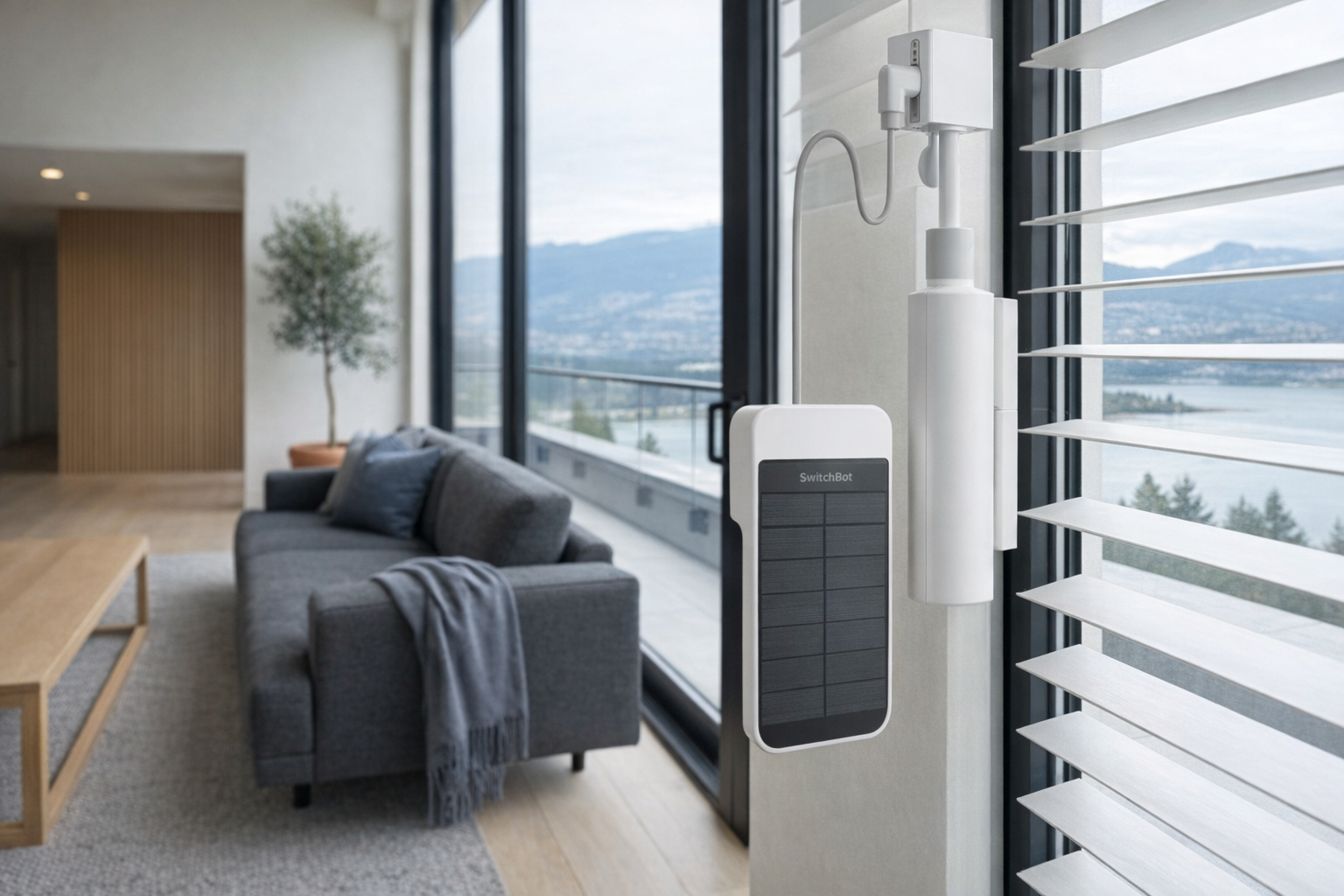
In plain English, the SwitchBot Blind Tilt is a small motorized attachment for existing blinds. You mount it onto the headrail area of certain horizontal blinds, connect it to the mechanism that rotates the slats, and then use the SwitchBot app, schedules, and optional ecosystem integrations to open or close the slats automatically. The key word is retrofit. It is meant to work with blinds you already own, which is why it is fundamentally a lower-commitment product than ordering custom motorized blinds for every window.
That empty description field in the listing is a little unhelpful, but the product name itself tells the story: Blind Tilt. This is about controlling tilt angle, not replacing the blind assembly and not necessarily lifting the blinds up and down. That makes it narrower than some people expect, but also more honest. Many households barely ever raise their venetian blinds fully; they just keep adjusting the slats throughout the day to manage sun, heat, and privacy.
A useful real-world comparison is the IKEA FYRTUR smart blind. FYRTUR is a fully integrated replacement blind: you remove what you have and install IKEA's own motorized shade. The SwitchBot Blind Tilt takes the opposite approach. If your current horizontal blinds are in good shape, retrofit is cheaper and less wasteful. If your blinds are old, ugly, or mechanically inconsistent, a full replacement like FYRTUR can be cleaner and less fiddly.
Key features at a glance
- Retrofit design for existing horizontal venetian blinds
- Motorized slat-angle control rather than full blind replacement
- App-based scheduling for automatic daylight and privacy routines
- Smart-home integration within the broader SwitchBot ecosystem
- Potential for voice control and automation when paired with compatible hubs/ecosystems
- Lower-cost path to “smart blinds” than custom motorized window treatments
How the SwitchBot Blind Tilt actually works
The basic mechanism is fairly easy to understand even without installing one yourself. Traditional horizontal blinds have slats connected by ladders or strings, and a separate control mechanism that rotates those slats open and closed. The SwitchBot Blind Tilt attaches to that rotating control, then uses a small motor to turn it for you. In effect, it becomes the hand that would normally twist the wand.
That is why this product is very specifically about tilt automation. It does not replace the cords, internal drums, or broader structure of the blinds. It simply automates one existing movement. If you are picturing a complete smart-shade system that lifts the blinds at sunrise and drops them at night, this is a different class of product.
There are really three layers to how it works in a home:
- Physical attachment. The device mounts to the blind area and interfaces with the tilt mechanism. This is the part that determines whether the product is realistic for your specific window.
- Motorized control. Once installed, the internal motor rotates the mechanism to adjust slat angle, moving from more open to more closed positions.
- Software and automation. The SwitchBot app handles setup, schedules, and likely calibration of open/closed states. If you already use other SwitchBot gear or a compatible hub, the Blind Tilt can fit into larger routines.
The interesting part here is not the motor itself. Plenty of products can spin a rod. The real value is that SwitchBot has spent years building a smart-home ecosystem around retrofit hardware: bot pushers, curtain motors, hubs, sensors, and app automations. That makes the Blind Tilt more plausible than a random no-name gadget on a marketplace. It also means you should evaluate it as part of a system, not just as a one-off motor.
Install realism is the big caveat. Retrofit sounds simple on the box, but the details matter. Horizontal venetian blinds vary in wand style, headrail shape, clearances, stiffness, and age. Two windows that look identical from across the room can behave differently once you try to automate them. That does not make the concept bad. It just means “works with existing blinds” is never as universal as the marketing suggests.
A realistic "day in the life" with SwitchBot Blind Tilt
Because this is an informational explainer, not a test report, the examples below reflect what the listed purpose and category imply.
- Morning. The slats rotate open shortly after wake-up time, letting in natural light without lifting the blinds completely. That is the most obvious use case: getting daylight into a bedroom, kitchen, or home office without giving up privacy at street level.
- Midday. As sunlight starts hitting a south- or west-facing window, the blind angle shifts to reduce screen glare and direct heat. This is where tilt control can be genuinely useful in a way that full raise/lower automation sometimes is not.
- Afternoon. You trigger a scene through the app or voice assistant to partially close slats on several windows before a video call, reducing harsh backlighting. In an office, that is often more practical than darkening the room completely.
- Evening. A sunset or bedtime automation closes the slats for privacy while leaving the blinds physically down in their usual position. For many homes, that is the daily routine that matters most.
Who the SwitchBot Blind Tilt is actually for (and who it isn't)
Great fits
- People who already have horizontal venetian blinds in decent condition and do not want to replace them just to gain smart control.
- Apartment renters who can add a removable-ish smart accessory more easily than they can swap out built-in or landlord-provided blinds.
- Home-office users dealing with recurring glare on monitors at the same time every day.
- Households already using SwitchBot Hub products, sensors, or routines, where adding one more device fits into an existing automation setup.
- Anyone trying to make several windows smarter without immediately spending custom-blinds money on every opening.
Poor fits
- People with roller shades, Roman shades, curtains, or vertical blinds. This is a narrow-purpose product, and the wrong blind type is a hard stop.
- Buyers expecting the blinds to raise and lower, not just tilt. That misunderstanding is probably the biggest source of disappointment.
- Anyone with old, sticky, uneven blinds that already require a lot of force to turn manually. A motor can automate movement, but it does not magically fix worn-out hardware.
- People who hate setup, calibration, and installation tinkering. Retrofit devices are usually more demanding than fully integrated replacements.
- Minimalists who would rather pay more once for a cleaner built-in look than attach visible hardware to an existing blind.
Practical trade-offs
Install realism
This is the most important honest section for this product. Retrofit is attractive precisely because it avoids replacing the entire blind, but that convenience shifts complexity into installation compatibility. You are not installing a brand-new, purpose-built system. You are adapting a motor to hardware that may be a few years old, slightly crooked, dust-worn, or just built differently than another home's blinds.
The practical question is not “Do I have blinds?” It is “Do I have the right kind of horizontal blinds, with enough clearance and a tilt mechanism this device can reliably drive?” If your blinds are stiff to twist by hand, mounted tightly in a recess, or have unusual trim, expect installation to be less straightforward than the product page implies.
Ecosystem dependency
SwitchBot makes some genuinely useful retrofit smart-home gear, but it is still an ecosystem. The Blind Tilt makes the most sense when connected to the broader SwitchBot environment and, in many homes, a compatible hub for remote access or deeper automation. If you want purely local, brand-agnostic, no-app-no-cloud simplicity, this category rarely delivers it cleanly.
That is not necessarily a dealbreaker. It is just worth being honest about. A smart blind accessory is not like a dumb curtain rod you install and forget for 10 years. It is closer to a smart lock or sensor: there is an app, there may be firmware updates, and the best features often live inside a platform.
Appearance and long-term neatness
A replacement smart blind like IKEA FYRTUR or higher-end Lutron shades tends to look cleaner because the motor is integrated into the product from the start. A retrofit device, by definition, adds hardware onto something that was not designed for it. Some people will not care. Others will notice it every day.
This matters more in living rooms and front-facing windows than in a spare bedroom or office. Evaluate it like an appliance add-on, not like custom millwork. If your goal is purely function for around $83.51 CAD, the compromise may be completely reasonable. If you care deeply about visual polish, retrofit will always look somewhat retrofit.
Where the SwitchBot Blind Tilt fits in a smart home
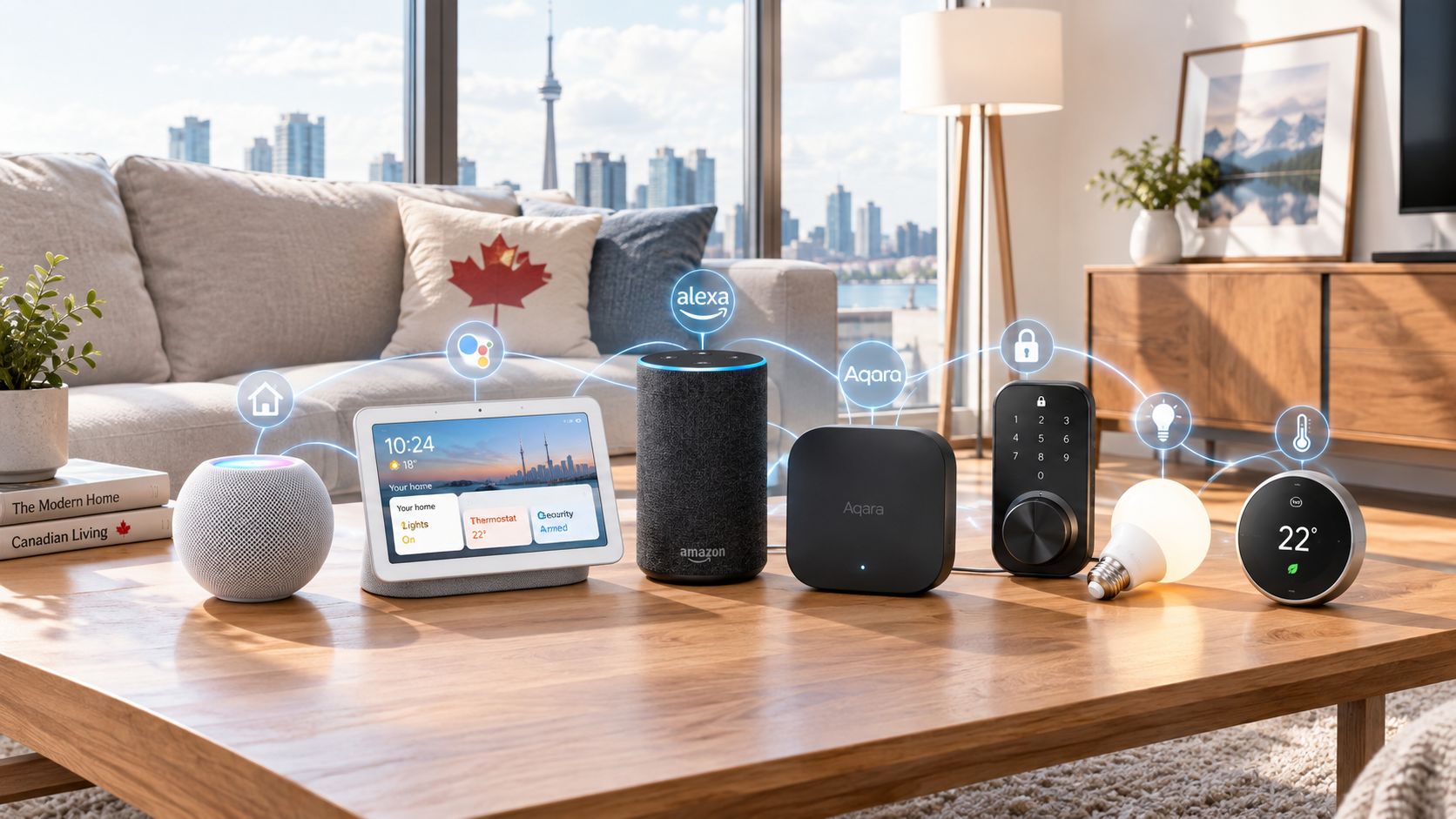
The SwitchBot Blind Tilt fits best in a smart home that already values small automations over giant renovations. It pairs naturally with products like a SwitchBot Hub, occupancy sensors, temperature sensors, or mainstream platforms such as Amazon Alexa, Google Home, and Apple Home where supported through the proper bridge or setup path.
A realistic stack looks something like this:
- SwitchBot Blind Tilt handles slat angle on existing venetian blinds
- Smart bulbs or smart lamps handle lighting once natural daylight fades
- Temperature or sunlight-based routines decide when to reduce heat gain from direct sun
- Voice assistants trigger quick privacy scenes like “close office blinds”
- A thermostat or heat pump routine works alongside the blinds to reduce afternoon solar load
That is where this device makes sense: not as a luxury showpiece, but as part of a practical routine. In a west-facing room, automated slat adjustments can complement AC or fans. In a bedroom, they can help morning light arrive more gently than a fully open shade. In an office, they can reduce glare without turning the room into a cave.
It is less compelling if you want dramatic, theatrical “smart shade” behaviour. Because it only handles tilt, this is about fine control, not transformation. Think comfort and privacy, not wow factor.
The buying decision, in plain terms
Three questions usually surface the right answer here:
- Do you already have compatible horizontal blinds worth keeping? If yes, retrofit makes financial sense. If no, do not force the fit just because the accessory is cheaper than new smart blinds.
- Do you want slat-angle automation, or do you actually want full raise/lower control? If your real goal is complete shade movement, this is the wrong product category.
- Are you okay with a more visible, slightly more fiddly install in exchange for spending about $84 instead of far more on replacement blinds? If yes, the trade-off is rational. If no, save for an integrated system.
If you answer yes to all three, the SwitchBot Blind Tilt is one of the more sensible smart-home retrofit ideas on the market.
Got Questions About the SwitchBot Blind Tilt? Let's Clear Things Up.
Is this a hands-on review?
No. This is an informational explainer based on the product listing, the known purpose of the device, and broader patterns in retrofit smart-home products. It is meant to help you decide whether the category and concept fit your home.
Does the SwitchBot Blind Tilt replace my blinds?
No. That is the whole point of the product. It is meant to automate the tilt function on existing horizontal blinds rather than replace the entire blind with a new motorized unit.
Can it raise and lower blinds too?
This is the key expectation check: the product is specifically about tilting slats. If you want blinds to move fully up and down, you should treat that as a different requirement and look at full smart-blind systems instead.
Is installation likely to be simple?
Maybe, but “simple” depends heavily on your specific blinds. Retrofit accessories are always more variable than replacement systems because existing hardware differs from window to window. Check your blind style, wand mechanism, and physical clearance before ordering.
Is the SwitchBot Blind Tilt worth it compared with buying new smart blinds?
For the right blinds, yes, it can be a far cheaper path into automation. At roughly ~$84 CAD, it is in a totally different budget category from custom or integrated smart window coverings. But that savings only matters if your current blinds are compatible and worth keeping.
Where can I verify the current listing or buy it?
The most direct place to verify pricing, compatibility notes, images, and current retailer details is the Amazon listing: SwitchBot Blind Tilt on Amazon. Product pages can change, so it is worth checking the latest compatibility notes before buying.
What does it cost in Canada?
At the time of writing, the listed price is roughly ~$84 CAD. More precisely, the supplied listing price is $83.51 CAD, but retail pricing can move around, especially with marketplace discounts or coupons, so verify the current price before checkout.
Where is the Celmin Directory listing for this product?
For a catalog-style view of the same product — structured specs, pros and cons, similar picks, and FAQ — see SwitchBot Blind Tilt on Celmin Directory.
If you're building a smarter home in Canada and want honest explainers on gadgets worth considering — plus the ones worth skipping — Celmin covers the full catalog without the marketing theater. More reviews, comparisons, and buyer guides at https://celmin.ca.

Discussion
Sign up or sign in to join the conversation.