
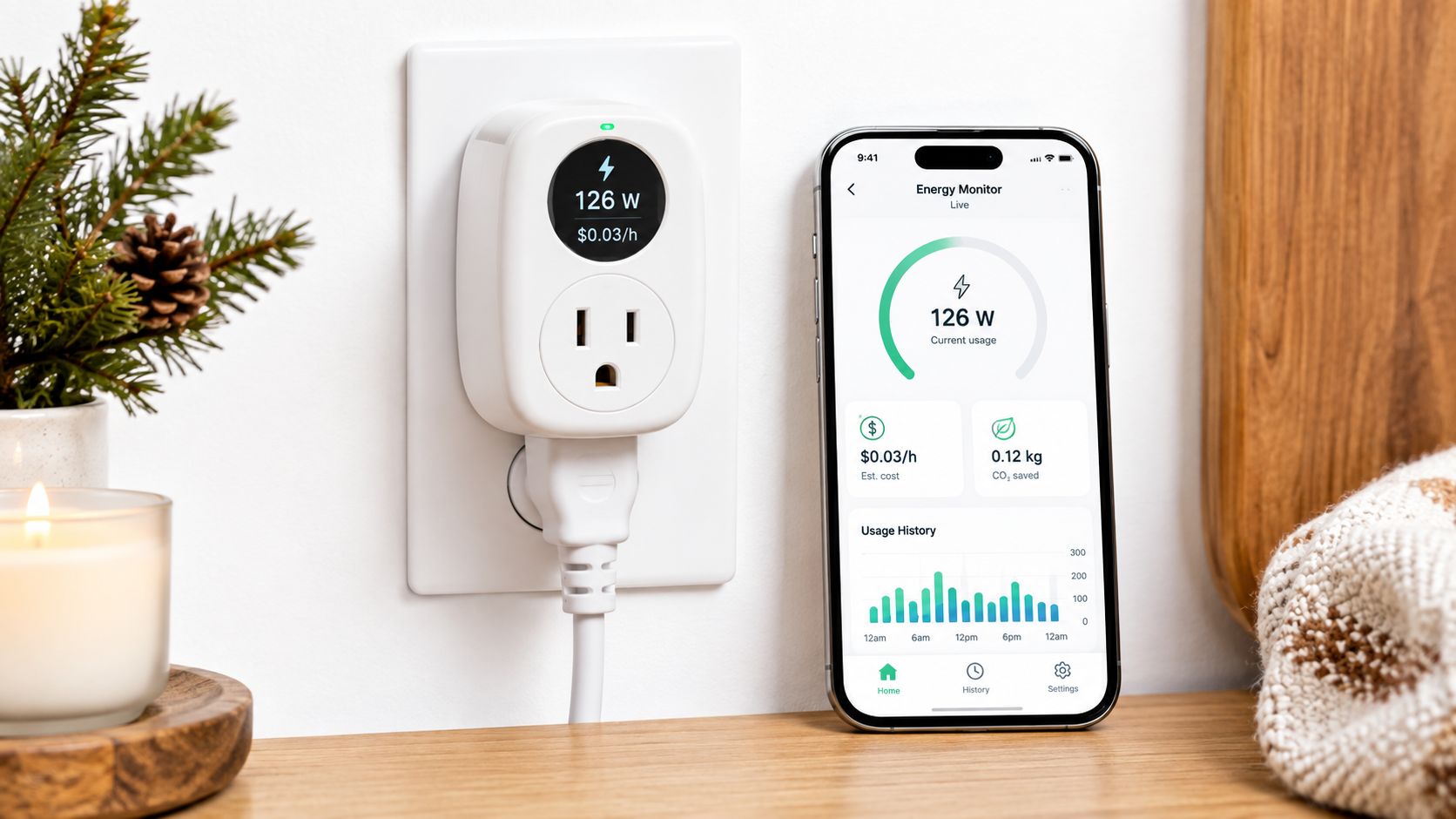
For most Canadian homes, the TP-Link Tapo P110M is the practical choice, with a 15A / 1800W resistive-load rating and Matter support. It sits in the mid-range value bracket, giving you useful consumption data, rate-based bill estimates, and broad smart-home compatibility without moving up to a whole-home monitoring system.
A winter electricity bill can make a small appliance look suspicious. You leave a portable heater running in the den, a dehumidifier working in the basement, or a coffee maker and office setup plugged in all day, but the utility bill only shows the household total. A smart plug with energy monitoring gives you a closer look at the outlet that matters.
The important Canadian question isn't just which plug has the most features. It's whether the appliance is suitable for a plug, whether the data helps you change a habit, and whether the resulting reduction is worth the device cost at your provincial electricity rate. My recommendation is straightforward: buy the Tapo P110M for general use, choose a different model only for a clear ecosystem reason, and don't expect a plug to explain the consumption of hardwired heating or major appliances.
Table of Contents
- Why Energy Monitoring Matters in Canadian Homes
- Understanding Key Features and Accuracy Standards
- Comparing Top Smart Plugs Available in Canada
- Real-World Use Cases for Every Room
- Cost Analysis and Provincial Payback
- Final Recommendations and Buying Advice
Why Energy Monitoring Matters in Canadian Homes
A portable heater can turn a cold Canadian room into a comfortable one, but it can also run for long stretches without making its workload obvious. In a condo, the same pattern appears with a bathroom fan, dehumidifier, heated blanket, or workstation. You know the appliance is active, yet you don't know how much of its operation is occasional, how much is repetitive, and how much is just waste.
That's where a smart plug earns its space. TP-Link's Canadian HS110 product information describes real-time tracking plus weekly and monthly summaries, with examples such as space heaters and fans. The value isn't the novelty of seeing a graph. It's the ability to identify which plug-in appliance deserves your attention before you start changing everything in the home. TP-Link's Canadian HS110 information positions monitoring as an energy-management function, not just remote switching.
Visibility changes the conversation
Suppose your heater appears to be running more often than expected. The plug doesn't automatically lower the bill, but it gives you a factual starting point. You might shorten its schedule, move it to a smaller room, improve the room's draft control, or decide that the appliance isn't the right way to heat that space.
The same logic applies to a dehumidifier in a basement or a fan used through a humid summer. Monitoring helps distinguish a device that runs briefly from one that cycles repeatedly. It can also expose standby consumption from entertainment equipment, chargers, and office gear, although the result depends on what is connected and how consistently you review the readings.
Practical rule: Monitor the appliance you suspect first. Don't buy a collection of plugs before you know which loads you want to understand.
Canadian retailers now treat energy monitoring as a defined smart-plug category. Best Buy Canada's energy-monitoring smart-plug listings describe real-time usage data as a way to identify high-draw appliances and make more informed decisions about household electricity. That framing is useful, but the savings still depend on your response to the data.
A plug is most valuable when it answers a specific question: Is this heater running overnight? Does this freezer cycle normally? Is my office setup drawing power when I'm away? If you can act on the answer, the device has a purpose. If you only check the graph once and forget it, you've bought a dashboard rather than a saving.
Understanding Key Features and Accuracy Standards
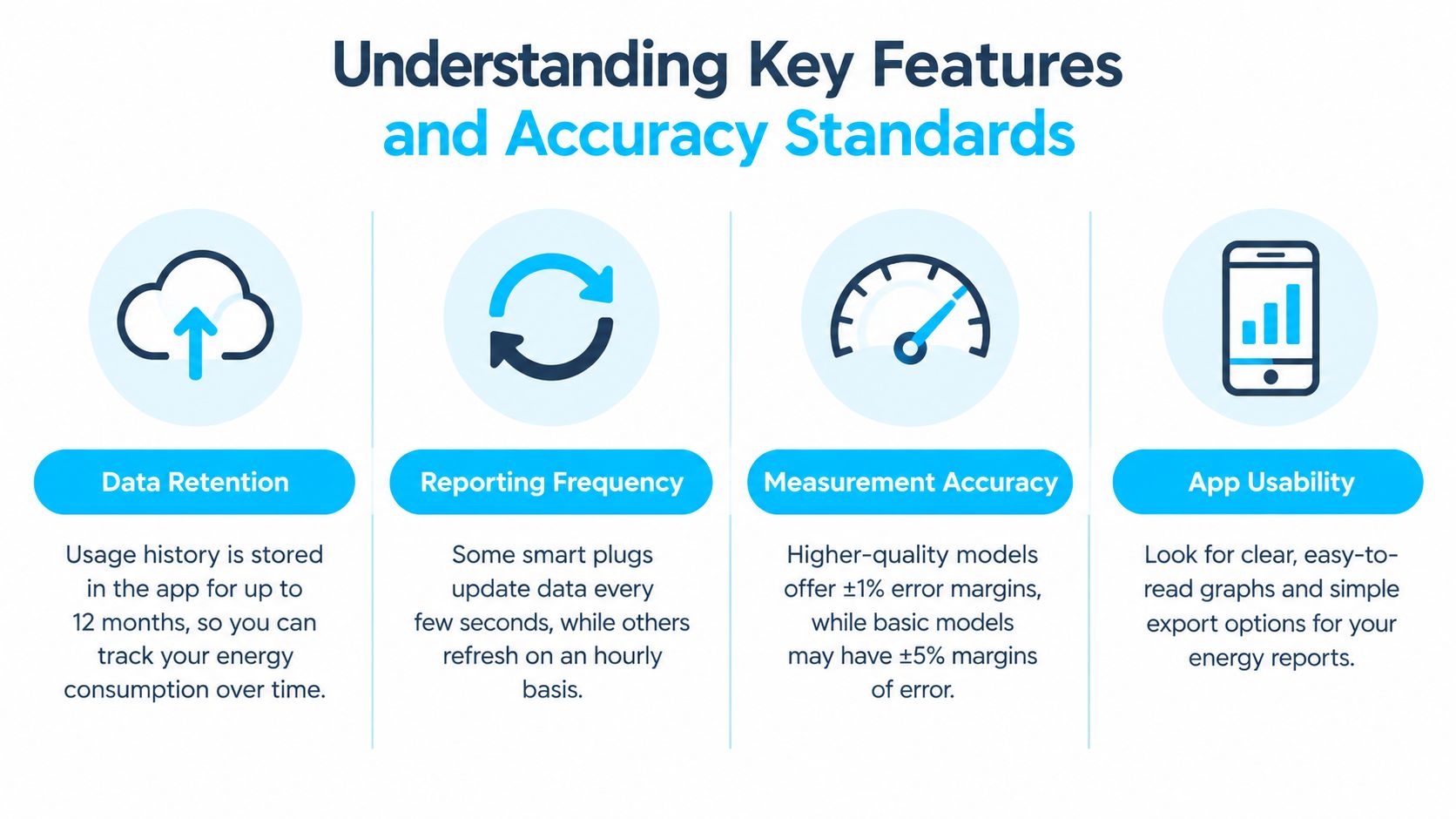
The best energy-monitoring plug isn't the one with the longest feature list. It's the one that reports useful information clearly, works with your network, and stays within the electrical limits of the appliance you want to monitor.
Look for four practical capabilities:
- Live readings: Real-time wattage helps you see what a device is doing at the moment.
- Historical summaries: Daily, weekly, or monthly views reveal recurring patterns rather than one isolated reading.
- Cost estimates: Rate input can translate consumption into an approximate bill figure.
- Automation: Scheduling and remote switching let you respond to what the data reveals.
TP-Link's Canadian Tapo P110M demonstrates how these functions are becoming more integrated. Its product information lists 15A and 1800W resistive-load capacity, Matter certification, electricity-rate input for bill estimates, real-time usage, and a past-seven-days reading in its example interface. The example shows 0.2 kWh for that displayed period, but it should be read as an interface illustration, not a promise about your household's consumption. The Canadian Tapo P110M specifications also list Apple Home, Alexa, Google Home, Samsung SmartThings, and Bluetooth setup support.
Electrical limits matter more than app polish
Many Canadian models use a standard 100 to 125V, 50/60Hz supply, support 2.4 GHz Wi-Fi, and top out at 15A / 1800W for a resistive load, as reflected by the Canadian Tapo P110M specification. That rating doesn't mean every appliance is automatically suitable. Motors, compressors, heating elements, extension cords, and power bars deserve careful checking against the manufacturer's instructions.
A smart plug measures the load passing through itself. It isn't a whole-home meter, and its app cannot see a furnace, electric water heater, oven, or central air conditioner connected elsewhere. The Canadian smart-home energy-monitoring guide from Celmin makes that distinction central, and it's the limit many generic buying guides gloss over.
Treat “accuracy” as useful measurement, not laboratory proof
For household decisions, consistent readings are often more useful than impressive precision language. You need to know whether the appliance is drawing power, whether its usage changes across a schedule, and whether the pattern is large enough to justify action. Compare readings under the same conditions, and remember that estimated cost depends on the rate entered in the app.
2.4 GHz compatibility is another practical checkpoint. A plug that only joins a 2.4 GHz network may need a temporary router setting or a separate setup path when your router combines bands. Matter improves platform flexibility, but it doesn't remove the need to follow the plug's Wi-Fi and onboarding requirements.
Comparing Top Smart Plugs Available in Canada
The Tapo P110M is my default recommendation because it combines energy reporting with a broad platform list and a clear Canadian specification sheet. It isn't the right answer for every buyer, though. Some shoppers care more about an existing app, a particular hub, outdoor placement, or the simplest possible setup.
The market also includes Kasa and other mainstream products, but product availability and pricing change across Amazon.ca and Best Buy. The matrix below therefore focuses on the buying decision rather than invented current prices. I won't pretend to know a stable CAD price when retailers change listings and promotions.
Smart Plug Comparison Matrix
| Product | Max Load | Ecosystem Support | Energy App Depth | Approx. CAD Price |
|---|---|---|---|---|
| TP-Link Tapo P110M | 15A / 1800W resistive load | Matter, Apple Home, Alexa, Google Home, Samsung SmartThings | Real-time usage, rate input, historical readings | Check current Canadian listing |
| TP-Link HS110 | Canadian listing supports smart-plug energy monitoring | TP-Link app and supported voice controls | Real-time tracking, weekly and monthly summaries | Check current Canadian listing |
| Kasa Matter energy-monitoring plug | Verify the individual Canadian model | Matter support on listed Matter models | Usage monitoring through the relevant app | Check current Canadian listing |
| Govee energy-monitoring plug | Verify the individual Canadian model | Govee ecosystem and listed integrations | App-based consumption information | Check current Canadian listing |
| Wyze energy-monitoring plug | Verify the individual Canadian model | Wyze app and listed integrations | App-based monitoring, model dependent | Check current Canadian listing |
The Tapo P110M is the safest pick when interoperability matters. Matter support reduces the risk of buying a plug that only suits one platform, while Apple Home, Alexa, Google Home, and Samsung SmartThings support covers the main ecosystems listed for Canadian buyers. That flexibility matters if you move from one voice assistant to another or mix platforms at home.
The HS110 remains relevant for shoppers who want straightforward tracking and established TP-Link controls. Its Canadian page highlights real-time information and weekly or monthly summaries, which is enough for many renters monitoring a heater, fan, or office setup. It isn't as future-facing as the Matter-labelled P110M, but a simple app with understandable history can be more useful than a complicated system you never open.
Where the alternatives make sense
Govee and Wyze can appeal if you already use their apps or want to keep devices under one account. I wouldn't buy either solely because a listing claims energy savings. Check the Canadian model's electrical rating, platform support, return policy, and whether its historical data answers your actual question.
Retail bundling is another signal. Best Buy Canada lists a Kasa Matter smart plug with energy monitoring in a 2-pack, showing that this feature has moved into ordinary smart-home assortments rather than remaining a specialist add-on. For a deeper look at how energy-monitoring models differ in practical use, consult Celmin's smart-plug review coverage, then verify the exact Canadian model before ordering.
My ranking is simple. Choose Tapo P110M for most households, HS110 for basic TP-Link monitoring, and another brand only when its existing ecosystem gives you a clear setup advantage.
Real-World Use Cases for Every Room
The right appliance makes a smart plug useful. In a home office, connect the monitor to a desk power bar only if the plug and bar are rated for that arrangement, then watch how the setup behaves during work hours and overnight. The point isn't to chase tiny fluctuations. It's to identify whether a monitor, speakers, chargers, or computer accessories remain active long after you leave.
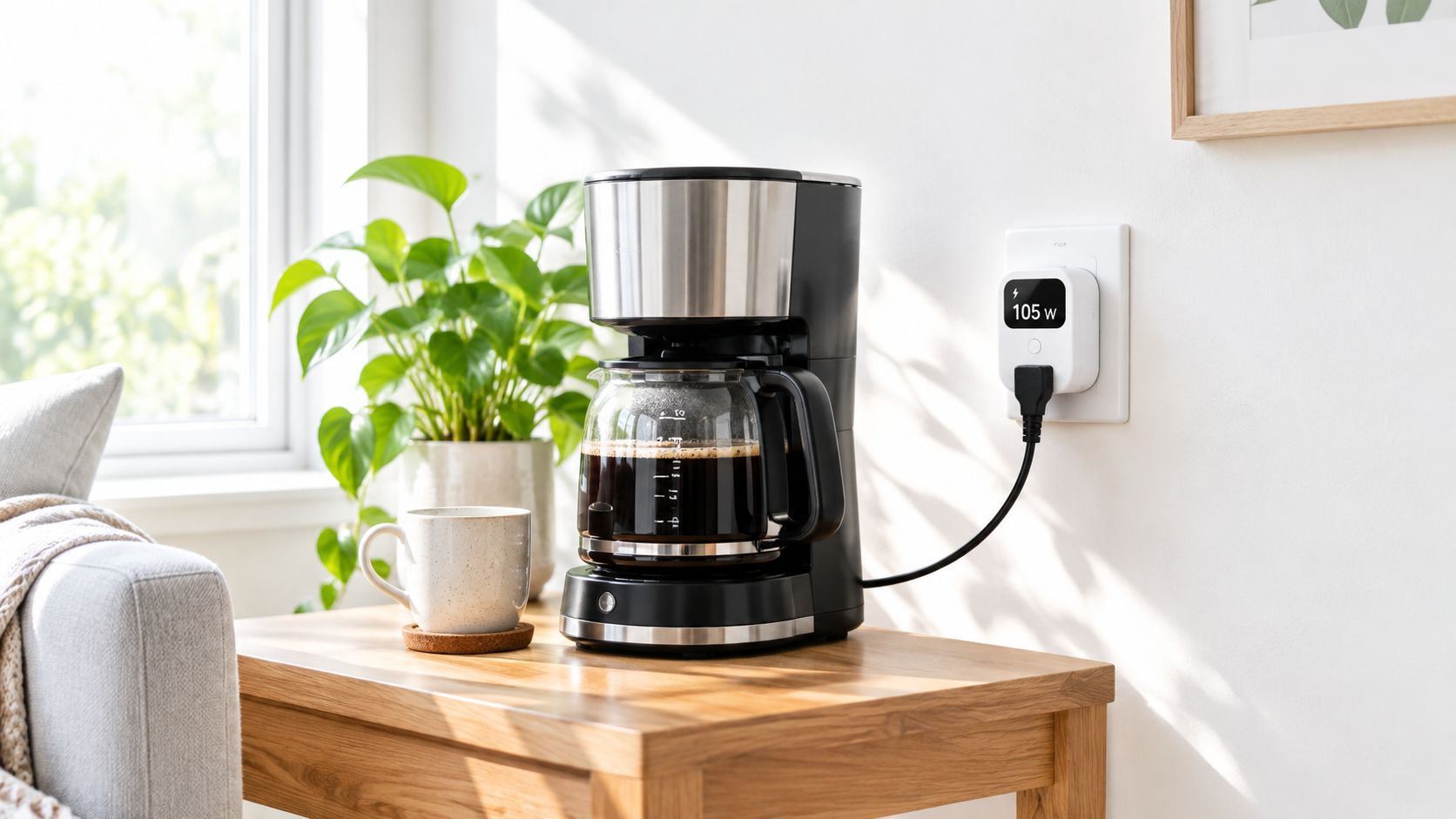
A kitchen appliance can produce a cleaner experiment. Connect a coffee maker, kettle, or small appliance, review its active and standby behaviour, and decide whether remote switching or a schedule adds safety and convenience. A plug can't make an appliance safe to leave unattended, so follow the appliance maker's guidance before automating anything that heats, boils, or moves.
Match the measurement to the question
A portable heater is a strong monitoring candidate because its operation can vary with room temperature, thermostat settings, and occupancy. Use the live view to confirm when it is drawing power, then use the history to assess whether a schedule or different placement would reduce unnecessary operation. Don't assume that turning it off remotely is always safe, especially if the heater's own instructions prohibit unattended use.
A fan, dehumidifier, freezer, or refrigerator can also benefit from observation. For a compressor appliance, look for cycling rather than a constant draw. For a dehumidifier, compare operation during damp periods with its quieter periods. The plug gives you outlet-level evidence, not a diagnosis of the appliance's mechanical health.
A rental-friendly setup is especially useful because it requires no permanent electrical changes. Celmin's guide to smart-home devices for renters is relevant for readers who need portable equipment that can move with them.
Don't use a smart plug as a substitute for electrical inspection. Avoid overloading it, don't treat a power strip as a way to bypass its rating, and never use it to control equipment that the manufacturer says shouldn't be switched remotely.
The most useful routine is simple: choose one appliance, observe its normal pattern, make one change, and compare the next summary. That creates a link between the data and a decision. Buying several plugs at once creates more graphs, not necessarily more savings.
Cost Analysis and Provincial Payback
A smart plug is not automatically a bill-saving device. It measures a load and may help you change it, but the financial result depends on the appliance's consumption, the hours you can avoid, your electricity rate, and whether your utility billing structure rewards a change in timing.
That makes province-aware payback essential. A kilowatt-hour saved has a different dollar value in different provincial contexts, and fixed charges, tiered pricing, and time-based billing can affect the result. TELUS's SmartEnergy process asks users to select a province and uses average provincial rates in its estimates, which illustrates why a generic national calculator can mislead. The Canadian rate-estimate guidance from TP-Link also supports the need to enter a local rate rather than accepting a default blindly.
Use a simple break-even calculation
Start with the plug's purchase price in CAD. Then estimate the appliance's avoidable consumption and multiply it by the applicable local electricity rate. The basic logic is:
Monthly saving = avoidable kilowatt-hours × local CAD rate per kilowatt-hour
Payback period = plug cost ÷ monthly saving
You don't need false precision. A range based on normal and heavy use is more honest than one confident number. If the appliance rarely runs, the payback may be slow even when the data is interesting. If the plug helps you eliminate a recurring, high-use pattern, the economics improve.
Province changes the answer
In a province with relatively low electricity prices, such as Quebec, real kWh reductions may produce slower dollar payback than the same reduction in a higher-cost context. That doesn't make monitoring pointless. It changes the reason to buy: comfort control, appliance awareness, and avoiding waste may matter more than recovering the plug's cost quickly.
Ontario shoppers should account for their actual billing arrangement instead of using a broad provincial assumption. Alberta shoppers face the same issue, particularly when the household's electricity plan and rate structure differ from a neighbour's. The calculator should use your bill, not a generic headline rate.
The honest test: If the appliance is low-use and you won't change its schedule, buy the plug for convenience, not for a promised financial return.
The biggest mistake is monitoring a small plug-in load while ignoring the home's major hardwired consumers. A plug cannot measure a furnace, electric water heater, oven, or central air conditioner. For those, you need a different monitoring approach, and a smart plug's payback calculation shouldn't pretend otherwise.
Final Recommendations and Buying Advice
Buy the TP-Link Tapo P110M if you want one smart plug with energy monitoring that suits most Canadian homes. Its 15A / 1800W resistive-load rating, Matter certification, rate-input feature, and support for Apple Home, Alexa, Google Home, and Samsung SmartThings make it the strongest all-rounder in this group. It offers enough information for practical decisions without requiring a whole-home installation.
Choose the HS110 when basic TP-Link monitoring is all you need and its Canadian availability or current listing makes more sense for your setup. It reports real-time use and weekly or monthly summaries, which is adequate for a fan, heater, or appliance that you want to understand over time. I wouldn't select it over the P110M solely because of a small price difference unless you have a clear reason to avoid Matter hardware.
Match the purchase to your home
- For Apple Home users: Start with the Tapo P110M because its Canadian specification lists Apple Home support through Matter.
- For mixed-platform households: Favour the Tapo P110M, since its listed support spans the major home ecosystems rather than locking you into one brand's app.
- For renters: Choose a compact plug that can move with you, and monitor only the appliances you can safely connect.
- For winter problem-solving: Use one plug on a portable heater or fan, then check whether a schedule or different room setup changes the operating pattern.
- For a freezer, refrigerator, or dehumidifier: Prioritise historical readings and alerts over decorative smart-home features.
- For hardwired loads: Skip the smart plug. It won't monitor a furnace, electric water heater, oven, or central air conditioner.
The load limit deserves a final warning. 15A / 1800W is a ceiling for the listed resistive-load configuration, not a universal permission slip. Check the appliance instructions, the plug's manual, motor and compressor requirements, and the condition of the outlet. Don't connect a high-draw device through a questionable power bar, and don't automate heating equipment if unattended operation conflicts with its safety guidance.
Your buying decision should also include the app. A graph that clearly shows real-time usage, historical readings, and estimated cost is more useful than a crowded dashboard. Enter the rate from your bill, review one appliance at a time, and judge the device by the action it enables.
The broader recommendation is deliberately modest. A smart plug won't solve Canadian heating costs, and it won't reveal every important load in the house. It can, however, make one outlet measurable, expose a pattern that was previously invisible, and help you decide whether a scheduling change is worth making.
Celmin publishes Canadian smart-home buying guides and reviews that discuss energy monitoring, local availability, and practical setup constraints. Visit Celmin to compare smart plugs and related home-tech advice before you buy.
Sign up or sign in to join the conversation.