


The networking aisle is confusing. Traditional routers, mesh systems, range extenders—they all promise better WiFi, but which one do you actually need?
The networking aisle is confusing. Traditional routers, mesh systems, range extenders—they all promise better WiFi, but which one do you actually need? The answer depends on your home's size, layout, and how you use the internet.
Let me break down the real differences so you can make the right choice without overspending or underperforming.
Understanding the Basics
What Is a Traditional Router?
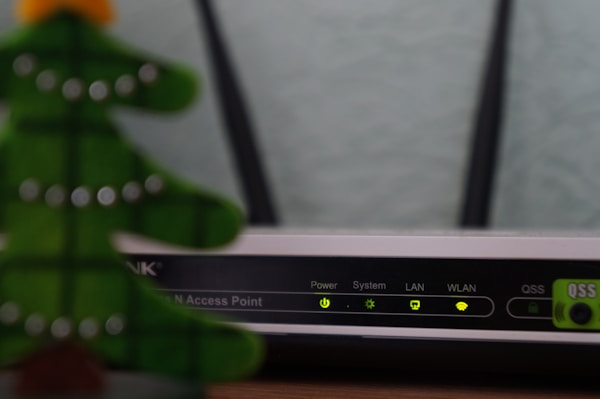
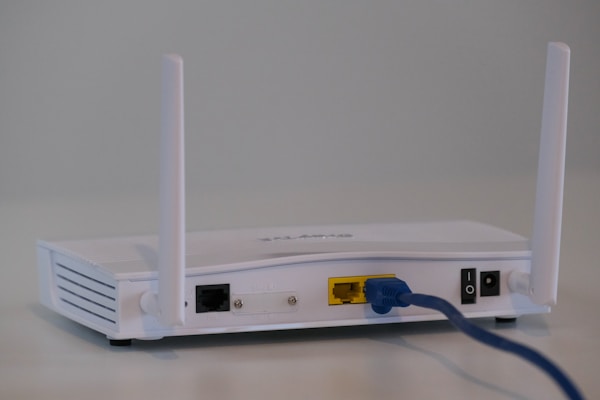
A traditional router is a single device that connects to your modem and broadcasts WiFi throughout your home. It's the classic solution that's worked for decades.
How it works:
- One central broadcasting point
- Signal strength decreases with distance
- Walls and obstacles further weaken signal
- All devices connect to this single point
What Is a Mesh Network?
A mesh network uses multiple units (nodes) placed throughout your home that work together as one seamless network.
How it works:
- Multiple broadcasting points
- Nodes communicate with each other
- Devices connect to the nearest/strongest node
- Seamless handoff as you move around
Think of a traditional router like a single lightbulb trying to illuminate your entire house. A mesh system is like having a lightbulb in every room—coverage is more even and consistent.
Head-to-Head Comparison
| Factor | Traditional Router | Mesh System |
|---|---|---|
| Coverage | 1,500-2,500 sq ft | 3,000-6,000+ sq ft |
| Dead Zones | Common in larger homes | Eliminated with proper placement |
| Setup | Moderate | Very easy (app-guided) |
| Cost | C$68-300 | C$270-600 |
| Expandability | Limited (extenders degrade performance) | Easy (add more nodes) |
| Speed Consistency | Varies by location | Consistent throughout |
| Advanced Features | Often more options | Simplified, fewer tweaks |
| Best For | Small-medium homes, tech-savvy users | Large homes, simplicity seekers |
When to Choose a Traditional Router
Ideal Scenarios
- Small homes/apartments: Under 1,500 sq ft with open layout
- Central router placement possible: Can put router in middle of home
- Few obstacles: Open floor plan, minimal walls
- Budget priority: Need good performance at lowest cost
- Advanced features needed: VPN server, detailed QoS, port forwarding
- Tech-savvy users: Comfortable with router configuration
Best Traditional Routers
- Budget: TP-Link Archer AX55 (~C$135)
- Mid-range: ASUS RT-AX86U Pro (~C$340)
- Premium: Netgear Nighthawk RAXE500 (~C$680)
Limitations to Consider
- Signal degrades with distance and obstacles
- Dead zones likely in larger or multi-story homes
- Range extenders help but cut speed and create handoff issues
- Single point of failure
When to Choose a Mesh System
Ideal Scenarios
- Large homes: Over 2,000 sq ft
- Multi-story homes: Signal needs to travel between floors
- Complex layouts: Many walls, unusual shapes
- Outdoor coverage needed: Patio, backyard, garage
- Many devices: 30+ connected devices
- Simplicity priority: Want easy setup and management
- Consistent coverage: Need reliable WiFi everywhere
Best Mesh Systems
- Budget: TP-Link Deco M5 3-pack (~C$205)
- Mid-range: Eero 6 3-pack (~C$270)
- Premium: Eero Pro 6E 3-pack (~C$680)
For setup guidance, see our guide on how to set up mesh WiFi.
Limitations to Consider
- Higher upfront cost
- Fewer advanced configuration options
- Requires multiple units and outlets
- Some systems require subscription for advanced features
Performance Deep Dive
Speed Comparison
Traditional Router:
- Maximum speed near the router
- Speed drops significantly at distance
- Can be very fast if you're close
Mesh System:
- Consistent speed throughout coverage area
- Dedicated backhaul prevents speed loss between nodes
- May be slightly slower than router at close range
Latency Comparison
Traditional Router:
- Lowest latency when close to router
- Latency increases with distance
- Best for gaming if router is nearby
Mesh System:
- Consistent latency throughout
- Slightly higher base latency due to node hops
- Better for gaming in distant rooms
Real-World Example
2,500 sq ft two-story home:
| Location | Traditional Router | Mesh System |
|---|---|---|
| Living room (near router) | 450 Mbps | 400 Mbps |
| Kitchen (30 ft away) | 280 Mbps | 380 Mbps |
| Master bedroom (upstairs) | 85 Mbps | 350 Mbps |
| Home office (far corner) | 40 Mbps | 320 Mbps |
The mesh system provides more consistent speeds throughout, while the router excels only near its location.
Cost Analysis
Upfront Costs
- Budget Router: C$68-100
- Mid-Range Router: C$205-250
- Premium Router: C$410-500
- Budget Mesh (3-pack): C$205-200
- Mid-Range Mesh (3-pack): C$340-350
- Premium Mesh (3-pack): C$545-600
Long-Term Costs
Traditional Router:
- May need range extender (C$41-80)
- Extenders may need replacement
- No subscription fees
Mesh System:
- Easy to add nodes as needed (C$109-150 each)
- Some systems have optional subscriptions (Eero Secure, Netgear Armor)
- Generally more future-proof
Total Cost of Ownership
For a large home needing full coverage:
- Router + 2 extenders: C$270-350 (compromised performance)
- Mesh 3-pack: C$270-400 (better performance)
Mesh often provides better value when full coverage is needed.
Features Comparison
Traditional Router Advantages
- More ports: Often 4+ Ethernet ports
- Advanced settings: Detailed QoS, VPN server, custom firmware
- USB ports: Network storage, printer sharing
- No subscription: All features included
- Single device: Less clutter, fewer outlets needed
Mesh System Advantages
- App management: Easy control from phone
- Automatic updates: Security patches applied automatically
- Parental controls: Often built-in and easy to use
- Guest networks: Simple to set up
- Device prioritization: Easy QoS without technical knowledge
- Expandability: Add nodes anytime
Hybrid Approaches
Router + Access Points
Use a powerful router with wired access points for best performance:
- Router handles routing and main coverage
- Access points extend coverage via Ethernet
- Full speed everywhere, no mesh overhead
- Requires running Ethernet cables
Router + Mesh Nodes
Some mesh systems work with existing routers:
- Keep your router for advanced features
- Add mesh nodes in access point mode
- Best of both worlds
- More complex setup
Making Your Decision
Choose Traditional Router If:
- [ ] Home is under 1,500 sq ft - [ ] Open floor plan with few walls - [ ] Router can be centrally located - [ ] You want advanced configuration options - [ ] Budget is the primary concern - [ ] You're comfortable with networking
Choose Mesh System If:
- [ ] Home is over 2,000 sq ft - [ ] Multiple floors or complex layout - [ ] Current setup has dead zones - [ ] You want simple, app-based management - [ ] Consistent coverage is priority - [ ] You plan to expand coverage later
Got Questions About Mesh vs Router? Let's Clear Things Up.
Is mesh WiFi faster than a regular router?
Not necessarily faster, but more consistent. A high-end router can be faster than mesh when you're close to it. But mesh provides better speeds in distant areas where a single router's signal would be weak. For whole-home average speed, mesh usually wins in larger homes.
Can I use my existing router with a mesh system?
Yes, most mesh systems can work in "bridge" or "access point" mode alongside your existing router. However, this adds complexity and can cause issues. For simplicity, it's usually better to replace your router with the mesh system entirely.
Do mesh systems have dead zones?
They can if nodes are placed poorly or if you don't have enough nodes. The key is proper placement—nodes need to be within range of each other while covering your desired areas. Most 3-packs cover 4,000-6,000 sq ft adequately.
Will mesh WiFi work with my smart home devices?
Yes, and often better than a single router. Mesh systems handle many devices efficiently, which is important for smart homes with dozens of IoT devices. Some mesh systems (like Eero) even include smart home hubs for Zigbee devices.
How many mesh nodes do I need?
General guidelines: - Under 2,000 sq ft: 2 nodes - 2,000-4,000 sq ft: 3 nodes - 4,000-6,000 sq ft: 4-5 nodes
Multi-story homes and those with many walls may need additional nodes. Start with a 3-pack and add more if needed.
Ready to upgrade your home network? Explore more networking guides at Celmin to find the perfect solution for your home. https://celmin.ca



Discussion
Sign up or sign in to join the conversation.