
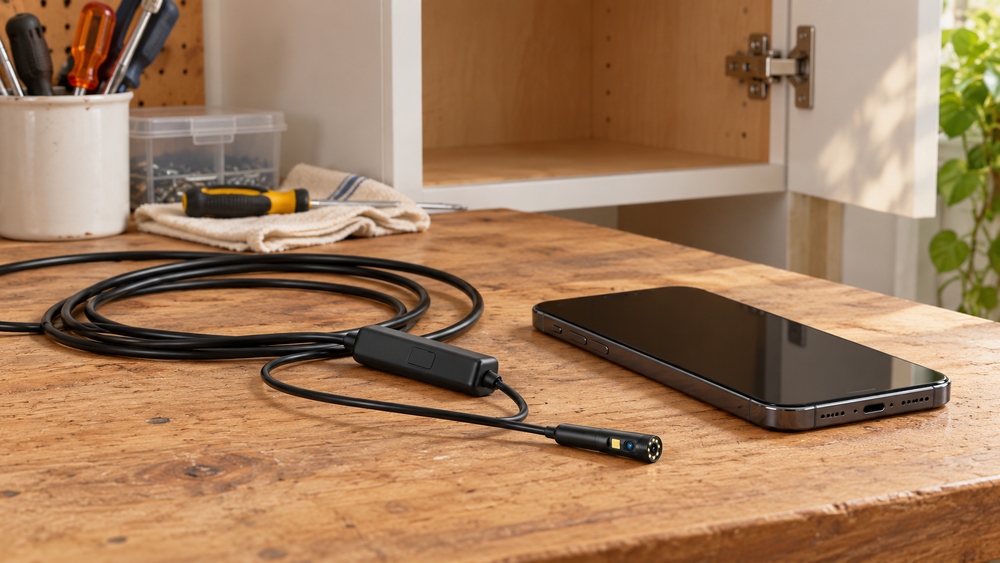
DPduct adds a side-facing lens to a phone inspection camera. Check probe clearance, phone compatibility, cable reach and safe use.
A camera pointed straight ahead is not always looking at the thing you need to see. The object behind a cabinet may be beside the tip, or the surface you want to examine may run along the wall of an opening.
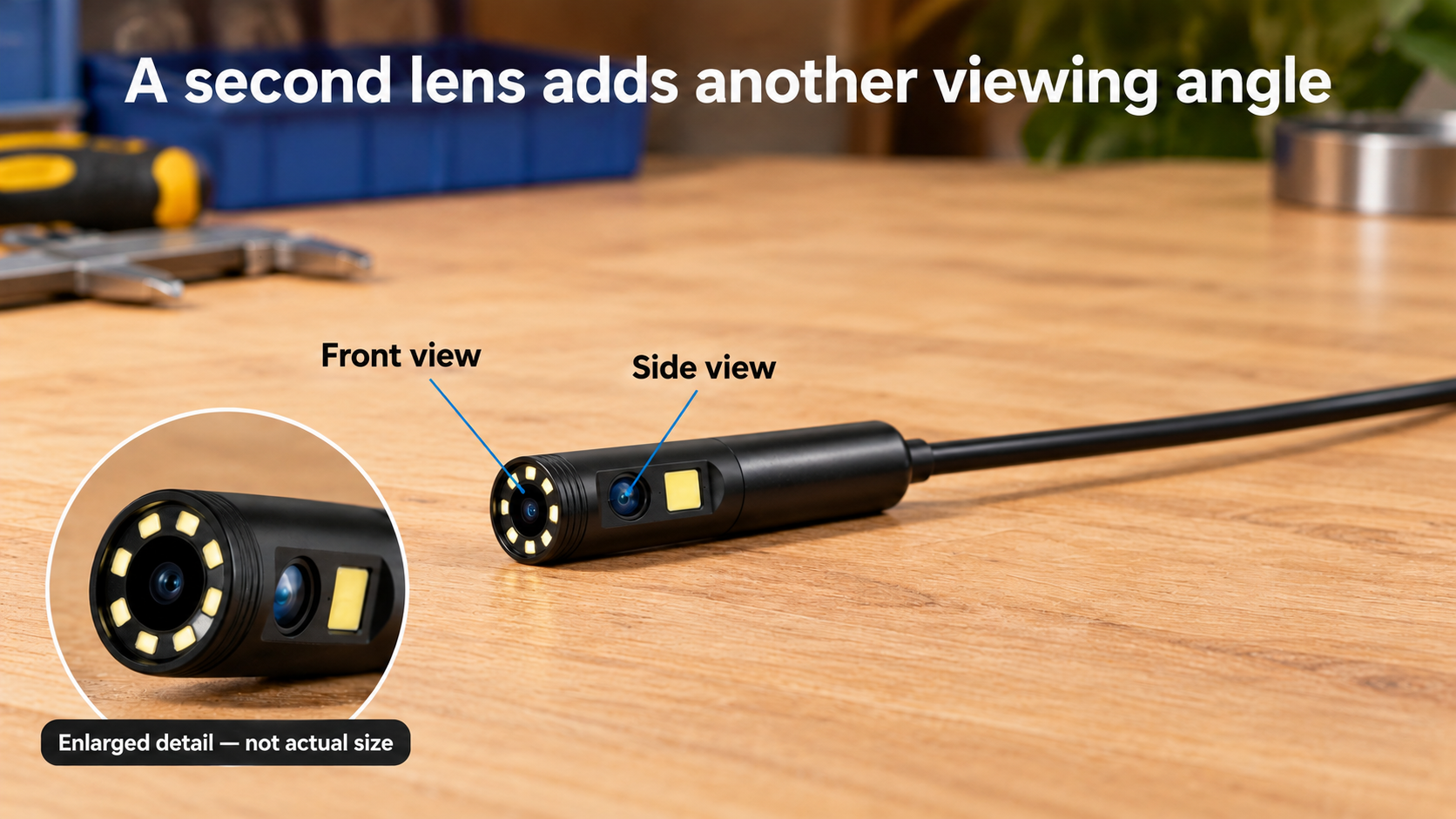
The DPduct CA-USB-1T3 adds a second lens for that situation. You guide a narrow probe and view the picture on a connected phone. The second direction can save some repositioning; it does not steer the camera around corners.
Check probe clearance and phone compatibility first
DPduct dual-lens inspection camera
 Shop at Amazon.ca
Decide what you need the picture to answer
A useful inspection starts with a narrow question. Is the missing screw visible behind the cabinet? Is there an obvious obstruction in an accessible opening? Can you read a marking on the far side of a component? The DPduct is easier to judge against one of those jobs than against a general promise to see into anything.
Separate finding an object from reaching it. The camera may show where something is without giving you a safe retrieval route. Equally, a dark mark can be visible without its cause being clear. The picture provides information; it does not automatically establish the material, depth or seriousness of what appears on screen.
That distinction matters before dismantling anything. If the result will determine a repair, make sure the view can actually answer the question. A tiny illuminated patch may not show enough surrounding context to distinguish a surface mark from a gap or a shadow. When the consequences are significant, use the image to explain the concern to a qualified person rather than turning it into a confident diagnosis.
Where the side lens earns its place
The front lens is the natural starting view for approaching a visible target. The side lens becomes useful when the tip is already alongside the surface you want to examine. For example, the relevant marking might be on a wall of an accessible cavity rather than at its far end.
Switching lenses changes the viewing direction without requiring the same amount of physical repositioning. That can help in a narrow space, but it does not remove the need for clearance. The probe still has to reach the location, turn as its design allows and come back out without forcing it.
If your only intended job is a straight-ahead look into an open space, the side lens is a convenience rather than a reason to overlook phone compatibility or awkward handling. Its value rises when you can identify a particular surface that a forward view would miss.
Buy it for an opening you can actually reach
This is a plausible tool for occasional household inspections: looking behind furniture, checking an accessible cabinet void or examining a cool, removed component on a workbench.
Start by measuring the opening. The advertised probe diameter is 7.9 mm, but an opening exactly that width leaves no useful clearance. Attachments make the head bulkier, and a bend farther along the route may matter more than the entrance.
The five-metre cable is a reach specification, not a promise that the probe will travel through five metres of plumbing. Friction, bends and the route back out all limit what you can do. Do not use it to force a way through a blockage.
Make a connection test part of the first setup
Start with the complete combination you will use: your phone, its usual case, the supplied connector and the current app. Check that the plug seats properly without pressure on the socket. A connector that physically fits is only the first part of compatibility; the phone and app must also recognise the camera.
Follow the product's app instructions and review requested permissions before allowing access. Keep the phone software supported and obtain the app through the route specified by the manufacturer. If the camera is not recognised, check the documented requirements and connector arrangement before assuming the probe has failed.
Recording deserves its own test. Save a short clip, find it in the location the app uses and play it back. If you intend to share an inspection with a repair professional, confirm that you can export a usable file. Doing this on a dry table avoids discovering a storage or sharing problem halfway through a difficult inspection.
The phone is also your working screen. Choose a stable position where you can see it without pulling on the camera lead. Consider reflections on the display and whether you can operate the app while holding the probe. A second person holding the screen may be more practical than balancing an expensive phone on the edge of a cabinet.
Check the phone before the camera
The DPduct uses a wired connection and the UseePlus app. Confirm that the selected bundle includes the right connector for your phone and that the app is available for its current operating system.
A thick case can stop a plug seating properly. A cable can also pull a phone off a narrow ledge. Plan somewhere stable for the screen where you can watch it while controlling the probe.
On arrival, connect everything at a dry table. Check both lenses, record a short clip if you need video, then open the saved file. A live picture does not prove that recording and storage work as you expect.
Learn the view in open space first
Point the camera at a familiar object. Move it nearer and farther away, adjust the LEDs and switch lenses. This tells you more about useful working distance than trying it for the first time inside a dark cavity.
Bright LEDs can create glare from a nearby shiny surface. If the image washes out, a change of angle or lower light setting may help more than adding brightness. Keep track of how turning your hand changes the picture; orientation becomes less obvious once the tip disappears from view.
Saved pixel dimensions, focus distance and reflections all affect usable detail. A resolution headline alone cannot tell you whether a label or scratch will be legible at your working distance. Try the lights and viewing angles on a familiar object before a difficult inspection.
Capture context as well as a close-up
Before approaching a target, take note of the entry point and the direction you are looking. A close-up with no context can become surprisingly hard to interpret afterwards. A wider view followed by the detail helps explain where the finding sits relative to a recognisable edge, opening or fitting.
Move slowly enough to keep track of changes in orientation. Rotating the cable can rotate the image in a way that makes up, down, left and right less obvious. Switch back to a familiar view when necessary rather than pushing farther while unsure where the tip is facing.
Try a different distance or lighting level before concluding that an unclear picture is a defect. Close reflective surfaces can overwhelm the LEDs, while an object outside the useful focus range can remain blurred despite bright lighting. More illumination is not always more detail.
Do not measure a crack or gap from its apparent size on the screen without a valid scale and suitable method. Perspective, distance and lens characteristics change how large objects look. This is a viewing tool, not evidence of measurement accuracy.
Retrieval attachments are a separate decision
Inspect an attachment's fit in open space before placing it beyond easy reach. The object must suit the attachment: a magnet is not useful for every metal, and a hook needs somewhere secure to engage. Both add bulk and potential snag points.
Think about the return path with the object attached. An item that fits through an opening on its own may not fit when held sideways at the end of the probe. If there is no clear route back, seeing the object is the sensible limit of the inspection.
Never use the camera cable as a general pulling tool. If the probe resists movement, stop and assess the situation rather than increasing force. Avoiding a trapped camera is more valuable than gaining a few additional centimetres of reach.
What comes with the camera
| Advertised feature | Practical implication |
|---|---|
| Front and side views | Another angle from a similar probe position |
| 5 m semi-rigid cable | Manually positioned; route and bends limit travel |
| Adjustable LEDs | Useful in darkness; reflections still need managing |
| Hook, magnet, mirror and cap | Check the delivered bundle and attachment fit |
| IP67 claim | Read the model’s limits before any wet use |
A hook or magnet is useful only when the object, attachment and withdrawal route suit each other. Secure accessories as instructed and avoid introducing one somewhere it could snag or fall off. Retrieving a dropped screw is not much help if you leave a loose attachment behind.
Common questions before buying
Is it a replacement for a drain inspection service?
No. Cable length alone does not give it the reach, steering, locating capability or suitability of professional equipment. A household opening that is accessible and safe to inspect is a different task from diagnosing a hidden drainage problem.
Can you use it without a phone?
This version relies on a connected phone and app for its screen. Include phone compatibility in the purchase decision and check the supplied connector rather than assuming a display or wireless link is included.
Will the second lens make every picture clearer?
It adds a direction, not a guaranteed improvement in sharpness. Its advantage is the ability to look at a surface that may be poorly positioned for the front lens. Focus, distance, lighting and reflections still determine how useful that view is.
What makes it worth keeping after the first job?
Repeat usefulness depends on the openings you regularly need to inspect and how easy the phone setup is. Store the clean, dry equipment as instructed, keep accessories together and retain the app and model details. A camera that is ready for a familiar safe task is more useful than one with impressive specifications but an uncertain connection.
Keep the inspection within the tool’s limits
An IP67 claim does not explain which parts are protected or which liquids, depths and durations are allowed. Get those instructions for the DPduct itself. The phone and connectors need to stay dry.
Do not insert the camera into machinery that could start, near live wiring or into a hot component. It is not for medical use on people or animals. When an unfamiliar finding could affect electrical or structural safety, a picture is a starting point for a qualified assessment, not a diagnosis.
Clean and store the probe according to its instructions, with the cable loosely arranged rather than sharply bent. Keep the small attachments together so you can check them before the next job.
The second lens is worth paying attention to if you can name a job where a sideways view helps. Before ordering, settle phone compatibility, probe clearance and the return terms. Those details decide whether this camera will be useful long before its resolution label does.
DPduct dual-lens inspection camera
Shop at Amazon.caImages are AI-generated illustrations based on product references.


Sign up or sign in to join the conversation.