
The ThirdReality Motion Sensors sit in a much less glamorous corner of the smart-home world than cameras, speakers, or robot vacuums. That usually means they matter more than people expect. A motion sensor is one of those small devices that quietly makes a home feel smarter: lights turn on wh...
The ThirdReality Motion Sensors sit in a much less glamorous corner of the smart-home world than cameras, speakers, or robot vacuums. That usually means they matter more than people expect. A motion sensor is one of those small devices that quietly makes a home feel smarter: lights turn on when you walk in, routines trigger without tapping an app, and rooms stop depending on voice commands for every little thing. ThirdReality has built a name around practical Zigbee accessories, and these sensors appear aimed at that exact role — simple presence-based automation without the drama.
This is not a hands-on review. Nothing here is based on personally installing or testing the sensor. Instead, this is a plain-English explainer based on the listing, the product category, and what these sensors typically do in real homes. If you are deciding whether ThirdReality Motion Sensors belong in a hallway, bathroom, closet, or broader automation setup, the goal here is to help you think through the fit before buying.
Quick snapshot
| Question | What the ThirdReality Motion Sensors actually are |
|---|---|
| Category | Smart Home |
| Made by | THIRDREALITY |
| Typical price | ~$42 CAD (listing at the time of writing — verify current pricing) |
| Rating signal | 4.3/5 on the source listing |
| Best for | People building Zigbee-based automations for lights, closets, hallways, and entry points |
| Skip if | You want a standalone Wi‑Fi gadget with no hub, or you expect camera-like occupancy awareness |
Pro tip: Buy motion sensors to fix a specific annoying moment — a dark hallway at night, a pantry light nobody turns off, a laundry-room entry with full hands — not because "more sensors" sounds smart. That's when they actually earn their keep.
What the ThirdReality Motion Sensors actually are
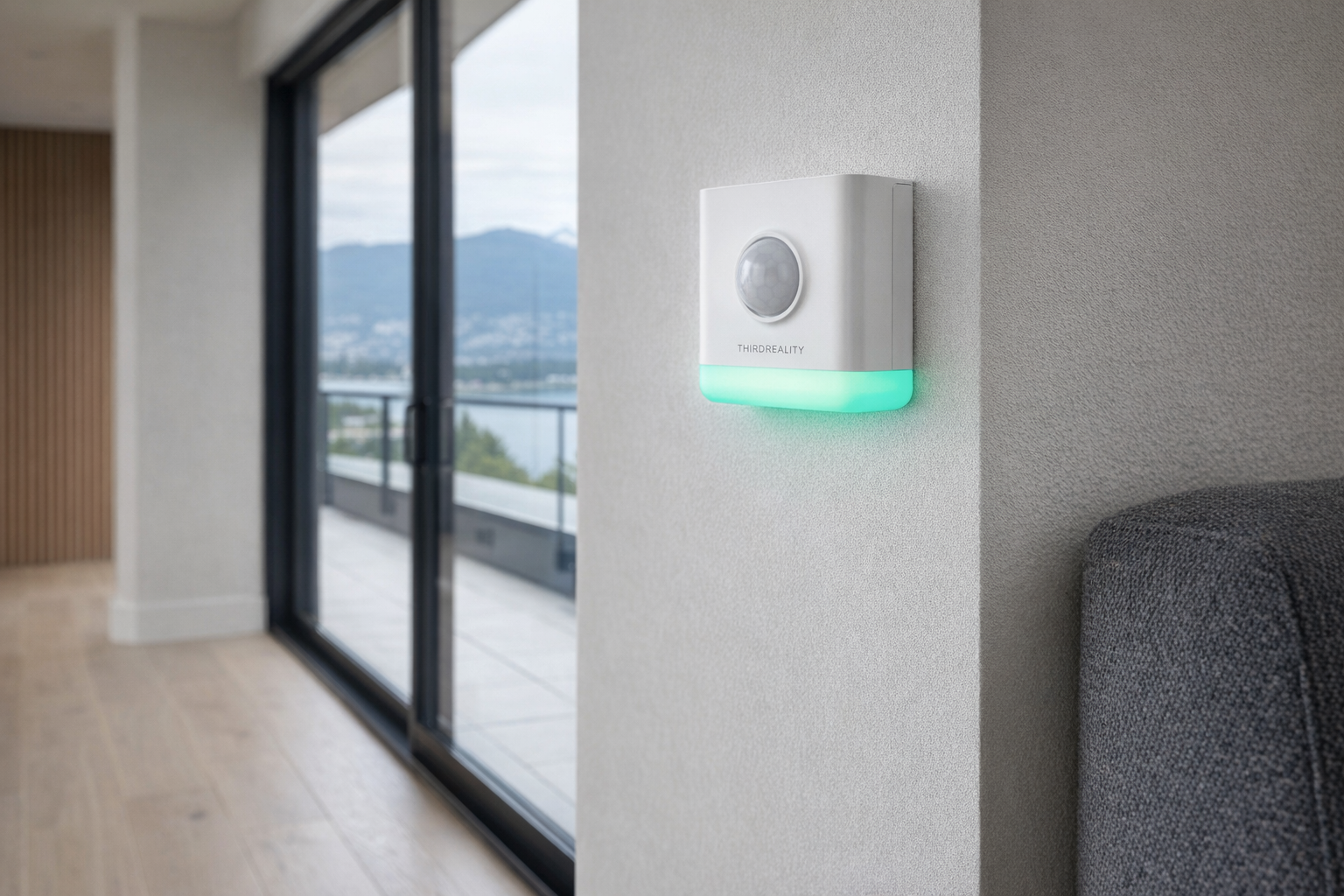
In plain English, the ThirdReality Motion Sensors are small smart-home triggers. They are there to notice movement and kick off automations: turn on a light, send an alert, start a routine, or help a hub understand that someone has entered a space. This is not the same thing as a security camera, and it is not the same thing as a full-blown presence sensor that can tell whether a person is sitting very still in a room. It is a simpler, narrower tool — and for many homes, that's a strength.
That blank description in the source data tells you something by itself: you should not buy this product based on marketing poetry, because there really isn't any here. The useful way to think about it is as an accessory for a larger smart-home system, especially if you already use Zigbee devices or want lower-maintenance battery-powered sensors. At roughly $42 CAD, it lands in the "small upgrade with real utility" category, not the "major home investment" category.
The most natural comparison is to the Philips Hue Motion Sensor. Hue's sensor is one of the best-known options in this space, especially for lighting automations, but it tends to make the most sense inside the Hue ecosystem. ThirdReality's appeal is usually broader Zigbee flexibility: if you already have a compatible hub and want motion-based triggers without buying deeper into one lighting brand, that's a more honest fit than forcing everything through Hue just because the name is familiar.
Key features at a glance
- Motion-triggered automation for lights, routines, and alerts
- Smart-home integration potential through a compatible hub or ecosystem
- Battery-powered placement flexibility without needing wiring
- Small form factor suited to hallways, bathrooms, closets, and entryways
- Zigbee-style use case typical of ThirdReality's broader smart-home lineup
- Affordable entry price compared with larger smart-home upgrades
How the ThirdReality Motion Sensors actually works
A motion sensor like this generally works by watching for changes in infrared energy — in practice, body heat moving through its detection area. When that happens, it sends a signal to the smart-home platform it is paired with. The platform then decides what to do next: turn on a lamp, trigger a hallway routine, ping your phone, or activate a scene after sunset. The important part is that the sensor itself is not the "smart home." It is the trigger.
In real setups, there are usually three pieces involved:
- The sensor hardware mounted on a wall, shelf, corner, or doorway.
- A compatible hub or platform that can interpret the motion event.
- An automation rule that says what should happen when motion is detected.
That last part matters more than people think. A motion sensor on its own is just a little plastic notifier. The real usefulness comes from rules like "if motion is detected after 10 p.m., turn on the bathroom light to 20% brightness" or "if motion is detected in the laundry room, turn on the ceiling light for 5 minutes." Without that kind of logic, motion sensors can feel crude.
ThirdReality products are commonly associated with Zigbee, which is generally a good sign for battery-powered sensors. Zigbee devices tend to be lower power than equivalent Wi‑Fi gadgets, and that matters because motion sensors are the kind of device you want to install and mostly forget about. If your home already has a compatible hub — something like a SmartThings Hub, an Echo device with Zigbee support, or a Home Assistant setup with a Zigbee coordinator — the sensor's job becomes straightforward. If you do not have that backbone, buying a motion sensor first can create unnecessary friction.
One more reality check: motion is not occupancy. If you walk into a room, the sensor can trigger. If you then sit still reading in a chair, a basic motion sensor may eventually assume the room is empty and let the lights time out. That is not a flaw unique to ThirdReality; it is the normal limitation of this product class. Evaluate it like an automatic light switch, not like a person-aware room intelligence system.
A realistic "day in the life" with ThirdReality Motion Sensors
Because this is an informational explainer rather than a tested review, here's what a plausible day looks like based on what this category is meant to do.
- Morning. You walk into a dim kitchen or hallway before the sun is fully up, and the motion sensor triggers a light at a low brightness instead of blasting the room fully awake. This is one of the most practical uses for motion sensing: reducing the number of tiny app taps and wall-switch habits that add friction to daily routines.
- Midday. Someone opens the pantry, linen closet, or laundry nook with both hands full. A nearby motion sensor catches the movement and turns on a bulb or strip light automatically. That sounds minor until you live with it; it is exactly the sort of mundane convenience that makes a sensor more useful than a flashy gadget.
- Afternoon. Motion at an entryway or mudroom triggers a notification or flips on a lamp, helping the space feel occupied and functional. For households with kids coming home from school or deliveries arriving at the front door, that can be more useful than full security theatrics.
- Evening. Overnight routes matter most. A sensor in the bathroom, hallway, or stairwell can trigger a dim scene after dark, which is much easier on the eyes than full overhead lighting. In a Canadian winter, when darkness arrives early and people move through the house under artificial light for longer stretches, this is where simple automation tends to pay off.
Who the ThirdReality Motion Sensors is actually for (and who it isn't)
Great fits
- People who already have a Zigbee-compatible hub and want to add automations without spending heavily.
- Apartment or condo dwellers who cannot rewire switches but still want smarter lighting behaviour.
- Families tired of lights being left on in bathrooms, hallways, utility rooms, and closets.
- Home Assistant or SmartThings users who like building specific logic for specific spaces.
- Anyone trying to make nighttime movement through the house easier without relying on voice assistants half-asleep.
Poor fits
- People expecting a plug-and-play Wi‑Fi gadget that works fully on its own with no ecosystem setup.
- Buyers who really want human presence sensing for someone sitting still at a desk or on a couch.
- Households that dislike battery maintenance, even occasional maintenance.
- Renters or casual users who do not want to think about placement angles, detection zones, or automation timing.
- Anyone hoping one motion sensor will solve security, occupancy, and lighting all at once.
Practical trade-offs
Install and placement
Motion sensors are simple until placement is wrong. Put one too high, too low, facing the wrong angle, or aimed at a heat source or busy hallway, and you can end up with missed triggers or constant false ones. The category is easy to buy and slightly harder to tune. A sensor by the bathroom door behaves differently from one tucked inside the bathroom, and that difference is often more important than the brand logo.
It is usually smarter to think in terms of entry points rather than room centres. A hallway sensor should catch you entering the space, not wait until you're already halfway through it. A closet sensor should see the door-open movement quickly. That sounds obvious, but it is where many motion setups go wrong.
Hub dependence and ecosystem fit
This is probably the biggest buying question. ThirdReality accessories typically make the most sense in homes that already have a compatible smart-home framework. If your setup includes Alexa with Zigbee support, SmartThings, or Home Assistant, this kind of sensor can be a low-drama addition. If your home is mostly random Wi‑Fi gadgets controlled through separate apps, a motion sensor can expose the mess rather than fix it.
That is why the $41.75 list price should not be viewed in isolation. The real cost is sensor plus ecosystem. If you already own the hub, this can be a sensible add-on. If you need to buy infrastructure first, it becomes a different purchase entirely.
Battery life and maintenance
Battery-powered sensors are convenient because you can put them almost anywhere. The trade-off is obvious: at some point, the battery needs replacing. ThirdReality's broader reputation in battery-powered Zigbee devices suggests the usual advantage of low-power operation, but you should still assume periodic maintenance rather than permanent set-and-forget perfection.
For a hallway or closet, that maintenance burden is often acceptable. For a hard-to-reach stairwell, maybe less so. This is one of those products where "small and wireless" sounds effortless on the listing, but in real life you still want to think about access before sticking it somewhere annoying.
Where the ThirdReality Motion Sensors fits in a smart home
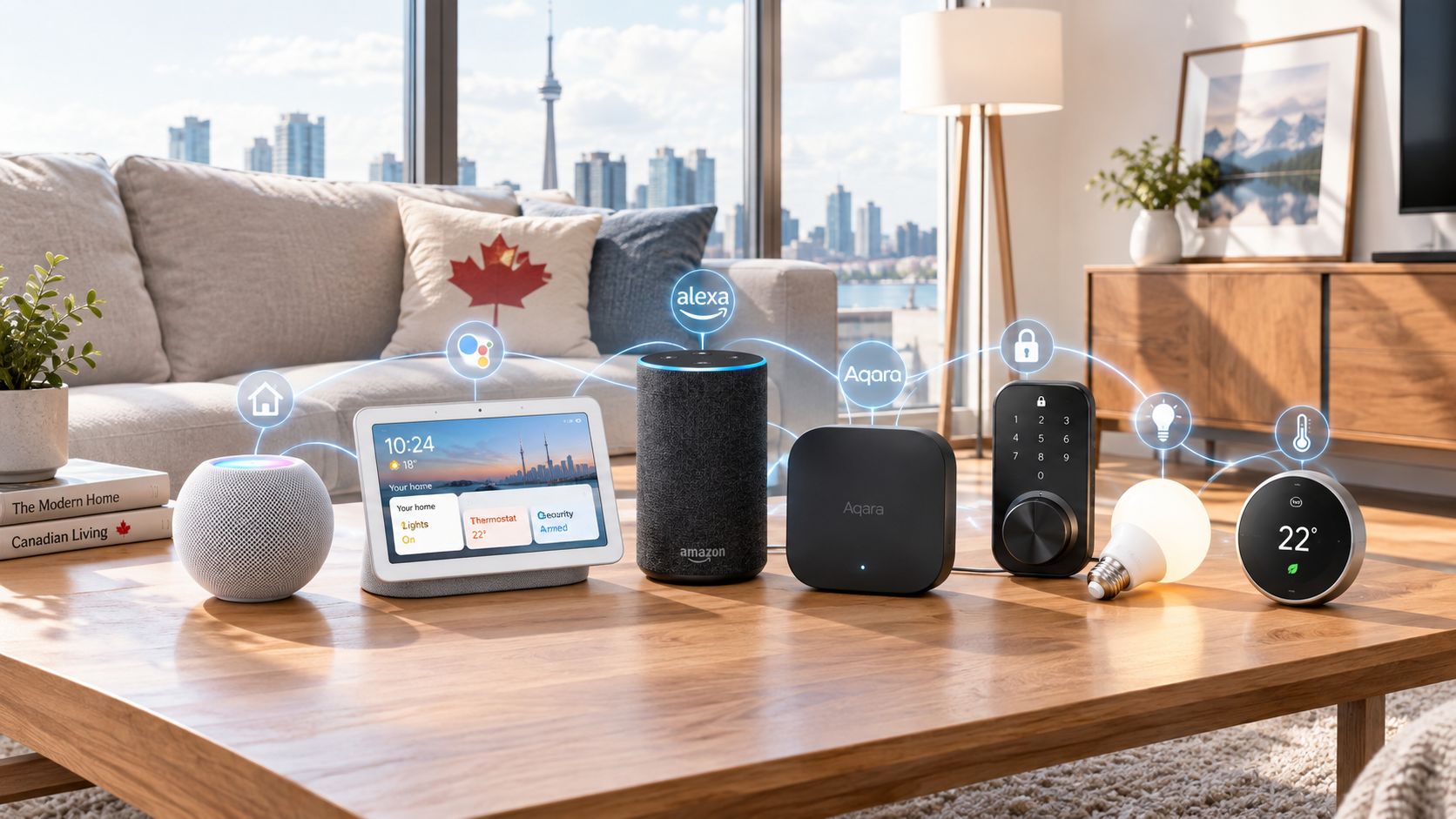
The best place for ThirdReality Motion Sensors is inside a quietly competent smart-home stack, not as a standalone hero product. A practical setup might look like this:
- Amazon Alexa with a Zigbee-capable Echo or SmartThings as the automation brain
- Philips Hue, IKEA smart bulbs, or other compatible smart lighting for actual light control
- Home Assistant for deeper routines, time conditions, and room-by-room logic
- ThirdReality Motion Sensors as the trigger layer for movement-based actions
That division of labour is important. The motion sensor should notice movement. The hub should decide what that movement means. The light or plug should do the visible work. When each piece has a clear job, the system feels reliable instead of fussy.
These sensors also fit nicely in "boring" spaces that expensive gadgets ignore: utility rooms, side entrances, basement stairs, linen closets, storage rooms. Those are not glamorous rooms for smart-home marketing, but they are exactly where motion-triggered automation is easiest to justify. Evaluate this product like a good automatic helper, not like a centrepiece.
The buying decision, in plain terms
Three questions usually make the decision clearer:
- Do you already have a compatible hub or ecosystem?
If yes, ThirdReality Motion Sensors make much more sense. If no, you may be buying into a setup project rather than a quick convenience upgrade. - Are you trying to automate movement, or detect presence?
If the goal is turning on lights when someone enters a hallway, closet, or bathroom, this is the right category. If the goal is keeping lights on while someone sits still in a room, you may want a presence sensor instead. - Do you have a specific place that would benefit from automation right away?
If you can name the exact pain point — dark stairs, hands-full pantry trips, a mudroom that should light up automatically — then the purchase is easier to justify. If the plan is just "add more smart stuff," this may end up in a drawer.
If those answers mostly point the right way, ThirdReality Motion Sensors look like a sensible, low-cost automation tool for a hub-based smart home.
Got Questions About the ThirdReality Motion Sensors? Let's Clear Things Up.
Is this a hands-on review?
No. This is an informational explainer based on the source listing, the product category, and how motion sensors generally fit into real smart-home setups. It is meant to help you decide whether the product is worth further research, not replace installation or long-term testing.
Do the ThirdReality Motion Sensors need a hub?
They are best understood as hub-friendly smart-home accessories, not fully independent magic buttons. If your home already runs through something like SmartThings, Alexa with Zigbee support, or Home Assistant, the fit is much more straightforward. Check the current compatibility details on the retailer page before buying.
Are these the same as occupancy or presence sensors?
No, not usually. Motion sensors are best at noticing movement when someone enters or crosses a space. They are less reliable for detecting a person who stays very still, which is why they are excellent for hallways and closets and less ideal for offices or living rooms where people sit quietly.
What is the best place to use one?
The strongest use cases are small transitional spaces: bathrooms, hallways, stair landings, pantries, laundry rooms, entryways, and closets. Those are places where quick lighting triggers matter more than perfect room awareness. If a room's main annoyance is "I wish the light came on automatically," this product category is worth a look.
Can it be used for security alerts too?
Potentially, yes — motion sensors are often used to trigger alerts or routines when movement happens at certain times. But it is healthier to think of that as a secondary use, not a replacement for a dedicated security system. For many people, lighting automation will be the better everyday reason to buy one.
Where can I verify compatibility or buy it?
The current retailer listing is here: ThirdReality Motion Sensors on Amazon. Use that page to confirm the latest compatibility notes, price, and any updated setup requirements, since smart-home listings can change over time.
What does it cost in Canada?
At the time of writing, the listed price is roughly ~$42 CAD. More specifically, the supplied product data shows $41.75 CAD, but smart-home accessory pricing shifts often, so it is worth verifying the current number before checking out.
Where is the Celmin Directory listing for this product?
For a catalog-style view of the same product — structured specs, pros and cons, similar picks, and FAQ — see ThirdReality Motion Sensors on Celmin Directory.
If you're building a smarter home in Canada and want honest explainers on gadgets worth considering — plus the ones worth skipping — Celmin covers the full catalog without the marketing theater. More reviews, comparisons, and buyer guides at https://celmin.ca.

Discussion
Sign up or sign in to join the conversation.