
The SwitchBot Lock Ultra sits in one of the more practical corners of the smart-home world: the retrofit smart lock. That means it is designed to motorize your existing deadbolt from the inside, instead of replacing the entire exterior lockset on your door. If you live in a rental, share ...
The SwitchBot Lock Ultra sits in one of the more practical corners of the smart-home world: the retrofit smart lock. That means it is designed to motorize your existing deadbolt from the inside, instead of replacing the entire exterior lockset on your door. If you live in a rental, share a house, care about keeping your original keys, or simply do not want to re-key the front door, that distinction matters more than any flashy app feature.
This is not a hands-on review. Nothing here is based on personally installing or testing the lock. The goal is simpler: explain what the SwitchBot Lock Ultra appears to be, how retrofit smart locks work compared with full replacement locks, and who this particular approach genuinely suits. If the listing has you wondering whether this is an easier, less committal way to get keyless entry, this is the calmer breakdown.
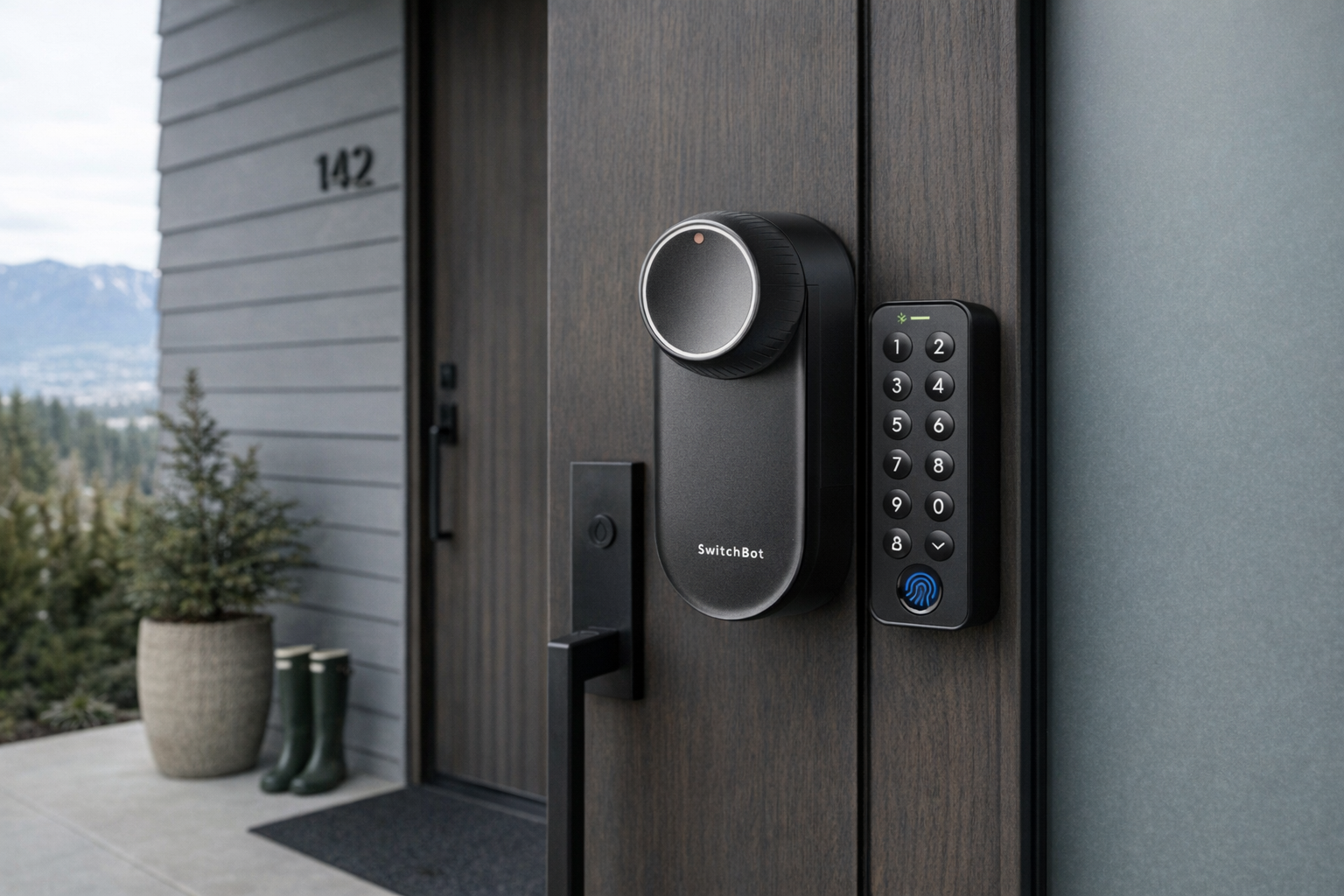
Quick snapshot
| Question | What the SwitchBot Lock Ultra actually is |
|---|---|
| Category | Smart Home |
| Made by | SwitchBot |
| Typical price | ~$235 CAD (listing at the time of writing — verify current pricing) |
| Rating signal | 4.2/5 on the source listing |
| Best for | Renters, apartment dwellers, and homeowners who want smart locking without replacing their exterior deadbolt |
| Skip if | You want a one-piece exterior keypad lock, a completely invisible install, or guaranteed compatibility with every unusual deadbolt shape |
Pro tip: Treat the SwitchBot Lock Ultra as the least disruptive path to a smart lock. If your priority is keeping your existing keys, cylinder, and landlord peace, retrofit usually makes more sense than a full replacement.
What the SwitchBot Lock Ultra actually is
The plain-English version is this: the SwitchBot Lock Ultra is a motorized device that attaches to the inside part of your door lock and physically turns your existing deadbolt for you. From the outside, your original lock hardware generally stays in place. So instead of swapping the whole front-door lock for a new smart one, you are adding an inside-mounted robot hand that twists the thumbturn.
That empty description field is a bit of a reminder in itself: with smart-home gear, listings do not always explain the basic concept clearly. What we do know from the product name, brand positioning, retailer page, and the broader SwitchBot lineup is that this is part of the company's retrofit-lock approach rather than a traditional full lock replacement. In practical terms, that usually means adhesive or bracket-based installation on the interior side of the door, app control, and optional add-ons like a keypad or hub depending on how much functionality you want.
The most useful comparison here is the August Wi-Fi Smart Lock, one of the best-known retrofit competitors. Like August, SwitchBot's lock approach is about preserving the outside of the door and your existing keyway. The difference is largely ecosystem and accessory strategy: SwitchBot tends to build around its broader smart-home system of hubs, bots, sensors, and keypads, while August is more narrowly known for locks. If you already use SwitchBot gear, that's a more meaningful advantage than any marketing phrase.
Key features at a glance
- Retrofit design that works with an existing deadbolt instead of replacing the whole lock
- Inside-mounted motorized operation to turn the thumbturn for you
- Keeps original exterior hardware in place in most retrofit-style setups
- App-based smart-home positioning within the broader SwitchBot ecosystem
- Useful for rentals or low-commitment installs where permanent lock replacement is a hassle
- Potential compatibility with add-on access methods such as keypad or ecosystem integrations, depending on the exact bundle and current listing
How the SwitchBot Lock Ultra actually works
A retrofit smart lock like the SwitchBot Lock Ultra is mechanically simpler than it first sounds. Your door already has a deadbolt. On the inside face of that deadbolt is a thumbturn — the little knob you twist to lock or unlock the door. The Lock Ultra's job is to mount over or around that thumbturn and use a motor to rotate it when you trigger the lock through the app, an automation, or a paired access device.
That matters because it changes the installation story completely. A full replacement smart lock asks you to remove the interior assembly, exterior hardware, tailpiece, mounting plate, and sometimes re-align everything so the latch moves smoothly. A retrofit lock usually asks far less of you: confirm your deadbolt shape is compatible, attach the unit on the inside, calibrate lock and unlock positions, and make sure the motor can turn the deadbolt cleanly. That is a more honest design than many competitors that market themselves as "easy" while still asking the average person to rebuild half the lock.
There are usually three functional layers in a product like this:
- Mechanical layer.
The lock physically grips or interfaces with the deadbolt thumbturn. When the motor spins, your existing deadbolt extends or retracts. If your door already sticks badly in winter or needs a shove to close, the smartest motor in the world cannot fully compensate for poor alignment. - Control layer.
You tell the lock what to do through Bluetooth, a companion app, and often optional accessories. In many SwitchBot setups, a separate hub expands that from local phone control to remote access, voice assistants, and automations. Check the current product page carefully here, because "works with" and "included in the box" are not the same thing. - Access layer.
The appeal of a system like this is not just phone unlocking. It is the option to build a more flexible entry setup around the original deadbolt — for example, keypad entry, temporary access, or routines tied into the rest of your home. That can be genuinely useful, but it also means the total cost may end up well above the listed $235.24 CAD if accessories are required.
The hidden piece many buyers miss is calibration. Retrofit locks need to learn exactly how far to turn and when to stop. If the deadbolt binds, if the strike plate is too tight, or if the weather swells the door frame, performance can suffer. So while the install is usually less invasive than a full replacement, it still depends on your underlying door hardware being in decent shape.
A realistic "day in the life" with SwitchBot Lock Ultra
Based on what a retrofit smart lock is meant to do, here is what a normal day might look like with the SwitchBot Lock Ultra — not a tested account, but what the setup implies.
- Morning.
You leave for work and lock the door from your phone or through an automated routine. The inside-mounted motor turns the existing deadbolt, so the exterior still looks like your usual lock and your physical key remains the fallback. - Midday.
A cleaner, dog walker, or family member needs access. Rather than handing over a permanent spare key, you use the app or a paired access method to grant temporary entry. This is one of the clearest reasons people buy smart locks in the first place. - Afternoon.
You get a notification or check the lock state because you cannot remember whether you locked up. Retrofit locks are especially good for this low-drama reassurance role: less "future house," more "did I leave the deadbolt open again?" - Evening.
You come home with groceries, unlock the door without digging for keys, then still use your original key if the battery is low, the app is acting up, or someone in the house simply prefers old-fashioned hardware. That fallback is one of the core strengths of the retrofit approach.
Who the SwitchBot Lock Ultra is actually for (and who it isn't)
Great fits
- Renters who want smart access without replacing the landlord's exterior lock hardware.
- Condo owners who need to preserve a building-approved exterior appearance on the hallway side of the door.
- Homeowners with re-keyed or matched locks who do not want to break an existing key system just to add app control.
- People already using SwitchBot hubs, sensors, or bots who want the front door to join the same automation system.
- Anyone nervous about DIY lock replacement but comfortable attaching and calibrating an interior device.
Poor fits
- People with unusual deadbolts or non-standard thumbturns where compatibility may be uncertain.
- Owners of doors that stick badly and require force to lock; motorized retrofit locks prefer smooth hardware.
- Buyers who want a built-in exterior keypad aesthetic instead of an inside gadget layered onto an old lock.
- Anyone expecting a smart lock to solve a bad door frame or sloppy latch alignment.
- People who hate ecosystem add-ons and want every feature included in a single box on day one.
Practical trade-offs
Install and compatibility
This is the big one for the Lock Ultra. The entire value proposition depends on your existing deadbolt being compatible and your door operating smoothly. Retrofit locks are easier than full replacements, but not magic. If your thumbturn shape is odd, your deadbolt is stiff, or your door needs to be lifted to lock, installation may move from "simple" to "annoying" quickly.
The upside is obvious: there is no need to replace the exterior cylinder, re-key the door, or commit to a more permanent hardware change. For renters and condos, that can be the difference between "possible" and "not allowed."
Power and reliability
A motorized lock needs battery power, and battery-powered moving parts always deserve a more skeptical read than battery-powered sensors. It is one thing for a contact sensor to miss a status update; it is another for a lock motor to struggle with a sticky deadbolt. That is why keeping the original keyway matters so much. Evaluate this like a convenience layer over a normal lock, not a total replacement for mechanical common sense.
It is also worth remembering that cold weather can expose weaknesses in doors and frames. In a Canadian winter, a lock that works perfectly in October may work harder in January if the door swells or contracts. That is not a SwitchBot-only issue; it is a general truth of motorized deadbolts.
Ecosystem, accessories, and real total cost
The listed price is ~$235 CAD, which is reasonable for a premium retrofit lock, but that may not be your real final cost. Many buyers want remote access, automations, voice control, guest entry, or keypad unlocking. Depending on the exact version and bundle, those may rely on additional SwitchBot gear.
That does not make it a bad buy. It just means you should price the whole entry system, not the lock body alone. A retrofit lock with a keypad and hub may still be the right choice — just do the math before checkout.
Where the SwitchBot Lock Ultra fits in a smart home
The SwitchBot Lock Ultra makes the most sense as part of a practical entry stack, not as a standalone gadget living in isolation.
A typical setup might look like this:
- SwitchBot Lock Ultra on the inside of the front door
- SwitchBot Hub for remote access and wider automations, if required by the setup
- A keypad or fingerprint accessory if you want family members or guests to enter without a phone
- A door sensor or contact sensor so you can automate around whether the door is actually closed
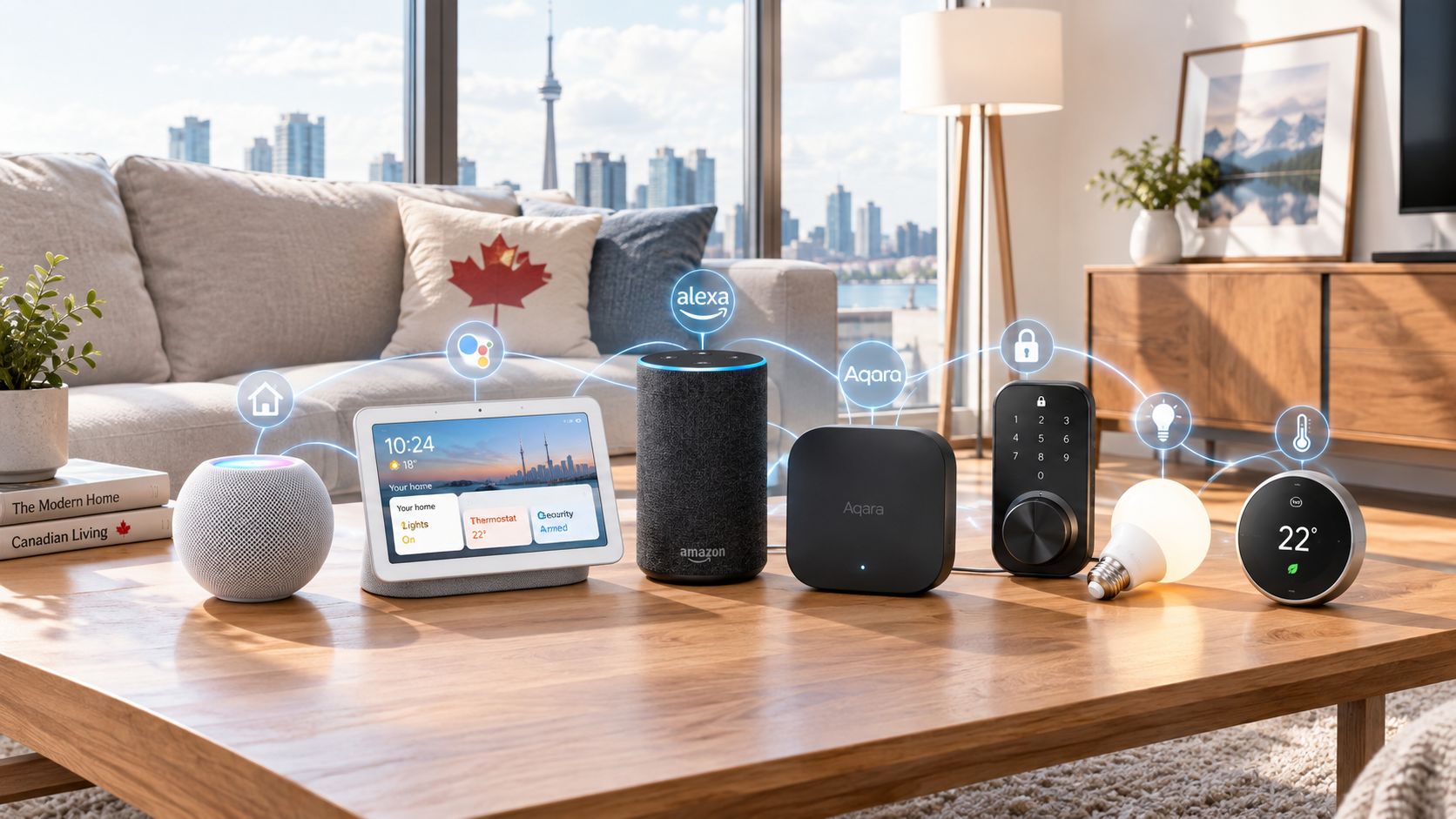
- Alexa, Google Home, Apple Home, or Matter-compatible routines depending on what SwitchBot currently supports on the spec page
That stack is especially useful if your goal is a better front-door routine rather than a prettier lock. For example: lock the door at night, turn off hallway lights, arm a camera, and send a reminder if the door is still unlocked after a certain hour. That is where a retrofit lock earns its keep.
If, on the other hand, your main priority is curb appeal or a clean all-in-one look on the exterior side of the door, a full replacement lock may suit you better. Retrofit locks are fundamentally about convenience and low disruption, not elegance.
The buying decision, in plain terms
Before buying the SwitchBot Lock Ultra, three yes-or-no questions usually clarify the answer:
- Do you specifically want to keep your existing exterior lock and keys?
If yes, this product category makes a lot of sense. If no, a full replacement smart lock may give you a cleaner result. - Does your current deadbolt turn smoothly every single time?
If yes, a motorized retrofit lock is far more likely to behave properly. If no, fix the door first or expect frustration. - Are you comfortable building around an ecosystem, not just one lock?
If yes, SwitchBot can be a sensible platform choice. If no, make sure the base lock alone delivers the exact access methods you need.
If those answers are mostly yes, the SwitchBot Lock Ultra looks like a sensible buy for low-commitment smart entry. If two or three are no, skip the retrofit route and reconsider the whole locking setup.
Got Questions About the SwitchBot Lock Ultra? Let's Clear Things Up.
Is this a hands-on review?
No. This is an informational explainer based on the product listing, the known retrofit-lock category, and SwitchBot's broader ecosystem approach. It is meant to help you understand what this type of lock does before you compare specific bundles or install requirements.
What exactly is a retrofit smart lock?
A retrofit smart lock mounts onto the inside of your existing deadbolt and turns it electronically. Unlike a full replacement lock, it usually keeps your original exterior key cylinder and visible hardware in place. That makes it appealing for rentals, condos, and anyone who wants less disruption.
How is the SwitchBot Lock Ultra different from a full replacement smart lock?
A full replacement smart lock removes much more of your original lock hardware and replaces it with a new smart assembly. The SwitchBot Lock Ultra is aimed at the opposite idea: keep the original lock outside, add smart control inside. That usually means easier reversal later, which is a real benefit if you move or need to restore the door to stock condition.
Will it work with any deadbolt?
Not necessarily. Compatibility is one of the first things to verify on the current product page, because deadbolt shapes, thumbturn designs, and clearance around the lock vary. Retrofit locks are convenient, but they are not universal in the literal sense.
Does it still work if the battery dies?
The main safety net with retrofit locks is that your original exterior keyway generally remains in place. That means you usually still have a mechanical way in, which is one of the category's biggest advantages. You should still check the current manual and listing for battery warnings, emergency behaviour, and exact fallback details.
Where can I verify the current version or buy it?
The best place to verify the latest bundle details, compatibility notes, and current price is the product listing itself. Here is the retailer page: SwitchBot Lock Ultra on Amazon. Check that page carefully for included accessories, supported ecosystems, and deadbolt fit guidance before buying.
What does it cost in Canada?
At the time of writing, the listing price is roughly ~$235 CAD. More precisely, the supplied price data is $235.24 CAD, but retail pricing shifts often enough that it is worth verifying before checkout. If you need a hub, keypad, or other access accessory, budget beyond the base lock.
Where is the Celmin Directory listing for this product?
For a catalog-style view of the same product — structured specs, pros and cons, similar picks, and FAQ — see SwitchBot Lock Ultra on Celmin Directory.
If you're building a smarter home in Canada and want honest explainers on gadgets worth considering — plus the ones worth skipping — Celmin covers the full catalog without the marketing theater. More reviews, comparisons, and buyer guides at https://celmin.ca.

Discussion
Sign up or sign in to join the conversation.