
The Google Nest Smart Thermostat sits in one of the more practical corners of the smart-home world: the thermostat you buy because you are tired of paying to heat or cool an empty home. This is not the flashy, premium Nest Learning Thermostat with the metal ring and auto-learning reputation. ...
The Google Nest Smart Thermostat sits in one of the more practical corners of the smart-home world: the thermostat you buy because you are tired of paying to heat or cool an empty home. This is not the flashy, premium Nest Learning Thermostat with the metal ring and auto-learning reputation. It is the cheaper, more stripped-down option aimed at people who want app control, scheduling, and some energy-saving automation without spending several hundred dollars.
This article is not a hands-on review. Nothing here is based on personally installing or living with the thermostat. Instead, the goal is to explain what the Google Nest Smart Thermostat actually is, how its listed features translate into day-to-day use, and who it realistically suits. If you are trying to figure out whether this is a sensible budget smart-thermostat buy or just another piece of app-dependent home tech, this is the calmer version of that conversation.
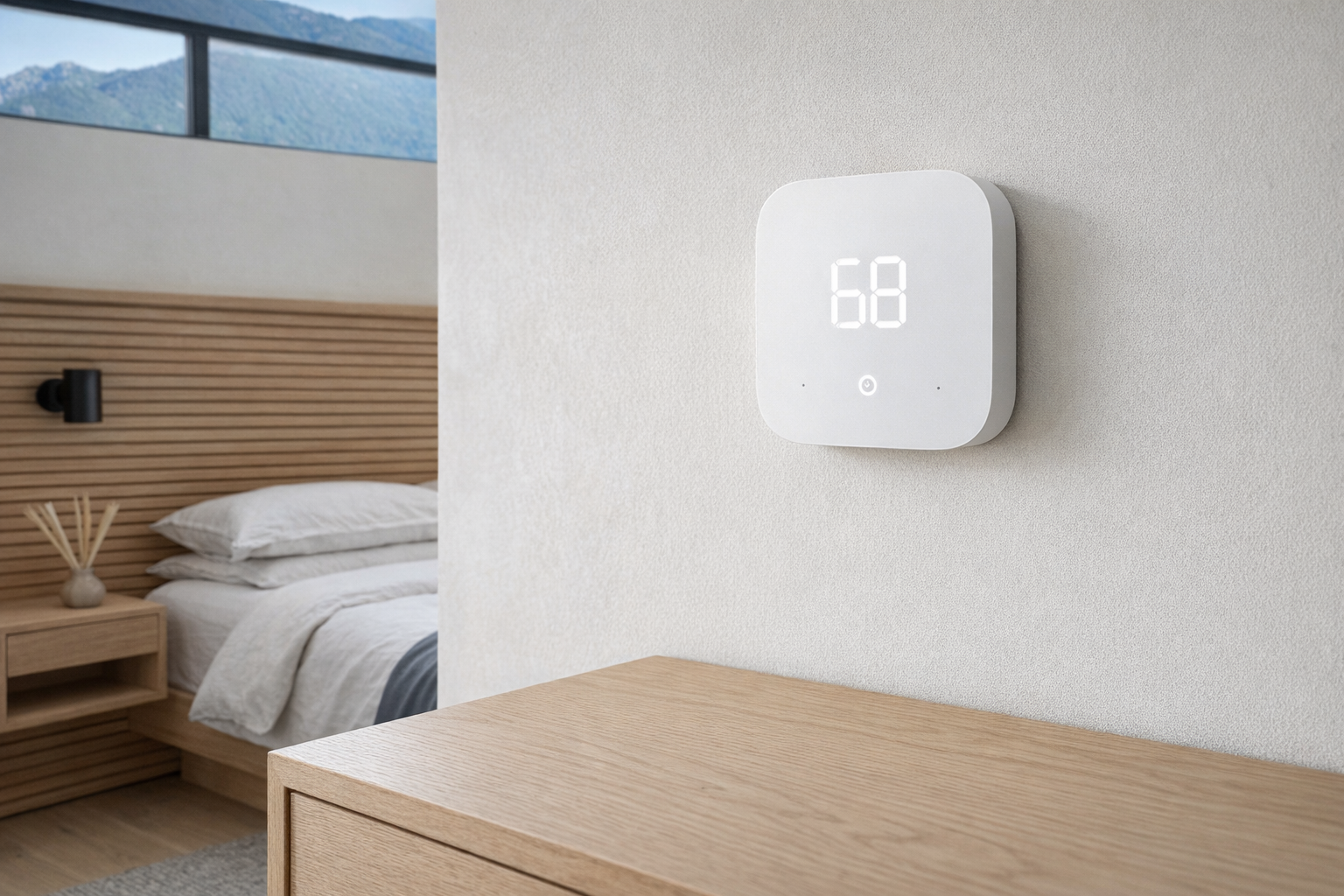
Quick snapshot
| Question | What the Google Nest Smart Thermostat actually is |
|---|---|
| Category | Climate & Comfort |
| Made by | |
| Typical price | ~$83 CAD (listing at the time of writing — verify current pricing) |
| Rating signal | 4/5 on the source listing |
| Best for | Budget-minded homeowners who want basic smart climate control and scheduling |
| Skip if | You need guaranteed Google Home-first support, have an unusual HVAC setup, or want a premium thermostat with on-device learning |
Pro tip: Before you buy any budget smart thermostat, confirm your system is a standard 24V HVAC setup and check whether you have a working C-wire or supported power arrangement. Compatibility matters more here than brand loyalty.
What the Google Nest Smart Thermostat actually is
In plain English, the Google Nest Smart Thermostat is a lower-cost connected thermostat meant to replace a basic wall thermostat and give you phone control, voice control, scheduling, and some energy-saving automation. The appeal is simple: instead of manually bumping the heat up in the morning or forgetting to turn the AC down when you leave, the thermostat can follow routines and presets for home, away, and sleep.
ENERGY STAR certified smart thermostat built with Honeywell Home technology. Works with Alexa for voice and app control of your HVAC system. Features automatic scheduling, energy-saving rebates, and guided DIY installation via the Alexa app. Compatible with most 24V HVAC systems.
That description also reveals something a little odd: the listing data supplied here mixes Google branding with Alexa, Ring, and Honeywell Home technology. So the most honest reading is that this product is being presented as a budget smart thermostat compatible with mainstream smart-home control, rather than a pure Google Home showcase. That matters, because buyers expecting the more premium, tightly Google-centered experience of the Google Nest Learning Thermostat may be surprised. Compared with the Nest Learning Thermostat, this looks more like the practical, lower-cost route: fewer luxury touches, more emphasis on affordability, compatibility, and straightforward control.
Key features at a glance
- ENERGY STAR certified smart thermostat
- Average energy savings claim of about $50/year
- Voice and app control through supported ecosystems
- Automatic scheduling with home, away, and sleep presets
- Built with Honeywell Home thermostat technology
- Guided DIY installation through the Alexa app, according to the listing
- Choose Cleaner Energy feature to lower carbon impact
- Compatibility with most 24V HVAC systems
- Ring app and Alexa app support for remote control
How the Google Nest Smart Thermostat actually works
At the hardware level, a smart thermostat like this takes the place of your existing wall thermostat and connects to your home's low-voltage HVAC control wiring. The important number in the listing is 24V. That is the standard voltage for many forced-air heating and cooling systems in North America, but not every home system matches that neatly. Electric baseboard heaters, high-voltage systems, and some older or more specialized setups may be outside the safe compatibility zone. That is why thermostat shopping is less like buying a smart bulb and more like checking a part number for an appliance.
Once installed, the thermostat's main job is not glamorous: it tells your furnace, air conditioner, or fan when to turn on and off. The "smart" part sits on top of that basic function:
- Scheduling and presets. You set temperature targets for when you are home, away, or asleep, so the system is not running at full comfort settings all day.
- Remote app control. If supported through the app ecosystem in the listing, you can adjust the temperature while away from home.
- Voice control. The thermostat can reportedly work with Alexa, which means basic commands like changing temperature without touching the wall unit.
- Energy features. ENERGY STAR certification and the listed $50/year average savings claim suggest the thermostat encourages more efficient temperature patterns than a purely manual setup.
- Cleaner energy timing. The Choose Cleaner Energy feature, where available, is designed to shift heating or cooling toward times when the grid is relying on cleaner electricity sources.
What makes this kind of thermostat appealing is not that it does something magical. It is that it removes the small frictions that cause waste. People often leave the house with the heat too high because they forget to adjust it. They cool bedrooms all afternoon when nobody is there. A good smart thermostat trims those habits quietly. That is less exciting than the marketing copy, but also more useful.
The other practical piece is the guided installation flow mentioned in the listing. A thermostat that walks you through wiring, labels, and setup in an app is a more honest product than one that assumes every buyer is comfortable tracing HVAC terminals. Still, "DIY-friendly" should not be read as "risk-free." If your current thermostat wiring looks messy, incomplete, or unfamiliar, that is the point to slow down or call an HVAC technician.
A realistic "day in the life" with Google Nest Smart Thermostat
Because this is an informational piece, the scenario below is based on the listed features and how smart thermostats generally work — not a tested log.
- Morning. The thermostat shifts from a sleep preset to a warmer or cooler comfort setting before you wake up, so the bedroom or main floor feels livable without someone padding downstairs to adjust the wall dial.
- Midday. Everyone leaves for work or school, and the thermostat moves into an away setting automatically or as part of the schedule. That is where products like this usually earn their keep: not by perfect intelligence, but by avoiding waste when the house is empty.
- Afternoon. You are out running errands and realize the weather changed. Using the app, you tweak the temperature so the home is comfortable when you get back, instead of blasting the system all day "just in case."
- Evening. If your local utility and setup support it, the Cleaner Energy feature may nudge energy use toward a cleaner window, while the thermostat later drops into a sleep preset overnight for quieter, cheaper operation.
That is the realistic value proposition. Not a sci-fi home that thinks for you, but a better version of the thermostat routine most people already have.
Who the Google Nest Smart Thermostat is actually for (and who it isn't)
Great fits
- Homeowners with a standard 24V forced-air HVAC system who want a cheaper entry point into smart climate control.
- People upgrading from a basic manual thermostat who mainly want app control and simple schedules.
- Households trying to reduce heating and cooling waste without buying the top-end Nest model.
- Alexa or Ring users who want thermostat control to sit inside the same app ecosystem they already check daily.
- Renters with landlord approval and a conventional thermostat setup who want a reversible, relatively affordable upgrade.
Poor fits
- Anyone assuming this is identical to the Google Nest Learning Thermostat experience, with all the premium hardware and deeper learning-style automation that product is known for.
- Homes with electric baseboard heat, line-voltage thermostats, or unusual HVAC wiring that falls outside common 24V compatibility.
- People who want a thermostat that works well without app setup, account creation, or cloud-connected features.
- Buyers who are deeply committed to one ecosystem and do not want the confusion of a product listing that mentions Google, Alexa, Ring, and Honeywell in the same breath.
- Anyone expecting dramatic savings from the thermostat alone while keeping the home at the same temperature all day and night.
Practical trade-offs
Compatibility and installation
This is the biggest issue with any smart thermostat, and especially with lower-cost models. The listing says it is compatible with most 24V HVAC systems, which is useful but not universal. "Most" is not "all." Before buying, check the current compatibility tool or spec page and compare it against your exact wiring labels and HVAC type.
The guided DIY installation is a plus, but thermostat installs are still more demanding than plugging in a speaker. You may need to identify wires correctly, deal with a missing C-wire, or discover your old system has quirks the app wizard cannot solve. Evaluate this like light electrical work, not like pairing earbuds.
Ecosystem confusion
The product name says Google Nest Smart Thermostat, but the supplied listing details lean heavily on Alexa, Ring, and Honeywell Home technology. That does not automatically make it bad, but it does mean buyers should verify exactly which app and voice ecosystem is doing the real work before purchase.
That matters because thermostats are not casual gadgets. Once installed, they become part of the house. If you are an all-in Google Home household, confirm that the thermostat experience actually matches that expectation. If not, you may be better served by a clearly Google-first thermostat or a clearly Alexa-first thermostat rather than a product page that blurs the lines.
Savings versus expectations
The listing claims an average of $50/year in energy savings. That is plausible for a thermostat category claim, but it should be treated as a broad estimate, not a guarantee. Real savings depend on your climate, insulation, local electricity or gas rates, how wasteful your old habits were, and whether your home is heated through long Canadian winters or mostly cooled in short summer bursts.
In other words, the savings are real only if the schedule changes your behaviour. If you already manage your heating carefully, the thermostat may be more about convenience than bill reduction. That is still a valid reason to buy one, but it is a different pitch.
Where the Google Nest Smart Thermostat fits in a smart home
This thermostat makes the most sense as part of a fairly ordinary smart-home stack, not as the centrepiece. A realistic setup looks like this:
- A smart speaker or display for voice control, whether that is Alexa-enabled according to the listing or another supported assistant.
- Smart sensors or a doorbell ecosystem like Ring, if you already use that app and want your home controls grouped together.
- Smart blinds, ceiling fans, or room sensors to reduce the load on heating and cooling rather than forcing the thermostat to solve comfort alone.
- A routine-based app setup where away mode, nighttime temperature, and morning warm-up happen automatically.
That is the practical lane for a budget thermostat. It is not there to impress guests. It is there to make the house feel less wasteful and slightly more responsive. In winter, that can mean warming the home before you get out of bed. In summer, it can mean not cooling an empty house for eight hours. Those are boring wins, but they are the ones that matter.
The buying decision, in plain terms
Three questions usually make the decision easier here:
- Is your HVAC system definitely compatible? If you do not know whether your setup is a supported 24V system, stop there and verify first.
- Do you want simple scheduling and remote control, or are you expecting premium Nest-style intelligence? If you want the latter, the cheaper thermostat may feel too basic.
- Will the app ecosystem actually fit your home? A thermostat tied to Alexa and Ring features is only useful if that matches the smart-home setup you already use or are willing to use.
If those answers are yes, yes, and yes, this looks like a sensible low-cost smart thermostat. If any answer is fuzzy, verify compatibility and ecosystem details before putting a thermostat in your wall.
Got Questions About the Google Nest Smart Thermostat? Let's Clear Things Up.
Is this a hands-on review?
No. This is an informational explainer based on the supplied listing details and general smart-thermostat behaviour. It is meant to help you understand what the product appears to offer and what to verify before buying.
Does the Google Nest Smart Thermostat work with Google Home or Alexa?
The supplied listing specifically says it works with Alexa and mentions control through the Alexa app and Ring app. Because the product name and listing details point in slightly different branding directions, it is smart to verify the current ecosystem support on the retailer page or official compatibility documentation before buying.
Is it hard to install?
It may be straightforward for homes with standard thermostat wiring, especially with the guided DIY installation flow mentioned in the listing. But thermostats are not universally easy. If your system wiring is old, unclear, or missing common connections, installation can become much less simple very quickly.
Will it really save money on energy bills?
The listing says the thermostat is ENERGY STAR certified and can save an average of $50/year. That is a reasonable category-level estimate, but your actual results will depend on your home, climate, rates, and whether scheduling reduces waste compared with how you already run your HVAC system.
What does the Choose Cleaner Energy feature do?
According to the listing, it is meant to help reduce your carbon footprint by shifting heating or cooling use toward cleaner energy periods when available. In practice, features like this depend on local grid data and regional support, so it is worth checking whether it is active and meaningful in your area.
Where can I verify the current listing details or buy it?
The retailer link provided for this product is here: Amazon product page. Use that page to confirm current pricing, compatibility notes, ecosystem support, and any changes to installation requirements before ordering.
What does it cost in Canada?
At the time of writing, the listed price is roughly ~$83 CAD. As with most smart-home gear, sale pricing moves around, so treat that as a snapshot rather than a fixed long-term price.
Where is the Celmin Directory listing for this product?
For a catalog-style view of the same product — structured specs, pros and cons, similar picks, and FAQ — see Google Nest Smart Thermostat on Celmin Directory.
If you're building a smarter home in Canada and want honest explainers on gadgets worth considering — plus the ones worth skipping — Celmin covers the full catalog without the marketing theater. More reviews, comparisons, and buyer guides at https://celmin.ca.


Discussion
Sign up or sign in to join the conversation.