
Wireless keyboards used to mean mushy membrane keys and noticeable input lag. Mechanical keyboard enthusiasts avoided them because the typing feel and responsiveness couldn't match wired options. That's no longer true. The best wireless mechanical keyboards in 2026 deliver the same satisfying tac...
Wireless keyboards used to mean mushy membrane keys and noticeable input lag. Mechanical keyboard enthusiasts avoided them because the typing feel and responsiveness couldn't match wired options. That's no longer true. The best wireless mechanical keyboards in 2026 deliver the same satisfying tactile feedback, the same fast response times, and the same build quality as their wired counterparts—with the freedom of a clean, cable-free desk.
The technology that made this possible is threefold: low-latency 2.4 GHz wireless (1ms polling rate, matching wired), Bluetooth 5.1 for multi-device connectivity, and massive batteries that last weeks or months between charges. Whether you're a gamer who needs zero-lag input, a professional who switches between devices, or an enthusiast who wants a premium typing experience without cable clutter, there's a wireless mechanical keyboard that fits.
Here's what's worth buying in Canada.
Top Wireless Mechanical Keyboards Compared
| Keyboard | Switch | Layout | Connectivity | Battery | Hot-Swap | Price |
|---|---|---|---|---|---|---|
| Keychron Q1 Max | Gateron Jupiter Banana | 75% | BT 5.1 + 2.4 GHz + USB-C | 6,000 mAh | Yes | ~$300 CAD |
| Logitech G Pro X TKL | GX switches | TKL (87%) | Lightspeed 2.4 GHz + BT | ~50 hours | Yes | ~$280 CAD |
| Royal Kludge RK84 Pro | RK switches | 75% | BT 5.1 + 2.4 GHz + USB-C | 3,750 mAh | Yes | ~$100 CAD |
| Keychron K8 Pro | Gateron G Pro | TKL (87%) | BT 5.1 + USB-C | 4,000 mAh | Yes | ~$140 CAD |
| Razer BlackWidow V4 75% | Razer switches | 75% | BT 5.0 + 2.4 GHz + USB-C | ~100 hours | Yes | ~$250 CAD |
Best Overall: Keychron Q1 Max
The Enthusiast's Wireless Dream
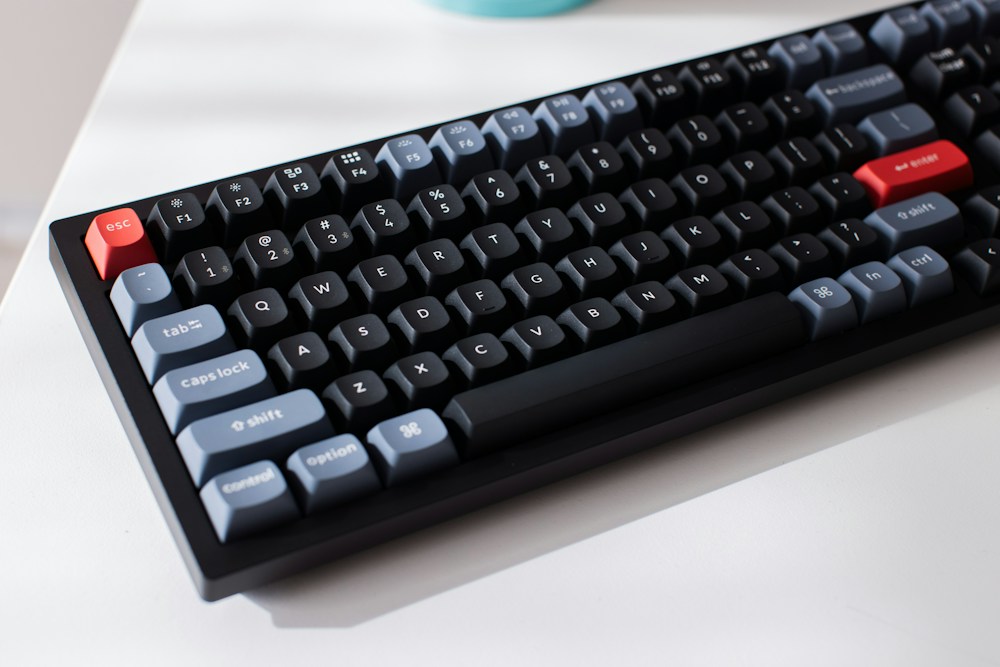
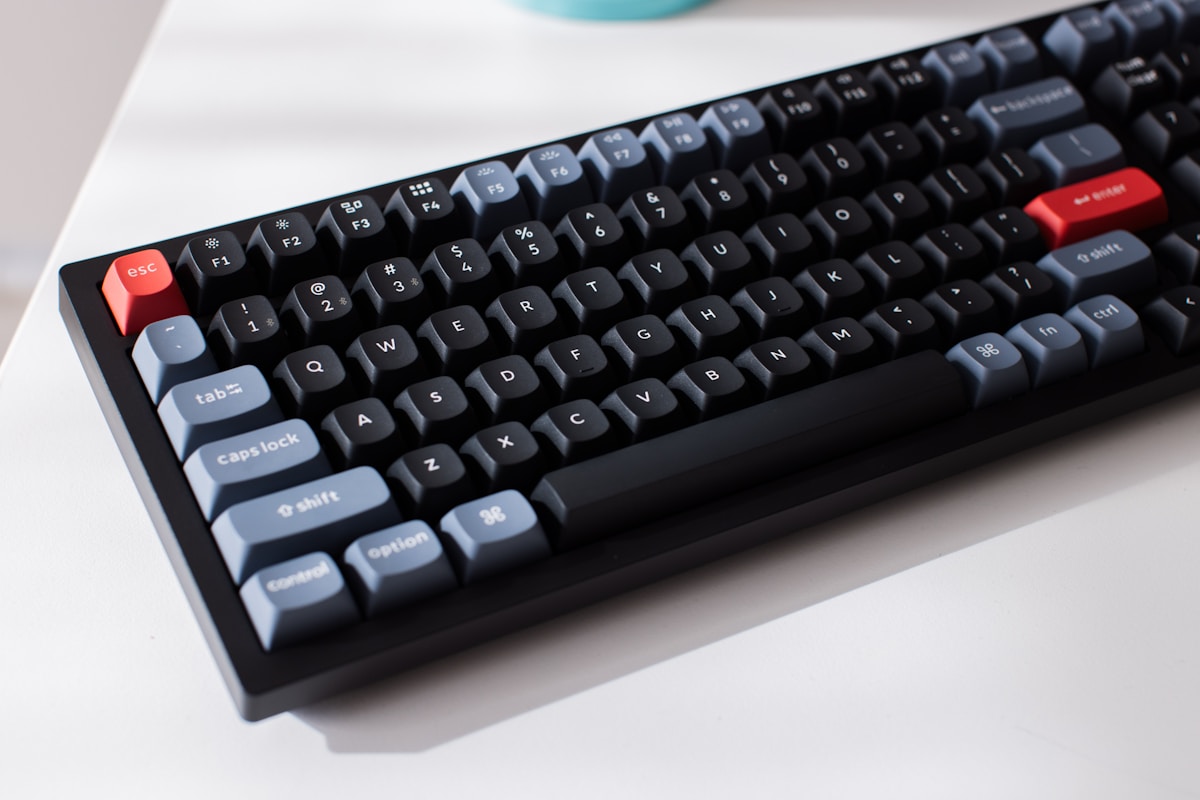
The Keychron Q1 Max is the best wireless mechanical keyboard available. It takes everything that made the wired Q1 a community favourite—CNC aluminium case, gasket mount, hot-swap sockets, premium switches—and adds triple-mode wireless connectivity without compromising on build quality or typing feel.
Build Quality That Rivals Custom Keyboards
The Q1 Max has a full CNC-machined aluminium case that weighs over 1.7 kg. This isn't a plastic keyboard pretending to be premium—it's a solid block of machined metal that feels and sounds exceptional. The gasket mount design suspends the plate on silicone gaskets, creating a typing feel that's bouncy, cushioned, and satisfying. Every keystroke has a depth and resonance that plastic keyboards can't replicate.
Triple-Mode Connectivity
- Bluetooth 5.1: Connect to up to 3 devices. Switch between your MacBook, iPad, and phone with Fn+1/2/3
- 2.4 GHz wireless: 1,000 Hz polling rate via included USB dongle. Matches wired latency for gaming
- USB-C wired: For when you want zero latency or need to charge while using
Gateron Jupiter Banana Switches
The included Gateron Jupiter Banana switches are pre-lubed silent linear switches that feel smooth and sound muted. But because the Q1 Max is hot-swappable, you can replace them with any MX-compatible switch—Cherry, Gateron, Kailh, Boba, whatever you prefer. No soldering required.
- Switches: Gateron Jupiter Banana (silent linear, pre-lubed)
- Layout: 75% (compact with function row and arrow keys)
- Case: CNC aluminium, gasket mount
- Connectivity: Bluetooth 5.1 (3 devices), 2.4 GHz (1,000 Hz), USB-C
- Battery: 6,000 mAh (~200 hours BT, ~100 hours 2.4 GHz)
- Hot-Swap: Yes (5-pin, MX-compatible)
- Keycaps: Double-shot PBT, OSA profile
- Dampening: Multi-layer foam, silicone gaskets
- Backlight: South-facing RGB
- Compatibility: Windows, macOS, Linux (dedicated toggle)
- Price: ~$300 CAD (Keychron.ca, Amazon.ca)
The Keychron Q1 Max is the best wireless mechanical keyboard for enthusiasts in Canada. The aluminium build, gasket mount, and hot-swap sockets put it in custom keyboard territory, but the triple-mode wireless adds convenience that custom boards rarely offer. At $300 CAD, it's not cheap, but it replaces both a premium wired keyboard and a wireless one. Ships directly from Keychron.ca with free Canadian shipping.
macOS and Windows Compatibility
Keychron includes keycaps for both macOS and Windows layouts, plus a physical toggle switch on the side to swap between operating systems. The function row adapts automatically—media controls, brightness, and Mission Control on macOS; media controls, brightness, and Task View on Windows. For Canadians who use a MacBook at home and a Windows PC at work, this dual compatibility is invaluable.
Best for Gaming: Logitech G Pro X TKL
1ms Wireless for Competitive Gaming
The Logitech G Pro X TKL uses Lightspeed 2.4 GHz wireless with a 1ms report rate—the same latency as a wired connection. In competitive gaming, input lag matters. The G Pro X TKL has been tested and verified to have no measurable latency difference compared to wired keyboards. Pro esports players use it in tournaments.
GX Switches with Hot-Swap
The G Pro X TKL comes with GX switches (available in linear, tactile, or clicky) and supports hot-swap. Logitech sells individual GX switches, or you can use any 3-pin MX-compatible switch. The hot-swap implementation is solid—switches click in firmly and don't wobble.
KEYCONTROL
Logitech's KEYCONTROL software lets you assign multiple actions to each key based on how you press it—tap, hold, or double-tap. You can assign macros, media controls, app launches, and game-specific bindings without dedicated macro keys. For gamers who want maximum functionality in a compact TKL layout, this is a significant advantage.
- Switches: GX (linear/tactile/clicky, hot-swappable)
- Layout: TKL (87%, tenkeyless)
- Case: Aluminium top plate, plastic base
- Connectivity: Lightspeed 2.4 GHz (1ms), Bluetooth, USB-C
- Battery: ~50 hours (RGB on), ~300 hours (RGB off)
- Hot-Swap: Yes (3-pin)
- Keycaps: Double-shot PBT
- Backlight: Per-key RGB (LIGHTSYNC)
- Software: Logitech G HUB (KEYCONTROL, macros, lighting)
- Price: ~$280 CAD (Amazon.ca, Best Buy Canada, Memory Express)
The Logitech G Pro X TKL is the best wireless mechanical keyboard for gaming. Lightspeed wireless is proven in competitive esports, and the 1ms latency is indistinguishable from wired. The KEYCONTROL feature adds functionality that other gaming keyboards lack. Available at Memory Express and Best Buy Canada for in-store pickup.
Best Budget: Royal Kludge RK84 Pro
Premium Features at $100 CAD
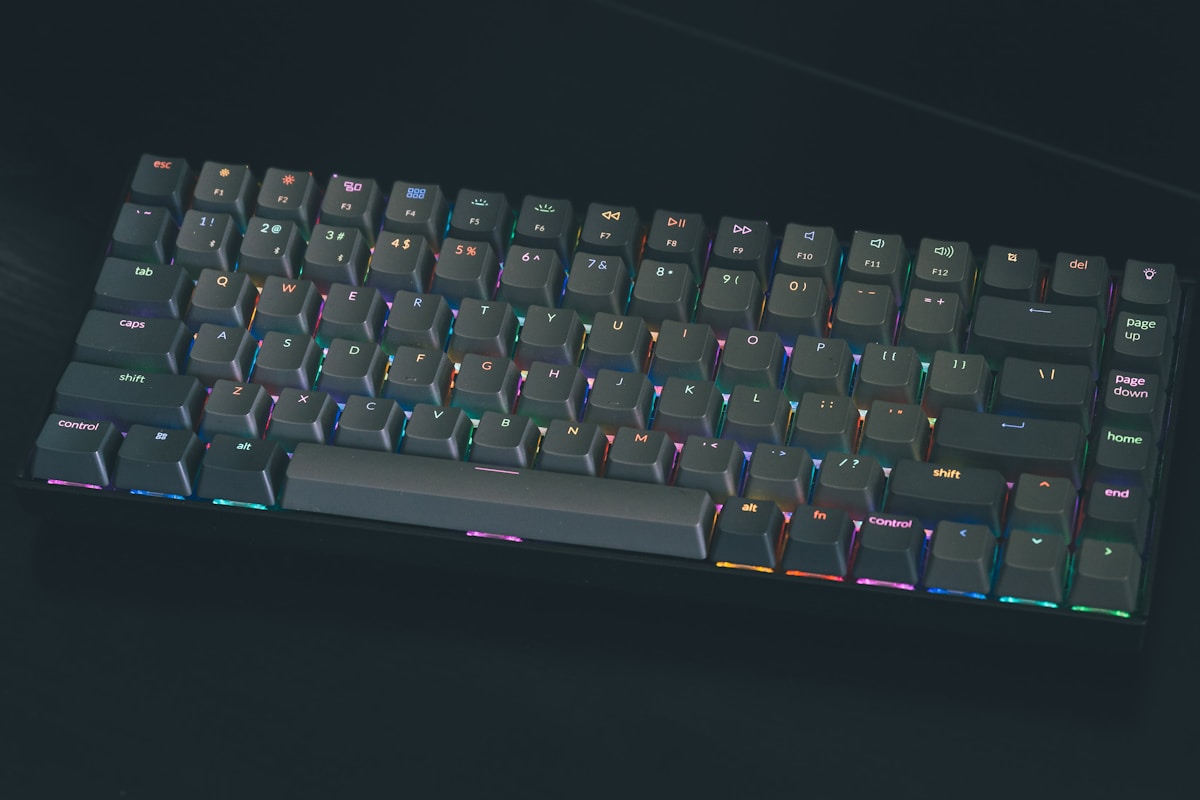
The Royal Kludge RK84 Pro is the best wireless mechanical keyboard under $150 CAD. At ~$100 CAD on Amazon.ca, it delivers triple-mode connectivity (Bluetooth + 2.4 GHz + USB-C), hot-swap sockets, RGB backlighting, and a 75% layout. The build quality isn't aluminium like the Keychron Q1 Max, but the plastic case is solid and well-dampened.
RK Switches
The RK84 Pro comes with RK switches (available in red linear, brown tactile, or blue clicky). They're decent stock switches—smooth enough for daily use, though not as refined as Gateron or Cherry. The hot-swap sockets accept any MX-compatible switch, so you can upgrade later without buying a new keyboard.
The Value Proposition
For $100 CAD, you get features that cost $250+ on brand-name keyboards: triple-mode wireless, hot-swap, RGB, and a compact layout. The trade-offs are a plastic case (instead of aluminium), less refined switches (upgradeable), and a smaller battery (3,750 mAh vs. 6,000 mAh on the Q1 Max). For most people, these are acceptable compromises.
- Switches: RK Red/Brown/Blue (hot-swappable, MX-compatible)
- Layout: 75% (84 keys)
- Case: Plastic, foam dampened
- Connectivity: Bluetooth 5.1 (3 devices), 2.4 GHz, USB-C
- Battery: 3,750 mAh (~100 hours BT)
- Hot-Swap: Yes (5-pin, MX-compatible)
- Keycaps: Double-shot PBT
- Backlight: Per-key RGB
- Price: ~$100 CAD (Amazon.ca)
The Royal Kludge RK84 Pro is the best wireless mechanical keyboard for budget-conscious Canadian buyers. At $100 CAD, it's a third of the price of the Keychron Q1 Max and delivers 70% of the experience. The hot-swap sockets mean you can upgrade switches later as your preferences develop. It's the best entry point into wireless mechanical keyboards.
Best Mid-Range: Keychron K8 Pro
The Practical Choice
The Keychron K8 Pro sits between the budget RK84 Pro and the premium Q1 Max. At ~$140 CAD, it offers a TKL layout, hot-swap sockets, Bluetooth + USB-C connectivity, and Keychron's excellent build quality. The plastic case is well-built with internal foam dampening, and the Gateron G Pro switches are smooth and consistent.
- Switches: Gateron G Pro (Red/Brown/Blue, hot-swappable)
- Layout: TKL (87 keys)
- Case: ABS plastic, foam dampened
- Connectivity: Bluetooth 5.1 (3 devices), USB-C wired
- Battery: 4,000 mAh (~200 hours BT with backlight off)
- Hot-Swap: Yes (5-pin)
- Keycaps: Double-shot PBT
- Backlight: South-facing RGB
- Compatibility: Windows, macOS (dual keycaps included)
- Price: ~$140 CAD (Keychron.ca, Amazon.ca)
The Keychron K8 Pro is the best wireless mechanical keyboard in the $130-160 CAD range. It doesn't have 2.4 GHz wireless (Bluetooth only), which means it's not ideal for gaming, but for typing and productivity, Bluetooth 5.1 is perfectly responsive. The Gateron G Pro switches are a step up from the RK switches in the RK84 Pro.
Best for Productivity: Razer BlackWidow V4 75%
Triple-Mode With Razer Polish
The Razer BlackWidow V4 75% combines Razer's gaming heritage with productivity features. The 75% layout includes a function row and arrow keys in a compact footprint, and the rotary encoder knob provides quick access to volume, zoom, or any custom function you assign.
- Switches: Razer Orange (tactile) or Green (clicky), hot-swappable
- Layout: 75%
- Case: Aluminium top plate, plastic base
- Connectivity: Razer HyperSpeed 2.4 GHz, Bluetooth 5.0, USB-C
- Battery: ~100 hours (BT, backlight off)
- Hot-Swap: Yes
- Keycaps: Double-shot ABS
- Backlight: Per-key RGB (Razer Chroma)
- Price: ~$250 CAD (Amazon.ca, Best Buy Canada, Memory Express)
The Razer BlackWidow V4 75% is a solid wireless mechanical keyboard with excellent build quality and Razer's proven wireless technology. The rotary encoder is a nice productivity touch. At $250 CAD, it's positioned between the budget options and the premium Keychron Q1 Max. The ABS keycaps are the main downside—PBT would be preferred at this price.
Wireless Mechanical Keyboard Buying Guide
Connectivity: Bluetooth vs. 2.4 GHz vs. Wired
| Connection | Latency | Range | Multi-Device | Best For |
|---|---|---|---|---|
| 2.4 GHz wireless | 1ms | ~10m | No (1 device via dongle) | Gaming, low-latency tasks |
| Bluetooth 5.1 | 5-15ms | ~10m | Yes (up to 3 devices) | Productivity, multi-device |
| USB-C wired | <1ms | Cable length | No | Charging + zero latency |
For gaming: Use 2.4 GHz wireless. The 1ms latency matches wired and is significantly faster than Bluetooth.
For productivity: Use Bluetooth. The multi-device switching (Fn+1/2/3) lets you move between your work laptop, personal computer, and tablet without re-pairing.
For both: Buy a keyboard with triple-mode connectivity (all three options). The Keychron Q1 Max, RK84 Pro, and Razer BlackWidow V4 all support triple-mode.
Layout Guide for Canadian Buyers
| Layout | Keys | Has Numpad | Has F-Row | Has Arrows | Best For |
|---|---|---|---|---|---|
| Full-size | 104 | Yes | Yes | Yes | Data entry, accounting |
| TKL (87%) | 87 | No | Yes | Yes | General use, gaming |
| 75% | 82-84 | No | Yes | Yes | Compact productivity |
| 65% | 68 | No | No | Yes | Minimal, portable |
| 60% | 61 | No | No | No (layer) | Ultra-compact, enthusiast |
For most Canadian buyers, the 75% layout is the sweet spot. It keeps the function row (essential for shortcuts) and arrow keys (essential for text editing) while eliminating the numpad to save desk space. If you use the numpad regularly for data entry, go with a full-size or TKL + separate numpad.
Switch Recommendations
- First mechanical keyboard: Start with Brown (tactile)—the bump provides feedback without being too loud
- Fast typist: Red (linear)—smooth, light, no bump to slow you down
- Programmer: Brown (tactile) or silent tactile (Boba U4)—feedback without noise
- Gamer: Red (linear) or Speed Silver—light actuation, fast reset
- Shared space: Silent Red or Gateron Jupiter Banana—quiet operation
Got Questions About Wireless Mechanical Keyboards? Let's Clear Things Up.
Is wireless mechanical keyboard latency noticeable?
With 2.4 GHz wireless (1ms polling), no. It's indistinguishable from wired in blind tests, even for competitive gamers. Bluetooth has slightly higher latency (5-15ms), which is noticeable in fast-paced games but imperceptible for typing and productivity. For gaming, use 2.4 GHz. For everything else, Bluetooth is fine.
How long do wireless mechanical keyboard batteries last?
It varies widely. With RGB backlighting on, expect 50-200 hours depending on the model. With backlighting off, some keyboards last 200-400 hours (weeks to months). The Keychron Q1 Max with its 6,000 mAh battery lasts approximately 200 hours on Bluetooth with backlighting off—that's roughly a month of daily use.
Can I use a wireless mechanical keyboard for work and gaming?
Absolutely. Triple-mode keyboards (Bluetooth + 2.4 GHz + USB-C) are designed for exactly this. Use Bluetooth during the workday for multi-device switching, then plug in the 2.4 GHz dongle for gaming in the evening. The Keychron Q1 Max and Royal Kludge RK84 Pro both handle this workflow well.
Are hot-swap sockets worth it?
Yes, especially on your first mechanical keyboard. Hot-swap lets you try different switches without buying a new keyboard or soldering. A set of switches costs $30-60 CAD—much cheaper than a new keyboard. Even if you never swap switches, hot-swap sockets don't add any downside to the typing experience.
Where can I buy mechanical keyboard switches in Canada?
- Amazon.ca: Widest selection, fastest shipping
- Keychron.ca: Gateron switches, ships from Canadian warehouse
- Deskhero.ca: Canadian keyboard enthusiast store, wide switch selection
- AliExpress: Cheapest prices, 2-4 week shipping from China
- Memory Express / Canada Computers: Limited selection, in-store pickup
Wireless mechanical keyboards have reached the point where there's no meaningful compromise compared to wired. The Keychron Q1 Max is the best overall option for enthusiasts, while the Royal Kludge RK84 Pro offers incredible value at $100 CAD. For more keyboard recommendations, check our best mechanical keyboards guide or our best quiet mechanical keyboard roundup for silent options.
⌨️
Take Our Free Keyboard Finder Quiz
Answer a few quick questions and get personalized recommendations.
Start Quiz →

Discussion
Sign up or sign in to join the conversation.