
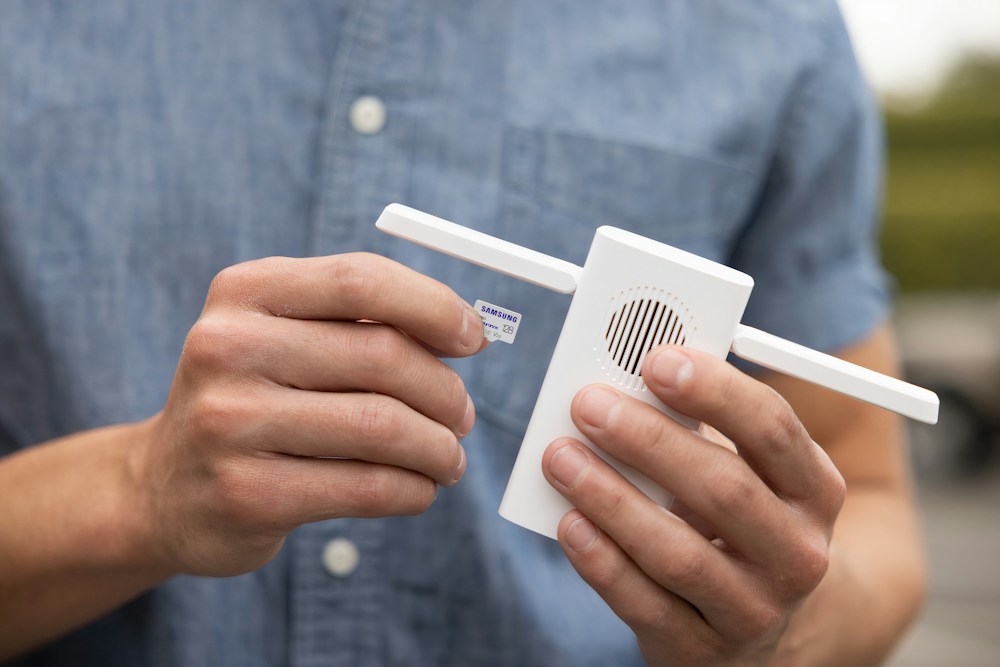

Every Canadian home has WiFi dead zones. The basement rec room, the upstairs bedroom farthest from the router, the backyard patio in summer—there's always a spot where the signal drops to nothing. A WiFi extender takes your existing router's signal and rebroadcasts it to those dead zones, giving ...
Every Canadian home has WiFi dead zones. The basement rec room, the upstairs bedroom farthest from the router, the backyard patio in summer—there's always a spot where the signal drops to nothing. A WiFi extender takes your existing router's signal and rebroadcasts it to those dead zones, giving you coverage where you need it without replacing your entire setup.
The key distinction in 2026: WiFi extenders (repeaters) rebroadcast your existing signal, while mesh systems replace your router entirely. Extenders are cheaper and simpler—plug one in, connect it to your router, and you're done. The trade-off is that extenders typically cut your speed by 50% because they use the same band to receive and transmit. Dual-band and tri-band extenders minimize this loss.
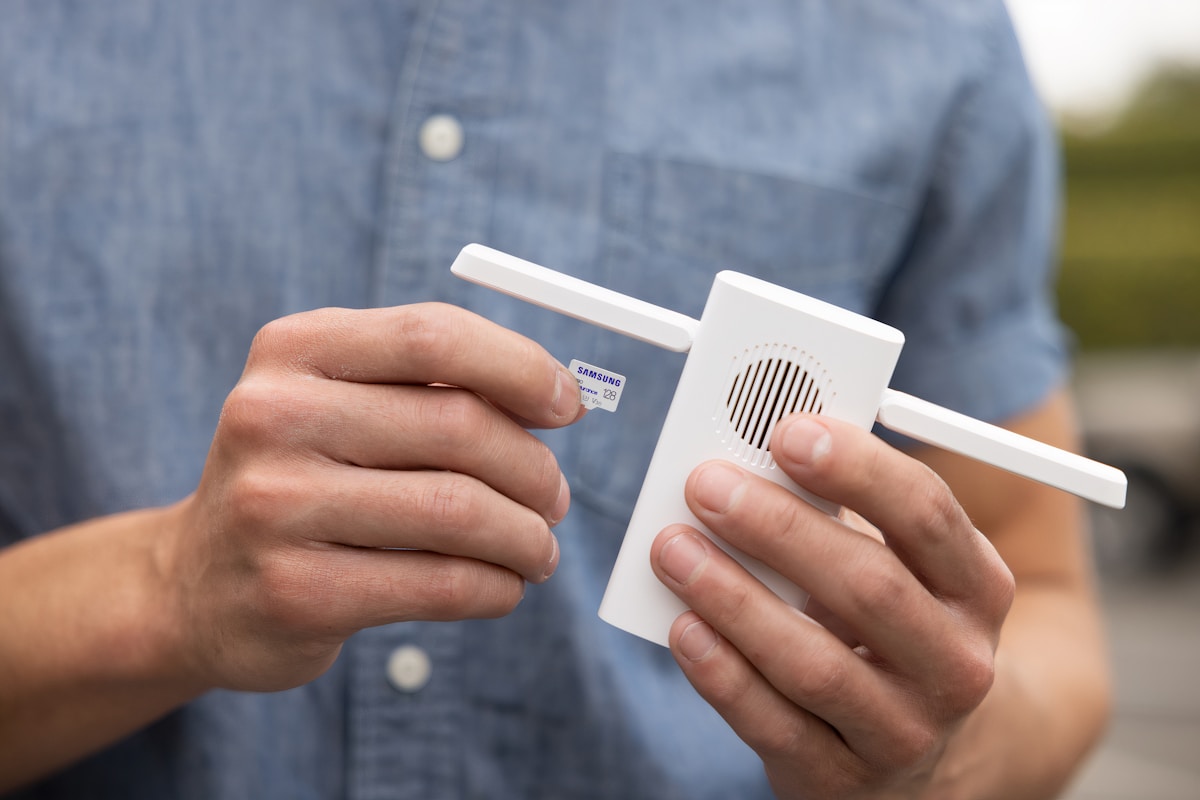
Top WiFi Extenders Compared
| Extender | WiFi Standard | Speed | Coverage Added | Bands | Ethernet | Price |
|---|---|---|---|---|---|---|
| TP-Link RE700X | WiFi 6 | 3,000 Mbps | 1,500 sq ft | Dual-band | 1x Gigabit | ~$100 CAD |
| TP-Link RE315 | WiFi 5 | 1,200 Mbps | 1,200 sq ft | Dual-band | 1x Fast Ethernet | ~$40 CAD |
| Netgear EAX15 | WiFi 6 | 1,800 Mbps | 1,500 sq ft | Dual-band | 1x Gigabit | ~$80 CAD |
| ASUS RP-AX58 | WiFi 6 | 3,000 Mbps | 1,500 sq ft | Dual-band | 1x Gigabit | ~$110 CAD |
Best Overall: TP-Link RE700X
WiFi 6 Performance at a Fair Price
The TP-Link RE700X at ~$100 CAD is the best WiFi extender for most Canadian homes. WiFi 6 with 3,000 Mbps combined throughput delivers fast, reliable coverage to dead zones. The OneMesh compatibility means it works seamlessly with TP-Link routers—your devices roam between the router and extender without disconnecting or switching networks.
The Gigabit Ethernet port lets you hardwire a device (smart TV, gaming console, desktop) in the extended zone for maximum speed. Setup takes 5 minutes through the TP-Link Tether app—plug it in halfway between your router and the dead zone, connect via the app, and you're done.
- WiFi Standard: WiFi 6 (802.11ax)
- Speed: 3,000 Mbps (combined)
- Coverage added: ~1,500 sq ft
- Bands: Dual-band (2.4 GHz + 5 GHz)
- Ethernet: 1x Gigabit
- OneMesh: Yes (seamless roaming with TP-Link routers)
- Price: ~$100 CAD
The RE700X is the best extender for TP-Link router owners. OneMesh creates a seamless network where your phone automatically connects to the strongest signal as you move through the house—no manual switching. At $100 CAD, it's the most cost-effective way to eliminate dead zones without buying a mesh system.
Placement Is Everything
The single most important factor for extender performance is placement. Too close to the router and it's redundant. Too far and it can't get a strong signal to rebroadcast. The sweet spot is halfway between your router and the dead zone, in a location with at least 50% signal strength from the router.
- Good placement: Hallway between living room (router) and basement (dead zone)
- Bad placement: In the dead zone itself (too far from router, weak signal to extend)
- Worst placement: Right next to the router (extends signal you already have)
Best Budget: TP-Link RE315
Dead Zone Fix for $40
The TP-Link RE315 at ~$40 CAD is the cheapest effective WiFi extender. WiFi 5 with 1,200 Mbps is enough for web browsing, streaming, and video calls in the extended zone. It won't deliver blazing speeds, but it turns a dead zone into a usable zone for basic tasks.
The dual-band design helps minimize the speed loss typical of single-band extenders. The Fast Ethernet port (100 Mbps) is useful for connecting a smart TV or streaming device. Setup is straightforward through the Tether app or WPS button.
- WiFi Standard: WiFi 5 (802.11ac)
- Speed: 1,200 Mbps (combined)
- Coverage added: ~1,200 sq ft
- Bands: Dual-band
- Ethernet: 1x Fast Ethernet (100 Mbps)
- Price: ~$40 CAD
At $40 CAD, the RE315 is the cheapest way to fix a WiFi dead zone. It won't win any speed tests, but it'll give you reliable WiFi in that one room where your signal drops. For basic use—streaming, browsing, smart home devices—it's all you need.
Best for Non-TP-Link Routers: Netgear EAX15
Universal Compatibility
The Netgear EAX15 at ~$80 CAD works with any router brand—Bell, Rogers, Telus, ASUS, Netgear, or whatever you have. WiFi 6 with 1,800 Mbps provides solid performance, and the Gigabit Ethernet port is useful for wired connections in the extended zone.
The Netgear Nighthawk app provides easy setup and management. The EAX15 creates a separate network name by default (YourNetwork_EXT), but you can set it to use the same name as your main network for seamless roaming.
- WiFi Standard: WiFi 6 (802.11ax)
- Speed: 1,800 Mbps (combined)
- Coverage added: ~1,500 sq ft
- Bands: Dual-band
- Ethernet: 1x Gigabit
- Price: ~$80 CAD
Best for ASUS Routers: ASUS RP-AX58
AiMesh Integration
If you have an ASUS router, the RP-AX58 at ~$110 CAD integrates via AiMesh to create a seamless mesh-like network. Your devices roam between the router and extender automatically with a single network name. The 3,000 Mbps WiFi 6 throughput matches the RE700X, and the Gigabit Ethernet port provides a wired option.
- WiFi Standard: WiFi 6 (802.11ax)
- Speed: 3,000 Mbps (combined)
- Coverage added: ~1,500 sq ft
- AiMesh: Yes (seamless roaming with ASUS routers)
- Ethernet: 1x Gigabit
- Price: ~$110 CAD
Extender vs Mesh: Which Do You Need?
| Factor | WiFi Extender | Mesh System |
|---|---|---|
| Cost | $40-110 CAD | $200-500 CAD |
| Setup | Plug in, connect | Replace router, set up nodes |
| Speed loss | 30-50% in extended zone | Minimal (dedicated backhaul) |
| Roaming | Manual or semi-seamless | Fully seamless |
| Best for | 1-2 dead zones | Whole-home coverage |
| Complexity | Simple | Moderate |
If you have one or two dead zones and your router covers most of your home, an extender is the right choice. If your entire home has spotty coverage, a mesh system is better. For most Canadian homes (1,500-2,500 sq ft), an extender handles the job. For larger homes (3,000+ sq ft) or multi-level homes with poor coverage throughout, go mesh.
Common Canadian Dead Zone Scenarios
- Basement rec room: Router on main floor, basement gets weak signal. Place extender at the top of the basement stairs
- Upstairs bedrooms: Router in the living room, bedrooms upstairs get poor signal. Place extender in the upstairs hallway
- Backyard patio: Summer WiFi for the deck. Place extender near a window facing the patio
- Detached garage: Tough to reach with an extender. Consider a powerline adapter + access point instead
- Condo with thick concrete walls: Concrete blocks WiFi aggressively. Place extender in the hallway between rooms
ISP Router Compatibility
All extenders on this list work with ISP-provided routers from:
- Bell Home Hub: Works with all extenders
- Rogers Ignite Gateway: Works with all extenders
- Telus T3200M/Wi-Fi Hub: Works with all extenders
- Shaw/Freedom modem: Works with all extenders
No bridge mode needed—extenders work alongside your existing router, not as a replacement.
📺 Watch: Best WiFi Extenders 2026 Tested
Got Questions About WiFi Extenders? Let's Clear Things Up.
Will a WiFi extender slow down my internet?
Yes, slightly. Dual-band extenders typically reduce speed by 30-50% in the extended zone because they use one band to receive and the other to transmit. A 100 Mbps connection might deliver 50-70 Mbps through the extender. For streaming and browsing, this is still plenty. For gaming or large downloads, use the Ethernet port on the extender for full speed.
Where should I place my WiFi extender?
Halfway between your router and the dead zone. The extender needs a strong signal from your router to rebroadcast effectively. Use your phone's WiFi signal strength indicator—place the extender where you still have at least 2-3 bars from your router. Most extenders have LED indicators that show signal strength during setup.
Do I need a WiFi 6 extender if my router is WiFi 5?
A WiFi 6 extender works with WiFi 5 routers but won't deliver WiFi 6 speeds—it's limited by the router's capability. However, WiFi 6 extenders handle multiple devices better (OFDMA) and are more future-proof. If you plan to upgrade your router eventually, a WiFi 6 extender is worth the small premium.
Can I use multiple extenders?
You can, but it's not recommended. Daisy-chaining extenders (router → extender 1 → extender 2) compounds the speed loss—you might end up with 25% of your original speed at the second extender. If you need coverage in multiple dead zones, a mesh system is a better solution.
A WiFi extender is the simplest, cheapest way to fix dead zones in your Canadian home. The TP-Link RE700X at $100 CAD is the best overall pick, while the RE315 at $40 is the best budget option. For whole-home coverage, check our best WiFi mesh router guide or our complete best WiFi routers roundup.
📡
Take Our Free WiFi Coverage Calculator
Answer a few quick questions and get personalized recommendations.
Start Quiz →






Discussion
Sign up or sign in to join the conversation.