
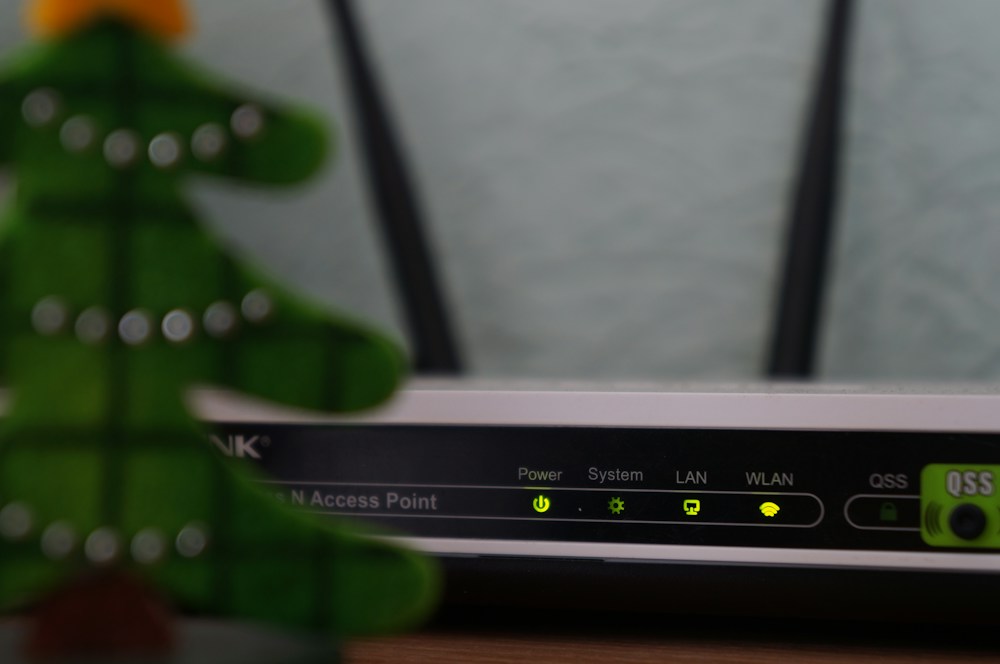

If you live in a large Canadian home—and many of us do—you know the frustration. WiFi works great in the living room, decent in the kitchen, and completely dies in the basement or upstairs bedroom. You're paying Bell, Rogers, or Telus $100+ per month for fast internet, but your router can't push ...
If you live in a large Canadian home—and many of us do—you know the frustration. WiFi works great in the living room, decent in the kitchen, and completely dies in the basement or upstairs bedroom. You're paying Bell, Rogers, or Telus $100+ per month for fast internet, but your router can't push that signal past two walls and a staircase.
The ISP-provided router sitting in your basement utility closet was never designed to cover a 2,500+ square foot home. It's a basic box that handles a small apartment just fine but chokes on the distances and obstacles found in typical Canadian houses—multiple floors, thick drywall, concrete basements, and that annoying HVAC ductwork that blocks signals like a Faraday cage.
A dedicated long-range WiFi router changes everything. The best ones in 2026 use WiFi 7 or advanced WiFi 6E technology with high-gain antennas, beamforming, and multi-band radios that push strong signals through walls and across floors. Whether you're in a sprawling Calgary bungalow or a three-storey Montreal townhouse, these routers deliver fast, reliable WiFi everywhere.
Best Long Range WiFi Routers Compared
| Router | WiFi Standard | Bands | Coverage | Speed (Max) | Mesh Support | Price |
|---|---|---|---|---|---|---|
| ASUS RT-AXE7800 | WiFi 6E | Tri-band | ~2,500 sq ft | 7,800 Mbps | AiMesh | ~$350 CAD |
| TP-Link Archer AXE300 | WiFi 6E | Quad-band | ~3,000 sq ft | 16,000 Mbps | OneMesh | ~$550 CAD |
| Netgear Nighthawk RS700S | WiFi 7 | Tri-band | ~3,500 sq ft | 19,000 Mbps | No (standalone) | ~$630 CAD |
| ASUS RT-BE96U | WiFi 7 | Tri-band | ~3,000 sq ft | 21,600 Mbps | AiMesh | ~$700 CAD |
| TP-Link Archer BE550 | WiFi 7 | Tri-band | ~2,800 sq ft | 9,214 Mbps | EasyMesh | ~$400 CAD |
Best Long Range Router Overall: ASUS RT-AXE7800
The Range King for Most Canadian Homes
The ASUS RT-AXE7800 hits the sweet spot between range, performance, and price. With WiFi 6E tri-band technology and six high-gain antennas, it covers up to 2,500 square feet reliably—enough for most Canadian detached homes. The 6GHz band provides a dedicated fast lane for newer devices, while the dual 5GHz and 2.4GHz bands handle everything else.
Why It Works for Large Homes
The RT-AXE7800 uses OFDMA and MU-MIMO to handle dozens of devices simultaneously without slowing down. In a typical Canadian household with smart TVs, phones, laptops, tablets, smart home devices, and a couple of kids streaming simultaneously, this router doesn't break a sweat.
The AiMesh compatibility is the real long-range secret. If 2,500 sq ft isn't enough—or if your home's layout creates dead zones—you can add a second ASUS router or AiMesh node to extend coverage seamlessly. No separate mesh system needed. Start with one router and expand later if necessary.
- WiFi Standard: WiFi 6E (802.11ax)
- Bands: Tri-band (2.4GHz + 5GHz + 6GHz)
- Max Speed: 7,800 Mbps combined
- Coverage: ~2,500 sq ft (single unit)
- Antennas: 6 external high-gain
- Ports: 1x 2.5Gbps WAN, 4x Gigabit LAN, 1x USB 3.2
- Mesh: AiMesh compatible
- Security: AiProtection Pro (Trend Micro, lifetime free)
- Price: ~$350 CAD
For most Canadian homes under 2,500 sq ft, the ASUS RT-AXE7800 is the best long-range router. WiFi 6E, AiMesh expandability, and AiProtection Pro security—all for $350 CAD. It's the router that makes you forget you had WiFi problems.
Canadian ISP Compatibility
The RT-AXE7800 works with every major Canadian ISP. If you're on Bell Fibe, Rogers Ignite, Telus PureFibre, or Shaw/Freedom, you can replace the ISP router or put it in bridge mode and use the ASUS as your primary router. The 2.5Gbps WAN port handles Bell's and Telus's gigabit fibre plans without bottlenecking.
Best for Maximum Range: Netgear Nighthawk RS700S
WiFi 7 Powerhouse
The Nighthawk RS700S is Netgear's flagship WiFi 7 router, and it delivers the longest range of any single router on this list. The 3,500 sq ft coverage is enough for large Canadian homes—think suburban houses in Mississauga, Surrey, or Edmonton with multiple floors and a finished basement.
WiFi 7: What You Actually Get
WiFi 7 (802.11be) brings 320MHz channels (double WiFi 6E's 160MHz), 4K-QAM modulation, and Multi-Link Operation (MLO) that lets devices connect across multiple bands simultaneously. In practice, this means faster speeds at range and more stable connections when you're far from the router.

The RS700S pushes up to 19,000 Mbps combined across its tri-band configuration. You won't hit those speeds in real life (no one does), but the overhead means the router handles heavy loads without degrading performance for any single device.
- WiFi Standard: WiFi 7 (802.11be)
- Bands: Tri-band (2.4GHz + 5GHz + 6GHz)
- Max Speed: 19,000 Mbps combined
- Coverage: ~3,500 sq ft
- Antennas: Internal (high-gain)
- Ports: 1x 10Gbps WAN, 4x Gigabit LAN, 1x USB 3.0
- Mesh: No (standalone only)
- Security: Netgear Armor (1-year included, then ~$100 CAD/year)
- Price: ~$630 CAD
The Nighthawk RS700S covers 3,500 sq ft from a single unit—no mesh nodes needed. If you have a large home and want one router to rule them all, this is it. The 10Gbps WAN port is future-proof for multi-gig internet plans coming to Canadian cities.
The Catch
No mesh support. If the RS700S doesn't cover your entire home (unlikely for most, but possible in very large or oddly shaped houses), you can't add nodes. You'd need to buy a separate mesh system. At $630 CAD, that's a significant investment to potentially replace later.
Best WiFi 7 Value: TP-Link Archer BE550
WiFi 7 Without the Premium Price
The Archer BE550 brings WiFi 7 to a more reasonable price point. At ~$400 CAD, it's $230 less than the Nighthawk RS700S while still delivering WiFi 7 features like 320MHz channels and MLO. The 2,800 sq ft coverage handles most Canadian homes comfortably.
EasyMesh for Expansion
TP-Link's EasyMesh support means you can add compatible TP-Link mesh nodes if you need more coverage. This gives you the expandability that the Nighthawk RS700S lacks, at a lower starting price. For a large home that might need a node in the basement or garage, this flexibility is valuable.
- WiFi Standard: WiFi 7 (802.11be)
- Bands: Tri-band (2.4GHz + 5GHz + 6GHz)
- Max Speed: 9,214 Mbps combined
- Coverage: ~2,800 sq ft
- Ports: 1x 2.5Gbps WAN, 4x Gigabit LAN, 1x USB 3.0
- Mesh: EasyMesh compatible
- Security: TP-Link HomeShield (basic free, premium ~$70 CAD/year)
- Price: ~$400 CAD
The Archer BE550 is the smartest WiFi 7 buy for most Canadians. You get the latest wireless standard with mesh expandability for $400 CAD. It won't match the Nighthawk's raw range, but the ability to add nodes makes it more versatile for tricky home layouts.
Best Premium: ASUS RT-BE96U
The No-Compromise Router
The RT-BE96U is ASUS's flagship WiFi 7 router, and it's built for people who want the absolute best regardless of price. 21,600 Mbps combined speed, a dedicated 6GHz band with 320MHz channels, and ASUS's excellent AiMesh support for whole-home coverage.
The dual 10Gbps ports (one WAN, one LAN) are future-proof for multi-gig internet plans that Bell and Telus are rolling out in Toronto, Vancouver, and Montreal. If you're on a 3 Gbps or faster plan, this router won't bottleneck your connection.
- WiFi Standard: WiFi 7 (802.11be)
- Bands: Tri-band (2.4GHz + 5GHz + 6GHz)
- Max Speed: 21,600 Mbps combined
- Coverage: ~3,000 sq ft
- Ports: 1x 10Gbps WAN, 1x 10Gbps LAN, 4x Gigabit LAN, 1x USB 3.2
- Mesh: AiMesh compatible
- Security: AiProtection Pro (lifetime free)
- Price: ~$700 CAD
The RT-BE96U is overkill for most people—and that's the point. If you want the fastest, most future-proof router with mesh expandability and lifetime security, this is the one. The dual 10Gbps ports alone justify it for multi-gig fibre subscribers.
Best Budget Long Range: TP-Link Archer AXE300
Quad-Band Coverage Monster
The Archer AXE300 takes a different approach to long range: quad-band WiFi 6E with a dedicated backhaul band. The four bands (2.4GHz + two 5GHz + 6GHz) mean more bandwidth for more devices, and the dedicated backhaul keeps mesh communication from eating into your usable bandwidth.
At 3,000 sq ft coverage from a single unit, it matches or exceeds most WiFi 7 routers. The OneMesh compatibility lets you add TP-Link range extenders or mesh nodes for even more coverage.
- WiFi Standard: WiFi 6E (802.11ax)
- Bands: Quad-band (2.4GHz + 2x 5GHz + 6GHz)
- Max Speed: 16,000 Mbps combined
- Coverage: ~3,000 sq ft
- Ports: 1x 10Gbps WAN, 1x 10Gbps LAN, 4x Gigabit LAN, 2x USB 3.0
- Mesh: OneMesh compatible
- Price: ~$550 CAD
Long Range Router Placement Guide for Canadian Homes
Where to Put Your Router
Router placement is the single biggest factor in WiFi range. Most Canadians make the same mistake: leaving the router in the basement utility closet where the ISP installed it.
- Central location: Place the router on the main floor, as central as possible. WiFi signals travel outward in all directions—a central position maximizes coverage
- Elevated position: Put it on a shelf or mount it on a wall, 4-5 feet high. Signals travel downward better than upward
- Away from interference: Keep it away from microwaves, baby monitors, cordless phones, and thick concrete walls
- Not in a closet: Walls, doors, and shelves block signals. An open shelf in the living room beats a closed closet every time
Canadian Home Challenges
| Home Type | Typical Size | Challenge | Recommended Router |
|---|---|---|---|
| Condo/Apartment | 600-1,200 sq ft | Neighbour interference | ASUS RT-AXE7800 |
| Townhouse (2-3 floors) | 1,200-2,000 sq ft | Vertical coverage | ASUS RT-AXE7800 + AiMesh node |
| Detached (2 floors) | 1,800-2,500 sq ft | Distance + walls | TP-Link Archer BE550 |
| Large detached | 2,500-3,500 sq ft | Maximum range needed | Netgear RS700S or ASUS RT-BE96U |
| Rural/Acreage | 2,000+ sq ft + outbuildings | Extreme distance | ASUS RT-BE96U + AiMesh nodes |
Bridge Mode: Replacing Your ISP Router
Most Canadian ISPs (Bell, Rogers, Telus) let you put their router in bridge mode, which turns it into a simple modem and lets your new router handle all WiFi and routing duties. This is the recommended setup—ISP routers are mediocre at best.
- Bell Fibe: Put the Home Hub in bridge mode via the admin panel or call Bell support
- Rogers Ignite: Enable bridge mode on the Ignite WiFi Gateway (may need to call Rogers)
- Telus PureFibre: The T3200M/NH20A can be set to bridge mode via the admin panel
- Shaw/Freedom: Bridge mode available on most Hitron modems
Don't run two routers simultaneously (double NAT). It causes connection issues with gaming, video calls, and smart home devices. Always put the ISP router in bridge mode when using your own router. If you're not comfortable doing this yourself, most ISPs will walk you through it over the phone.
WiFi 7 vs. WiFi 6E: Is It Worth the Upgrade?
For long-range performance, WiFi 7 offers real improvements:
| Feature | WiFi 6E | WiFi 7 |
|---|---|---|
| Max Channel Width | 160 MHz | 320 MHz |
| Modulation | 1024-QAM | 4096-QAM |
| Multi-Link Operation | No | Yes |
| Max Speed (theoretical) | ~9.6 Gbps | ~46 Gbps |
| Range Improvement | Baseline | ~15-20% better at distance |
| Device Availability | Widespread | Growing |
WiFi 7 devices are still rolling out in Canada. If most of your devices are WiFi 6 or 6E, a WiFi 6E router like the ASUS RT-AXE7800 delivers 95% of the real-world performance at a lower price. If you're buying for the next 5+ years and want future-proofing, WiFi 7 is worth the premium.
📺 Watch: Best Long Range WiFi Routers 2026 Tested in a Real Canadian Home
Got Questions About Long Range WiFi Routers? Let's Clear Things Up.
Do I really need a separate router, or is my ISP router good enough?
For a small apartment or condo under 1,000 sq ft, your ISP router is probably fine. For anything larger—especially multi-floor homes—a dedicated router makes a dramatic difference. ISP routers like Bell's Home Hub or Rogers' Ignite Gateway are designed to be "good enough" for the average user, not to deliver strong signals across a large home. A dedicated router with better antennas, more powerful radios, and advanced features like beamforming and MU-MIMO will transform your WiFi experience.
Can a single router really cover 3,000+ square feet?
Yes, but with caveats. The coverage numbers manufacturers quote are for open spaces with minimal obstacles. In a real Canadian home with walls, floors, furniture, and appliances, expect 60-70% of the advertised range. A router rated for 3,500 sq ft will reliably cover about 2,200-2,500 sq ft in a typical home. If your home is larger or has challenging construction (concrete walls, metal framing), consider a mesh system or a router with mesh expandability like the ASUS models with AiMesh.
Should I get a mesh system instead of a long-range router?
It depends on your home. A single powerful router is simpler, cheaper, and has fewer points of failure. A mesh system (like the ones in our best WiFi routers guide) is better for very large or oddly shaped homes where no single router can reach every corner. The sweet spot is a long-range router with mesh expandability—start with one unit and add nodes only if needed. The ASUS RT-AXE7800 and TP-Link Archer BE550 both support this approach.
What internet speed do I need to justify a WiFi 7 router?
WiFi 7's speed benefits are most noticeable on internet plans above 1 Gbps. If you're on a 500 Mbps plan from Rogers or a 1 Gbps plan from Bell, a WiFi 6E router will deliver your full internet speed without bottlenecking. WiFi 7 becomes worthwhile on 2.5 Gbps+ plans or in households with many devices competing for bandwidth simultaneously. The range and stability improvements of WiFi 7 benefit everyone, though—even on slower plans.
How do I know if my devices support WiFi 6E or WiFi 7?
Most devices sold in Canada since 2023 support WiFi 6E. WiFi 7 support is newer—look for it in flagship phones (iPhone 16 Pro, Samsung Galaxy S25), recent laptops (2025+ MacBooks, high-end Windows laptops), and newer smart home devices. Your router is backward compatible, so older WiFi 5 and WiFi 6 devices will still connect—they just won't benefit from the newer features. Check your device's specs page or settings for the WiFi standard it supports.
A long-range WiFi router eliminates dead zones and delivers the internet speed you're paying for to every room in your home. The ASUS RT-AXE7800 is the best choice for most Canadian homes, while the Netgear RS700S covers the largest spaces from a single unit. For more networking options, check our best WiFi routers roundup, our best WiFi 7 router guide, or our best WiFi router for gaming picks for low-latency setups.


Discussion
Sign up or sign in to join the conversation.