
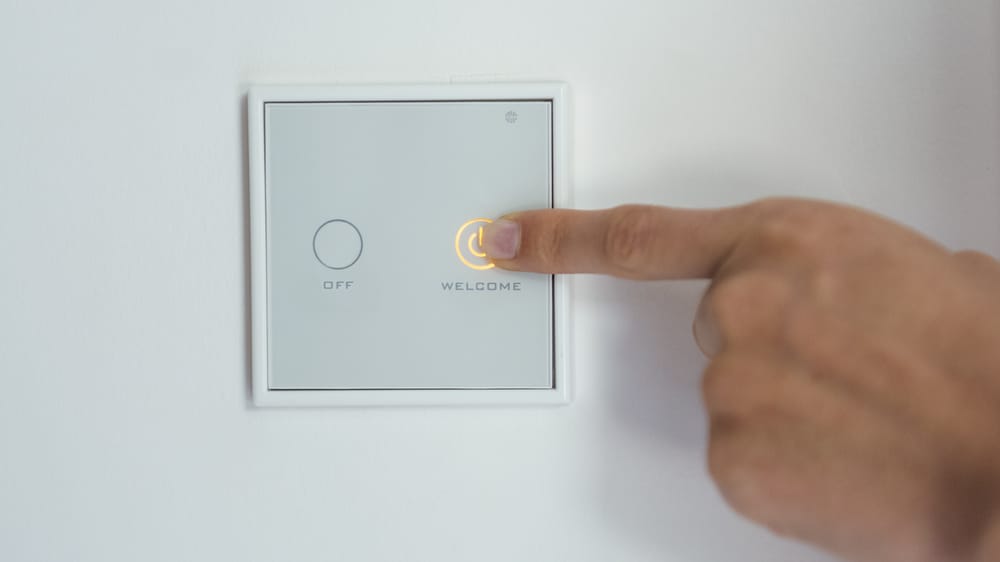

You bought a smart light switch, opened the wall box, and found only two wires—a hot and a load. No neutral wire. Welcome to the club. Homes built before the 1980s (and plenty built after) often skip the neutral wire in switch boxes because traditional switches didn't need one.
You bought a smart light switch, opened the wall box, and found only two wires—a hot and a load. No neutral wire. Welcome to the club. Homes built before the 1980s (and plenty built after) often skip the neutral wire in switch boxes because traditional switches didn't need one.
Smart switches need constant power to stay connected to WiFi, and that's what the neutral wire provides. But you're not out of luck. Several smart switches now work without a neutral wire, and there are workarounds for the ones that don't.

Why Smart Switches Need a Neutral Wire

A traditional switch just interrupts the hot wire—on or off. It doesn't need its own power. A smart switch needs to:
- Stay powered to maintain WiFi/Zigbee/Z-Wave connection
- Run its internal processor
- Keep the LED indicator lit
- Listen for voice commands or app signals
The neutral wire completes the circuit back to the panel, giving the switch a constant trickle of power even when the light is off.
What Happens Without a Neutral Wire
Without a neutral, a smart switch has to "leak" a tiny current through the light bulb to power itself. This can cause:
- LED flickering — the small current makes LEDs glow or flash
- Buzzing — some bulbs hum from the trickle current
- Incompatibility — not all bulb types work
- Minimum load requirements — some switches need a minimum wattage to function
Best Smart Switches That Don't Need a Neutral Wire
Lutron Caséta (Best Overall)
- Protocol: Clear Connect (proprietary)
- Hub Required: Yes (Lutron Smart Bridge)
- Works With: Alexa, Google, HomeKit, SmartThings
- Dimming: Yes
- Price: ~C$82 (switch) + C$109 (bridge)
Lutron is the gold standard for no-neutral installations. Their proprietary protocol is rock-solid reliable—no WiFi congestion issues. The downside is the required hub, but it's worth it.
Inovelli Blue Series (Best for Zigbee)
- Protocol: Zigbee 3.0
- Hub Required: Yes (any Zigbee hub)
- Works With: Home Assistant, SmartThings, Hubitat
- Dimming: Yes
- Price: ~C$48
The Inovelli Blue works without neutral and runs on Zigbee. It has a configurable LED strip on the side for notifications. Power users love this one.
C by GE 3-Wire Switch (Budget Pick)

- Protocol: WiFi + Bluetooth
- Hub Required: No
- Works With: Alexa, Google
- Dimming: Yes
- Price: ~C$34
No hub, no neutral, low price. The trade-off is WiFi-only (can congest your network) and limited smart home integrations.
Comparison Table
| Switch | Protocol | Hub | Dimmer | HomeKit | Price |
|---|---|---|---|---|---|
| Lutron Caséta | Clear Connect | Yes | Yes | Yes | C$82+ |
| Inovelli Blue | Zigbee | Yes | Yes | Via bridge | C$48 |
| C by GE | WiFi | No | Yes | No | C$34 |
If you're building a whole-home smart lighting system, invest in Lutron Caséta. The hub pays for itself in reliability.
📺 Watch: Smart Switches Without Neutral Wire Explained
The Bypass Module Workaround
If you want to use a switch that requires a neutral wire, you can install a bypass module (also called a capacitor or load resistor) at the light fixture:
- Wire the bypass module in parallel with the light bulb at the fixture box
- The module provides enough load for the switch to power itself
- Eliminates flickering and buzzing
Popular bypass modules:
- Aeotec Bypass (~C$20)
- Fibaro Bypass 2 (~C$27)
This is a solid option if you already own neutral-required switches or want more choices.
How to Check If You Have a Neutral Wire
- Turn off the breaker for the switch circuit
- Remove the switch cover plate
- Unscrew the switch from the box
- Look for a bundle of white wires connected with a wire nut in the back of the box
- If you see white wires bundled together (not connected to the switch), that's your neutral
Important: White wires connected directly to the switch terminals are likely load wires, not neutrals. Don't assume white = neutral.
Installation Tips
For No-Neutral Switches
- Follow the manufacturer's wiring diagram exactly
- Use compatible LED bulbs (check the manufacturer's compatibility list)
- If lights flicker, try a different bulb brand
- Some switches have a minimum wattage—add a bypass if your bulbs are too low
For Bypass Module Installation
- Install at the fixture, not the switch box
- Wire in parallel with the bulb
- Works with most smart switches that require neutral
- Consult an electrician if you're not comfortable with wiring
Got Questions About No-Neutral Smart Switches? Let's Clear Things Up.
Can I just run a neutral wire to the switch box?
Technically yes, but it's a significant electrical project. You'd need to run a new wire from the switch box to the nearest junction box with a neutral. This usually means opening walls. For most people, a no-neutral switch is far easier.
Will no-neutral switches work with any light bulb?
Not always. They work best with dimmable LED bulbs. Some cheap LEDs flicker, and very low-wattage bulbs may not provide enough load. Check the switch manufacturer's bulb compatibility list.
Are no-neutral switches less reliable?
Lutron Caséta is arguably the most reliable smart switch on the market, and it doesn't need a neutral. The protocol matters more than the wiring method. WiFi-based no-neutral switches can be less reliable due to network congestion.
Do I need an electrician to install these?
If you're comfortable replacing a regular light switch, you can handle a smart switch. The wiring is similar. But if you're unsure about anything electrical, hire a pro—it's not worth the risk.
No neutral wire doesn't mean no smart lighting. Lutron Caséta is the safest bet for reliability, while Inovelli Blue gives Zigbee enthusiasts a great option. For more on smart lighting, check out our guide on wifi light bulbs or explore best smart plugs for another way to add smarts to your home.


Discussion
Sign up or sign in to join the conversation.