


A smart home hub is the central brain that connects all your devices and makes them work together. Without one, your smart bulbs, sensors, and switches are isolated islands that can't talk to each other.
A smart home hub is the central brain that connects all your devices and makes them work together. Without one, your smart bulbs, sensors, and switches are isolated islands that can't talk to each other.
The problem? There are too many options, and picking the wrong hub locks you into an ecosystem that might not fit your needs. Let's break down the major hubs so you can choose with confidence.

Why You Need a Hub

If you only have a few WiFi smart plugs, you don't need a hub. But once you start adding sensors, switches, and automations, a hub becomes essential:
- Connects different protocols — Zigbee, Z-Wave, Thread, and WiFi devices on one platform
- Enables automations — "When motion is detected AND it's after sunset, turn on the lights"
- Local processing — Automations run without internet
- Reduces WiFi congestion — Zigbee/Z-Wave devices don't touch your router
The Top Smart Home Hubs
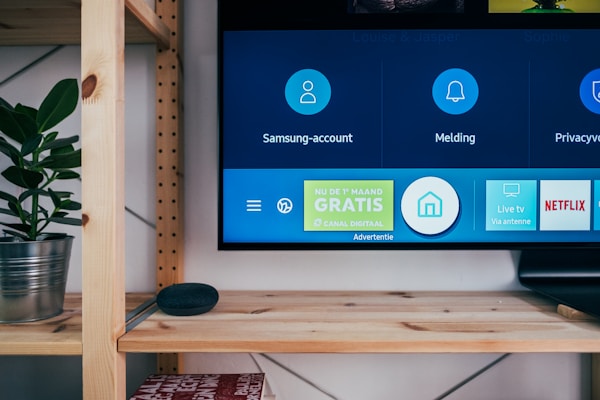
Samsung SmartThings Hub
The most versatile mainstream hub.
- Protocols: Zigbee, Z-Wave, WiFi, Matter, Thread
- Voice Assistants: Alexa, Google Assistant
- App Quality: Good, recently redesigned
- Automations: Solid, supports complex routines
- Local Processing: Partial (some automations run locally)
- Price: ~C$95
- Best For: People who want broad compatibility without DIY complexity
Amazon Echo (4th Gen+)
A smart speaker that doubles as a hub.
- Protocols: Zigbee, Matter, Thread, WiFi
- Voice Assistants: Alexa (built-in)
- App Quality: Good (Alexa app)
- Automations: Alexa Routines (simple but effective)
- Local Processing: Limited
- Price: C$68-100
- Best For: Alexa users who want a hub without extra hardware
Apple HomePod Mini / Apple TV
Apple's smart home hub for the HomeKit ecosystem.
- Protocols: Thread, Matter, WiFi, Bluetooth
- Voice Assistants: Siri
- App Quality: Apple Home (clean but limited)
- Automations: HomeKit automations (reliable but basic)
- Local Processing: Yes
- Price: C$135 (HomePod Mini) / C$175+ (Apple TV)
- Best For: Apple households who value privacy and simplicity
Home Assistant (Yellow / Green / DIY)
The power user's dream.
- Protocols: Everything (with adapters)
- Voice Assistants: All (via integrations)
- App Quality: Excellent (highly customizable)
- Automations: Unlimited complexity
- Local Processing: 100% local
- Price: C$68-150 (hardware) + free software
- Best For: Tech enthusiasts who want total control
Hubitat Elevation

Home Assistant's easier cousin.
- Protocols: Zigbee, Z-Wave, WiFi, Matter
- Voice Assistants: Alexa, Google
- App Quality: Functional (not pretty)
- Automations: Very powerful
- Local Processing: 100% local
- Price: ~C$205
- Best For: People who want local processing without the DIY learning curve
Comparison Table
| Hub | Zigbee | Z-Wave | Matter | Local | Voice | Price |
|---|---|---|---|---|---|---|
| SmartThings | ✅ | ✅ | ✅ | Partial | Alexa, Google | C$95 |
| Echo 4th Gen | ✅ | ❌ | ✅ | Limited | Alexa | C$68-100 |
| HomePod/Apple TV | ❌ | ❌ | ✅ | ✅ | Siri | C$135-130 |
| Home Assistant | ✅* | ✅* | ✅ | ✅ | All | C$68-150 |
| Hubitat | ✅ | ✅ | ✅ | ✅ | Alexa, Google | C$205 |
*Requires USB adapter (Zigbee/Z-Wave dongle ~C$41)
SmartThings is the best starting point for most people. Home Assistant is the endgame for enthusiasts.
📺 Watch: Smart Home Hubs Compared — Which One Should You Buy?
What About Matter?
Matter is the new universal smart home standard. It promises that any Matter device works with any Matter hub. In practice:
- All hubs listed above support Matter
- Matter runs over WiFi and Thread
- It doesn't replace Zigbee/Z-Wave yet—many devices still use those
- Matter is growing fast but the ecosystem is still maturing
For now, choose a hub that supports Matter AND your existing protocol (Zigbee or Z-Wave).
How to Choose
Pick SmartThings if:
- You want the widest device compatibility
- You use both Alexa and Google
- You want something that works out of the box
Pick Echo if:
- You're already in the Alexa ecosystem
- You want a speaker + hub in one device
- You're keeping things simple with Zigbee devices
Pick Apple HomePod/TV if:

- Everyone in your house uses iPhones
- Privacy is a top priority
- You prefer Apple's clean interface
Pick Home Assistant if:
- You enjoy tinkering and customizing
- You want 100% local control
- You have devices from many different brands
- You want the most powerful automations possible
Pick Hubitat if:
- You want local processing without the DIY setup
- You have Z-Wave devices
- Reliability matters more than a pretty app
Got Questions About Smart Home Hubs? Let's Clear Things Up.
Do I need a hub if I only use WiFi devices?
No. WiFi devices connect directly to your router and are controlled through their own apps or voice assistants. A hub becomes valuable when you add Zigbee/Z-Wave devices or want complex automations.
Can I switch hubs later?
Yes, but it's a pain. You'll need to re-pair all your devices with the new hub and rebuild your automations. Zigbee and Z-Wave devices can be reset and paired to any compatible hub. WiFi devices usually just need to be linked in the new app.
Will my smart home work without internet if I have a hub?
With Home Assistant or Hubitat, yes—everything runs locally. SmartThings and Echo require internet for most features. Apple Home runs many automations locally.
How many devices can a hub handle?
SmartThings and Hubitat handle 200+ devices easily. Home Assistant can manage thousands. Echo's Zigbee hub is limited to about 30-40 Zigbee devices. For large homes, SmartThings or Home Assistant is the way to go.
The right hub depends on your ecosystem, technical comfort level, and how deep you want to go. Start with SmartThings for simplicity or Home Assistant for power. For more on protocols, check out our zigbee vs wifi comparison or our thread vs zigbee breakdown.

Discussion
Sign up or sign in to join the conversation.