
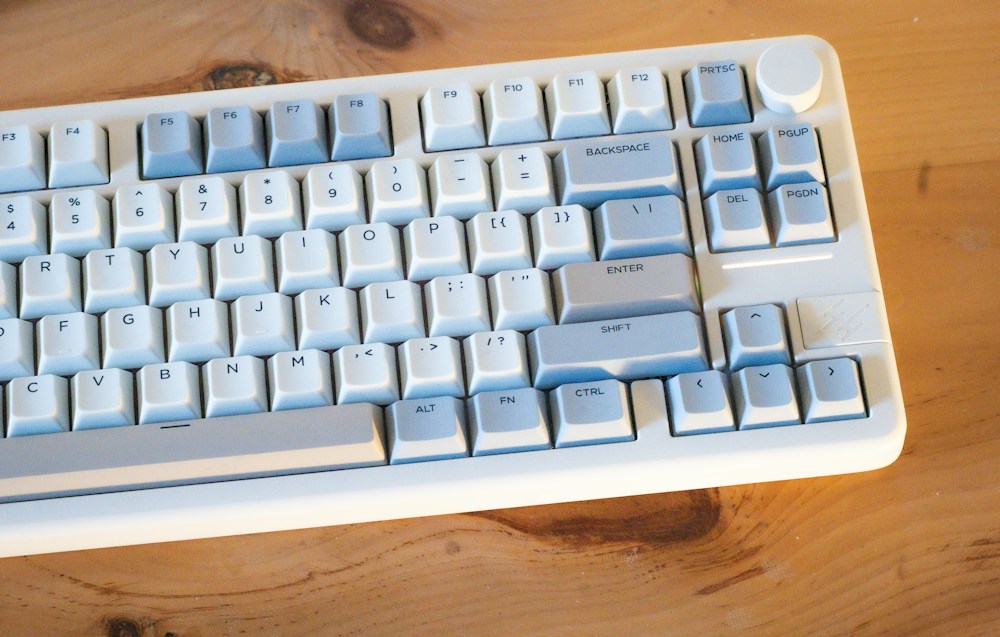

Mechanical keyboards have a reputation problem in offices. The satisfying "click-clack" that enthusiasts love is the exact sound that makes coworkers want to throw things at you. But mechanical keyboards don't have to be loud. Silent switches, sound-dampening foam, and gasket-mounted cases have m...
Mechanical keyboards have a reputation problem in offices. The satisfying "click-clack" that enthusiasts love is the exact sound that makes coworkers want to throw things at you. But mechanical keyboards don't have to be loud. Silent switches, sound-dampening foam, and gasket-mounted cases have made it possible to get the typing feel of a mechanical keyboard at noise levels comparable to—or quieter than—a standard membrane keyboard.
The benefits of a mechanical keyboard in an office are real: less finger fatigue during long typing days, more accurate keystrokes, and a typing experience that makes the 8-hour grind slightly more enjoyable. The key is choosing the right switches (silent tactile or silent linear), the right layout (compact enough for desk space, complete enough for productivity), and the right features (wireless multi-device, quiet stabilizers, office-appropriate aesthetics).
Here's what works in a Canadian office environment without getting you reported to HR.
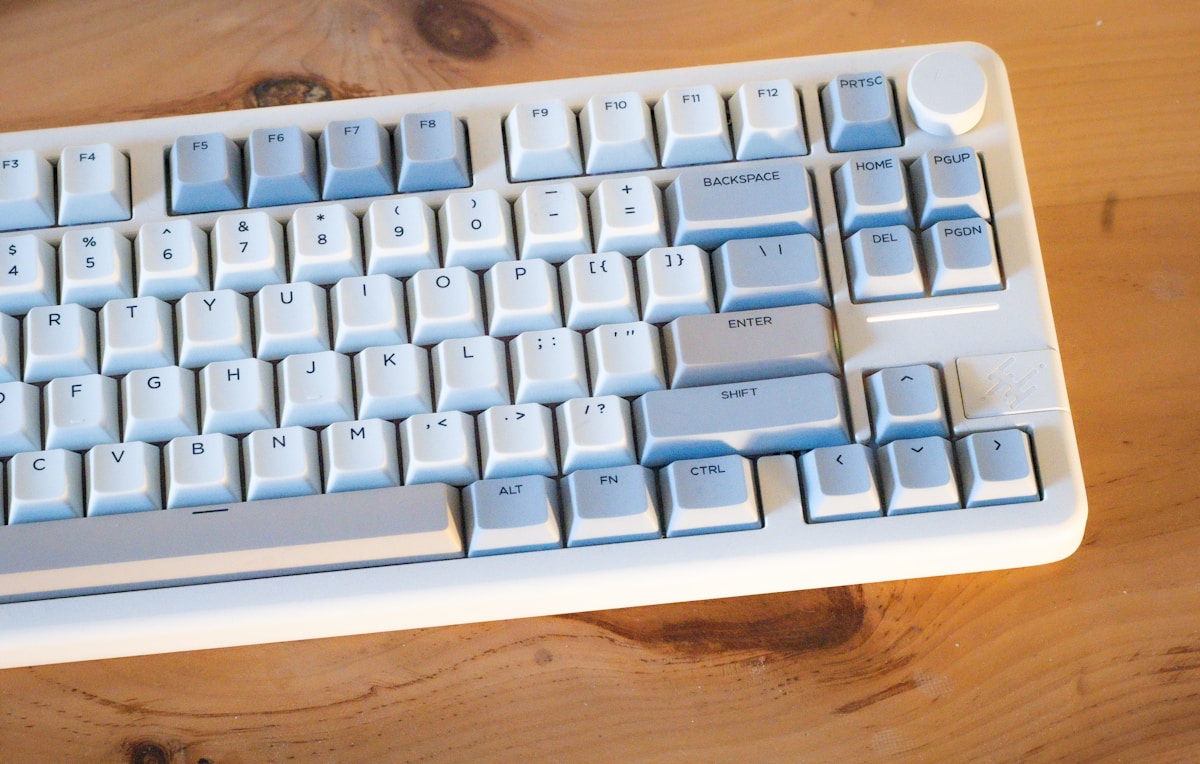
Top Mechanical Keyboards for Office Compared
| Keyboard | Layout | Switches | Noise Level | Wireless | Multi-Device | Hot-Swap | Price |
|---|---|---|---|---|---|---|---|
| Keychron K2 Pro | 75% | Gateron G Pro (various) | Moderate-Quiet | Bluetooth + USB-C | 3 devices | Yes | ~$130 CAD |
| Keychron Q5 Pro | 96% | Gateron Jupiter (various) | Quiet (gasket mount) | Bluetooth + USB-C | 3 devices | Yes | ~$280 CAD |
| Logitech MX Mechanical | Full/Mini | Tactile Quiet, Linear, Clicky | Quiet (Tactile Quiet) | Bluetooth + Bolt | 3 devices | No | ~$200 CAD |
| Leopold FC660M | 65% | Cherry MX (various) | Moderate | No (wired USB-C) | 1 device | No | ~$160 CAD |
| NuPhy Air75 V2 | 75% (low-profile) | Gateron Low-Profile (various) | Quiet | Bluetooth + 2.4 GHz + USB-C | 3 devices | Yes | ~$150 CAD |
Best Overall for Office: Keychron Q5 Pro
Premium Quality That Stays Quiet
The Keychron Q5 Pro is the office mechanical keyboard that doesn't compromise. The 96% layout gives you a full keyboard with numpad in a compact footprint—essential for anyone who works with spreadsheets, accounting software, or data entry. The gasket-mounted CNC aluminium case with internal sound-dampening foam produces a muted, satisfying "thock" instead of the sharp "clack" of cheaper mechanical keyboards.
Silent Switch Options
The Q5 Pro is hot-swappable, which means you can install silent switches without soldering. The stock Gateron Jupiter Brown switches are moderately quiet, but swapping to Gateron Silent Brown or Boba U4 switches makes the keyboard nearly silent—quieter than most membrane keyboards. This is the single most effective way to make a mechanical keyboard office-appropriate.
Wireless Multi-Device
Connect to your work laptop, personal MacBook, and iPad simultaneously via Bluetooth 5.1 (3 devices) and switch between them with Fn+1/2/3. The USB-C wired connection is there for zero-latency typing or when Bluetooth isn't allowed (some corporate IT policies restrict Bluetooth devices). The 4,000 mAh battery lasts up to 100 hours with backlight off.
- Layout: 96% (100 keys—full keyboard with compact footprint)
- Switches: Gateron Jupiter Brown (hot-swappable—swap to silent switches)
- Keycaps: OSA profile double-shot PBT (Mac + Windows sets)
- Programmability: QMK/VIA (fully programmable)
- Connectivity: Bluetooth 5.1 (3 devices) + USB-C
- Backlight: South-facing RGB (can be turned off)
- Case: CNC aluminium, gasket mount, sound-dampening foam
- Battery: 4,000 mAh (~100 hours backlight off)
- Price: ~$280 CAD
The Q5 Pro is the best mechanical keyboard for office workers who want premium quality without the noise. The gasket mount and foam dampening make it quiet out of the box, and swapping to silent switches makes it whisper-quiet. The 96% layout with numpad is essential for productivity work. At $280 CAD from keychron.ca or Amazon.ca, it's an investment—but one that lasts years.
Making It Even Quieter
If the stock switches aren't quiet enough for your open-plan office:
- Swap switches: Boba U4 silent tactile ($0.65 CAD each, ~$65 for a full set) or Gateron Silent Brown ($0.40 CAD each)
- Add O-rings: Silicone O-rings on keycap stems dampen the bottom-out sound (~$10 CAD for a full set)
- Desk mat: A thick desk mat absorbs vibration that transfers through the desk (~$30-50 CAD)
Best Value for Office: Keychron K2 Pro
80% of the Q5 Pro at Half the Price
The Keychron K2 Pro delivers the core mechanical keyboard experience—QMK/VIA programmability, hot-swappable switches, Bluetooth multi-device, and Mac/Windows compatibility—at ~$130 CAD. The plastic case isn't as premium as the Q5 Pro's aluminium, and the sound profile is slightly hollower, but the typing experience is excellent for the price.
75% Layout for Desk Space
The 75% layout drops the numpad but keeps function keys and arrow keys in a compact form factor. For most office workers who don't use the numpad daily, this is the ideal layout—it saves 10-15 cm of desk space, which means your mouse is closer and your arm doesn't have to reach as far.
- Layout: 75% (84 keys)
- Switches: Gateron G Pro Brown (hot-swappable)
- Keycaps: OSA profile double-shot PBT
- Programmability: QMK/VIA
- Connectivity: Bluetooth 5.1 (3 devices) + USB-C
- Backlight: South-facing RGB
- Case: ABS plastic, screw-in stabilizers
- Battery: 4,000 mAh
- Price: ~$130 CAD
The K2 Pro at $130 CAD is the best entry point for a programmable mechanical keyboard in the office. Hot-swappable switches mean you can start with Browns and upgrade to silent switches later. QMK/VIA programmability is rare at this price. The plastic case is the main compromise—it's lighter and slightly louder than aluminium alternatives.
Best for Non-Enthusiasts: Logitech MX Mechanical
Mechanical Feel, Office Simplicity
The Logitech MX Mechanical is designed for people who want a better typing experience without diving into the mechanical keyboard hobby. There's no hot-swapping, no QMK firmware, no custom keycaps—just a well-built mechanical keyboard that works out of the box with Logitech's excellent Options+ software for customization.
Tactile Quiet Switches
The Tactile Quiet switch option is specifically designed for office use. It provides a subtle tactile bump with minimal noise—quieter than Cherry MX Brown and comparable to a premium membrane keyboard. The low-profile design keeps the keyboard thin, reducing the need for a wrist rest.
Logi Flow and Multi-Device
Logitech's Flow feature lets you move your cursor between multiple computers seamlessly—drag a file from your work PC to your personal laptop. Combined with Bluetooth multi-device (3 devices) and the Bolt USB receiver for corporate environments that restrict Bluetooth, the MX Mechanical integrates into any office setup.
- Layout: Full-size or Mini (TKL)
- Switches: Tactile Quiet, Linear, or Clicky (not hot-swappable)
- Keycaps: Low-profile
- Programmability: Logitech Options+ (per-app customization)
- Connectivity: Bluetooth (3 devices) + Bolt USB receiver
- Backlight: White (auto-adjusting)
- Battery: Rechargeable (up to 15 months with backlight off)
- Price: ~$200 CAD
The MX Mechanical is the best mechanical keyboard for office workers who don't want to become keyboard enthusiasts. It works perfectly out of the box, the Tactile Quiet switches are genuinely quiet, and Logitech's software handles customization without firmware flashing. At $200 CAD, it's priced between the budget and premium options. Available at Best Buy Canada, Amazon.ca, and Staples.
Best Build Quality: Leopold FC660M
The Keyboard Purist's Choice
The Leopold FC660M is a no-nonsense mechanical keyboard with the best stock typing experience on this list. Leopold's sound-dampening mat inside the case, double-shot PBT keycaps, and Cherry MX switches produce a refined, consistent typing feel that more expensive keyboards struggle to match. There's no RGB, no wireless, no software—just exceptional build quality.
65% Layout
The 65% layout includes arrow keys and a few navigation keys (Insert, Delete, Page Up/Down via Fn) without function keys or numpad. It's the most compact layout that still feels complete for office work. The compact size leaves plenty of desk space for documents, coffee, and the other essentials of Canadian office life.
- Layout: 65% (66 keys)
- Switches: Cherry MX (Brown, Red, Blue, Silent Red, Clear)
- Keycaps: Double-shot PBT (excellent quality)
- Programmability: DIP switches (limited—swap Caps Lock/Ctrl, etc.)
- Connectivity: USB-C (wired only)
- Backlight: None
- Case: Plastic with internal sound-dampening mat
- Price: ~$160 CAD
The Leopold FC660M is the best mechanical keyboard for office workers who value typing feel above all else. The stock experience—switches, keycaps, sound dampening—is better than most custom keyboards. At $160 CAD, it's excellent value for the build quality. The lack of wireless and programmability is the trade-off. Choose Cherry MX Silent Red for the quietest option.
Best Low-Profile for Office: NuPhy Air75 V2
Slim, Quiet, and Versatile
The NuPhy Air75 V2 is a low-profile mechanical keyboard that looks and feels more like a premium laptop keyboard than a traditional mechanical board. At just 16mm thick, it sits flat on your desk without a wrist rest—reducing wrist extension that causes fatigue during long typing sessions. The Gateron low-profile switches provide a satisfying mechanical feel with less travel and less noise than full-height switches.
Triple Connectivity
The Air75 V2 offers Bluetooth 5.1 (3 devices), 2.4 GHz wireless (via USB dongle for lower latency), and USB-C wired—the most connectivity options on this list. The 2.4 GHz mode is useful in offices where Bluetooth congestion causes connection issues (common in large open-plan offices with dozens of Bluetooth devices).
- Layout: 75% (84 keys, low-profile)
- Switches: Gateron Low-Profile 2.0 (Brown, Red—hot-swappable)
- Keycaps: Low-profile PBT
- Programmability: VIA (fully programmable)
- Connectivity: Bluetooth 5.1 (3 devices) + 2.4 GHz + USB-C
- Backlight: South-facing RGB
- Battery: 4,000 mAh
- Thickness: 16mm
- Price: ~$150 CAD
The NuPhy Air75 V2 is the best low-profile mechanical keyboard for office use. The slim design eliminates the need for a wrist rest, and the low-profile switches are inherently quieter than full-height alternatives. At $150 CAD, it's well-priced for the feature set. The triple connectivity (Bluetooth + 2.4 GHz + USB-C) is a practical advantage in office environments.
Office Mechanical Keyboard Buying Tips
Noise Levels: What's Actually Acceptable?
| Noise Level | Decibels | Office Appropriate? | Switch Examples |
|---|---|---|---|
| Silent | 30-40 dB | Yes—open plan, shared spaces | Boba U4, Cherry MX Silent Red, Gateron Silent Brown |
| Quiet | 40-50 dB | Yes—most offices | Gateron Brown, Tactile Quiet, low-profile switches |
| Moderate | 50-60 dB | Private office only | Cherry MX Brown, standard tactile |
| Loud | 60-70 dB | No—home office only | Cherry MX Blue, Kailh Box White, any clicky switch |
The Numpad Question
- Need numpad: Accountants, data entry, financial analysts, anyone who enters numbers frequently → 96% layout (Keychron Q5 Pro) or full-size (Logitech MX Mechanical)
- Don't need numpad: Most office workers, writers, managers → 75% layout (Keychron K2 Pro, NuPhy Air75 V2) saves desk space
- Compromise: Get a 75% keyboard + a separate USB numpad (~$30-50 CAD) for occasional number entry
Wireless in Corporate Environments
Some corporate IT departments restrict Bluetooth devices for security reasons. Options:
- Logitech Bolt receiver: Encrypted 2.4 GHz connection that many IT departments approve
- 2.4 GHz dongle: NuPhy Air75 V2 includes one—lower latency than Bluetooth
- USB-C wired: Always works, no IT approval needed. Every keyboard on this list supports wired USB-C
For Canadian office workers in corporate environments (banks, government, healthcare), check with your IT department before buying a Bluetooth keyboard. Many organizations in Toronto's financial district and Ottawa's government offices have Bluetooth restrictions. A keyboard with both Bluetooth and USB-C (like the Keychron Q5 Pro) gives you flexibility.
Keycap Profiles for Office Typing
- OSA/OEM profile: Sculpted, comfortable for long typing sessions. Stock on Keychron keyboards.
- Cherry profile: Lower than OEM, popular among enthusiasts. Available as aftermarket keycaps.
- Low-profile: Flattest option, laptop-like feel. NuPhy Air75 V2.
- SA profile: Tall, retro look. Comfortable but loud (keys are heavier). Not recommended for quiet offices.
Aesthetics: Looking Professional
Mechanical keyboards don't have to look like gaming peripherals. For a professional office appearance:
- Turn off RGB backlighting (or set to white only)
- Choose dark grey or black colourways
- Avoid novelty keycaps
- The Keychron Q5 Pro in "Space Grey" and the Leopold FC660M in "Charcoal Blue" look appropriate in any office
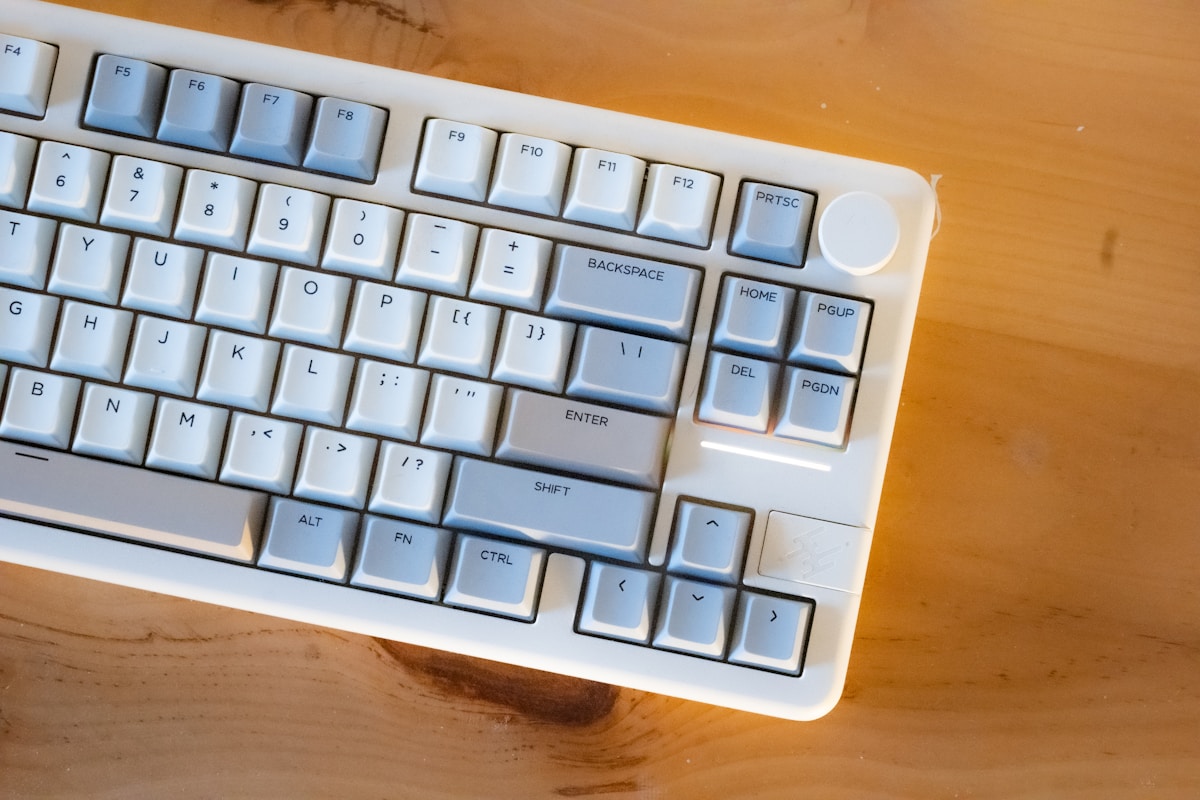
📺 Watch: Best Quiet Mechanical Keyboards for Office 2026
Got Questions About Mechanical Keyboards for Office? Let's Clear Things Up.
Will my coworkers hate me for using a mechanical keyboard?
Not if you choose the right switches. Silent tactile switches (Boba U4, Gateron Silent Brown) are quieter than most membrane keyboards. Clicky switches (Cherry MX Blue) will absolutely get you dirty looks in an open-plan office. The keyboards on this list are all office-appropriate with the right switch choice.
Is a mechanical keyboard worth it for office work?
If you type for 4+ hours daily, yes. The reduced finger fatigue, more accurate keystrokes, and overall typing comfort make a noticeable difference over a full workday. The investment ($130-280 CAD) pays for itself in comfort over the keyboard's 5-10 year lifespan.
Can I use a mechanical keyboard with my work laptop?
Yes. All keyboards on this list work with Windows, macOS, and Linux. Bluetooth models connect wirelessly, and USB-C models work with any laptop that has a USB port (with an adapter if needed). Keychron keyboards include both Mac and Windows keycaps.
What's the quietest mechanical keyboard for an open office?
The Keychron Q5 Pro with Boba U4 silent switches is the quietest option on this list. The gasket-mounted aluminium case absorbs vibration, the internal foam dampens sound, and the Boba U4 switches are nearly silent. Combined with a desk mat, it's quieter than a standard membrane keyboard.
How long do mechanical keyboards last?
Mechanical switches are rated for 50-100 million keystrokes (Cherry MX and Gateron). At typical office typing speeds, that's 10-20+ years of daily use. The keycaps, case, and PCB will last just as long. A $280 CAD mechanical keyboard that lasts 10 years costs $28 per year—less than a cheap membrane keyboard replaced every 2-3 years.
A quiet mechanical keyboard transforms the office typing experience without disturbing your coworkers. The Keychron Q5 Pro is the best all-around choice, while the K2 Pro offers excellent value at $130 CAD. For programming-specific features, check our best mechanical keyboard for programming guide, or see our best mechanical keyboards roundup for all categories.

Discussion
Sign up or sign in to join the conversation.