
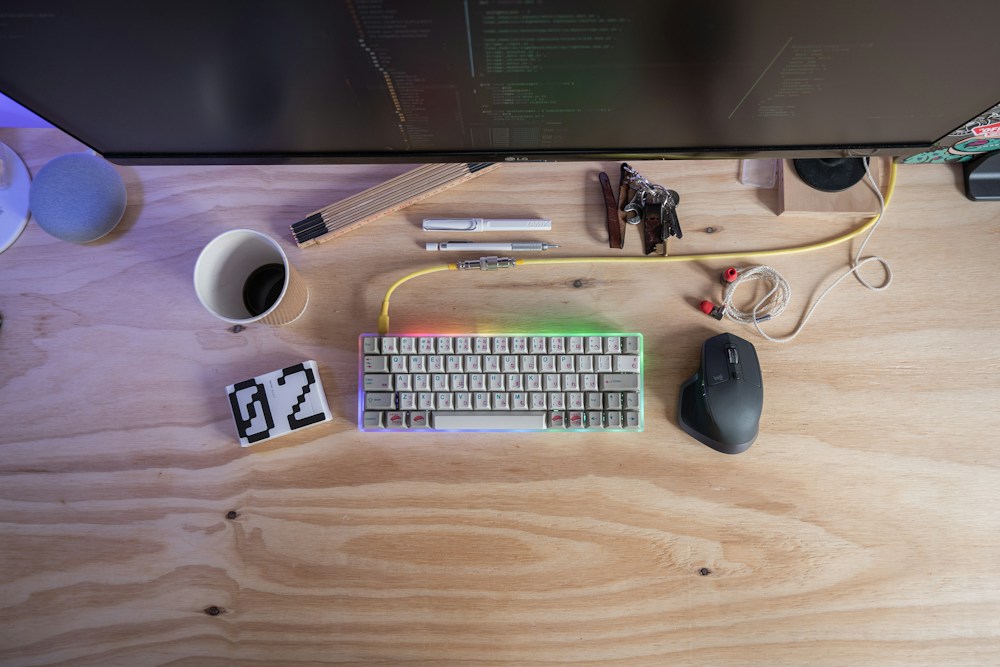

Apple's Magic Keyboard is fine. It's thin, it's quiet, it types. But if you've ever used a mechanical keyboard, you know "fine" isn't good enough. The tactile feedback, the satisfying sound, the typing speed—once you go mechanical, that flat chiclet keyboard feels like typing on a wet napkin.
Apple's Magic Keyboard is fine. It's thin, it's quiet, it types. But if you've ever used a mechanical keyboard, you know "fine" isn't good enough. The tactile feedback, the satisfying sound, the typing speed—once you go mechanical, that flat chiclet keyboard feels like typing on a wet napkin.
The problem for Mac users has always been compatibility. Most mechanical keyboards are designed for Windows—wrong modifier key layout, missing Command key, and function keys that don't map to macOS shortcuts. That's changed. In 2026, several excellent mechanical keyboards are built with Mac as a first-class citizen, complete with proper Command/Option layout and macOS-specific keycaps right out of the box.
Whether you're a developer writing code in VS Code, a writer hammering out drafts, or just someone who wants their keyboard to feel as premium as their MacBook, these are the best mechanical keyboards for Mac right now.
Top Mechanical Keyboards for Mac Compared
| Keyboard | Layout | Switches | Connectivity | Mac Keycaps | Hot-Swap | Price |
|---|---|---|---|---|---|---|
| Keychron Q1 Max | 75% | Gateron Jupiter | BT + 2.4 GHz + USB-C | Yes | Yes | ~$300 CAD |
| Keychron K8 Pro | TKL (80%) | Gateron G Pro | BT + USB-C | Yes | Yes | ~$150 CAD |
| NuPhy Air75 V2 | 75% | Gateron Low-Profile | BT + 2.4 GHz + USB-C | Yes | Yes | ~$170 CAD |
| Logitech MX Mechanical | Full-size / TKL | Tactile Quiet / Clicky / Linear | BT + Bolt USB | Yes | No | ~$220 CAD |
Best Overall for Mac: Keychron Q1 Max
Premium Build, Perfect Mac Integration
The Keychron Q1 Max is the keyboard Apple should have made. Full aluminum CNC-machined case, gasket-mounted design for a soft typing feel, and a 75% layout that includes function keys without wasting desk space. It ships with Mac-specific keycaps—Command, Option, and Globe keys in the right positions.
Why Mac Users Love It
The Q1 Max supports three connection modes: Bluetooth 5.1 for wireless convenience, 2.4 GHz dongle for low-latency wireless, and USB-C for wired use. macOS recognizes it instantly—no drivers needed. The function row maps correctly to macOS shortcuts (brightness, volume, Mission Control, Spotlight) out of the box.
The Gateron Jupiter switches are smooth and responsive. The gasket mount absorbs keystroke impact, resulting in a "thocky" sound that mechanical keyboard enthusiasts love. If you don't like the stock switches, the hot-swap sockets let you swap in any MX-compatible switch without soldering.
- Layout: 75% (84 keys)
- Switches: Gateron Jupiter (Banana or Mint), hot-swappable
- Connectivity: Bluetooth 5.1 + 2.4 GHz + USB-C
- Battery: 2,000 mAh (~100 hours BT with RGB off)
- Backlight: South-facing RGB
- Mac Support: Native keycaps, macOS function row
- Build: CNC aluminum, gasket mount
- Software: VIA/QMK compatible (full remapping)
- Price: ~$300 CAD
The Keychron Q1 Max is the best mechanical keyboard for Mac users who want premium build quality and complete customization. The gasket mount, aluminum case, and hot-swap switches make it feel like a $500+ keyboard at $300 CAD.
Customization with VIA
The Q1 Max supports VIA, an open-source keyboard configurator that works natively on macOS. You can remap every key, create custom layers, and set up macros—all through a browser-based interface. No proprietary software required.
Best Value for Mac: Keychron K8 Pro
TKL Layout, Great Price
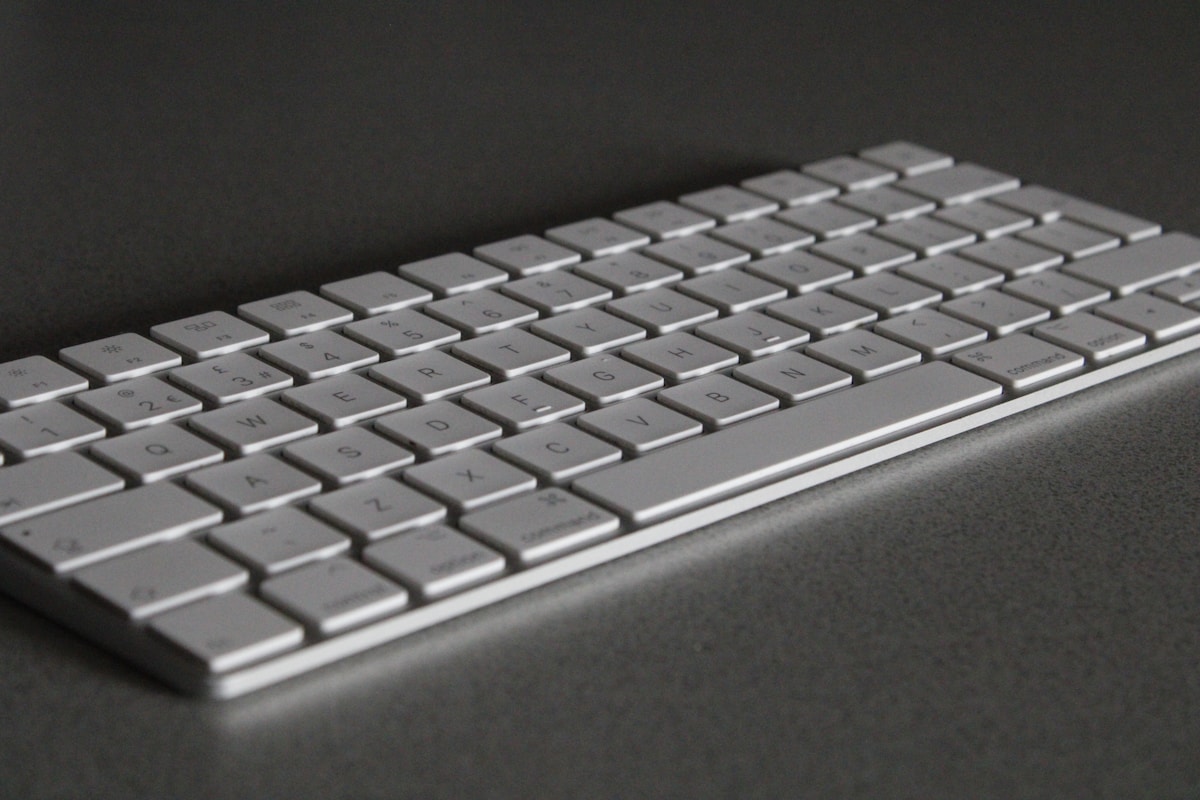
The K8 Pro is the sweet spot for Mac users who want a quality mechanical keyboard without spending $300. The tenkeyless layout gives you a full function row and arrow keys while saving desk space. Mac keycaps are included, and the macOS/Windows toggle switch on the side makes it easy to switch between systems.
Solid Typing Experience
The Gateron G Pro switches are available in Red (linear), Brown (tactile), and Blue (clicky). For office use, Brown is the most popular—tactile feedback without the loud click. The hot-swap PCB means you can upgrade switches later without buying a new keyboard.
The aluminum frame with a plastic bottom keeps the weight reasonable while feeling sturdy. The double-shot PBT keycaps resist shine and oil better than the ABS keycaps on most keyboards in this price range.
- Layout: TKL / 80% (87 keys)
- Switches: Gateron G Pro (Red/Brown/Blue), hot-swappable
- Connectivity: Bluetooth 5.1 + USB-C
- Battery: 4,000 mAh (~200 hours BT with backlight off)
- Backlight: White or RGB (model dependent)
- Mac Support: Native keycaps, macOS/Windows toggle
- Build: Aluminum top frame, plastic bottom
- Software: VIA/QMK compatible
- Price: ~$150 CAD
At $150 CAD, the K8 Pro is the best value mechanical keyboard for Mac. Hot-swap switches, VIA support, and proper Mac keycaps—features that used to cost $300+ just two years ago.
Best Low-Profile for Mac: NuPhy Air75 V2
The Closest to a Magic Keyboard (But Better)
If you love the low profile of Apple's Magic Keyboard but want mechanical switches, the NuPhy Air75 V2 is your answer. It's just 16mm thick—about twice the Magic Keyboard, but half the height of a standard mechanical keyboard. The low-profile Gateron switches provide tactile feedback with shorter key travel (3mm vs the standard 4mm).
Mac-First Design
NuPhy designs for Mac first. The keycap legends show macOS symbols (⌘, ⌥, ⌃), the function row maps to macOS shortcuts, and the included keycap set has both Mac and Windows modifiers. The 75% layout fits a function row and arrow keys in a compact footprint.
The 2.4 GHz dongle is a standout feature—it provides lower latency than Bluetooth, which matters for fast typists and gamers. You can switch between three Bluetooth devices and the dongle with keyboard shortcuts.
- Layout: 75% (84 keys), low-profile
- Switches: Gateron Low-Profile 2.0 (multiple options), hot-swappable
- Connectivity: Bluetooth 5.0 + 2.4 GHz + USB-C
- Battery: 2,500 mAh (~50 hours BT with RGB)
- Profile Height: 16mm
- Key Travel: 3mm
- Mac Support: Native macOS keycaps and layout
- Price: ~$170 CAD
Who It's For
The Air75 V2 is perfect for Mac users who want mechanical feel without the bulk. It pairs beautifully with a MacBook on a desk—the height difference between the laptop keyboard and the Air75 is minimal, so your wrists stay in a natural position.
Best for Productivity: Logitech MX Mechanical
The Office Workhorse
The Logitech MX Mechanical is designed for productivity, not enthusiast customization. It integrates with Logitech's ecosystem—pair it with an MX Master 3S mouse and use Logi Options+ to set up app-specific shortcuts, flow between multiple Macs, and customize every key.
Mac Compatibility
Logitech includes Mac-specific keycaps in the box, and the keyboard auto-detects macOS when connected. The Logi Bolt USB receiver provides a reliable, low-latency wireless connection that's more stable than Bluetooth in busy wireless environments (looking at you, downtown Toronto condos with 47 competing WiFi networks).
- Layout: Full-size or TKL
- Switches: Tactile Quiet, Clicky, or Linear (not hot-swappable)
- Connectivity: Bluetooth + Logi Bolt USB
- Battery: Up to 10 months (backlight off)
- Backlight: White, smart illumination (lights up when hands approach)
- Mac Support: Included Mac keycaps, auto-detect macOS
- Software: Logi Options+ (macOS native)
- Price: ~$220 CAD
The MX Mechanical is the best choice for Mac users who prioritize productivity features over keyboard customization. The Logi Options+ software and multi-device flow are unmatched for people who work across multiple Macs.
Choosing the Right Switch for Mac
Switch Types Explained
| Switch Type | Feel | Sound | Best For |
|---|---|---|---|
| Linear (Red) | Smooth, no bump | Quiet | Gaming, fast typing |
| Tactile (Brown) | Bump at actuation | Moderate | General use, coding |
| Clicky (Blue) | Bump + audible click | Loud | Typing enthusiasts (home office only) |
| Low-Profile | Short travel, light | Quiet | Magic Keyboard converts |
For Coding on Mac
Most developers prefer tactile switches (Brown or equivalent). The bump tells your fingers when a keypress registers without bottoming out, which reduces fatigue during long coding sessions. If you're in a shared office or on Zoom calls frequently, tactile quiet switches (like the Logitech option) are the way to go.
For Writing
Writers who type thousands of words daily often prefer linear switches for their smooth, consistent feel. No bump means less finger fatigue over marathon writing sessions. The Gateron Jupiter switches in the Q1 Max are particularly smooth.
Mac-Specific Features to Look For
- Native Mac keycaps: Command (⌘), Option (⌥), Control (⌃) in the correct positions
- macOS function row: Brightness, volume, Mission Control, Spotlight mapped correctly
- macOS/Windows toggle: Physical switch to swap modifier key positions
- VIA/QMK support: Remap keys on macOS without proprietary software
- Bluetooth stability: macOS can be finicky with Bluetooth keyboards—look for BT 5.1+ or a 2.4 GHz dongle option
Canadian Mac users: if you're buying from Amazon.ca or Best Buy Canada, make sure the listing specifies "Mac layout" or "includes Mac keycaps." Some keyboards ship with Windows-only keycaps even if they support macOS. Keychron and NuPhy always include Mac keycaps; other brands vary.
📺 Watch: Best Mechanical Keyboards for Mac 2026
Got Questions About Mechanical Keyboards for Mac? Let's Clear Things Up.
Do mechanical keyboards work with Mac out of the box?
Most modern mechanical keyboards work with Mac via Bluetooth or USB-C. The key difference is the modifier key layout—Windows keyboards have Ctrl-Win-Alt, while Mac needs Control-Option-Command. Keyboards from Keychron, NuPhy, and Logitech include Mac keycaps and a toggle switch to remap the modifiers. Generic Windows keyboards work but require manual key remapping in macOS System Settings.
Is a 75% layout enough for coding on Mac?
Yes. A 75% layout includes the function row (F1-F12), arrow keys, and a few navigation keys (Delete, Home, End, Page Up/Down). You lose the number pad and some navigation keys, but most developers rarely use those. If you need a number pad, the Logitech MX Mechanical comes in a full-size option.
Can I use a mechanical keyboard with my MacBook in clamshell mode?
Absolutely. Connect via Bluetooth or USB-C, close your MacBook lid, and use it with an external monitor. The keyboard's function keys will control macOS functions (brightness, volume) just like the built-in keyboard. Make sure to enable "Allow Bluetooth devices to wake this computer" in System Settings.
Are Keychron keyboards available in Canada?
Yes. Keychron sells directly through their website with shipping to Canada, and many models are available on Amazon.ca. Best Buy Canada carries select Keychron models in-store and online. Expect to pay $10-20 CAD for shipping from Keychron's site, or get free shipping with Amazon Prime.
How loud are mechanical keyboards on Zoom calls?
It depends on the switch. Clicky (Blue) switches are very audible on calls—avoid them if you're on Zoom regularly. Tactile (Brown) switches are moderate—most noise-cancelling microphones handle them fine. Linear (Red) and low-profile switches are the quietest. Adding a desk mat under your keyboard also reduces sound significantly.
Switching from Apple's Magic Keyboard to a mechanical keyboard is one of the best upgrades a Mac user can make. The Keychron Q1 Max is the premium choice, while the K8 Pro offers incredible value. For more keyboard options, check our best mechanical keyboards roundup or our best budget mechanical keyboard guide if you're watching your budget.

Discussion
Sign up or sign in to join the conversation.