


You don't need to spend $300 on a keyboard to get the mechanical experience. The budget mechanical keyboard market has exploded, and keyboards under $100 CAD now offer features that were premium-only two years ago—hot-swappable switches, wireless connectivity, RGB lighting, and build quality that...
You don't need to spend $300 on a keyboard to get the mechanical experience. The budget mechanical keyboard market has exploded, and keyboards under $100 CAD now offer features that were premium-only two years ago—hot-swappable switches, wireless connectivity, RGB lighting, and build quality that doesn't feel like a toy.
The sweet spot for budget mechanical keyboards in Canada is $50-100 CAD. Below $50, you're making real compromises on build quality and switch feel. Above $100, you're entering mid-range territory where options like the Keychron K8 Pro start to make more sense. But right in that $50-100 range? There are some genuinely impressive keyboards.
Whether you're a student in Montreal looking for your first mechanical keyboard, a gamer in Calgary who wants something better than a membrane board, or a developer in Ottawa who types all day—these keyboards deliver serious value.
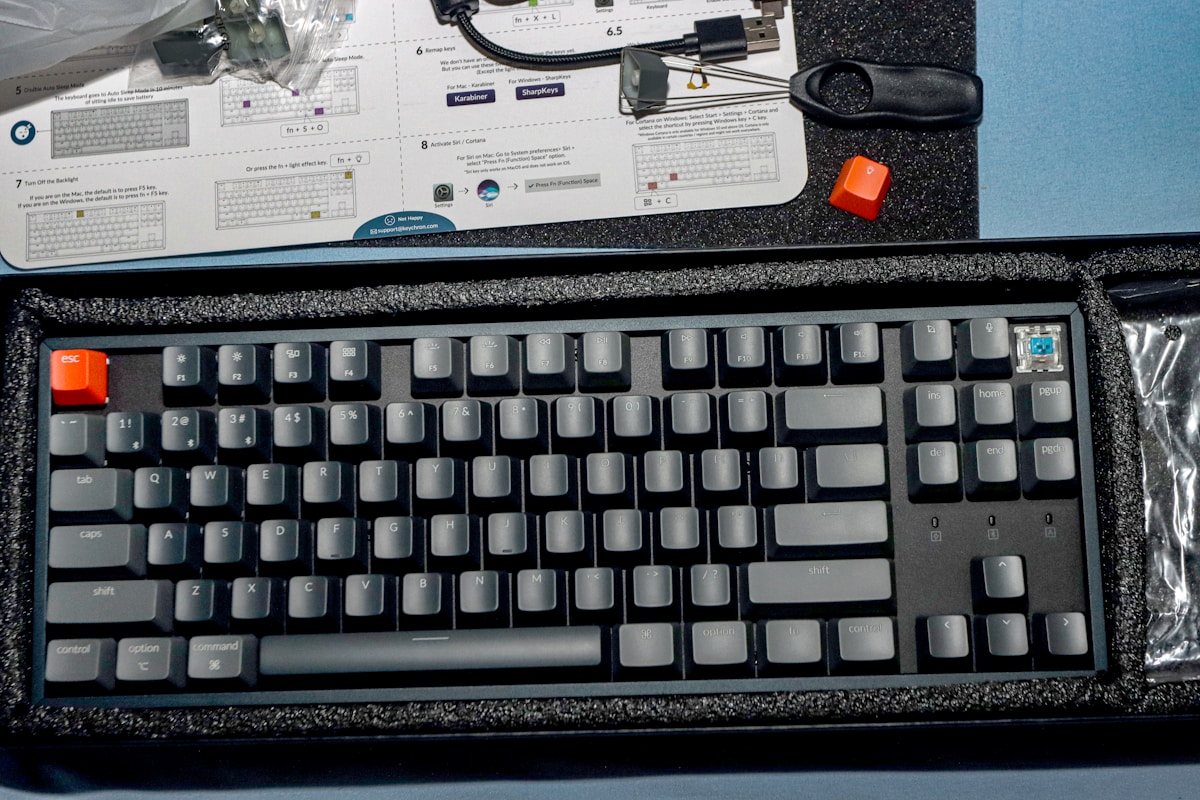
Top Budget Mechanical Keyboards Compared
| Keyboard | Layout | Switches | Hot-Swap | Connectivity | Backlight | Price |
|---|---|---|---|---|---|---|
| Royal Kludge RK84 | 75% | RK switches | Yes | BT + 2.4 GHz + USB-C | RGB | ~$90 CAD |
| Keychron C3 Pro | TKL | Gateron (Red/Brown) | Yes | USB-C (wired) | Red LED | ~$50 CAD |
| Redragon K552 | TKL | Outemu (Red/Brown/Blue) | No | USB (wired) | RGB or Red | ~$50 CAD |
| Epomaker TH80 | 75% | Epomaker Sea Salt switches | Yes | BT + 2.4 GHz + USB-C | RGB | ~$100 CAD |
Best Overall Budget: Royal Kludge RK84
Triple Connectivity Under $100
The Royal Kludge RK84 is the most feature-packed budget keyboard you can buy. For ~$90 CAD, you get Bluetooth 5.1, a 2.4 GHz wireless dongle, and USB-C wired mode. That's the same triple connectivity you find on keyboards costing $200+. You can pair it with up to three Bluetooth devices and switch between them with Fn+1/2/3.
Hot-Swap Switches
The RK84 comes with Royal Kludge's own switches (available in Red, Brown, and Blue), which are decent but not exceptional. The real value is the hot-swap PCB—pull out the stock switches and drop in any 3-pin or 5-pin MX-compatible switch. Gateron Yellows (~$15 CAD for a set on Amazon.ca) are a popular upgrade that transforms the typing feel.
The 75% layout includes a function row and arrow keys in a compact footprint. The aluminum top plate adds rigidity, and the ABS keycaps are acceptable for the price (though upgrading to PBT keycaps for ~$30 CAD is a worthwhile investment down the road).
- Layout: 75% (84 keys)
- Switches: RK Red/Brown/Blue, hot-swappable (3-pin and 5-pin)
- Connectivity: Bluetooth 5.1 + 2.4 GHz + USB-C
- Battery: 3,000 mAh (~200 hours with backlight off)
- Backlight: RGB (per-key, software customizable)
- Keycaps: ABS double-shot
- Build: Aluminum top plate, plastic case
- Mac Support: Yes (Fn key combo to swap modifiers)
- Price: ~$90 CAD
The RK84 at $90 CAD is the best value in mechanical keyboards right now. Triple connectivity, hot-swap, RGB, and a 75% layout—you'd pay $200+ for this feature set from Keychron or NuPhy. The stock switches are the weak point, but they're easily upgraded.
Modding Potential
The RK84 is a popular modding base in the Canadian mechanical keyboard community. Common upgrades:
- Switch swap: Gateron Yellow or Milky Yellow (~$15-20 CAD)
- Keycap upgrade: PBT double-shot set (~$30-40 CAD on Amazon.ca)
- Foam mod: Add packing foam inside the case to reduce hollow sound (free)
- Tape mod: Painter's tape on the back of the PCB for a deeper sound (free)
Total cost with mods: ~$140 CAD for a keyboard that sounds and feels like a $250+ board.
Best Wired Budget: Keychron C3 Pro
Keychron Quality at $50
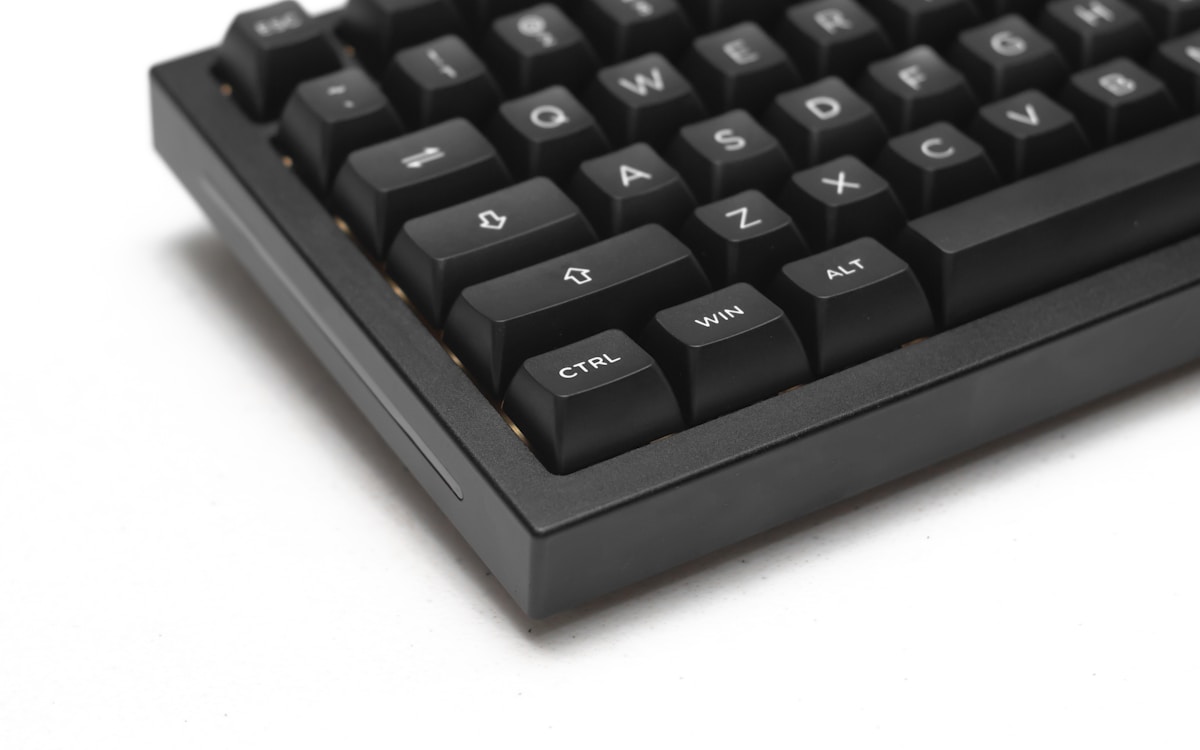
The Keychron C3 Pro is remarkable for its price. At ~$50 CAD, you get Gateron mechanical switches (not off-brand clones), a hot-swap PCB, and Keychron's build quality. The catch: it's wired only (USB-C) and has a red LED backlight instead of RGB. For many people, those aren't compromises—they're features.
Why Wired is Fine
A wired keyboard means zero latency, no battery to charge, and no wireless interference. For gaming and fast typing, wired is technically superior. The USB-C cable is detachable, so you can use your own cable or replace it easily.
The Gateron switches are a significant upgrade over the generic switches found in most sub-$50 keyboards. Gateron Reds are smooth and linear; Gateron Browns have a satisfying tactile bump. Both are pre-lubed from the factory, which reduces scratchiness.
- Layout: TKL (87 keys)
- Switches: Gateron Red or Brown, hot-swappable
- Connectivity: USB-C (wired only)
- Backlight: Red LED
- Keycaps: ABS double-shot
- Build: Plastic case, steel plate
- Mac Support: Yes (includes Mac keycaps, macOS/Windows toggle)
- QMK/VIA: Yes (full key remapping)
- Price: ~$50 CAD
The Keychron C3 Pro at $50 CAD is the best entry point into mechanical keyboards. Gateron switches, hot-swap, and QMK/VIA support at this price is unheard of. If you don't need wireless, this is the keyboard to buy.
Best Ultra-Budget: Redragon K552
The Gateway Drug
The Redragon K552 has been the go-to budget mechanical keyboard for years, and it's still a solid choice at ~$50 CAD. It's the keyboard that's introduced thousands of Canadians to mechanical typing. The Outemu switches are clones of Cherry MX, and while they're not as smooth as Gateron, they deliver the essential mechanical experience—tactile feedback, audible click (Blue), or smooth linear action (Red).
No Frills, Just Typing
The K552 doesn't have hot-swap, wireless, or fancy software. What it has is a solid build with a metal top plate, decent Outemu switches, and RGB backlighting that looks good on a desk. It's a plug-and-play keyboard that works immediately on Windows, Mac, and Linux.
- Layout: TKL (87 keys)
- Switches: Outemu Red, Brown, or Blue (not hot-swappable)
- Connectivity: USB (wired only)
- Backlight: RGB or Red LED (model dependent)
- Keycaps: ABS
- Build: Metal top plate, plastic case
- Mac Support: Basic (works, but no Mac keycaps)
- Price: ~$50 CAD
K552 vs C3 Pro
At the same $50 CAD price point, the Keychron C3 Pro is the better keyboard—Gateron switches, hot-swap, QMK support, and Mac keycaps. The K552 wins on availability (it's everywhere on Amazon.ca) and RGB lighting. If you can find the C3 Pro in stock, buy it. If not, the K552 is a perfectly good alternative.
Best Premium Budget: Epomaker TH80
Pushing the Budget Ceiling
The Epomaker TH80 sits right at the $100 CAD mark and delivers a typing experience that punches well above its weight. The Epomaker Sea Salt switches are factory-lubed and surprisingly smooth—comparable to Gateron Yellows that cost extra on other boards.
Build Quality Surprise
The TH80 has a gasket-mounted design, which is unusual at this price. Gasket mounting uses silicone pads between the plate and case to absorb keystroke impact, resulting in a softer, more pleasant typing feel. Most keyboards under $150 use tray mounting, which feels stiffer and more hollow.
The 75% layout with a rotary knob adds a volume/media control that's genuinely useful. Triple connectivity (Bluetooth + 2.4 GHz + USB-C) means it works wirelessly with any device.
- Layout: 75% with rotary knob (81 keys)
- Switches: Epomaker Sea Salt (linear, pre-lubed), hot-swappable
- Connectivity: Bluetooth 5.0 + 2.4 GHz + USB-C
- Battery: 3,000 mAh
- Backlight: RGB (south-facing LEDs)
- Keycaps: PBT double-shot
- Build: Plastic case, gasket mount
- Mac Support: Yes (includes Mac keycaps)
- Price: ~$100 CAD
The Epomaker TH80 at $100 CAD is the best keyboard on this list if you can stretch your budget. Gasket mount, PBT keycaps, pre-lubed switches, and a rotary knob—features you normally find on $200+ keyboards.
Budget Keyboard Buying Guide
What to Prioritize at Each Price Point
| Budget | Must-Have | Nice-to-Have | Skip |
|---|---|---|---|
| Under $50 CAD | Mechanical switches, decent build | Hot-swap, backlight | Wireless, RGB, PBT keycaps |
| $50-75 CAD | Hot-swap, brand-name switches | RGB, Mac support | Gasket mount, rotary knob |
| $75-100 CAD | Hot-swap, wireless, good switches | PBT keycaps, gasket mount | Full aluminum case |
Switch Recommendations for Beginners
- First keyboard ever: Brown (tactile) — the bump helps you feel each keypress
- Gaming focus: Red (linear) — smooth and fast for rapid key presses
- Typing focus: Brown or Blue — tactile feedback improves typing accuracy
- Shared space / office: Red or Brown — avoid Blue (clicky) unless you want complaints
Hot-Swap: Why It Matters
Hot-swap means you can pull out switches and replace them without soldering. This is important because:
- Try before you commit: Test different switch types to find your preference
- Upgrade later: Start with stock switches, upgrade to premium ones when budget allows
- Fix issues: Replace a single faulty switch instead of the whole keyboard
- Customization: Mix switches—heavier on spacebar, lighter on letters
For Canadian students and first-time buyers: start with the Keychron C3 Pro at $50 CAD. It's the lowest-risk entry into mechanical keyboards. If you love it (you will), upgrade to the RK84 or TH80 later. If you're not sure about mechanical keyboards, $50 is a lot easier to justify than $200.
Where to Buy in Canada
- Amazon.ca: Largest selection, Prime shipping, easy returns. Best for Redragon, Royal Kludge
- Keychron.com: Direct shipping to Canada (~$10-20 CAD shipping). Best prices on Keychron boards
- Best Buy Canada: Limited selection but in-store pickup available
- Deskhero.ca: Canadian mechanical keyboard retailer, great for switches and accessories
- AliExpress: Cheapest prices but 2-4 week shipping. Good for Epomaker
📺 Watch: Best Budget Mechanical Keyboards 2026
Got Questions About Budget Mechanical Keyboards? Let's Clear Things Up.
Are budget mechanical keyboards good for gaming?
Yes. The switches in budget keyboards (Gateron, Outemu) have the same actuation speed and travel distance as Cherry MX switches found in $200+ gaming keyboards. The difference is in smoothness and consistency, not performance. For competitive gaming, a wired connection (Keychron C3 Pro, Redragon K552) eliminates any wireless latency concerns.
How long do budget mechanical keyboards last?
Mechanical switches are rated for 50-100 million keypresses. Even budget Outemu switches last 50 million presses. At heavy daily use, that's 5-10+ years. The keycaps and stabilizers will wear out before the switches do. Budget ABS keycaps develop shine after 6-12 months; upgrading to PBT keycaps (~$30 CAD) solves this.
Should I buy a budget keyboard or save for a premium one?
If you've never used a mechanical keyboard, start budget. You might discover you prefer linear over tactile, or 75% over TKL. A $50-90 CAD keyboard lets you figure out your preferences without a big investment. Once you know what you like, you can make an informed decision on a premium board.
What's the difference between Gateron and Cherry MX switches?
Cherry MX is the original mechanical switch brand. Gateron is a clone that many enthusiasts actually prefer—Gateron switches are smoother out of the box and cost less. In blind tests, most people can't tell the difference. At the budget level, Gateron is the better value.
Can I use a budget mechanical keyboard with a Mac?
Yes. The Keychron C3 Pro and Epomaker TH80 include Mac keycaps and have macOS/Windows toggle switches. The RK84 works with Mac but requires a key combo to swap modifiers. The Redragon K552 works on Mac but doesn't include Mac-specific keycaps—you'll need to remember that Alt = Option and Windows = Command.
Budget mechanical keyboards in 2026 offer incredible value for Canadian buyers. The Keychron C3 Pro at $50 CAD is the best entry point, while the RK84 at $90 CAD delivers the most features per dollar. For more options, check our best mechanical keyboards roundup or our best mechanical keyboard for Mac guide if you're in the Apple ecosystem.

Discussion
Sign up or sign in to join the conversation.